What Is a Reverse DNS Lookup and Why Does It Matter?
Key Takeaways
|
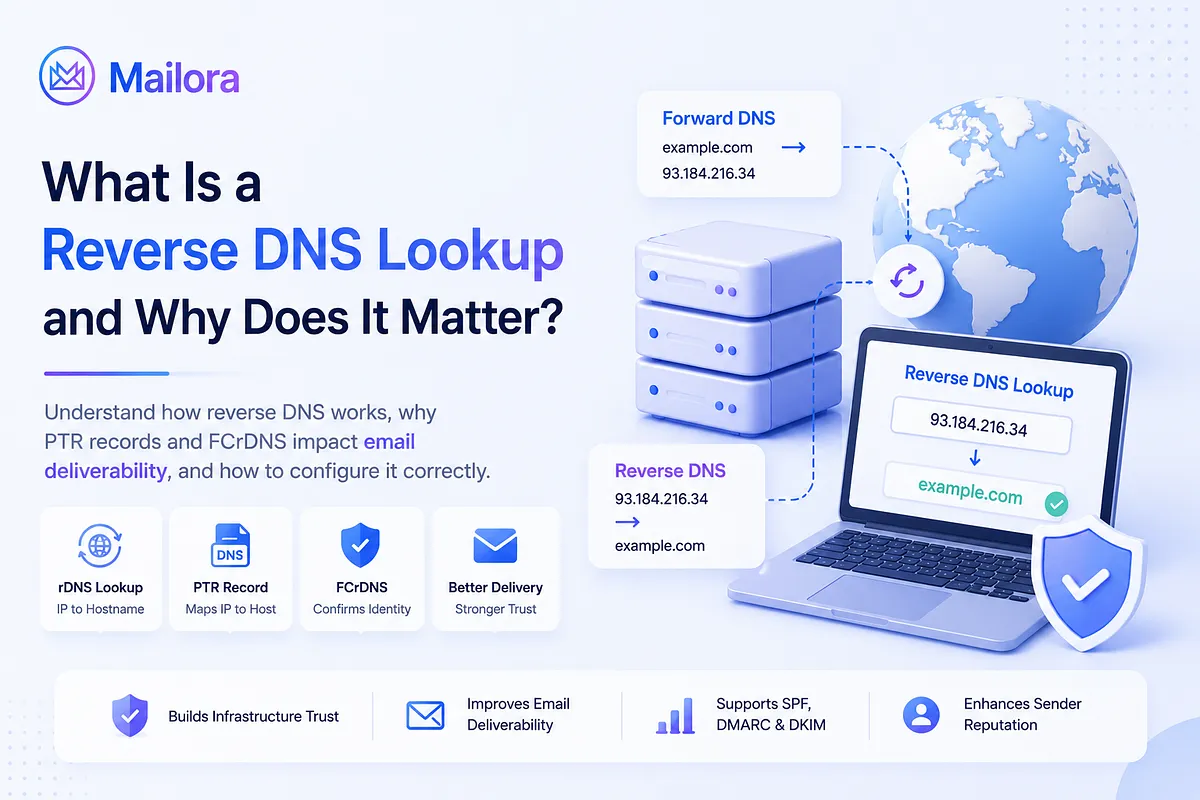
A reverse DNS (rDNS) lookup is the process of finding the domain name associated with an IP address. Unlike a standard DNS lookup, which converts a domain name into an IP address, a reverse DNS lookup checks the IP address against a PTR (Pointer) record to identify the hostname it maps to.
Reverse DNS plays an important role in email delivery, network administration, and security. Many receiving mail servers use it as part of their verification process to confirm that a sending server has a legitimate identity. While an rDNS record alone won't guarantee inbox placement, a missing or incorrect one can damage your sender credibility and contribute to spam filtering, especially when combined with other authentication issues.
Whether you're troubleshooting email deliverability, validating a mail server, or simply trying to understand how DNS works, knowing how reverse DNS lookups function is essential. In this guide, you'll learn what reverse DNS is, how reverse DNS lookups work, why they matter for email authentication, how to perform an rDNS lookup, and how to configure reverse DNS records correctly for your server.
How Reverse DNS resolution actually works
A reverse DNS lookup starts with an IP address and asks a simple question: Which hostname is assigned to this IP? Unlike a forward DNS lookup, which resolves a domain name to an IP address, reverse DNS performs the lookup in the opposite direction using a PTR record.
For IPv4, the process is straightforward. The resolver reverses the four octets of the IP address and appends .in-addr.arpa to create the lookup name. For example, the IP address 8.8.4.4 becomes:
| 4.4.8.8.in-addr.arpa. |
The DNS resolver queries that name, and the corresponding PTR record returns the hostname:
| 4.4.8.8.in-addr.arpa. 3600 IN PTR dns.google. |
IPv6 follows the same principle but uses hexadecimal nibbles (individual hex digits) instead of octets. The fully expanded IPv6 address is reversed one nibble at a time and appended to .ip6.arpa, creating a much longer lookup name that resolves to a PTR record in exactly the same way.
For most organizations, creating a reverse DNS record isn't as simple as editing a DNS zone. PTR records are controlled by the owner of the IP address block, not the owner of the domain. If you're using IP addresses provided by a cloud provider, hosting company, or ISP, they're typically responsible for publishing or delegating your reverse DNS records.
If you own an entire IP block (such as a /24 or larger allocation), you usually manage the reverse DNS zone yourself. Smaller delegated ranges, such as a /27, often use RFC 2317 classless reverse delegation, allowing the IP block owner to delegate part of the reverse zone to you. This is primarily relevant for organizations managing their own dedicated IP ranges.
The difference between forward and reverse DNS is easier to understand side by side:
Dimension | Forward DNS | Reverse DNS |
| Question answered | Which IP address does this hostname use? | Which hostname is assigned to this IP address? |
| Record type | A (IPv4) / AAAA (IPv6) | PTR |
| Lookup direction | Hostname → IP address | IP address → Hostname |
| Namespace | Your domain's DNS zone | in-addr.arpa / ip6.arpa |
| Typically managed by | Domain owner or DNS provider | IP address owner (ISP, cloud provider, or hosting provider) |
You can have perfectly configured forward DNS, SPF, DKIM, and DMARC records, but if the IP owner's PTR record is missing or incorrect, reverse DNS will still fail. That's why troubleshooting reverse DNS usually involves both your DNS configuration and the organization that owns your sending IP.
Why reverse DNS matters for email deliverability
Reverse DNS is one of the first trust checks a receiving mail server performs when your mail server connects. Before Gmail, Outlook, or Yahoo evaluates your content or DMARC policy, it verifies whether the sending IP has a valid reverse DNS record.
- It establishes trust in your sending IP: A valid PTR record tells receiving servers that the IP address belongs to a legitimate mail server. If reverse DNS is missing or points to an unexpected hostname, your connection starts with less trust.
- It supports Forward-Confirmed reverse DNS (FCrDNS): Most mailbox providers don't just check for a PTR record. They verify that the PTR hostname resolves back to the same IP address through a forward DNS lookup. This two-way validation confirms that the hostname and IP belong together.
- It improves your chances of successful delivery: Missing or mismatched reverse DNS doesn't always cause an immediate rejection, but it can increase spam filtering, temporary deferrals, or connection failures. Over time, these signals can affect your sender reputation and inbox placement.
- It complements your authentication setup: SPF, DKIM, and DMARC provide email authentication and domain-alignment signals, while reverse DNS provides an infrastructure-level identity check for the sending IP. Together, these signals give receiving mail servers more context when evaluating a message
- Major mailbox providers expect it: Since February 2024, Gmail and Yahoo have required valid forward and reverse DNS records as part of their sender requirements. Microsoft introduced similar requirements for Outlook.com, Hotmail.com, and Live.com in 2025. Reverse DNS is now considered a baseline requirement alongside SPF, DKIM, and DMARC.
How FCrDNS Works
Some mailbox providers and receiving servers perform Forward-Confirmed reverse DNS (FCrDNS) checks instead of checking only for a PTR record. The exact reverse-DNS validation policy varies by provider. When FCrDNS is used, the verification typically follows these steps:
- The receiving server reads the connecting IP address.
- It performs a PTR lookup to retrieve the hostname.
- It performs a forward (A or AAAA) lookup on that hostname.
- It verifies that the hostname resolves back to the original IP address.
If both lookups point to each other, the FCrDNS check passes. If the PTR record is missing or the forward lookup returns a different IP address, the check fails.
When a receiving server performs FCrDNS validation, the reverse and forward records must be consistent. An IP can therefore have a PTR record but still fail an FCrDNS check if the hostname does not resolve back to the original IP.
How reverse DNS interacts with SPF, DKIM, and DMARC
Reverse DNS is a separate infrastructure trust signal. It is not part of SPF, DKIM, or DMARC, and it does not determine SPF or DMARC alignment. Instead, it helps receiving mail servers evaluate the identity and consistency of the sending infrastructure.
Each authentication mechanism validates a different part of the email:
- SPF verifies that the sending IP is authorized to send email for the envelope domain.
- DKIM verifies that the message hasn't been modified and identifies the domain that signed it.
- DMARC checks whether SPF or DKIM aligns with the visible From domain and tells receiving servers how to handle messages that fail authentication.
- Reverse DNS verifies that the sending IP has a valid hostname through its PTR record and that the hostname resolves back to the same IP address through FCrDNS.
These checks provide different signals during email delivery rather than replacing one another. SPF, DKIM, and DMARC handle email authentication and alignment, while reverse DNS provides a separate signal about the sending infrastructure. Passing SPF, DKIM, and DMARC doesn't eliminate the need for reverse DNS, just as having a valid PTR record doesn't compensate for failed email authentication.
A missing or incorrect PTR record won't always cause email to be rejected on its own. However, mailbox providers evaluate multiple signals when deciding whether to accept, filter, or reject a message. A reverse DNS problem can reduce confidence in the sending infrastructure, while a separate SPF or DKIM authentication problem can affect DMARC evaluation. These issues can coexist and collectively affect delivery, but a PTR problem does not itself cause SPF or DMARC alignment to fail.
Hence, reverse DNS should be treated as part of your overall email infrastructure rather than an isolated DNS setting. A properly configured sending environment uses reverse DNS alongside SPF, DKIM, and DMARC: reverse DNS provides an infrastructure-level trust signal, while SPF, DKIM, and DMARC provide email authentication and alignment signals.
How to perform a reverse DNS lookup
A reverse DNS lookup only requires the IP address you want to check. You can perform the lookup from the command line or use an online lookup tool if you don't have access to terminal commands.
Step 1: Run a reverse DNS lookup
Use one of the following commands to query the IP address.
Using dig (Linux/macOS)
The -x option automatically converts the IP address into the reverse lookup format and returns the PTR record.
| dig -x 8.8.4.4 +short |
Output
| dns.google. |
Using nslookup (Windows, macOS, Linux)
nslookup is available on most operating systems and displays both the reverse lookup name and the resulting hostname.
| nslookup 8.8.4.4 |
Output
| 4.4.8.8.in-addr.arpa name = dns.google. |
Using host (Linux/macOS)
The host command provides a simple, human-readable response.
| host 8.8.4.4 |
Output
| 4.4.8.8.in-addr.arpa domain name pointer dns.google. |
Step 2: Verify the PTR record
A successful lookup should return the hostname associated with the IP address. If no hostname is returned, the IP address either doesn't have a PTR record or reverse DNS hasn't been configured correctly.
If you're troubleshooting a mail server, confirm that the returned hostname is the one you expect your sending server to use.
Step 3: Confirm Forward-Confirmed Reverse DNS (FCrDNS)
Finding a PTR record isn't always enough. Some receiving servers perform an FCrDNS check by resolving the hostname returned by the PTR record back to an IP address. Whether and how this check is applied depends on the receiving provider's policy.
If the forward lookup resolves back to the original IP, the FCrDNS check passes. If it resolves to a different IP address or fails entirely, the reverse DNS configuration is incomplete.
Step 4: Use an online reverse DNS lookup tool (optional)
If you don't want to use the command line, online tools such as MxToolbox perform the same lookup through a web interface. They're useful for quickly confirming whether a PTR record exists, but they only show the current state of the record.
They don't tell you when a record changed, whether it recently failed, or how it affected your email delivery over time.
Step 5: Monitor reverse DNS changes
If you manage multiple sending IPs, checking them one by one isn't practical. Instead, automate reverse DNS lookups across your sending IP range so changes are detected as soon as they occur.
Keep in mind that PTR record updates aren't always visible immediately. Depending on DNS caching, the record's TTL, and the DNS provider, changes may take a few hours or, in some cases, up to 24–48 hours to become visible. Before assuming a configuration change didn't work, allow enough time for DNS caches to refresh
How to set up and configure PTR records correctly?
PTR records are managed by the organization that owns your sending IP address, such as your cloud provider, hosting provider, or ISP. If you're using a dedicated IP, you'll usually need to request or configure the reverse DNS record through that provider's management interface.
Follow these steps to configure PTR records correctly:
Step 1: Identify every sending IP address
Start by making a list of every IP address that sends email on behalf of your domain. This includes your primary mail server, SMTP relays, transactional email services, and any secondary mail transfer agents (MTAs). Every sending IP should have its own reverse DNS record.
Step 2: Configure a PTR record for each IP
Create (or request) a PTR record that points each sending IP address to a hostname you control, such as:
mail.yourdomain.com
or
smtp.yourdomain.com
Avoid leaving the IP mapped to your provider's default hostname unless that's intentionally part of your mail infrastructure.
Step 3: Make sure the hostname resolves back to the same IP
After creating the PTR record, verify that the hostname has a matching A (IPv4) or AAAA (IPv6) record pointing back to the original IP address.
This forward-and-reverse relationship is what receiving servers validate when they perform an FCrDNS check. A PTR record by itself won't pass FCrDNS if the forward lookup returns a different IP.
Step 4: Verify the configuration
Wait for DNS propagation, then perform a reverse DNS lookup to confirm the record is live. After that, run a forward lookup on the returned hostname to make sure both lookups point to each other.
Only begin sending production email after both checks succeed.
Best practices for PTR records
A few simple practices help keep your reverse DNS configuration reliable:
- Prefer one PTR record per IP address: Using a single PTR record per IP keeps the reverse DNS configuration predictable and can help avoid inconsistent results during FCrDNS checks.
- Use a hostname associated with your domain: Hostnames such as mail.yourdomain.com or smtp.yourdomain.com present a clearer and more consistent sending identity than generic provider-assigned hostnames.
- Keep naming consistent across all sending IPs: Using a predictable naming pattern makes your mail infrastructure easier to manage and presents a coherent identity to receiving mail servers.
- Recheck PTR records after infrastructure changes: If you migrate to a new server or change dedicated IPs, verify that the reverse DNS record was updated to match the new environment.
Common configuration mistakes
Most reverse DNS issues come down to a few common mistakes:
- The PTR record points to a hostname that doesn't have a matching A or AAAA record.
- The forward DNS lookup resolves to a different IP address, causing FCrDNS to fail.
- The PTR record was never updated after changing servers or migrating to a new IP address.
- A shared IP is configured without coordinating reverse DNS ownership with the provider.
Even if SPF, DKIM, and DMARC are configured correctly, these infrastructure issues can still reduce trust during the SMTP connection and affect email delivery. They do not change how SPF or DMARC alignment is calculated, but they can provide an additional negative signal during delivery evaluation. That's why it's good practice to verify both your reverse and forward DNS whenever you make changes to your sending infrastructure.
Troubleshooting common reverse DNS issues
Most reverse DNS issues fall into a handful of common patterns. Some cause SMTP connection failures immediately, while others quietly reduce sender trust and inbox placement over time. The table below summarizes the most common problems, how they typically appear, and how to fix them.
Issue | What happens | How to fix it |
| No PTR record | The sending IP has no reverse DNS record. Some mailbox providers may reject the connection or reduce trust in the sending server. | Configure or request a PTR record from the organization that owns the IP address (your cloud provider, hosting provider, or ISP). |
| PTR mismatch (FCrDNS failure) | A PTR record exists, but the hostname doesn't resolve back to the same IP address. If the receiving server performs FCrDNS validation, the check fails even though a PTR record exists | Point the PTR record to a hostname with a matching A or AAAA record that resolves back to the original IP. |
| Outdated PTR record after an IP change | After migrating servers or changing dedicated IPs, the PTR record still points to the old hostname or IP. Deliverability may decline because the sending infrastructure no longer presents a consistent reverse DNS identity, even if SPF, DKIM, and DMARC haven't changed | Update the PTR record for the new IP address and verify both forward and reverse DNS after propagation. |
| Multiple PTR records for one IP | Different DNS resolvers may return different hostnames for the same IP address, leading to inconsistent FCrDNS validation. | Configure only one PTR record for each sending IP address. |
| Provider-managed shared IPs | Some shared hosting or cloud providers don't allow custom PTR records. This prevents you from aligning reverse DNS with your own sending domain. | Use a dedicated IP that supports custom reverse DNS, or work with your provider to configure the record. |
Reverse DNS problems often go unnoticed because they don't always cause immediate failures. A missing or mismatched PTR record may simply reduce the trust mailbox providers place in your connection, making spam filtering or temporary delivery issues more likely over time.
That's why it's important to monitor reverse DNS alongside SPF, DKIM, DMARC, and inbox placement. Looking at these signals together makes it much easier to identify infrastructure issues before they begin affecting email deliverability.
Why one-off Reverse DNS lookups aren't enough
A reverse DNS lookup can't tell you whether the record changes next week after an IP migration, a hosting change, or a new email service is added to your sending infrastructure.
Reverse DNS issues often appear after infrastructure changes, not because someone intentionally misconfigured the record. A new dedicated IP, a cloud provider update, or a forgotten PTR change can break Forward-Confirmed reverse DNS (FCrDNS). In many cases, the first sign is lower inbox placement or an increase in delivery failures rather than an obvious configuration error.
The same principle applies across your email infrastructure. SPF, DKIM, DMARC, sender reputation, and reverse DNS all change over time. A configuration that was correct during setup isn't guaranteed to stay that way.
That's why reverse DNS should be monitored alongside the other signals that influence email deliverability. Looking at these signals together makes it much easier to catch infrastructure issues before they affect your campaigns.
Free tools can confirm whether a PTR record exists and whether it passes FCrDNS at that moment. Mailora goes a step further by monitoring reverse DNS alongside SPF, DKIM, DMARC, blacklist status, DMARC reports, and inbox placement across major mailbox providers. Instead of checking one signal at a time, you get a complete view of your email deliverability health.
Run your first deliverability test
FAQs
What happens if my sending IP doesn't have a reverse DNS (PTR) record?
A missing PTR record reduces the trust mailbox providers place in your sending server. It can contribute to spam filtering, temporary delivery failures, or connection rejections. Configure the PTR record through the organization that owns your sending IP.
Can I set up a PTR record myself, or does my hosting provider need to do it?
PTR records are managed by the owner of the IP address, usually your hosting provider, cloud provider, or ISP. If you don't own the IP block, you'll need to request or configure reverse DNS through their platform.
What is Forward-Confirmed reverse DNS (FCrDNS), and why is it important?
FCrDNS verifies that a PTR record points to a hostname and that the hostname resolves back to the same IP address. Receiving servers that perform this check can use it to confirm that the sending IP and hostname have a consistent identity.
How long does it take for a new PTR record to propagate?
PTR record changes may become visible within a few hours, but in some cases they can take up to 24–48 hours depending on the record's TTL, DNS caching, and provider behavior. After allowing time for the change to become visible, verify the configuration with a reverse DNS lookup before sending production email.
Does reverse DNS matter if SPF, DKIM, and DMARC are already configured?
Yes. Reverse DNS is a separate infrastructure check that complements SPF, DKIM, and DMARC. A valid PTR record and consistent FCrDNS can support trust in your sending infrastructure, while a missing or mismatched record can affect delivery even when SPF, DKIM, and DMARC authentication passes. However, a PTR problem does not itself cause SPF or DMARC alignment to fail.
Stay in the loop
Deliverability insights, product updates, and early access to new features. No spam, unsubscribe anytime.
By subscribing, you agree to our Privacy Policy. Unsubscribe anytime.