IP Reputation Check: How to Check, Fix & Monitor
Key Takeaways
|
The ESP log shows a 250 response for every message. The sending dashboard reports normal delivery rates. Nothing in the infrastructure flagged an error.
Two weeks later, Gmail placement has dropped 40 percentage points. Sequences that convert all quarters are generating no replies. Outlook is routing everything to Junk.
The configuration didn't change, but the reputation attached to the sending IP changed gradually, without an alert, across every send that preceded the visible failure.
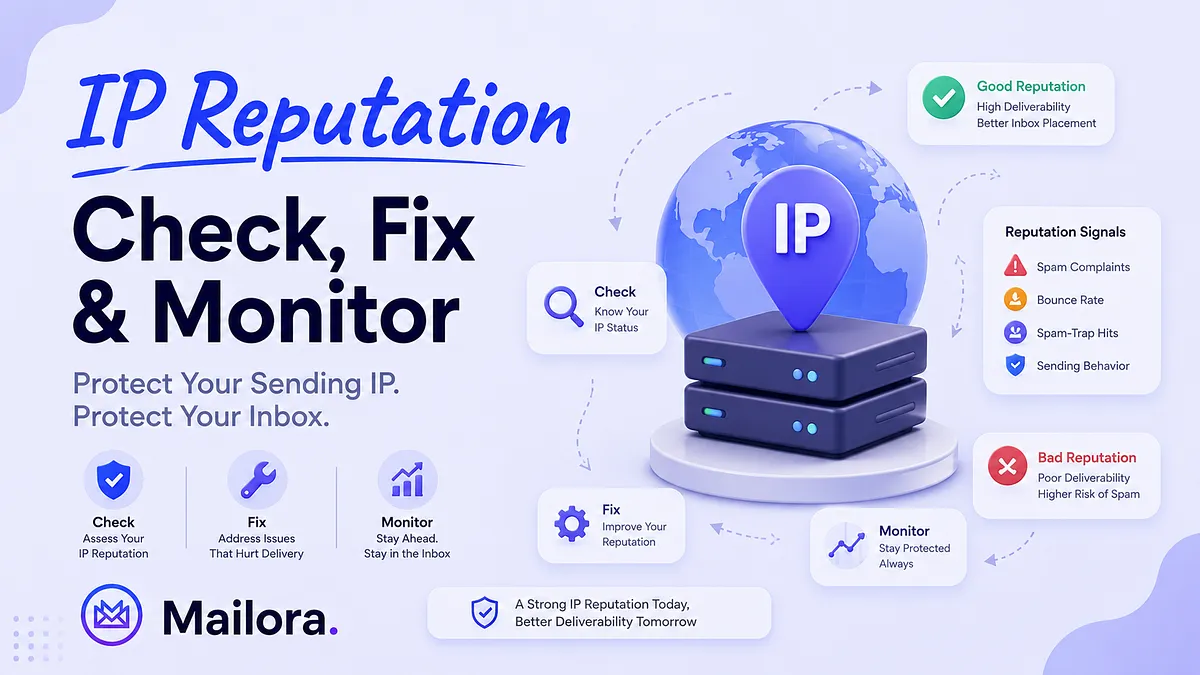
IP reputation is the trust score mailbox providers assign to a sending IP based on complaint rates, bounce history, spam-trap hits, and sending behavior accumulated over time.
It determines where your email goes before mailbox providers evaluate a single word of the content. It degrades silently, in the background, until the gap between "emails accepted" and "emails reaching the inbox" becomes large enough to surface in metrics, and by the time it does, the damage is already weeks old.
This guide covers how to run IP reputation checks, what damages reputation and why, how to recover when it has already declined.
What is IP Reputation?
IP reputation is a trust score that mailbox providers, ISPs, and security platforms assign to a sending server's IP address based on its history of spam complaints, bounce rates, spam-trap hits, sending volume patterns, and email authentication results.
The score determines whether outgoing mail from that IP reaches the inbox, gets filtered into spam, or is rejected before content is ever evaluated. It is built incrementally and changes continuously as sending behavior evolves.
A high-reputation IP receives favorable inbox placement, while a low-reputation IP faces throttling, filtering, or outright blocking. Since it gates all downstream delivery decisions, IP reputation is the foundational layer of email deliverability.
What Damages IP Reputation
Mailbox providers don't assign reputation scores randomly. Every reputation signal evaluates whether the recipients actually want to see the email from the sender
The factors below are some of the strongest signals influencing how Gmail, Outlook, Yahoo, and other providers evaluate a sending IP.
Spam complaints
A spam complaint is a direct feedback from the user that the message was unwanted. It doesn't matter whether the email was technically compliant, the authentication was correct, or the address was valid. When recipients report mail as spam, the provider logs that against the sending IP and domain.
Google's spam enforcement threshold is 0.3%. The operational limitation experienced practitioners actually work to is below 0.05% because by the time complaint rates approach 0.3%, reputation damage is already weeks old.
High bounce rates
Every hard bounce is a signal that the sender attempted to deliver mail to an address that doesn't exist.
Mailbox providers interpret consistent hard bounces as evidence that a sender is working from stale, unverified, or purchased contact data, and they treat that as a trust signal. Legitimate senders are expected to maintain their lists and remove addresses that no longer receive mail.
Hard bounces above 2% is where ISP throttling becomes likely, but the reputation damage often begins accumulating before that threshold is crossed, particularly if the pattern is consistent across sends.
Spam-trap and honeypot hits
Spam traps are addresses used specifically to surface senders with poor acquisition or list management practices. Some were never real addresses, while others were once valid mailboxes that have since been abandoned and repurposed as traps by mailbox providers.
A legitimate sender should rarely encounter them because a legitimate sender doesn't mail addresses that were never opted in, hasn't let their list go stale for years, and doesn't rely on scraped or purchased data.
When spam traps appear in campaign data, it's a signal about the origin and maintenance of the entire list. Recycled traps are particularly difficult to detect because they look like real addresses on lists that were clean at an earlier point. Their presence reflects list decay that standard verification cannot surface.
Volume spikes and inconsistent sending
An IP that sends 3,000 emails per week for months and then pushes 60,000 in a single day doesn't look like a sender whose campaign performed well. It looks like a compromised account or a spam operation that rotated onto a fresh IP.
Pattern-recognition filters respond to any changes in sending volume. Consistent, predictable sending builds a behavioral track record that providers recognize. Large, unexplained spikes in the opposite direction register as risk signals even when authentication is correct and content is clean.
Blacklist listings
A listing on a widely adopted blocklist, particularly Spamhaus's SBL or CSS, actively gates delivery at every provider that references that blocklist, which is most of them.
The listing reflects the IP's historical risk profile, and that history factors into the provider's filtering decision independently of what the next send looks like.
More importantly, a blacklist listing is almost always a symptom of something upstream, such as sustained spam complaints, consistent poor list quality, or compromised infrastructure. Delisting without addressing the underlying cause produces relistings, usually faster than the first.
IP Reputation Checks for New Senders and New IPs
One of the easiest mistakes new senders make is assuming that a new IP automatically has a clean reputation, but a new IP usually has no reputation at all.
When you run an IP reputation check on a brand-new sending IP, you'll often find very little data. Sender Score may not return a score yet, while blocklist checks may come back clean.
It doesn't mean mailbox providers trust the IP. It simply means there isn't enough sending history for them to make a judgment yet.
A brand-new IP sending large volumes immediately looks similar to the behavior they see from spammers rotating onto fresh infrastructure. Without a history of positive engagement, consistent sending patterns, and successful deliveries, providers have very little evidence that the sender is legitimate.
Check the IP's History Before You Send
An IP that is new to your organization may have been used previously by another sender, another customer of your ESP, or another tenant on the hosting provider's network. In some cases, that history can follow the IP.
Before warmup begins, run a blacklist check to confirm the IP is not carrying existing reputation history. A clean result means you're starting from neutral. An active listing means you're starting with a problem that should be resolved before sending volume increases.
What to Monitor During Warmup
For a new sender, authentication signals are often more valuable than reputation scores in the early stages.
Google Postmaster Tools can begin showing authentication and compliance data before meaningful reputation metrics appear. SPF, DKIM, DMARC, TLS, and domain configuration should be monitored closely during the first weeks of sending because configuration issues are far easier to fix before volume scales.
Microsoft SNDS can also provide early visibility into how Microsoft's ecosystem is seeing your sending activity, often before broader reputation signals become available elsewhere.
Reputation platforms such as Sender Score become more useful once enough sending history exists to establish a trend. At that point, the direction of the score often matters more than the score itself. An improving reputation indicates mailbox providers are gaining confidence in the sender. A declining trend is usually an early warning sign worth investigating.
The Practical Approach
Treat every new IP as unproven infrastructure. Start with your most engaged recipients, send consistently, and increase volume gradually over time. Positive engagement is what builds reputation. Warmup is simply the process of giving mailbox providers enough evidence to trust the sender.
During this period, check authentication, reputation, and blacklist status regularly rather than waiting for a monthly review cycle. Most reputation problems are easiest to correct when they're detected early, before they have enough history behind them to affect inbox placement at scale.
The important thing to remember is that the absence of a reputation score doesn't tell you everything is healthy. It usually means the IP hasn't built enough history to be measured yet. The goal during warmup isn't to achieve a specific score. It's to establish the consistent sending patterns and positive recipient signals that eventually create one.
How to Fix and Recover a Damaged IP Reputation
Recovering IP reputation involves identifying what caused mailbox providers to lose trust in the first place and rebuilding that trust systematically.
Skipping steps usually extends the recovery timeline or creates new problems before the original one is resolved.
Step 1: Stop Sending and Contain the Damage
If reputation is actively deteriorating, continuing to send usually makes recovery harder.
Every additional campaign can generate more complaints, more bounces, and more negative engagement signals while the underlying issue remains unresolved.
Immediate actions:
- Pause non-essential email campaigns
- Stop sending to inactive or unengaged segments
- Suspend cold outreach until the cause is identified
- Preserve logs, bounce reports, and recent campaign data for investigation
The goal isn't to stop sending forever. It's to stop creating new reputation damage while you diagnose the problem.
Step 2: Confirm What's Actually Broken
Spam folder placement can be caused by authentication failures, DNS misconfigurations, blocklist listings, infrastructure problems, or sudden changes in sending behavior. Before attempting recovery, determine which issue you're actually dealing with.
What to check first:
- SPF, DKIM, and DMARC authentication status
- Active blocklist listings
- Recent complaint and bounce rates
- Deliverability changes across Gmail, Outlook, and Yahoo
- ESP or infrastructure-related incidents
A recovery plan built around the wrong diagnosis usually wastes weeks.
Step 3: Fix the Root Cause
Blocklists, throttling, and spam placement are symptoms. Mailbox providers care about the behavior that caused them.
Common root causes include poor list hygiene, broken authentication, compromised accounts, aggressive sending practices, or shared-IP reputation issues.
Review and correct:
- Invalid, stale, or purchased email lists
- Missing or failing SPF, DKIM, and DMARC records
- Compromised user accounts or sending systems
- Sudden volume spikes or inconsistent sending patterns
- Shared infrastructure creating collateral reputation damage
If the root cause remains active, recovery rarely lasts.
Step 4: Request Delisting Where Necessary
If the IP appears on a major blocklist, fixing the underlying problem is only part of the process. Delisting may also be required.
Most blocklist operators want evidence that the issue has been identified and corrected before removing a listing.
Before submitting a request:
- Document the cause of the issue
- Record the corrective actions taken
- Verify authentication and sending infrastructure are functioning correctly
- Confirm the problematic behavior has stopped
Well-documented requests are processed faster and are less likely to result in relisting.
Step 5: Rebuild Reputation Gradually
Once the IP is clean, avoid the temptation to return immediately to normal sending volume.
Mailbox providers need to see a consistent pattern of positive engagement before trust is restored.
Best practices during recovery:
- Start with your most engaged subscribers
- Prioritize recent openers and clickers
- Increase volume gradually over several weeks
- Monitor complaint rates after every send
- Watch authentication and reputation metrics closely
What Recovery Timelines Actually Look Like
IP reputation often begins improving within a few weeks once the root cause is addressed, but domain reputation usually takes longer.
That's because mailbox providers evaluate domains across a broader history of sending behavior, engagement, and trust signals. Even when an IP recovers, the domain may still be rebuilding credibility.
As a general rule:
Recovery Area | Typical Timeline |
| IP Reputation | 2–4 weeks |
| Domain Reputation | 6–12 weeks |
| Full Deliverability Stabilization | Several campaigns of consistent positive sending |
The most common mistake is assuming recovery is complete as soon as the blocklist listing disappears.
A clean IP is the beginning of recovery. Consistent inbox placement is the real signal that trust has been restored.
How to Tell If Your Reputation Is Holding, Improving, or Declining
Checking IP reputation means reading data across multiple signals that, taken together, tell you where your sending IP stands and which direction it's heading. Any single tool gives you one dimension of that picture. The process is understanding what each dimension measures, what it means when results change, and how to distinguish a stable reputation from one that's quietly declining.
What You're Actually Measuring
IP reputation isn't stored in one place or calculated by one authority. Gmail, Outlook, and Yahoo each maintain their own internal reputation systems, none of which are publicly accessible. What external tools give you are proxies: signals that correlate with how major providers are treating your IP:
- Blacklist status: tells you whether your IP has been flagged by blocklist operators for spam-originating behavior. A Spamhaus listing (SBL, CSS, or XBL) has direct delivery impact. Most major providers reference it. Minor blocklist appearances from low-adoption lists carry limited practical weight.
- Rolling reputation score: gives you a quantified 30-day view of how your IP is behaving relative to complaint and engagement benchmarks across the mail ecosystem.
- Provider-specific signals: give you the closest available read on what individual mailbox providers are seeing. Google Postmaster Tools (V2) shows your Gmail compliance status, whether SPF, DKIM, DMARC, TLS, and one-click unsubscribe are passing, and your spam rate, which should stay below 0.1%. Microsoft SNDS gives you Outlook and Hotmail-specific complaint rates and delivery status that Postmaster doesn't cover. These are the most actionable signals for diagnosing provider-specific failures.
Reading Results as a Trend
Sender Score direction matters more than the number
A score of 78 that was 83 three weeks ago and 87 six weeks ago is a different trend observation than a score that has held at 78 for two months. The first is a declining trend that warrants investigation before it crosses 70, while the second is a stable one. Without a log, both look identical.
Spam rate spikes tell you where the problem is
A Postmaster spam rate that rises after a specific campaign and returns to baseline points to a list segment or content issue, which is isolated, but addressable. A spam rate that rises gradually across every send points to systemic drift: a list that's growing stale, a disengaged segment that's quietly losing tolerance for the mail. The pattern distinguishes the cause.
New blacklist listings narrow the investigation
When a blacklist appearance wasn't there last week, cross-reference it against sending behavior from the preceding two to three weeks. Most blacklist operators publish what their specific list tracks, including spam-originating IPs, exploited infrastructure, and high-volume operations. It tells you which layer of your sending behavior to investigate.
Provider-specific divergence is diagnostic
If SNDS shows rising Outlook complaint rates while Postmaster spam rate holds steady, the issue is provider-specific rather than a broad IP reputation problem. If both move together, the IP itself is the variable. If Sender Score holds strong while placement degrades at Gmail specifically, the problem is inside Google's internal systems, where Postmaster spam rate and compliance status are the only external signals available.
The IP Reputation Test Cadence
Trigger | Scope | Why |
| Before any major send | Full five-tool stack | Confirms IP is clean before adding volume |
| Weekly during active sending | Sender Score + MXToolbox | Tracks trend; catches blacklist appearances early |
| After any deliverability anomaly | Full five-tool stack | Confirms whether IP is the cause before investigating elsewhere |
| After any infrastructure change | Full five-tool stack + SNDS | New IPs and ESP migrations introduce new signals |
| Monthly minimum | Full five-tool stack | Baseline maintenance for stable sending programs |
The gap between checks is where reputation changes without triggering any alert. A Sender Score declining from 84 to 71 over six weeks, one or two points at a time, sends no notification. By the time it's visible in campaign metrics, the trend has been running for a month. Logging results every week during active sending periods is the minimum cadence that catches drift before it compounds.
Mailora's reputation monitoring watches Sender Score trend, blacklist status, and Postmaster compliance signals continuously, surfacing changes before they reach campaign metrics, and replacing the manual checks with an early-warning layer that runs between sends, not just before them.
Continuous Reputation Monitoring: Why a One-Off Check Isn't Enough
Reputation problems increase gradually, with bounce rates creeping up over time, new authentication issues surfacing with new sending platforms. By the time open rates drop or inbox placement suffers, the underlying problem has often been building for weeks.
A strong monitoring process tracks reputation trends over time, watches for new blocklist listings, validates SPF, DKIM, and DMARC continuously, and alerts you when something changes before it turns into a deliverability issue.
This has become even more important as mailbox providers expose less reputation data directly. Senders now have fewer native signals to rely on and less visibility into how mailbox providers are evaluating their mail.
That's where Mailora fits in. Instead of treating reputation, authentication, inbox placement, and blocklist monitoring as separate checks, Mailora connects them into a single operational view. The result is earlier visibility, clearer root-cause analysis, and fewer surprises when campaign performance starts to change.
Stop reputation issues before they affect inbox placement. See how Mailora monitors your sender reputation, authentication, and deliverability in one place. Contact us today.
FAQs
What is a good IP reputation score?
- 90+ on Sender Score (0–100) is excellent
- 70–89 warrants monitoring
- Below 70 signals deliverability risk.
Neither Sender Score nor Cisco Talos reflects Gmail or Outlook directly because both providers run their own internal reputation systems.
How do I check my IP reputation for free?
Run MXToolbox for blacklists, Sender Score for a 0–100 rolling average, Cisco Talos for Good/Neutral/Poor, Google Postmaster for Gmail compliance and spam rate, and Microsoft SNDS for Outlook.
Why did Google Postmaster Tools remove the IP reputation dashboard?
In late 2025, Postmaster V2 removed the IP and Domain Reputation dashboards so the High/Medium/Low/Bad grades no longer exist. The replacement covers Compliance Status and Spam Rate. For IP-level reputation signals, use Sender Score, MXToolbox, and Cisco Talos.
IP reputation vs. domain reputation, which matters more?
Domain reputation carries more weight in filtering decisions and persists when you change ESPs, switching IPs does not reset it. Most deliverability problems that don't resolve after an IP change are domain reputation problems.
How long does it take to recover a damaged IP reputation?
IP reputation recovers in 2–4 weeks after the root cause is fixed and volume is reintroduced gradually. Domain reputation takes 6–12 weeks, resuming full volume before it recovers restarts the damage cycle.
Stay in the loop
Deliverability insights, product updates, and early access to new features. No spam, unsubscribe anytime.
By subscribing, you agree to our Privacy Policy. Unsubscribe anytime.