What Is a PTR Record? A Deliverability-First Guide to Reverse DNS
Your sending platform can show healthy authentication while a receiving server rejects mail because the sending IP has no valid reverse DNS record. The problem sits outside the campaign editor, and the person who can fix it may be your hosting provider rather than your marketing team.
That is why PTR records deserve a place in your sending inventory.
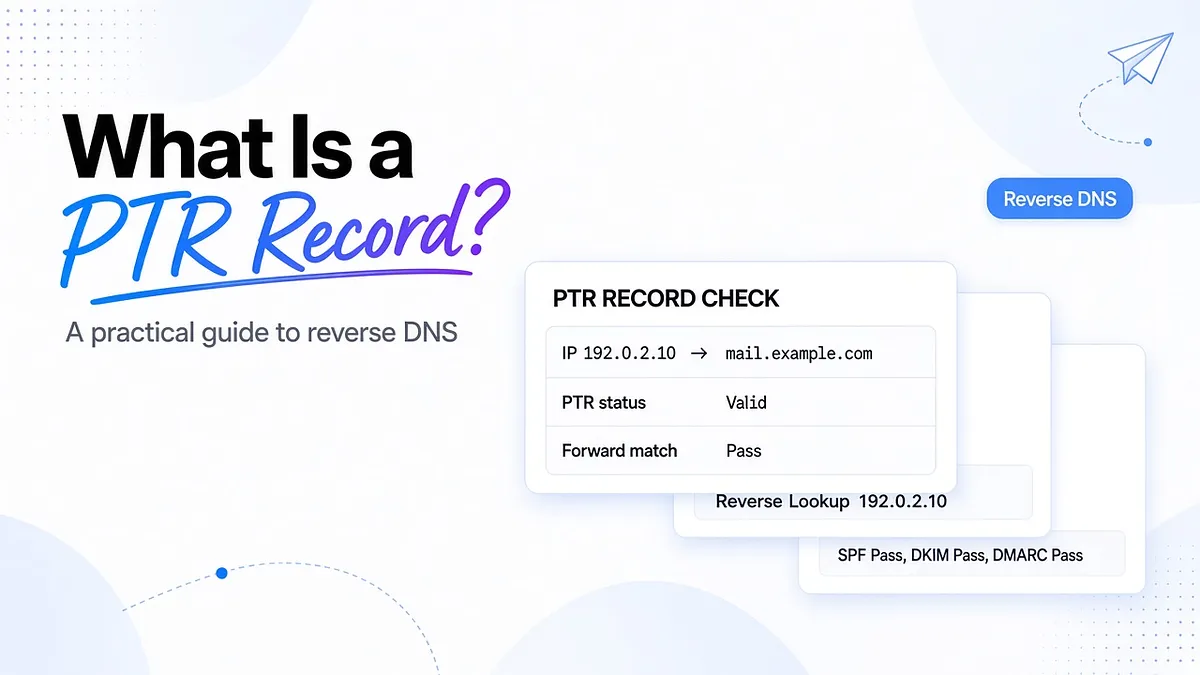
A PTR, or Pointer, record maps an IP address back to a hostname. For email teams, the practical question is whether the IP a mailbox provider sees has a sensible reverse identity that resolves back to the same address.
Getting that right removes an infrastructure problem. It does not guarantee inbox placement. Treat reverse DNS as one control alongside authentication, reputation, and the way your program sends.
What is a PTR record?
A PTR record is a DNS record used for reverse lookups. Instead of asking which IP address belongs to a hostname, you ask which hostname is associated with an IP address.
Here is an illustrative pair using an address reserved for documentation:
Forward lookup:
mail.example.com → 192.0.2.10
Reverse lookup:
192.0.2.10 → mail.example.com
The forward direction uses an A record for IPv4 or an AAAA record for IPv6. The reverse direction uses a PTR record.
The hostname returned by reverse DNS is not necessarily the sender's visible email domain. A hosted email provider may use its own infrastructure hostname. That can be legitimate when the forward and reverse records are consistent.
Your first task is to identify the public IP actually making the outbound mail connection. A website's IP, a private server address, and a mail provider's outbound IP can all be different.
How forward and reverse DNS lookups work
DNS means Domain Name System. Forward DNS translates names into addresses so systems can find one another. Reverse DNS organizes lookups by address.
For IPv4, PTR records live under in-addr.arpa. The address's four numbers are reversed to form the lookup name.
For example:
IP address: 192.0.2.255
Reverse DNS name: 255.2.0.192.in-addr.arpa
The reversal lets the DNS hierarchy follow the structure of allocated address blocks. It is not a setting that changes the IP itself.
IPv6 uses ip6.arpa. Its reverse name is built from the fully expanded address, with the individual hexadecimal digits reversed and separated by dots. Tools such as dig -x handle that construction for you.
Keep the direction straight during troubleshooting. A successful lookup of mail.example.com proves that its forward record resolves. It does not establish that the sending IP has a PTR record, or that the PTR points to that hostname.
A records and PTR records should form a consistent pair
An A record maps a hostname to an IPv4 address. An AAAA record does the same for IPv6. A PTR maps an address back to a hostname.
These records are managed independently. Changing an A record does not automatically update reverse DNS.
That independence creates a common migration problem: a team changes the forward record to a new IP but leaves the new IP's PTR pointing somewhere else, or pointing to a hostname that still resolves to the old address.
The relationship you want for a sending IP is:
Sending IP → PTR hostname → forward address that includes the sending IP
“Match” does not mean every hostname your business owns must point to the same address. It means the name returned for this sending IP resolves back to it through the appropriate A or AAAA record.
A provider's website, tracking domain, and inbound mail exchanger can use entirely different addresses without breaking that relationship.
Forward-confirmed reverse DNS explained
Forward-confirmed reverse DNS, usually shortened to FCrDNS, checks both directions.
- Look up the sending IP's PTR record.
- Look up the returned hostname's A or AAAA records.
- Confirm the original sending IP appears in the relevant results.
Suppose 192.0.2.10 returns mail.example.com, and mail.example.com resolves to 192.0.2.10. The relationship is consistent.
If the forward lookup returns only 192.0.2.20, it is not consistent for the original sending address. A PTR exists, but the forward-confirmation check fails.
Google's sender guidelines explicitly require the public sending IP to have a PTR hostname whose A or AAAA record resolves back to that IP.
Multiple addresses, relays, and shared pools make ownership harder to follow, but they do not automatically break the check. Test the specific outbound address observed by the receiver. If a PTR hostname resolves only to a web proxy or CDN address instead of the mail server, investigate that DNS arrangement with the infrastructure owner.
Why PTR records matter for email deliverability
Mailbox providers use reverse DNS as an infrastructure check. Google and Yahoo both require valid forward and reverse DNS for sending IPs.
Missing or inconsistent reverse DNS can cause delivery problems before a message ever reaches the spam-versus-inbox decision. That is different from a message being accepted and later placed in spam.
Gmail's 550 5.7.25 response is associated with a missing PTR or a forward DNS entry that does not match the sending IP. The useful evidence is the complete diagnostic text, the sending IP, and the timestamp. A bare 550 code can describe many unrelated permanent failures.
Use this investigation order:
- Identify the IP named in the rejection or connection log.
- Check its PTR record.
- Resolve the returned hostname forward.
- Confirm the IP belongs to the provider or server that should be sending.
- Ask the responsible owner to correct the mismatch.
- Retest delivery through the same route.
If mail is accepted but placement remains weak after the correction, continue investigating reputation, complaints, content, and sending behavior. Do not assume the PTR change resolved every part of the problem.
An email deliverability test helps you observe placement after infrastructure checks are complete. A successful DNS lookup alone cannot tell you where mail lands.
How PTR fits with SPF, DKIM, and DMARC
PTR is not part of SPF, DKIM, or DMARC alignment. These checks answer different questions.
- PTR and forward DNS: Does this sending IP have a consistent hostname relationship?
- SPF: Is this IP authorized for the relevant envelope domain?
- DKIM: Does the message carry a valid signature from the signing domain?
- DMARC: Does a passing SPF or DKIM identity align with the visible From domain?
You can satisfy one check and still have a problem with another. A valid PTR does not authorize an IP in SPF. A DMARC success does not establish valid reverse DNS.
DMARC aggregate reports can help identify sending IPs observed by reporting receivers. Enrich those observations with your provider inventory and reverse DNS checks, but do not treat the reports as a complete list of every source or a record of inbox placement.
An unfamiliar hostname is a reason to investigate, not proof of abuse. Shared infrastructure, forwarding, and legitimate vendors can create names your marketing team does not recognize.
When the evidence points to identity rather than reverse DNS, investigate DMARC failures and DNS authentication issues separately.
Who needs to configure PTR records?
The organization controlling the IP allocation normally controls reverse DNS. Owning a domain does not automatically give you authority over its hosting IP's reverse zone.
Hosted email and email service providers: The provider usually manages PTR records for its outbound infrastructure. Your job is to confirm the actual sending route and escalate problems with evidence. Adding a PTR-like entry to your ordinary domain zone will not fix a provider-owned reverse zone.
Self-managed mail servers: You usually need a stable public IP and a hosting-provider setting or support request to configure reverse DNS.
Organizations managing allocated IP ranges: You may operate reverse zones directly after the appropriate delegation is in place. That is an infrastructure responsibility, not a campaign setting.
For shared sending pools, request confirmation of the addresses your traffic can use. Fixing or checking one observed IP does not establish that every address in the pool is configured correctly.
How to configure PTR records and reverse delegation
Start by confirming the public outbound IP and who controls its reverse DNS. Do not create a zone before establishing that it can be made authoritative.
For most hosted servers, the practical sequence is:
- Choose a stable, meaningful mail-server hostname.
- Publish its A or AAAA record pointing to the public sending IP.
- Set that hostname as the IP's reverse DNS value in the provider's controls, or request the change from support.
- Check the PTR and then perform forward confirmation.
- Send a test through the production route and inspect the result.
For teams operating delegated reverse DNS, a /24 IPv4 example helps explain the structure. The private network 192.168.0.0/24 corresponds to the reverse zone 0.168.192.in-addr.arpa.
A /24 contains 256 addresses, not 255. This private-address example illustrates zone naming only; private reverse DNS does not establish a public email sender's identity.
For an illustrative public documentation range, an individual record might look like this:
10.2.0.192.in-addr.arpa. 3600 IN PTR mail.example.com.
mail.example.com. 3600 IN A 192.0.2.10
These are example records, not values to copy into production.
If you manage the reverse zone, its parent must delegate authority to your DNS servers through the appropriate NS records. Smaller allocations and provider-specific arrangements may require a different delegation method, so follow the allocation owner's documentation rather than assuming every range behaves like a /24.
Use one stable PTR hostname per sending IP as an operational practice. Choose a TTL appropriate to the change plan; 3600 seconds is one hour. TTL affects caching, so recheck after caches have had time to refresh instead of assuming a change is visible everywhere immediately.
How to check a PTR record
You can perform a reverse lookup from a terminal:
dig -x 192.0.2.10
nslookup 192.0.2.10
Then check the returned hostname in the forward direction:
dig A mail.example.com
dig AAAA mail.example.com
These commands use illustrative documentation values. Substitute the actual sending IP and the hostname returned by its PTR lookup.
Google Admin Toolbox Dig provides a browser-based option.
Record the IP, hostname, forward result, timestamp, and provider owner. That makes the result useful when a later migration or pool change introduces a different address.
A one-off check cannot establish continuing health. Infrastructure changes, failover, and new sending tools can change the outbound path. Combine scheduled infrastructure checks with Mailora's deliverability monitoring features to observe whether provider-level placement changes alongside them.
Mailora's placement history provides outcome context. The PTR configuration itself remains with the party controlling reverse DNS.
Common IP and DNS mistakes worth investigating
Checking the wrong IP. A server may send through a relay, use network address translation, or leave over IPv6. Start with the address the receiving provider actually saw.
Updating forward DNS but not reverse DNS. Verify both directions after a migration. The records do not update one another automatically.
Introducing an unreviewed sender. A new billing or support tool can add a legitimate sending source outside the established inventory. Confirm its owner and authentication before approving it.
Assuming a reverse zone is delegated. Locally created records are not useful to public receivers if the relevant DNS hierarchy does not point to them.
Using a changing outbound address. Stable infrastructure makes identity, reputation, and incident response easier to manage. Check how your hosting provider handles reassigned or failover IPs.
Confusing reverse DNS with SPF authorization. If reverse DNS is healthy but SPF fails, investigate why SPF failed for an IP rather than repeatedly changing the PTR.
Turn PTR findings into prioritized decisions
A broken record on an unused address is not the same operational problem as a mismatch on the IP sending password resets. Prioritize according to affected traffic and observed consequences.
For each issue, record:
- Whether the IP is active and which system owns it.
- The message types and approximate traffic it carries.
- The failed check and supporting lookup results.
- Any corresponding rejections or placement changes.
- The person or provider responsible for correction.
DMARC observations can help identify sources, provider logs can establish rejection patterns, and placement tests can show outcomes at test mailboxes. None should be stretched to answer a question it cannot measure.
Mailora supports the broader investigation through authentication visibility, reputation context, provider-level placement testing, and practitioner guidance. Pair that evidence with your infrastructure inventory instead of treating every failed lookup as equally urgent.
Build a PTR readiness runbook
Make reverse DNS part of onboarding and change review rather than a discovery made during an incident.
- [ ] Identify every active outbound IP or obtain the provider's pool-management process.
- [ ] Record who controls each IP's reverse DNS.
- [ ] Verify PTR and forward confirmation before introducing new infrastructure.
- [ ] Check IPv4 and IPv6 paths where both can send.
- [ ] Recheck after migrations, failover, or pool changes.
- [ ] Preserve full SMTP diagnostics when delivery fails.
- [ ] Retest the corrected route before increasing traffic.
- [ ] Compare placement and delivery evidence after the change.
Assign a review cadence based on how often infrastructure changes. Where automated DNS checks are available, alert on missing records, changed hostnames, and forward-confirmation regressions. Route alerts to the infrastructure owner with the affected IP attached.
Close an incident only after the correction is visible and the original symptom has been retested. A support ticket marked resolved is not the same as verified delivery.
Frequently asked questions
What is the difference between a PTR record and an A record?
An A record maps a hostname to an IPv4 address. A PTR maps an address back to a hostname. For sending infrastructure, the reverse hostname should resolve forward to the original sending IP.
Do I need a PTR record to send email?
Major providers including Google and Yahoo require valid forward and reverse DNS for sending IPs. If you use a hosted provider, it usually manages that configuration. Confirm responsibility rather than assuming you must create it yourself.
How do I check whether an IP has a valid PTR record?
Run dig -x or use an online reverse DNS checker. Then resolve the returned hostname forward. A PTR response alone does not prove the two directions are consistent.
What is FCrDNS, and why does it matter?
Forward-confirmed reverse DNS checks that the PTR hostname resolves back to the original IP. It verifies a consistent infrastructure identity and helps satisfy receiver requirements. It is not proof that the message is wanted.
Who sets up the PTR record: my team or my hosting provider?
The party controlling reverse DNS for the IP allocation must make or delegate the change. That is commonly your hosting provider or email service provider. Domain ownership alone is not enough.
Verify the address that actually sends your mail
Before the next infrastructure change, choose one active sending stream and confirm its public IP, PTR hostname, forward result, and responsible owner. Keep that record beside your authentication and placement baseline.
This gives your team a specific starting point when delivery changes. Fix the infrastructure relationship where it is broken, then verify what happens to the message itself.
Run your first test with Mailora.
Stay in the loop
Deliverability insights, product updates, and early access to new features. No spam, unsubscribe anytime.
By subscribing, you agree to our Privacy Policy. Unsubscribe anytime.