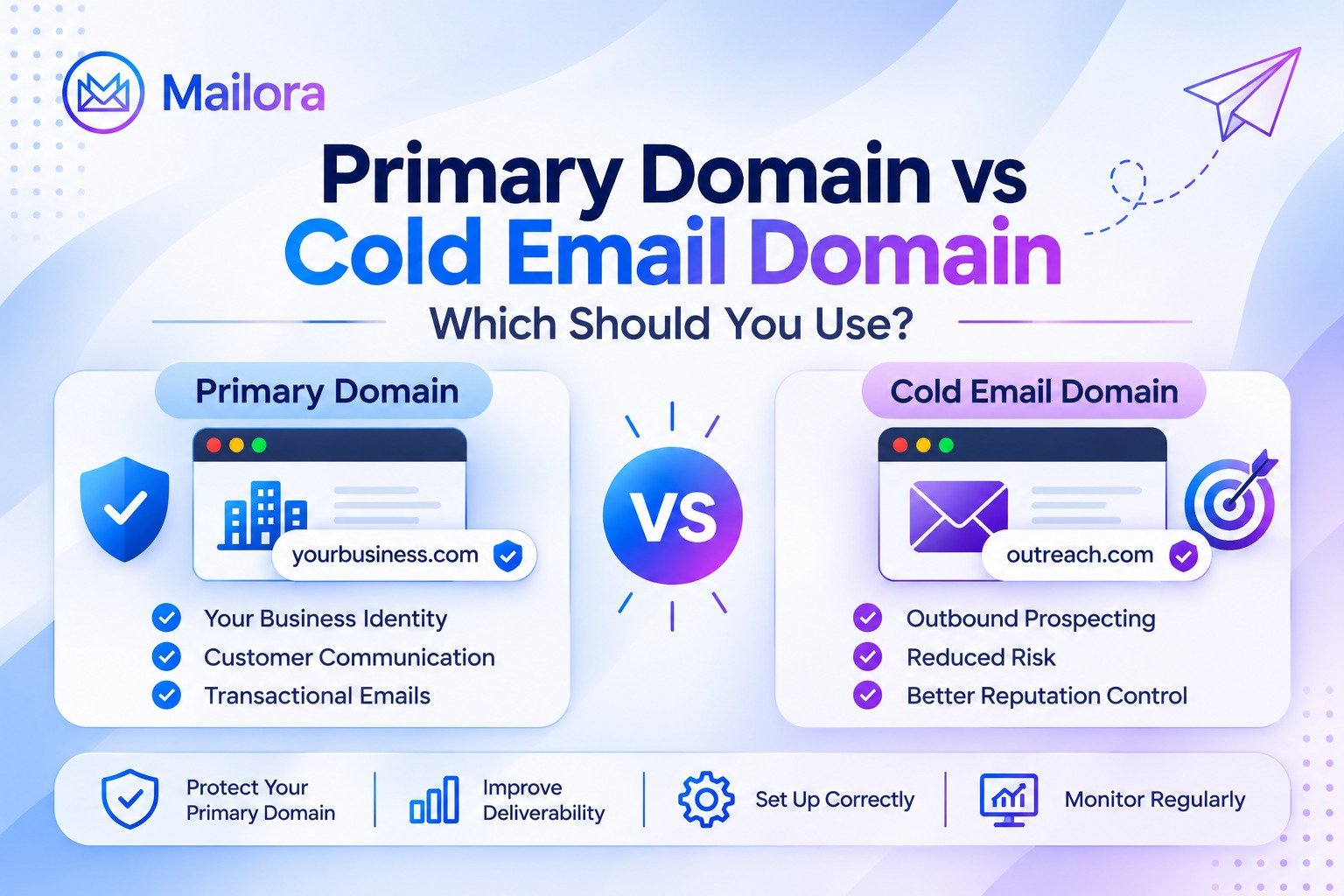
Primary Domain vs Cold Email Domain: Which Should You Use?
Key Takeaways
- A primary domain represents your business and typically supports important customer, employee, and transactional communication.
- A separate cold email domain provides greater operational separation between outbound prospecting and core business communication.
- A subdomain is not equivalent to a separately registered domain and does not guarantee complete reputation isolation.
- Every sending domain should have properly configured email authentication, including SPF, DKIM, and DMARC.
- A separate domain does not automatically improve inbox placement or protect against poor sending practices.
- Email deliverability depends on authentication, sender reputation, recipient engagement, message relevance, and list quality.
- Continuous deliverability monitoring helps identify authentication failures, spam placement, reputation changes, and other potential problems.
- Mailora helps email professionals evaluate inbox placement, authentication, blacklist status, and deliverability performance through its testing and monitoring platform.
Choosing between your primary domain and a separate cold email domain is an important decision when building an outbound email strategy. The domain you use for cold outreach can influence your email infrastructure, sender reputation, and long-term deliverability.
Your primary domain represents your business and is typically used for employee communication, customer conversations, transactional notifications, and marketing emails. A cold email domain, on the other hand, is a separate domain used specifically for outbound prospecting.
So, should you send cold emails from your primary business domain, register a separate domain, or use a subdomain for outreach?
The right approach depends on your sending requirements, authentication setup, infrastructure, and reputation management strategy. In this guide, we will explain the differences between a primary domain and a cold email domain, explore their deliverability implications, and show you how to configure and monitor a separate sending domain.
What Is a Primary Domain?
A primary domain is the main domain associated with your business or organization. It is generally the domain customers recognize and use to identify your company online.
For example, if your company's website is example.com, this is your primary domain.
It may support several business functions, including:
- Corporate website and branded online presence
- Employee email addresses, such as
name@example.com - Customer support and sales communication
- Transactional emails, such as account notifications and invoices
- Marketing newsletters and product announcements
Because the primary domain is connected to important business activities, maintaining its email authentication and sending reputation is essential.
If your primary domain is used for customer communication, important notifications, and business operations, you should carefully consider the risks before using it for ongoing outbound prospecting.
What Is a Cold Email Domain?
A cold email domain is a domain used specifically for initiating email conversations with prospects who have not previously interacted with your business.
Businesses often register a separate domain for outbound sales campaigns rather than sending all prospecting emails from their primary corporate domain.
For example:
| Domain type | Example | Purpose |
| Primary domain | example.com | Main business website and communication |
| Cold email domain | example-mail.com | Outbound prospecting |
| Subdomain | outreach.example.com | Separate sending identity under the primary domain |
A cold email domain provides an additional layer of operational separation between outbound prospecting and your core business communication.
However, having a separate domain does not automatically guarantee better inbox placement. Sending practices, recipient engagement, authentication, complaint rates, and domain reputation continue to influence deliverability.
Primary Domain vs Cold Email Domain: Key Differences
Although both domains can be used to send business emails, they serve different purposes and have different operational considerations.

| Comparison factor | Primary domain | Cold email domain |
| Main purpose | Business identity and communication | Outbound prospecting |
| Typical audience | Customers, employees, subscribers | Potential customers and prospects |
| Sending activity | Business, transactional, and marketing emails | Cold outreach campaigns |
| Reputation exposure | Supports important business communication | Separate domain-level exposure |
| Authentication | Requires appropriate email authentication | Requires its own authentication configuration |
| Monitoring | Essential for overall business email health | Essential for outbound sending health |
| Management | Core business infrastructure | Dedicated outreach infrastructure |
The biggest difference is not simply the type of email being sent. It is how you organize your email infrastructure and manage the associated risks.
A separate cold email domain can reduce the direct exposure of your primary domain to outbound prospecting activity. However, domain separation is not a substitute for responsible sending practices.
Should You Use a Separate Domain for Cold Email?
For businesses conducting ongoing outbound prospecting, using a separately registered domain can be a sensible risk-management decision.

Cold outreach introduces variables that may affect email reputation, including:
- Recipients marking unwanted messages as spam
- High bounce rates caused by invalid or outdated addresses
- Sending to people who have not expressed interest
- Poor targeting and irrelevant messaging
- Sudden or inconsistent sending activity
- Authentication and configuration problems
These issues can affect the reputation of the sending infrastructure and reduce the likelihood that future messages will reach recipients' inboxes.
If the same domain handles important customer communication, the consequences of reputation problems may extend beyond outbound sales.
1. Protect Your Primary Business Communication
Your primary domain may handle conversations that directly affect customer experience and revenue.
For example, customers may receive:
- Password reset emails
- Account verification messages
- Purchase confirmations
- Customer support responses
- Important business updates
Separating outbound prospecting from these communications can help reduce operational exposure.
However, a separate domain does not guarantee complete reputation isolation. Mailbox providers consider multiple signals, and subdomains may still be associated with their organizational domain.
2. Separate Sending Activities
Different email types have different recipient expectations.
A customer who requests an account notification has a different relationship with your business than a prospect receiving an unsolicited sales introduction.
Separating sending infrastructure and authentication identities where appropriate can make it easier to monitor different email streams and identify problems.
3. Improve Monitoring and Troubleshooting
When your primary business communication and outbound prospecting use clearly separated sending identities, diagnosing problems can become easier.
You can investigate:
- Which sending domain is experiencing authentication failures
- Whether SPF, DKIM, or DMARC is configured correctly
- Whether a specific sending identity has reputation issues
- Whether spam complaints or bounces are increasing
- Whether inbox placement is deteriorating
This is where consistent deliverability monitoring becomes particularly important.
Separate Domain vs Subdomain: Which Is Better for Cold Email?
This is one of the most important distinctions when setting up cold email infrastructure.
A separately registered domain and a subdomain are not the same thing.
Option 1: Use a Separate Registered Domain
Example:
- Primary domain:
example.com - Outreach domain:
example-mail.com
The second domain is independently registered and has its own DNS configuration.
This provides greater operational separation from the primary domain. It also requires its own domain management, authentication records, and reputation monitoring.
Best suited for: Businesses that want a distinct domain for outbound prospecting while keeping their primary domain focused on core business communication.
Option 2: Use a Subdomain
Example:
- Primary domain:
example.com - Outreach subdomain:
outreach.example.com
A subdomain is created under the existing primary domain.
It can have its own DNS records and DKIM signing configuration, depending on the sending provider. However, it remains part of the same organizational domain.
One important consideration is Gmail's bulk-sender classification. Google counts messages sent from subdomains toward the same primary-domain threshold.
For example, messages sent from both example.com and outreach.example.com contribute to the total for example.com.
Therefore, a subdomain should not be treated as a completely independent reputation boundary.
Separate Domain vs Subdomain: Comparison
| Factor | Separate registered domain | Subdomain |
| Registration | Independently registered | Created under the main domain |
| DNS configuration | Independent | Can have separate DNS records |
| Organizational relationship | Separate registered domain | Connected to primary domain |
| Reputation separation | Greater operational separation | Not complete isolation |
| Management | Requires separate domain management | Managed under primary domain |
| Gmail bulk-sender counting | Separate primary-domain grouping | Counts with parent primary domain |
Recommendation: If protecting the reputation of your main business domain is a priority, consider a separately registered domain for outbound prospecting. A subdomain can still be useful for organizing email streams, but it should not be considered a guaranteed reputation firewall.
How to Set Up a Cold Email Domain
Registering a domain is only the first step. Before sending emails, you need to configure the domain's DNS records, authenticate your messages, and verify that your sending infrastructure is working correctly.
Follow these steps to establish a properly configured cold email domain.
Step 1: Choose a Relevant Domain Name
Choose a domain that maintains a clear connection to your business identity.
Consider the following practices:
- Use a recognizable variation of your business name
- Avoid misleading spellings or confusing brand variations
- Choose a domain that looks credible to recipients
- Avoid names that imitate another organization
- Check domain registration and renewal requirements
Your sending domain should support transparent communication rather than make recipients believe the message came from a different company.
Step 2: Configure SPF
Sender Policy Framework (SPF) is an email authentication protocol that identifies which mail servers are authorized to send messages on behalf of a domain.
Your SPF record is published in DNS as a TXT record.
A simplified example looks like this:
v=spf1 include:mailprovider.example -allThis is an illustrative format, not a record to copy directly. Your actual SPF record must use the authorized sending services specified by your email provider.
Important considerations:
- Publish only one SPF record per domain
- Include all legitimate sending services
- Avoid unnecessary DNS lookups
- Ensure the record does not exceed SPF's DNS lookup limit
- Test the record after making changes
A missing or incorrectly configured SPF record can cause authentication failures.
Step 3: Configure DKIM
DomainKeys Identified Mail (DKIM) adds a cryptographic signature to outgoing emails.
Receiving servers use the public key published in DNS to verify the signature and determine whether the message was signed by an authorized domain.
Your email provider generally supplies the DKIM selector and DNS record values.
A typical DKIM DNS record is published as a TXT record under a selector such as:
selector._domainkey.example-mail.comThe actual record value must come from your sending provider.
Verify that:
- The correct selector is published
- The public key is available in DNS
- Outgoing messages contain a DKIM signature
- The signature passes authentication
- The signing domain is appropriately aligned with your From domain
Step 4: Configure DMARC
Domain-based Message Authentication, Reporting, and Conformance (DMARC) builds on SPF and DKIM.
It allows domain owners to specify how receiving servers should handle messages that fail DMARC authentication and provides reporting mechanisms to monitor authentication activity.
A basic monitoring policy may look like this:
v=DMARC1; p=none; rua=mailto:dmarc@example-mail.comThis is an illustrative example. The reporting address must exist and be configured to receive reports.
DMARC policies include:
p=none: Monitor authentication without requesting quarantine or rejectionp=quarantine: Request that failing messages be treated as suspiciousp=reject: Request rejection of messages that fail DMARC
Start with a policy appropriate to your monitoring and enforcement requirements. Review legitimate sending sources and authentication alignment before moving toward stricter enforcement.
Step 5: Verify Domain Authentication
After configuring SPF, DKIM, and DMARC, verify that your records are published correctly and that actual outgoing messages pass authentication.
Do not assume that adding DNS records means your configuration is working.
Check:
- SPF record validity
- DKIM signature validation
- DMARC policy and alignment
- DNS propagation
- Sending domain consistency
- Authentication results in received email headers
A domain can have all three records published and still experience authentication failures because of incorrect configuration or alignment.
Step 6: Test Deliverability Before Sending
Authentication is essential, but it is not the only factor influencing inbox placement.
A technically authenticated message can still reach spam because of poor reputation, recipient complaints, message content, or other filtering signals.
Before starting a campaign, evaluate your sending setup and test how your emails are being delivered.
Mailora's email deliverability testing platform helps email professionals examine inbox placement, spam analysis, blacklist status, and SPF, DKIM, and DMARC authentication.
You can use Mailora's free Deliverability Test to identify potential issues before sending.
How to Monitor Your Cold Email Domain Reputation
Domain reputation is not a one-time configuration task. It requires ongoing monitoring and responsible sending practices.
Even if your domain passes SPF, DKIM, and DMARC checks, changes in recipient behavior or sending activity can affect deliverability.
Here are the signals you should monitor.
1. Authentication Status
Monitor SPF, DKIM, and DMARC results regularly.
Look for:
- SPF failures
- DKIM signature failures
- DMARC alignment problems
- Unexpected sending sources
- DNS configuration changes
Authentication monitoring helps identify technical issues before they become persistent problems.
2. Inbox Placement
Track whether your emails reach the inbox, spam folder, or fail to arrive at monitored mailboxes.
Inbox placement can vary across providers. A successful delivery does not necessarily mean an email reached the inbox.
Mailora's inbox testing helps teams examine how emails are placed across providers such as Gmail, Yahoo, Outlook, and other supported mailbox providers.
Read our guide on what an inbox test is and how to check where your email lands.
3. Spam Complaints
Spam complaints are an important signal of recipient dissatisfaction.
If recipients consistently report your emails as spam, mailbox providers may respond by filtering or limiting future messages.
Google and Yahoo specify a spam complaint rate below 0.3% for relevant sender requirements. This is an upper compliance threshold, not a target for cold outreach. The objective should be to send relevant, wanted communication and minimize complaints.
4. Bounce Rates
Monitor hard and soft bounces separately.
Hard bounces generally indicate permanent delivery problems, such as invalid recipient addresses. Soft bounces may result from temporary server issues, mailbox conditions, or message restrictions.
Investigate unusual increases and remove invalid recipients promptly.
5. Domain and IP Reputation
Domain reputation and IP reputation are related but distinct signals.
A sending IP can have a good reputation while the associated domain experiences problems, and the reverse can also happen.
Use available provider monitoring tools and deliverability diagnostics to understand the source of a delivery issue.
How Mailora Helps You Monitor Email Deliverability
Setting up a separate cold email domain is only part of building a reliable sending infrastructure. You also need visibility into how that domain authenticates, how messages are delivered, and where potential issues originate.
This is where Mailora's email deliverability intelligence platform can help.
Mailora brings together deliverability testing, authentication validation, inbox placement insights, and ongoing monitoring to help email professionals understand what is happening and identify what needs attention.
1. Email Deliverability Testing
Before launching an email campaign, evaluate your sending setup and identify potential deliverability problems.
Mailora's Deliverability Test provides insights into important areas such as:
- SPF authentication
- DKIM authentication
- DMARC configuration
- Inbox placement
- Spam analysis
- Blacklist checks
This gives teams a more informed view of their email infrastructure before sending campaigns.
Try Mailora's free Deliverability Test.
2. Authentication Validation
When you add a new cold email domain, authentication should be one of your first priorities.
Mailora's detailed deliverability analysis includes SPF, DKIM, and DMARC authentication validation, helping identify configuration issues that could affect email delivery.
This is particularly useful when managing multiple sending domains and checking whether each domain has the expected authentication configuration.
3. Automated Deliverability Monitoring
Deliverability conditions can change after a campaign goes live.
Mailora's Automated Monitoring supports recurring deliverability tests, helping teams identify changes and potential issues over time.
Instead of relying entirely on occasional manual checks, teams can establish a more consistent monitoring process.
Learn more about why email deliverability monitoring matters.
4. Google Postmaster Insights
For eligible Gmail sending domains, Google Postmaster Tools provides useful information about domain reputation, spam rates, authentication, and delivery errors.
Mailora's Postmaster Insights feature connects Google Postmaster information into a centralized dashboard, helping teams review compliance status, domain health, IP reputation, and delivery errors.
This can be valuable when managing multiple domains and investigating changes in Gmail delivery performance.
5. Multi-Variant Email Testing
Sometimes a message reaches spam even when its technical configuration appears correct.
Mailora's Multi-Variant Testing evaluates five variations of an email, including changes to subject lines, footers, links, images, and message simplicity.
This helps teams investigate whether specific email elements are contributing to differences in inbox placement.
6. Deliverability Analytics
When managing primary and cold email domains, historical visibility matters.
Mailora's Deliverability Analytics help teams review performance over time, examine provider-level breakdowns, and identify changes in deliverability trends.
Instead of looking at a single test result, you can use historical insights to understand whether your sending setup is improving or deteriorating.
7. Expert Deliverability Consultation
Sometimes, a technical test is not enough to identify the underlying cause of persistent delivery problems.
Mailora also offers deliverability consultation services that help businesses assess their sending environment, audience and engagement quality, sending behavior, domain and IP reputation, inbox placement, and campaign signals.
If you manage multiple sending domains or are experiencing recurring deliverability issues, book a Mailora Deliverability Consultation to discuss your email infrastructure with a deliverability specialist.
Common Mistakes to Avoid When Using a Cold Email Domain
Even a separately registered domain can experience deliverability problems if the underlying email practices are poor.
Avoid these common mistakes.
Using a Separate Domain Without Authentication
Registering another domain does not automatically configure SPF, DKIM, or DMARC.
Each sending domain needs the appropriate DNS configuration for its email services.
Assuming a Separate Domain Guarantees Reputation Isolation
A separate registered domain offers greater operational separation, but it does not guarantee inbox placement or eliminate every relationship between sending identities.
Mailbox providers consider multiple reputation and authentication signals.
Treating Domain Warm-Up as a Deliverability Guarantee
Gradually establishing legitimate sending activity can help avoid abrupt changes in sending behavior, but domain warm-up cannot manufacture recipient trust or guarantee inbox placement.
Avoid artificial engagement schemes and focus on relevant, wanted communication.
Ignoring Bounce and Complaint Signals
Continuing to send to invalid or uninterested recipients can create persistent deliverability problems.
Monitor bounces and complaints, respect recipient preferences, and stop sending when recipients opt out.
Using Incorrect SPF and DKIM Records
Duplicated SPF records, missing DKIM selectors, and incorrect DMARC alignment can lead to authentication failures.
Verify the actual authentication results of outgoing messages instead of relying only on DNS configuration screenshots.
Monitoring Only the Primary Domain
If you use multiple sending domains, monitor each one individually.
A healthy primary domain does not mean every secondary sending domain is correctly configured or performing well.
Primary Domain vs Cold Email Domain: Which One Should You Choose?
The right choice depends on how your organization uses email.
If you send occasional, relevant one-to-one business messages, your primary domain may be appropriate, provided your sending practices and infrastructure are properly managed.
If you operate a dedicated outbound prospecting program, a separately registered sending domain can provide useful operational separation from your main business communication.
A practical approach is to:
- Keep your primary domain focused on core business communication
- Use a separately registered domain where outbound prospecting requires operational separation
- Configure SPF, DKIM, and DMARC correctly for every sending domain
- Verify authentication and alignment using actual email headers
- Monitor inbox placement, reputation, bounces, and spam complaints
- Review deliverability signals regularly instead of relying on one-time testing
- Follow applicable privacy, anti-spam, and email marketing requirements
Most importantly, remember that domain separation does not replace responsible email practices. Relevant messaging, appropriate recipient selection, transparent sender identity, and respect for opt-out requests remain essential.
Frequently Asked Questions
1. What Is the Difference Between a Primary Domain and a Cold Email Domain?
A primary domain is the main domain associated with a business and is generally used for its website and core communication. A cold email domain is used specifically for outbound prospecting. Businesses may use separate registered domains to reduce the operational exposure of their primary business email infrastructure.
2. Should I Use a Separate Domain for Cold Email?
If you operate ongoing outbound prospecting campaigns, a separate registered domain can be a sensible risk-management approach. It provides greater operational separation from your primary domain, although it does not guarantee inbox placement or complete reputation isolation.
3. Can I Send Cold Emails From My Primary Domain?
Technically, yes. However, you should evaluate the potential impact on your primary domain's reputation and the importance of the business communication it supports. A separate domain may be more appropriate for sustained outbound prospecting.
4. Is a Subdomain Enough for Cold Email?
A subdomain can have separate DNS records and a distinct sending configuration. However, it remains part of the same organizational domain. Google also counts messages from subdomains toward the same primary-domain bulk-sender threshold. Therefore, it should not be considered a completely independent reputation boundary.
5. How Many Domains Should I Use for Cold Email?
There is no universal number. Your domain requirements depend on your legitimate sending needs, business structure, sending volume, and operational resources. Avoid registering unnecessary domains simply to distribute unwanted or excessive email activity.
6. Do Cold Email Domains Need SPF, DKIM, and DMARC?
Yes, implementing all three is a strong email authentication practice. Gmail requires SPF or DKIM for all senders to personal Gmail accounts and SPF, DKIM, and DMARC for bulk senders. Yahoo also specifies additional authentication requirements for bulk senders. Requirements can differ by mailbox provider and sending volume.
7. Does Using a Separate Cold Email Domain Improve Deliverability?
It can help separate outbound prospecting operations from primary business communication, but it does not automatically improve inbox placement. Authentication, domain and IP reputation, recipient engagement, message relevance, and spam complaints all influence deliverability.
8. How Can I Check Whether My Cold Email Domain Is Properly Configured?
Review its DNS records, verify SPF, DKIM, and DMARC authentication, and inspect authentication results in actual received messages. You should also monitor inbox placement, spam analysis, blacklist status, and reputation signals. Mailora's Deliverability Test can help identify potential issues in your sending setup.
Final Thoughts
Choosing between a primary domain and a cold email domain is ultimately a decision about email infrastructure, reputation management, and business continuity.
For organizations running consistent outbound prospecting campaigns, a separately registered domain can offer greater operational separation. However, the domain itself is only one part of the equation.
Proper authentication, responsible sending practices, ongoing monitoring, and visibility into deliverability signals are equally important.
As your email operations grow, relying on occasional checks and isolated scores may not provide enough context to understand delivery problems.
Mailora brings email authentication validation, inbox placement testing, automated monitoring, Google Postmaster insights, multi-variant testing, and deliverability analytics together to help email professionals make more informed decisions.
Send with confidence. Understand your deliverability before it affects your campaigns.
Stay in the loop
Deliverability insights, product updates, and early access to new features. No spam, unsubscribe anytime.
By subscribing, you agree to our Privacy Policy. Unsubscribe anytime.