Email Spam Filtering Explained: How Modern Filters Decide Inbox Placement
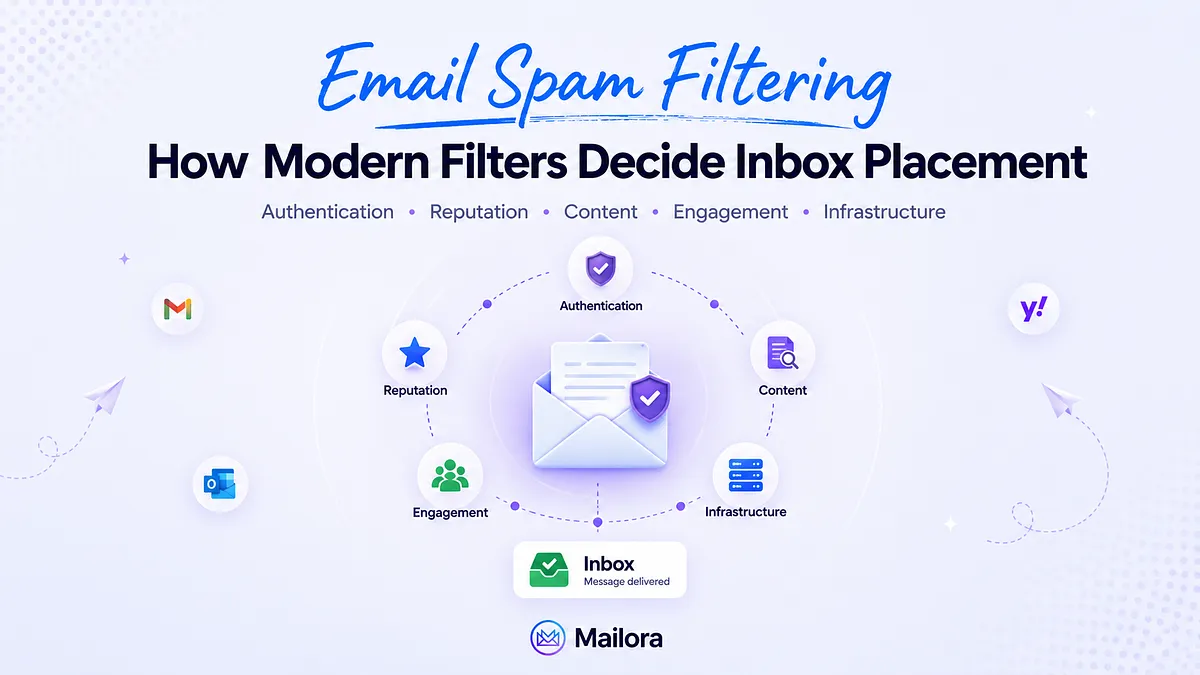
Key Takeaways
|
Introduction
The most difficult part of spam-filtering problems is that they rarely come with a clear cause. A campaign lands in spam, the team checks authentication and finds it passing, reviews the content and finds nothing flagged, looks at the bounce rate and finds it within normal range, and the investigation runs out of obvious places to look.
The actual reason is almost always a combination of signals that no single tool surfaces in one place, which is why teams often end up testing fixes rather than diagnosing the underlying problem.
Modern spam filters evaluate authentication, sender reputation, content, recipient engagement, and infrastructure health together. The signal that caused the placement issue is rarely the one a passing test was designed to detect, which is why programs that depend on testing alone tend to develop blind spots over time.
This guide walks through the full signal stack that modern filters evaluate, explains why pre-send testing is not sufficient on its own, and outlines the monitoring practice high-volume senders need in order to keep inbox placement consistent over time.
What Email Spam Filtering Actually Is
Email spam filtering is the automated process mailbox providers use to evaluate incoming messages and decide whether each one belongs in the inbox, the spam folder, or a quarantine queue.
The evaluation runs across multiple layers, including sender authentication (SPF, DKIM, and DMARC), domain and IP reputation, content patterns, recipient engagement history, and behavioral signals from past sends.
Each layer contributes a score, and the combined result determines placement. Spam filtering is not a single rule or keyword check, but an ongoing classification system that learns from how recipients interact with mail over time. Its primary purpose is to protect inboxes from unwanted, deceptive, or harmful messages without blocking legitimate communication.
How Modern Spam Filters Make Decisions
A useful way to think about spam filtering is as a stack of signals that are evaluated together rather than independently. Each layer carries its own weight, and the weights interact.
A strong score in one layer can offset a weak score elsewhere. Strong sender reputation can reduce the impact of borderline content signals, while poor engagement can override otherwise clean authentication. The layers are not isolated checks. They function as inputs to a single placement decision that mailbox providers make in real time.
The table below outlines the five major signal layers, what each one evaluates, who controls the input, and how it can be monitored.
| Signal layer | What it evaluates | Who controls it | How to monitor it |
| Authentication | SPF, DKIM, and DMARC alignment between the visible "From" domain and the authenticated sending source | The sender (DNS, ESP configuration, third-party tools) | DMARC aggregate and forensic reports, authentication results in raw headers |
| Sender reputation | Domain and IP reputation built from historical sending behaviour, complaint rates, bounce rates, spam-trap hits | The sender, accumulated over time | Google Postmaster Tools (Gmail), Microsoft SNDS (Outlook), continuous reputation monitoring |
| Content analysis | Subject lines, body copy, link density, image-to-text ratio, hidden text, HTML structure, attached file types | The sender (campaign content) | Content scoring tools, inbox placement testing, ML-driven content analysers |
| Engagement signals | Opens, replies, clicks, marks-as-spam, marks-as-not-spam, deletes without opening, archive behaviour | The recipient, accumulated per sender | ESP engagement reports, per-cohort segmentation, sender-side placement testing |
| Infrastructure health | Blacklist status, DNS hygiene, reverse DNS, sending volume patterns, TLS use, IP warmup posture | The sender (or the ESP) | Blacklist monitoring, DNS audits, volume ramp tracking |
[Table: Signals different Mailbox providers evaluate and how to monitor them]
There are two things worth understanding about how these layers interact in practice:
- Mailbox providers treat consistency across the stack as a signal of its own. For example, a domain with strong authentication but a sudden drop in engagement looks more suspicious than a domain with the same engagement drop and average authentication, because the gap between the layers is what filtering systems are designed to notice.
- The same campaign is evaluated differently by different providers.
- Gmail relies most heavily on engagement and its own content classification systems.
- Microsoft places more emphasis on infrastructure and sending reputation.
- Yahoo enforces authentication strictly, especially since the 2024 sender policy updates.
- A single campaign sent to recipients across Gmail, Outlook, and Yahoo is effectively running through three different filtering systems at once, which is why placement results often vary so widely across providers even when the content is identical.
The Authentication Layer
Authentication is where many deliverability problems either start or get diagnosed. It is also where most senders configure the setup once, often years ago, and never revisit it. This is how slow-drift issues develop, which is why authentication should be reviewed periodically rather than treated as a one-time project.
SPF, or Sender Policy Framework, is a DNS record that lists the servers and IP addresses authorized to send mail on behalf of a domain. When a receiving server gets a message claiming to come from yourdomain.com, it checks the SPF record to confirm the connecting IP is on the approved list. If the IP is not authorized, the message fails SPF and is treated as unauthenticated.
DKIM, or DomainKeys Identified Mail, adds a cryptographic signature to outgoing messages. The sending server signs the message using a private key, and the receiving server retrieves the matching public key from DNS to verify the signature.
A passing DKIM check confirms two things:
- The message was not altered during transit.
- The sender had access to the private key associated with the signing domain.
DMARC, or Domain-based Message Authentication, Reporting, and Conformance, builds on SPF and DKIM by defining how receiving servers should handle messages that fail authentication checks. It can instruct providers to take no action, quarantine suspicious messages, or reject them outright.
DMARC also provides reporting that helps domain owners identify unauthorized senders, authentication failures, and configuration issues across their email ecosystem.
Authentication plays an important role in spam filtering because it helps mailbox providers establish whether a sender is legitimate. However, authentication is only one layer of the filtering process.
A fully authenticated message can still land in spam if other signals indicate risk. Poor engagement rates, high complaint volumes, declining sender reputation, or content patterns associated with unwanted mail can all outweigh a clean authentication setup. Conversely, authentication failures can amplify concerns that already exist elsewhere in the signal stack.
Modern spam filters evaluate authentication alongside reputation, engagement, content, and behavioral data. Authentication establishes trust, but it does not determine inbox placement on its own. The final decision comes from how all of these signals interact in real time.
Sender Reputation
Sender reputation is the running score that mailbox providers assign to a sending domain and the IPs associated with it. The score is built from complaint rates, bounce rates, spam-trap hits, engagement quality, authentication consistency, and historical volume patterns.
Of all the signals filtering systems evaluate, sender reputation is the one that most strongly predicts where the next message from a given sender will land. Two senders with identical content, identical authentication, and identical lists can still see very different outcomes if their reputations differ. Reputation is the layer that tips the balance.
There are three properties of sender reputation that high-volume senders should understand clearly.
- Mailbox providers do not publish reputation scores, and the partial visibility tools that do exist, such as Google Postmaster Tools for Gmail and Microsoft SNDS for Outlook, are provider-specific and tend to lag the actual filtering decisions by a day or two.
- It shifts continuously based on sending behavior, and the rolling 30-day trend carries more weight than any single send or single day's data. A campaign that performs well today is not a reliable signal of long-term reputation health on its own.
- It degrades faster than it recovers. A single bad week of sending can take a full quarter of careful sending to fully repair, which is why proactive monitoring tends to be more valuable than reactive cleanup.
Sender reputation is built over time through consistent sending volume without sudden spikes, bounce rates kept under 2 percent (with under 1 percent as the operational target), complaint rates below 0.1 percent, engagement that comes from real human recipients rather than bots or auto-responses, and authentication that holds reliably across every send.
It degrades through several common patterns;
- Volume spikes are one of the most damaging, because a domain that normally sends 5,000 messages a day and suddenly sends 50,000 looks indistinguishable from a compromised account to most filtering systems.
- Poor list hygiene that drives down engagement averages is another contributor.
- Spam-trap hits are particularly costly, because mailbox providers maintain both recycled and new trap addresses specifically to identify senders working from purchased, scraped, or poorly maintained lists. A single trap hit can carry an outsized penalty.
Google Postmaster Tools is worth using as part of a reputation monitoring workflow, though it has limitations. The data is Gmail-only, lags actual filtering decisions by 24 to 48 hours, and does not include recommendations on what to act on.
For a sender with a Gmail-heavy audience, it provides useful directional confirmation. For senders operating across Gmail, Microsoft, and Yahoo, it represents one window into one provider and cannot be relied on as the complete picture of reputation health.
Content Triggers
Modern filtering systems used by Gmail, Microsoft, and other major providers do not run simple keyword regex checks against incoming messages. They use machine-learning models that evaluate content against the sender's reputation, the recipient's engagement history with that sender, and how similar messages have been handled by similar recipients in the past.
In practice, this means the same subject line can produce very different outcomes depending on the surrounding context.
Content signals are evaluated in combination with the reputation and engagement signals above them, which is why a sender with strong reputation can use language that a sender with weak reputation cannot.
Certain content patterns are genuinely costly because they closely resemble the patterns that spammers use. The most common ones include:
- Link density above roughly one URL per fifty words: High link density is a strong signal that the message is a bulk promotional or phishing send.
- URL shorteners that obscure the destination: Shortened links are common in phishing campaigns and tend to receive additional scrutiny from filtering systems.
- Image-to-text ratios above 60 percent: Particularly when the message body is embedded inside images rather than written as plain text.
- Hidden text designed to spoof the filter: Such as white text on a white background, zero-height divs, or off-screen content.
- Subject lines that overpromise relative to the body: Which often produces low engagement or complaint behavior from recipients.
- Attachments that match phishing payload patterns: Such as executables or password-protected archives.
The filters penalize these patterns deliberately, because legitimate senders rarely need to rely on them.
ISP-Specific Filtering
Each major mailbox provider runs its own filtering system, weights signals differently, and responds to authentication and reputation issues in its own way. Understanding how each one behaves is what makes per-provider diagnosis possible.
Gmail
Gmail is the most engagement-driven of the major filters. Its proprietary classification models rely heavily on what individual recipients have done with past messages from the same sender, including opens, clicks, replies, deletes, and spam complaints.
Gmail also distributes messages across multiple inbox categories, including Primary, Promotions, Updates, and Social. A message that lands in Promotions still shows as delivered in the sending platform, but for a sales team trying to reach a prospect, that placement is functionally similar to spam. If you're noticing a sudden drop in engagement despite successful delivery, it may be because half your Gmail audience isn't seeing your emails anymore, even though your campaigns appear to have been delivered.
Gmail tends to be the most forgiving of authentication edge cases when sender reputation is strong, and the least forgiving when reputation begins to decline.
Microsoft (Outlook.com, Hotmail, Microsoft 365)
Microsoft runs SmartScreen and related filtering services that place more emphasis on infrastructure and sender reputation than on engagement signals. Microsoft is also widely considered the most difficult provider to diagnose.
There is no consumer-side equivalent of Google Postmaster Tools, SNDS data is limited in scope, and rejection codes returned by Microsoft systems are often generic. Senders frequently see strong placement in Gmail but consistent junk-folder placement in Outlook, with no single clear cause.
The most common contributors are:
- Weak domain reputation
- IP reputation flagged by Microsoft's separate IP scoring system
- Authentication patterns that Microsoft penalizes more aggressively than other providers.
Yahoo and AOL
Yahoo and AOL now operate under the same filtering infrastructure, and the 2024 DMARC requirement updates from this group represented the most significant shift in the provider landscape that year.
Yahoo enforces sender requirements for bulk senders with notably less tolerance than Gmail. The requirements include one-click unsubscribe headers, complaint-rate thresholds, and authentication policies that must be in place before higher-volume sending is permitted.
A Yahoo-heavy list that performed well in 2023 may now show a meaningfully higher rejection rate in 2025 and 2026, even when nothing has changed on the sender's side, simply because the enforcement floor has risen.
Apple iCloud Mail
Apple iCloud Mail is the quietest of the major providers. Its filtering systems have been tightening over time, particularly around tracking pixels and privacy-related signals.
Mail Privacy Protection, introduced as part of broader Apple privacy initiatives, also affects open-rate data by pre-fetching images on behalf of recipients, which makes engagement metrics harder to interpret.
Apple's share of most B2B sending lists is small enough that it rarely shapes program-level deliverability decisions, though it remains worth monitoring for senders with significant consumer-side audiences.
A program that lands 99 percent in Gmail but only 60 percent in Outlook produces the same aggregate as a program landing 80 percent in both. The two situations require completely different diagnostic approaches and completely different fixes.
Per-provider visibility is what separates teams that know what to fix from teams that are guessing based on incomplete data. This is the layer where dedicated inbox placement tools become valuable, because they expose the per-receiver breakdown that aggregate reports from sending platforms cannot provide on their own.
Testing and Monitoring
Most teams interact with deliverability tools the same way:
- Run a test before a major campaign
- Fix what fails, and
- Move on until the next campaign.
Spam filters evolve continuously, mailbox providers retrain their models on rolling windows, authentication setups drift as new tools are added, and sender reputation shifts with every send. A test that passes in March tells a sender very little about what a campaign in June will do.
The difference between one-off testing and continuous monitoring is significant enough and here’s a quick side-by-side
| Dimension | One-off testing | Continuous monitoring |
| Frequency | Pre-campaign or post-incident | Always-on |
| Signal coverage | Slice of the stack (placement OR DNS OR content) | Authentication, reputation, infrastructure, placement together |
| Actionability | "These items failed - fix them" | "These signals are drifting - fix them in this priority order" |
| Best for | Pre-launch sanity checks, debugging a specific failure | Sustained inbox placement across a program over months |
| What it misses | Drift between tests, signal interactions, per-provider variance over time | Nothing. It is the layer most senders are missing entirely |
[Table: Difference between one-off testing vs continuous monitoring]
A comprehensive deliverability test before a major campaign is a sensible operational habit, and there are reliable tools for checking blocklist status, pulling a per-message spam score, or running a placement check.
These are low-cost interventions that solve specific problems well. The argument is that they are necessary but not sufficient on their own.
The most useful question for a high-volume sender is no longer "did my last test pass." It is "what is happening to my deliverability right now, and which signal should I address first," which is answered by ongoing monitoring rather than by point-in-time testing.
The shift from reactive testing to continuous monitoring is what tends to distinguish mature sending programs. It is also the shift that Mailora is built around, combining continuous DMARC parsing, reputation tracking across providers, infrastructure-health monitoring, and placement signal synthesis into a prioritized feed that surfaces which issue to address first.
For deeper coverage of the testing-side methodology, our guide on how to test email deliverability walks through the seed-list approach and the questions a thorough test should answer.
Building a Spam-Filter-Resilient Sending Practice
The framework below is organized as five disciplines, listed roughly in order of leverage and impact.
1. Authenticate fully, and read the reports
Authentication is the starting point, not the finish line. SPF should cover every sending source the domain uses, DKIM should sign every outgoing message, and the DMARC policy should be set to at least p=quarantine once alignment has been verified across sources.
The configuration itself is the smaller part of the work. The larger part is reading the DMARC aggregate reports on an ongoing basis, which is how unauthorized senders, misconfigured third-party tools, and authentication drift surface before they affect inbox placement.
2. Monitor reputation continuously rather than reactively
Reputation monitoring should be a continuous practice rather than something that begins only when a deliverability problem becomes visible. Google Postmaster Tools for Gmail and Microsoft SNDS for Outlook are free, provider-specific starting points and are worth having configured for any domain sending significant volume.
These tools have limitations. The data is slow, lags actual filtering decisions, and covers only one provider at a time. For sending programs that operate across multiple major providers, a cross-provider monitoring layer that can catch reputation drift within a 24-hour window is what mature programs typically run on top of the provider-native tools.
3. Clean and segment lists for engagement, not just for bounces
List hygiene operates on two levels:
- Bounce-rate hygiene, which starts with learning how to verify an email address before sending and suppressing hard bounces, is the baseline.
- Engagement-rate hygiene is the layer that produces meaningful leverage on inbox placement over time.
Recipients who have not engaged with sends in six months or longer are quietly dragging reputation downward on every campaign they receive. These segments should either be suppressed entirely or moved to a separate, deeply throttled re-engagement track that is monitored independently from the main sending program.
4. Test before major campaigns, but treat the test as a checkpoint
Pre-send inbox placement testing across major providers is a valuable habit for catching authentication errors, content issues, and per-provider placement variance before a campaign reaches real recipients.
The test should always be run on the exact composition that will be sent, including the same content, the same authentication setup, and the same sending IP.
A test that passes confirms that the current configuration is correct at the moment the test is run. It does not confirm that the configuration will still be correct several weeks later, when sending tools may have been added, IPs may have rotated, or reputation may have shifted. Testing is a checkpoint in an ongoing monitoring practice, not a substitute for it.
5. Invest in per-provider visibility
Gmail-only data hides Microsoft-specific problems. Sending platform delivery reports often record spam-folder placement as "delivered," which obscures the difference between a message being accepted and a message being read.
A view that breaks placement down by the receiving provider, over time, with the signal context behind each shift, is what makes accurate diagnosis possible. Without that visibility, troubleshooting deliverability problems becomes a process of investigating a system whose internal behavior cannot be observed.
Building a Spam-Filter-Aware Sending Program
These five disciplines are the practices that high-volume senders with consistent inbox placement tend to operate. The reason they remain uncommon is not awareness but tooling.
Running them well across multiple providers, continuously, with the synthesis required to turn raw signal data into prioritized action, is the layer most sending programs have not yet built or invested in.
A useful starting point for evaluating where a current setup sits across these five disciplines is to test against a real send.
Mailora’s Free deliverability test on the actual campaign being planned surfaces per-provider placement, authentication state, and reputation signals against the live configuration, which becomes a grounded baseline for the ongoing monitoring practice that the rest of this framework relies on.
FAQs
How do email spam filters decide whether a message goes to the inbox or spam folder?
Modern spam filters evaluate authentication, sender reputation, content, recipient engagement, and infrastructure health together. No single signal decides the outcome, and strong scores in one layer can offset weaker scores in another.
Can a perfectly authenticated email still get filtered as spam?
Yes. Authentication confirms the message is legitimate, not that the sender is trusted. Weakened reputation, poor engagement history, content that matches penalized patterns, or prior spam complaints from similar recipients can still push an authenticated message into the spam folder.
How often should I test my email deliverability, and is one-off testing enough?
Testing is useful before major campaigns, after infrastructure changes, and when diagnosing specific failures. It is not sufficient on its own for high-volume senders because filters, reputation, and authentication configurations all drift between tests. Mature programs run testing for pre-send confirmation and continuous monitoring for ongoing visibility.
Why do my emails land in the inbox at Gmail but go to spam at Outlook?
Each provider runs its own filtering system with different signal weightings. Gmail leans heavily on engagement and content classification, while Microsoft places more weight on infrastructure and reputation. Identical authentication and content can produce different outcomes across providers, which is why per-provider visibility is essential for diagnosis.
What's the difference between email validation, spam testing, and deliverability monitoring?
Email validation confirms whether an address exists and can accept mail. Spam testing evaluates a specific message at a specific moment. Deliverability monitoring is continuous, combining DMARC parsing, reputation tracking, and per-provider placement signals into ongoing action.
Stay in the loop
Deliverability insights, product updates, and early access to new features. No spam, unsubscribe anytime.
By subscribing, you agree to our Privacy Policy. Unsubscribe anytime.