Email on Acid Alternatives: A Practical Comparison Guide for 2026
Key Takeaways
|
Introduction
Short answer first: if you're looking for an Email on Acid alternative, the right tool depends on what's actually broken. Rendering issues point to Litmus or Mailgun Inspect. Placement and reputation problems point to a monitoring platform like GlockApps or Mailora. Authentication drift points to DNS and DMARC-specific tools. List problems point to validation software. Most people searching this phrase only need one of those four, and picking the wrong category is the most common way teams waste a budget cycle on "email testing software" that doesn't fix the actual issue.
If you're reading further, something specific probably prompted the search. Maybe you saw a notice about Email on Acid's account migration and want to know what happens to your existing tests. Maybe your renewal is coming up. Or maybe you're tired of paying for an email preview tool that shows you how a template renders in Outlook 2016 while your real problem is that Gmail keeps routing your campaigns to Promotions.
That last scenario is more common than most teams realize, and it's worth naming directly. A lot of people searching "Email on Acid alternatives" don't need another rendering tool. They need inbox placement visibility, authentication monitoring, or deliverability tracking, and they're using rendering-tool vocabulary because that's the category they know.
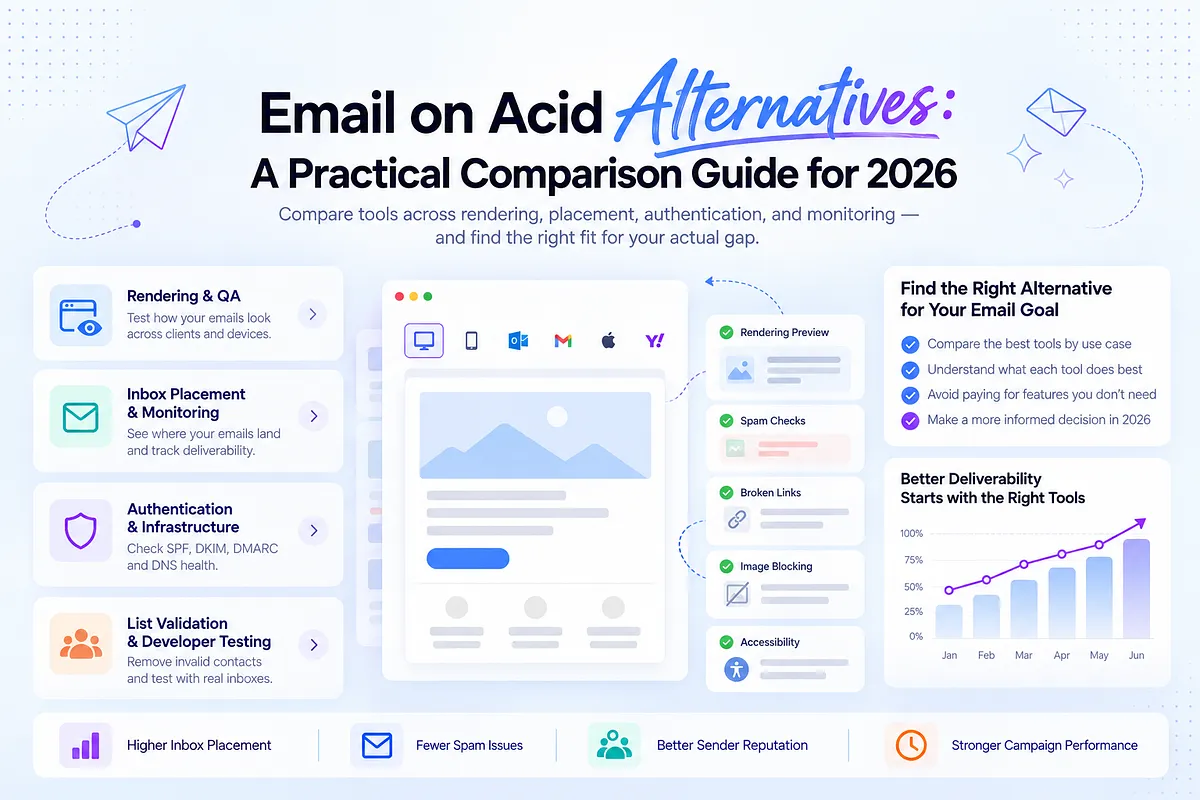
This guide walks through what Email on Acid actually does, why teams are shopping for alternatives right now, and then breaks the alternative landscape into the four categories that matter: rendering and QA, inbox placement and deliverability monitoring, authentication and infrastructure checks, and list validation and developer testing.
Along the way, we'll be specific about which tools fit which jobs, and where a platform like Mailora fits into your stack. Mailora isn't a rendering tool, and it won't preview your email in 100 email clients. If that's your problem, you want a different section of this guide. If your problem is figuring out why a healthy-looking campaign quietly lost inbox placement at Gmail, that's where this gets useful.
What Email on Acid Actually Does
Email on Acid built its reputation on one core job: HTML email testing that shows marketers and developers how an email renders before it goes out. You upload or paste your email code, and the platform generates previews across a wide matrix of email clients, devices, and mobile operating systems: Outlook desktop builds, Gmail web and app, Apple Mail, Yahoo Mail, and dozens of others. Paid plans have historically included unlimited testing across this matrix, which matters for teams shipping frequent template changes (confirm current plan limits before purchasing, as terms shift).
Beyond visual rendering, the platform typically covers a few adjacent checks: spam word/phrase flagging in copy, broken link detection, image blocking previews (showing what an email looks like when images don't load, still common in Outlook and some webmail clients), accessibility checks, and load time analysis for image-heavy templates.
The job to be done here is narrow and specific: catch layout breakage, rendering bugs, and content-level red flags before a campaign goes to the full list. It answers "will this look right and read cleanly across the clients my subscribers actually use?" It does not answer "will this land in the inbox?" Those are architecturally different questions, and conflating them is where a lot of buying decisions go wrong.
Email on Acid has long competed directly with Litmus on this use case. Both are pre-send rendering and QA platforms, and teams have historically chosen between them based on client coverage, workflow integration (Figma/Sketch plugins, ESP integrations), team seat pricing, and UI preference more than any fundamental difference in what they do.
Why Teams Are Looking for an Alternative in 2026
A few forces are pushing search volume for "Email on Acid alternatives" right now, and they're not all the same force.
Ownership and product changes
Email on Acid has gone through corporate changes in recent years, and there's public discussion about its testing capabilities migrating toward Mailgun Inspect under its parent company's product consolidation. If you're an existing customer, verify this directly with your account rep or the vendor's current documentation before assuming continuity, pricing stability, or feature parity. Migration timelines and account handling can shift. Confirm status as of the date you're reading this rather than relying on older announcements.
Budget scrutiny on tools that don't touch revenue directly
Rendering QA is important, but it's the kind of line item that gets questioned in budget reviews because its value is preventative rather than performance-driving. Teams under cost pressure sometimes ask whether they need unlimited previews across 100+ clients, or whether they need something that explains why open rates dropped 15% this quarter. That's a fair question, and it usually means the team has outgrown pure rendering QA as its top priority, not that rendering QA has no value.
A growing realization that rendering-clean emails still get filtered
This is probably the biggest driver. A marketer ships a template that passes every rendering preview: clean in Gmail, Outlook, Apple Mail, no broken images, no spam-trigger words. The email goes out. Open rates are flat or declining, and nothing in the rendering report explains why. Rendering QA was never built to explain filtering behavior. It tests appearance, not acceptance by mailbox providers, and definitely not what happens after acceptance when Gmail's or Outlook's filters decide where a message lands.
Multi-domain complexity outgrowing a single-purpose tool
Agencies managing ten, thirty, or a hundred client sending domains often start with a rendering tool because it's the first deliverability-adjacent purchase anyone makes. As the client roster grows, the gap between "does this look right" and "is this client's domain reputation stable across their ISPs" becomes the more urgent daily question, and no rendering tool answers it.
New team members asking basic category questions
As deliverability literacy spreads beyond dedicated specialists into growth and lifecycle roles, more people are discovering that "email testing" isn't one category. It's several, and picking the wrong one wastes budget without fixing the underlying problem.
None of this means Email on Acid, or rendering QA broadly, is obsolete. It means the reason someone lands on this page varies, and the right next step depends on which of those reasons is actually theirs. The next section breaks that down.
The Four Categories of Email Testing
Searching "Email on Acid alternatives" bundles four distinct jobs into one query. It helps to name them separately before comparing tools, because the right alternative depends entirely on which job you actually have.
1. Rendering and visual QA. Does the email look right across clients? This is Email on Acid's home turf and Litmus's home turf. It catches broken layouts, image issues, and dark mode rendering problems before send. If you're comparing Litmus alternatives specifically, this is the category you're in.
2. Inbox placement and deliverability monitoring. Where does the email actually land after it's accepted, inbox, promotions, or spam, and how is sender reputation trending over time? This is a different measurement problem entirely, and it requires ongoing visibility, not a one-time preview.
3. Authentication and infrastructure checks. Are SPF, DKIM, and DMARC configured correctly and staying aligned as sending sources change? This is foundational and often where silent failures start, especially after a new ESP or subdomain gets added.
4. List validation and developer testing. Is the underlying list clean, and does the email code function correctly across edge cases? This sits closer to email development and hygiene than to marketing QA.
A quick way to map symptoms to categories: if the complaint is "this looks broken in Outlook," that's category 1. If it's "opens are fine but revenue is flat" or "Gmail placement seems off," that's category 2. If it's "DMARC reports show unauthorized senders" or "authentication just started failing," that's category 3. If it's "bounces are climbing" or "we need to test rendering programmatically in CI," that's category 4.
Most teams searching for an Email on Acid alternative only need one of these, sometimes two. Almost nobody needs all four from a single vendor, because no single vendor does all four well. Forcing one tool to cover categories it wasn't built for is the most common reason teams end up disappointed with a "replacement" six months after switching.
Email on Acid Alternatives at a Glance
The table below organizes tools by the job they actually do, not by marketing category. "Best for" reflects the primary use case each tool is built around. Pricing and feature details should be verified directly with each vendor before purchasing. This table reflects public information current at the time of writing and is subject to change.
Tool | Job to Be Done | Rendering QA | Inbox Placement | DMARC/Auth | Continuous Monitoring | Best For |
| Mailora (not a rendering tool) | Deliverability decisions | No | Yes | Yes | Yes | Teams needing continuous placement, reputation, and auth signals turned into next steps |
| Litmus | Rendering QA | Yes | Confirm current placement/spam-testing feature set | No | No | Teams already inside a rendering-heavy pre-send workflow |
| Mailgun Inspect | Rendering QA | Yes | No | No | No | Teams already on Mailgun infrastructure consolidating tooling |
| Parcel | Rendering QA (email preview tool) | Yes | No | No | No | Smaller teams needing straightforward previews (verify: 80+ clients, ~$49/500 previews/mo) |
| Inbox Pirates | Rendering QA (lightweight) | Yes | No | No | No | Low-volume teams needing occasional previews (verify: 20+ clients, limited daily/monthly tests) |
| Testi@ | Rendering QA (free tier) | Yes (limited) | No | No | No | Solo operators testing occasionally in a couple webmail clients |
| GlockApps | Inbox placement testing | No | Yes | Partial | Limited | Teams needing seed-based placement snapshots |
| Inbox Monster | Placement + reputation | No | Yes | Partial | Yes | Teams wanting rendering-adjacent reputation bundled in (editorial reference, verify pricing directly) |
| SendForensics | Deliverability scoring | No | Partial | Partial | Limited | Teams wanting a lower-cost entry point to placement signals (editorial reference, verify pricing directly) |
| MXToolbox | Infrastructure/auth checks | No | No | Yes | Partial (free tier limited) | Quick DNS, blocklist, and auth lookups |
| Everest (Validity) | Enterprise deliverability suite | Partial (limited preview set, verify count) | Yes | Yes | Yes | Enterprise teams wanting one vendor across the full stack |
Pricing and feature availability are subject to change. Confirm directly with each vendor before purchasing.
A few things worth calling out honestly. Mailora appears first in this list not because it's the closest substitute for Email on Acid, but because this guide is written by the team that builds it, and burying that fact felt dishonest. Mailora is not a rendering tool. If your problem is rendering, skip to Litmus, Mailgun Inspect, or Parcel. If your problem is figuring out why a clean-looking email isn't landing where it should, keep reading, that's the section where Mailora actually fits.
Best Alternatives for Visual Rendering and QA
If the core need is confirming that an email renders correctly before it ships, these are the tools built for that job.
Litmus is the most direct head-to-head alternative to Email on Acid. Both platforms cover a similar client and device matrix, both offer spam word flagging and link checking, and both integrate with major ESPs and design tools. Historically, teams have chosen between the two based on UI preference, specific client coverage gaps, and pricing at their seat count rather than any deep functional difference. Confirm Litmus's current feature set around placement or spam testing directly with the vendor, as this has changed over past product cycles. Litmus also carries a 4.6 rating from 20 Gartner Peer Insights reviews as of recent checks, a directional signal about satisfaction, not a verdict on feature completeness, and worth verifying current standing before treating it as a deciding factor.
Mailgun Inspect is relevant specifically because of the reported migration of Email on Acid's testing capabilities toward Mailgun's product line under shared ownership. If you're an existing Email on Acid customer, this is the alternative most likely to offer continuity, but confirm current migration status, account handling, and feature parity directly with Mailgun before assuming anything carries over automatically.
Parcel is a leaner email preview tool, historically covering 80+ email clients with pricing reported around $49 for 500 previews per month (verify current terms). It's a reasonable fit for smaller teams that want solid rendering coverage without paying for an enterprise feature set they won't use.
Inbox Pirates and Testi@ sit at the lighter end of this category. Inbox Pirates has historically covered 20+ clients with basic plans capped at a handful of tests per day or month, workable for teams shipping infrequent campaigns. Testi@ offers a free tier covering a couple of webmail clients and a limited number of test addresses, a reasonable starting point for solo operators or early-stage teams not yet ready to pay for rendering QA but wanting to catch obvious breakage.
None of the tools in this category will tell you anything about inbox placement, sender reputation, or authentication health. That's not a knock on them, it's not the job they're built for. The next section covers what to use when that's the actual problem.
Best Alternatives for Inbox Placement and Deliverability Monitoring
If the problem isn't rendering, it's usually this: the email looks fine, the ESP says it delivered, and something is still off. Engagement is soft. Revenue doesn't match send volume. Someone on the team mentions Gmail Promotions and everyone nods like they understand why, but nobody actually checked.
This category answers a different question than rendering tools do. It's not "does this look right," it's "where did this actually land, and is that changing over time."
GlockApps is the most direct comparison point here. It runs seed-based placement tests across major ISPs and gives an inbox-versus-spam breakdown per send, plus some content analysis. It's a reasonable entry point for occasional placement snapshots without needing continuous monitoring built in. The limitation is the same limitation every seed test carries: seed accounts aren't real subscribers, so the results are a proxy for placement behavior, not a guarantee of it.
Everest by Validity sits at the other end of the spectrum, a full enterprise suite covering placement, reputation, and some authentication visibility under one roof, reportedly alongside a smaller rendering preview set (verify current documentation for the exact count). It's built for teams that want one vendor covering most of the deliverability stack and have the budget and procurement patience for an enterprise contract.
Mailora fits a specific gap in this category: continuous placement and reputation monitoring paired with practitioner interpretation, rather than a one-time test or a raw score. It shows ISP-level placement (inbox, promotions, spam, missing) across Gmail, Outlook, Yahoo, Apple Mail, and regional providers, tracks reputation trends over time instead of a single point-in-time number, and monitors blocklist status with context on which listings actually matter for placement. The distinguishing piece is that diagnostics come with a recommended next step, not just a data point, because a placement drop by itself doesn't tell a lifecycle manager what to do before the next send.
Worth restating clearly: Mailora is not a rendering tool. It won't tell you if your email breaks in Outlook's dark mode or if an image tag renders oddly in Yahoo. Use Litmus or Mailgun Inspect for that question. Mailora is what you use once the email renders fine and you need to know what's happening after it leaves your ESP.
See where your emails actually land. Run an email deliverability test across Gmail, Outlook, Yahoo, and Apple Mail before your next send.
Best Alternatives for Authentication and Infrastructure Checks
Authentication problems hide the longest. SPF, DKIM, and DMARC can each look configured correctly in isolation while still failing in combination, and most teams don't find out until placement drops and someone finally checks the DNS records.
MXToolbox is the standard free-tier tool for quick DNS lookups, blocklist checks, and basic SPF/DKIM/DMARC validation. It's fast and useful for a one-time gut check, but it doesn't monitor continuously, and it won't tell you when a new ESP added to your stack quietly pushed your SPF record past the 10-lookup limit defined in the SPF specification.
That scenario is common enough to name directly. SPF allows a maximum of 10 DNS lookups per check. Every ESP, marketing tool, or subdomain delegation added to a domain can consume one or more of those lookups. Cross the limit and SPF fails, not because the existing setup broke, but because something new got added without anyone recalculating the lookup budget. DKIM can pass at the same time, since it validates independently of SPF. But under the DMARC specification (RFC 7489), alignment depends on at least one of SPF or DKIM passing and being aligned to the visible From domain. If SPF fails from a lookup overflow and DKIM isn't aligned for that sending path, DMARC fails even though nothing about the message content changed.
This is why authentication needs monitoring, not a one-time setup checklist. New sending sources get added by teams who don't know what SPF lookups are. DKIM keys rotate. DMARC policies drift as subdomains get added without anyone updating the parent policy. Authentication visibility that tracks SPF, DKIM, and DMARC alignment continuously across every connected sending source, and flags when something changes, matters more than a static pass/fail check, because the failure mode here is almost always a slow drift, not a sudden break.
If your team needs enterprise-grade DMARC enforcement with reporting workflows built specifically for compliance programs, dedicated DMARC platforms go deeper into that specific job than any general deliverability tool will. Authentication monitoring inside a broader deliverability platform is meant to catch drift and connect it to placement impact, not replace a dedicated DMARC enforcement program for teams that need one.
Best Alternatives for List Validation and Developer Testing
This category sits closer to engineering than to marketing QA, and it's worth separating out because it gets bundled into "email testing" conversations even though the job is different.
List validation tools check whether the addresses on a list are real, active, and safe to send to, catching syntax errors, disposable domains, spam traps, and role-based addresses before a send goes out. This matters because a list full of dead or risky addresses drives up bounce rate and complaint rate, both of which feed directly into the reputation and placement signals covered above. Rising bounces usually mean the fix starts with list hygiene, not a deliverability platform.
Developer-focused rendering testing is a narrower slice of category 1 (rendering QA) aimed at teams that want to run rendering checks programmatically, inside CI pipelines, as part of a template build process, or triggered automatically on every code change to an email template. Mailgun Inspect and some Litmus API endpoints support this kind of integration for teams with the engineering capacity to build it into their release process.
Neither of these jobs overlaps meaningfully with placement, authentication, or reputation monitoring. A clean list and a well-tested template are prerequisites for good deliverability, not a substitute for measuring it.
Why Rendering Previews Alone Don't Confirm Inbox Placement
It's worth being direct about the gap that causes the most confusion in this category: a passing rendering test does not tell you anything about where the email lands.
Rendering tools answer "does this display correctly." They check HTML and CSS compatibility across a client and device matrix, and flag broken layouts and dark mode issues. None of that touches the filtering decision an inbox provider makes after the message is accepted.
Placement is decided by a separate evaluation layer: sender reputation, engagement history, authentication alignment, complaint rates, and sending pattern consistency. An email can render perfectly in every client on a rendering platform's matrix and still land in spam if the sending domain has a reputation problem, or if a volume spike triggered filtering caution at Gmail. Conversely, a slightly rough-looking email from a well-established, engaged sending domain often lands in the inbox without issue.
This is the split that trips up teams switching away from Email on Acid. They look for a "better version" of the same tool and end up with another rendering platform, when the actual gap in their stack was never rendering, it was visibility into what happens after send. Mailora's continuous deliverability monitoring features exist specifically for that second half of the problem: tracking placement, reputation, and authentication over time so a rendering-clean email doesn't quietly lose inbox access without anyone noticing until revenue drops.
Pre-Send Email QA vs. Post-Send Deliverability Monitoring
Most teams' testing stack covers one moment in time well and leaves the rest dark.
Pre-send QA happens before the campaign ships. This is rendering checks, spam word scans, link validation, and list hygiene checks, everything Email on Acid, Litmus, Parcel, and similar tools are built for. It catches broken templates and obvious content risk before anything reaches a recipient.
Post-send monitoring happens after the campaign goes out and keeps going. This is where placement testing, reputation tracking, and blocklist monitoring live. It answers questions pre-send QA structurally cannot: did this specific send actually reach the inbox, is reputation trending down after three campaigns in a row, did a blocklist event happen two hours after send that nobody caught until Monday.
The teams that get burned are usually the ones with strong pre-send QA and no post-send visibility. Everything checks out before the button gets pressed, and then something breaks quietly afterward: a reputation dip, a new ESP misconfiguring DKIM, a sudden volume spike triggering Gmail's filtering caution, and nobody finds out until the next campaign's numbers come in soft. For more on why this gap matters specifically for placement, see inbox deliverability monitoring.
A mature testing stack usually needs both: a pre-send tool to catch rendering and content issues, and a continuous post-send layer to catch everything that only shows up after the email leaves the building. Very few teams need one vendor to do both. Most are better served by picking a strong tool for each side.
What to Look for in a Deliverability-Focused Alternative
If category 2 (inbox placement and deliverability monitoring) is the actual gap, a few criteria separate tools that give you a number from tools that help you act on it.
ISP-level breakdown, not a blended score. Gmail, Outlook, Yahoo, and Apple Mail filter differently. A tool that reports one aggregate placement number hides the variation that actually matters. You need to know if Gmail specifically dropped while Outlook stayed flat, because the causes and fixes differ.
Trend visibility, not a snapshot. Sender reputation is a signal that moves over time, not a fixed score checked once. A single test tells you today's state. A trend line tells you whether last week's template change or new sending domain is having an effect.
Authentication context alongside placement. SPF, DKIM, and DMARC alignment issues are among the most common root causes behind placement drops. For a deeper walkthrough of how this works and why it fails silently, see SPF alignment for email deliverability. A deliverability tool that reports placement without showing authentication status next to it forces you to check a second tool to rule out the obvious cause.
Correlation to what changed. Reputation dips and placement drops happen for reasons: a volume spike, a new sending domain, a content change, a list segment that went stale. Tools that just show "reputation went down" leave you guessing. Tools that connect the drop to a recent change save real diagnostic time.
Clear next steps, not just a diagnostic. A dashboard that flags a problem without indicating what to check first is only half the job, especially for teams without a dedicated deliverability hire.
The table below maps common signals to the kind of action they usually warrant, as a general orientation, not a substitute for investigating your specific sending setup.
Signal | Likely Impact | Recommended Action | Owning Team |
| Gmail placement drops while other ISPs stay flat | Engagement or content-specific filtering trigger | Pause large sends, suppress unengaged segments, rebuild engagement with a smaller list first | Lifecycle/Marketing |
| Reputation trend declining over several sends | Cumulative complaint or engagement issue | Review recent content and volume changes, check complaint rate trend | Deliverability/Marketing Ops |
| New blocklist listing | Authentication or content trigger, or shared IP neighbor issue | Identify the specific list, check its actual placement impact, begin delisting process if warranted | Deliverability/IT |
| DMARC failing after a new ESP added | SPF lookup overflow or DKIM misalignment | Recalculate SPF lookups, verify DKIM signing for the new source | Marketing Ops/Engineering |
| Placement drop right after a domain or IP change | Cold infrastructure, no reputation history | Follow a structured warm-up plan, increase volume gradually | Deliverability/Marketing Ops |
How Agencies Should Evaluate These Tools
Agencies managing multiple client domains face a more complicated version of this decision than a single-brand team, because the tool has to work across accounts with different sending profiles, different ESPs, and different levels of client sophistication.
A few things matter more for agencies than for in-house teams. Data separation between client workspaces isn't optional. Clients will ask directly how their sending data is isolated from other accounts on the same platform, and a vague answer is a lost deal. Repeatable, automatable workflows matter because manually re-running the same diagnostic for 30 clients every month doesn't scale past a handful of accounts per team member. Client-facing reporting needs to translate technical findings into language a non-technical stakeholder can act on, without dumbing it down to the point of being useless.
Rendering tools like Litmus and Parcel are usually licensed at the agency level and used across every client's campaigns during production. That part of the stack is fairly standardized. The bigger variance shows up in deliverability monitoring, where agencies often end up cobbling together free tools (MXToolbox, Google Postmaster Tools) per client because a proper monitoring platform felt like overkill for smaller accounts. That approach works until a client's domain gets blocklisted and nobody notices for three days.
For agencies onboarding a new client with an unknown sending history, the first 30 days matter most. A client can walk in with a burned domain, a drifted DMARC policy, or a years-old blocklist listing nobody flagged. Continuous monitoring from day one of the engagement catches these faster than a single point-in-time audit, and it gives the agency something concrete to show the client before the first campaign even ships.
Where Mailora Fits, And Where It Doesn't
To be direct about scope: Mailora is not built to replace Email on Acid, Litmus, or Mailgun Inspect. If your team's actual problem is rendering, broken layouts, dark mode issues, client compatibility gaps, those tools do that job, and Mailora doesn't attempt to compete with them.
Mailora is built for a different job: continuous visibility into where email actually lands after it's sent, why sender reputation and authentication are trending the way they are, and what to do about it when something shifts. It covers inbox placement testing across major ISPs, reputation and blocklist monitoring, authentication visibility for SPF/DKIM/DMARC, and multi-variant content testing that isolates which part of an email pushed placement toward spam. None of that is rendering QA.
If you're evaluating Mailora as an Email on Acid replacement expecting a client and device preview matrix, it won't do that job. Look at Litmus or Mailgun Inspect instead. If you're evaluating Mailora because rendering is fine and the question is what's happening between send and inbox, placement trends, reputation shifts, authentication drift, and a next step attached to each, that's the gap it's built to close.
Rendering-first buyers should choose a rendering tool. Deliverability-first buyers, or teams who've outgrown a single rendering check and need ongoing signal on what happens after send, are the fit for Mailora.
Choose the Right Alternative for Your Goal
Pulling the categories back together into a single decision:
If the problem is rendering and visual QA, templates breaking across clients, dark mode issues, layout inconsistencies, go with Litmus or Mailgun Inspect. Smaller teams can look at Parcel, Inbox Pirates, or Testi@ depending on volume and budget.
If the problem is inbox placement testing on a per-campaign basis, a snapshot before a big send, GlockApps is a direct, well-established option.
If the problem is an enterprise suite covering rendering, placement, and reputation under one contract, and budget and procurement timelines support it, Everest by Validity is the closest single-vendor option.
If the problem is ongoing deliverability decisions, reputation trending down, authentication drifting, placement shifting across ISPs, and needing to know what to do about it rather than just what the number is, that's the gap Mailora is built for. You can run your first deliverability test to see where things stand before committing to any platform.
Most teams end up running two tools, not one: a rendering tool for pre-send QA, and a continuous monitoring layer for everything that happens after the send button gets pressed. That's not tool sprawl. It's matching each job to the tool actually built for it.
Conclusion
Most searches for "Email on Acid alternatives" are really searches for one of four different tools, and the mismatch is where teams waste months on the wrong platform. Rendering QA, inbox placement testing, authentication monitoring, and list/developer validation solve different problems, and no single tool covers all four well.
Start by naming the symptom, not the tool category. Broken layouts in Outlook point to rendering QA. Soft engagement with strong delivery rates points to placement and reputation monitoring. DMARC failing after adding a new sending source points to authentication drift. Bad send data points to list validation.
Once you know which gap you're closing, the decision gets simple. Litmus and Mailgun Inspect for rendering. GlockApps for placement snapshots. Everest for an enterprise suite. Mailora for continuous deliverability monitoring, placement trends, reputation signals, and authentication drift, with a next step attached to each one.
Run your first test. Sign up for Mailora and see what's happening with your sending domains before your next campaign goes out.
FAQs
Is Email on Acid shutting down, and what happens to existing accounts?
As of this writing, reports point to Email on Acid's rendering functionality being folded into Mailgun Inspect as part of Sinch's broader Mailgun product line. Verify current migration status and account transition details directly with Email on Acid or Mailgun before making a switching decision, since these transitions can change timelines.
What's the difference between Email on Acid and Litmus?
Both are rendering and pre-send QA tools covering client and device preview testing, spam word scanning, and link checks. They differ mainly in client coverage, integrations, and pricing tiers rather than in fundamental category. Pick based on your team's specific workflow and budget, not an assumed feature gap between them.
Do I need an email rendering tool and a deliverability tool, or can one platform do both?
Most teams end up running both, because rendering QA and deliverability monitoring answer different questions at different points in time. A rendering tool checks how the email displays before you send. A deliverability tool tracks where it actually lands and why after it's out.
Can email preview tools tell me if my email will land in spam?
No. Rendering tools check HTML and CSS compatibility across clients, not filtering outcomes. Placement is decided by separate signals, sender reputation, engagement history, authentication alignment, and complaint rates, which is why an email can render perfectly and still land in spam.
What's the best Email on Acid alternative for agencies managing multiple client domains?
It depends on the gap. For rendering QA across clients, Litmus or Parcel licensed at the agency level works well. For continuous placement and reputation visibility across client domains with data separation between workspaces, Mailora is built for that specific job.
Stay in the loop
Deliverability insights, product updates, and early access to new features. No spam, unsubscribe anytime.
By subscribing, you agree to our Privacy Policy. Unsubscribe anytime.