Key Takeaways
|
Since February 2024, Google and Yahoo have required bulk senders, and Google defines that threshold as 5,000 or more messages a day to Gmail addresses, to authenticate mail with SPF or DKIM and publish DMARC. That changed SPF, DKIM, and DMARC from a nice-to-have DNS project into baseline sending infrastructure.
If your domain lives in Namecheap, the job is straightforward once you separate roles. Namecheap publishes DNS. Your mail provider, whether that is Google Workspace, Microsoft 365, HubSpot, Klaviyo, or another ESP, tells you what values to publish.
The practical challenge is not adding three TXT records. It is adding the right records, at the right hosts, with the right alignment, so Gmail, Outlook, Yahoo, and Apple Mail users see consistent authentication results after you send.
What SPF, DKIM, and DMARC each do
| Protocol | What you publish in Namecheap | What it answers | What often goes wrong |
|---|---|---|---|
| SPF | A TXT record on @ or the sending subdomain, usually with one or more include: mechanisms | Is this server allowed to send mail for this domain? | Creating multiple SPF records, exceeding the 10 DNS lookup limit, or authenticating the wrong domain |
| DKIM | A TXT record on a selector host such as google._domainkey | Was this message signed by an authorized sender, and was the body or header changed? | Publishing the selector on the wrong host, pasting a broken key, or enabling signing in the platform after DNS is live |
| DMARC | A TXT record on _dmarc | Do SPF or DKIM align with the visible From domain, and what policy should receivers apply? | Using DMARC without alignment, skipping aggregate reports, or moving to p=reject before inventory is clean |
The key decision point is alignment. SPF can pass and still fail DMARC if the authenticated domain is different from the From domain. DKIM can pass and still fail DMARC if the signing domain does not align. For most teams, DKIM is the more stable path because forwarding often breaks SPF.
How to add the records in Namecheap
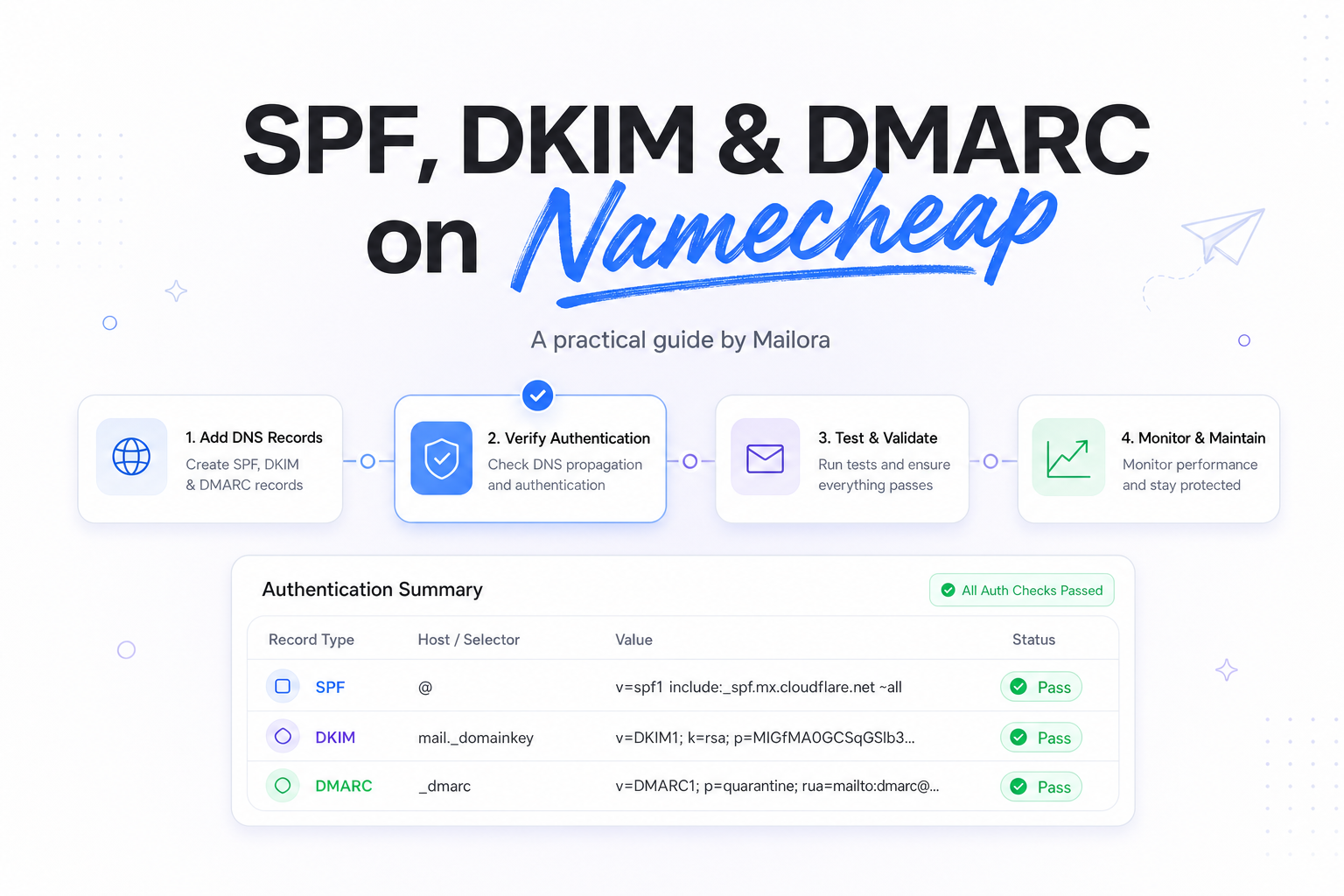
In Namecheap, go to Domain List, choose your domain, open Manage, then Advanced DNS. For each record, choose TXT Record, enter the Host, paste the Value, and leave TTL on Automatic unless you are timing a cutover.
SPF on Namecheap
Publish SPF on the domain that appears in the return-path or envelope sender for the tool you are setting up. For many Google Workspace or Microsoft 365 setups, that is the root domain, so the host is @. For a marketing subdomain like news.example.com, the host would be news.
You should publish one SPF record per domain. If sales sends through Microsoft 365 and lifecycle sends through an ESP, combine both authorizations into a single record rather than adding a second SPF TXT. A common pattern looks like v=spf1 include:spf.protection.outlook.com include:sendgrid.net ~all, but use the exact include domains your providers issue.
Keep an eye on SPF complexity. The SPF spec allows a maximum of 10 DNS lookups during evaluation. Stacking multiple ESPs, CRM tools, and regional relays can push you over that limit faster than most teams expect.
DKIM on Namecheap
DKIM records come from the sending platform, not from Namecheap. Google Workspace, Microsoft 365, HubSpot, Braze, Iterable, and most ESPs generate the selector and public key for you. In Namecheap, you publish that value exactly as given.
The host is usually the selector plus ._domainkey. If Google tells you to use google._domainkey, that entire string goes in the Namecheap host field. Do not shorten it to _domainkey, and do not append the full domain if Namecheap is already managing the zone.
Long DKIM keys can look awkward in DNS tools. That is normal. What matters is that the public key is complete and that signing is enabled in the sending platform after the record propagates.
DMARC on Namecheap
DMARC is a TXT record on the _dmarc host. A safe starting record is v=DMARC1; p=none; rua=mailto:dmarc@example.com. That tells receivers to monitor and send aggregate reports while you confirm that every sender aligns.
Once your sending inventory is clean, you can tighten policy to p=quarantine or p=reject. For most teams, that move should happen after you have checked your main mailbox provider, your marketing ESP, your support desk, and any tools that send on behalf of reps or customers.
Example records for common setups
| Use case | Host in Namecheap | Example value | Notes |
|---|---|---|---|
| Google Workspace SPF | @ | v=spf1 include:_spf.google.com ~all | Good baseline for direct Workspace sending from the root domain |
| Microsoft 365 SPF | @ | v=spf1 include:spf.protection.outlook.com ~all | Use the single combined record if other tools also send |
| Google Workspace DKIM | google._domainkey | v=DKIM1; k=rsa; p=... | Selector and key come from the Google Admin console |
| Marketing ESP DKIM | s1._domainkey | v=DKIM1; k=rsa; p=... | Many ESPs issue one or two selectors for rotation |
| DMARC monitoring | _dmarc | v=DMARC1; p=none; rua=mailto:dmarc@example.com | Best first step while you verify alignment across tools |
These examples are patterns, not copy-and-paste production records. Always use the exact values your provider gives you, especially for DKIM selectors and any custom bounce or return-path domain settings.
Alignment choices that matter after the record is published
Publishing records is only half the job. Deliverability outcomes depend on whether the domain that passes SPF or DKIM aligns with the From domain recipients see in the inbox.
That matters most when RevOps and lifecycle teams use multiple tools. For example, sales may send from Microsoft 365, product emails may send through Postmark, and marketing may send through a dedicated ESP. If all three use @example.com in the From header, each path needs aligned SPF or DKIM for that same domain, or for a relaxed-alignment subdomain that still satisfies DMARC.
For high-volume programs, the cleanest pattern is often to keep human mail on the root domain and move platform mail to aligned subdomains such as updates.example.com or news.example.com. That improves operational clarity, makes reputation easier to segment, and reduces the chance that a misconfigured tool affects every stream at once.
Common Namecheap mistakes, and how to fix them
- Two SPF TXT records at the same host. Merge them into one record. SPF does not support multiple separate policy records for a single domain.
- Wrong host field. Use @ for the root domain, _dmarc for DMARC, and the full selector prefix such as google._domainkey for DKIM.
- Using the provider's example instead of your issued value. Especially common with DKIM, where the public key must match the private key used for signing.
- SPF passes, but DMARC still fails. Check alignment between the authenticated domain and the visible From domain.
- Turning on a strict DMARC policy too early. Start with monitoring if you have not fully mapped all senders and subdomains.
- Assuming DNS is instant everywhere. Namecheap may publish quickly, but recursive resolvers can cache old answers until TTL expires. Many changes appear within minutes, but allow up to 24 hours before concluding a record is wrong.
How to verify before and after you send
First, confirm the DNS layer. Query the exact hosts you created, @ for SPF, the selector host for DKIM, and _dmarc for DMARC. Make sure you see one SPF policy, the expected DKIM public key, and the DMARC tags you intended.
Then validate the message layer. Send a live message to Gmail and Outlook test inboxes and inspect the authentication results in the headers. You want to see SPF or DKIM passing for the expected domain, and DMARC passing with alignment to the visible From domain. If Gmail shows dkim=pass but dmarc=fail, the DNS record may be correct while alignment is not.
Finally, verify with traffic from each real sending system, not just one mailbox provider. A domain can look healthy from Google Workspace and still fail when Salesforce, HubSpot, Zendesk, or an ESP sends through a different path.
Related reading: dkim vs spf and spf and dkim deliverability.
Run your first deliverability test
FAQs
Can I have more than one SPF record on Namecheap?
No. You can have multiple TXT records on a domain, but only one valid SPF policy for a given host. If two SPF records exist at @, receivers can treat SPF evaluation as invalid.
Where does the DKIM value come from?
Your sending platform generates it. Namecheap only publishes the selector host and public key in DNS.
What DMARC policy should I start with?
Most teams should start with p=none while monitoring reports and checking alignment across every sender. Move to stronger policy after that inventory is clean.
How long do Namecheap DNS changes take?
Many updates show up within minutes, but caches can delay visibility. In practice, give changes up to 24 hours before you rule out propagation.
Why does SPF pass but Gmail still show DMARC fail?
Because DMARC checks alignment, not just authentication. The SPF-authenticated domain may differ from the From domain, or DKIM may be signing with a non-aligned domain.
Stay in the loop
Deliverability insights, product updates, and early access to new features. No spam, unsubscribe anytime.
By subscribing, you agree to our Privacy Policy. Unsubscribe anytime.