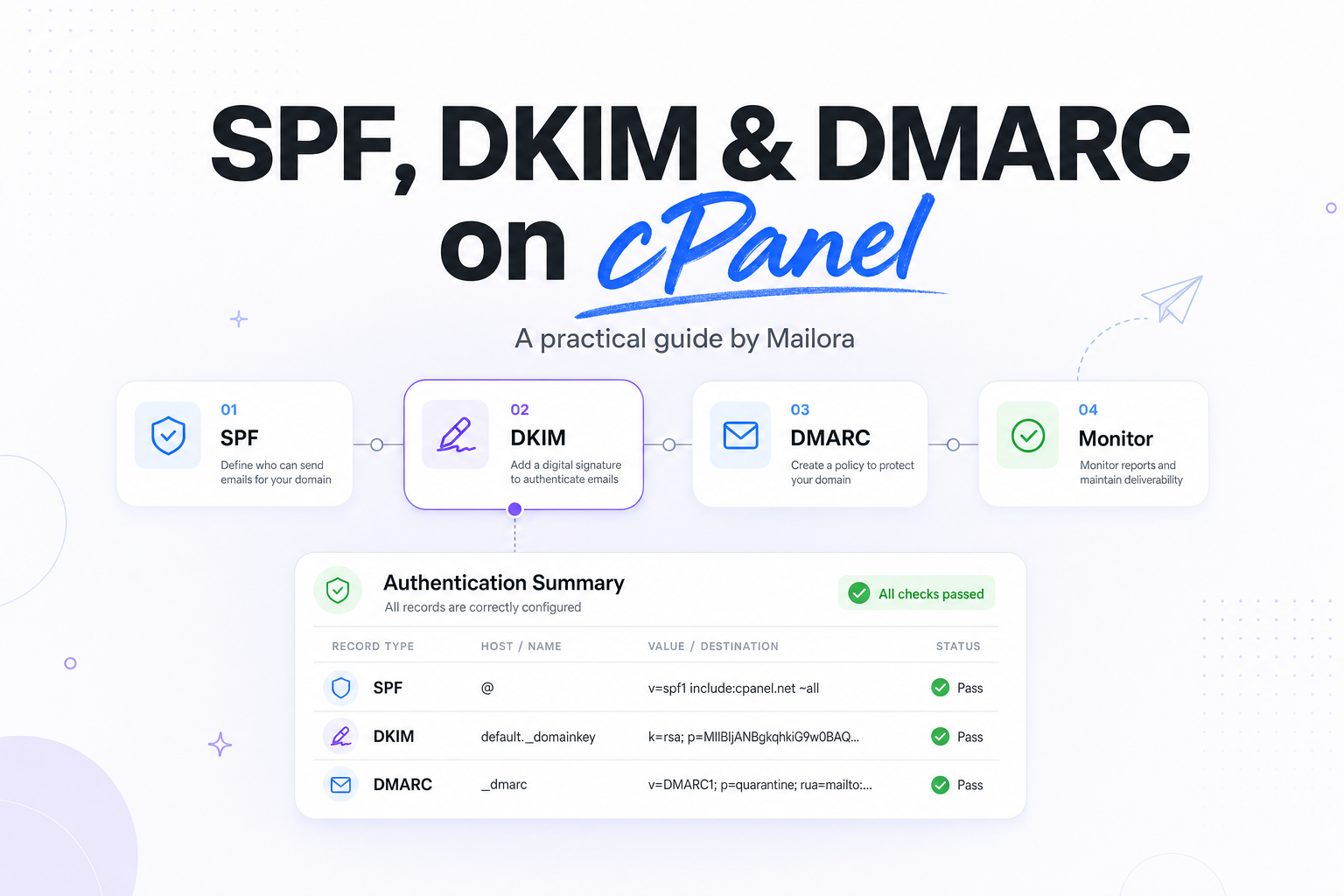
Key Takeaways
|
In 2024, Google and Yahoo said bulk senders, defined as domains sending 5,000 or more messages a day, must authenticate mail with SPF or DKIM and publish a DMARC record. If your domain is managed in cPanel, that makes SPF, DKIM, and DMARC baseline sender setup, not optional cleanup.
cPanel helps with the DNS mechanics, especially for mail sent directly from the hosting server. What it does not do is decide which platforms should be allowed to send, how strict your DMARC policy should be, or whether your visible From domain is aligned across Gmail, Outlook, Yahoo, and Apple Mail recipients.
The practical job is to make sure every legitimate sending path is covered, every unnecessary path is removed, and your DNS reflects how mail actually leaves your business. That is where most deliverability issues start or get fixed.
What each protocol does, and where cPanel fits
| Protocol | What it proves | DNS record | What cPanel usually handles | Common gap |
|---|---|---|---|---|
| SPF | Which servers can send for your domain | TXT at the root or subdomain | Generates a starting SPF record for the hosting server | Missing SaaS senders, too many includes, or the wrong envelope domain |
| DKIM | That the message was signed by an approved domain | TXT or CNAME on a selector | Creates a DKIM key for mail sent from the server | Third-party platforms use their own selectors, not cPanel's default one |
| DMARC | Whether SPF or DKIM aligns with the visible From domain, and what to do when it does not | TXT at _dmarc | May suggest or allow a basic record, depending on host setup | Policy is missing, too strict too early, or reports are ignored |
That distinction matters because cPanel can say your domain is configured while Gmail or Outlook still sees mail from an uncovered service. The DNS is only correct when it matches every real sending source.
Setting up SPF in cPanel
Start with a complete sending inventory
Before you touch the SPF record, list every system that can send as your domain. That usually includes the cPanel server itself, website forms, CRMs, support tools, marketing platforms, invoicing systems, and Google Workspace or Microsoft 365 if either handles outbound mail.
SPF checks the return-path, not the friendly From address your recipients see first. That is why teams often think SPF is in place when only one stream is covered. A website confirmation email may pass, while a lifecycle campaign from another platform softfails because that platform was never added.
Use cPanel's SPF as a base, not the finished answer
On most cPanel installations, the Email Deliverability or Email Authentication area can enable a default SPF record. That default usually covers the server hostname, local A record, and MX paths. It is useful if the server sends mail directly, but it rarely covers third-party platforms.
Example SPF record: v=spf1 a mx ip4:198.51.100.25 include:spf.protection.outlook.com include:sendgrid.net ~all
The exact mechanisms depend on your environment. The important decision is whether each mechanism maps to a real sender you still use. If not, remove it. Extra includes make SPF harder to maintain and can push you toward the 10 DNS lookup limit defined in the SPF standard. Once you cross that limit, receivers can return a permerror, which is a configuration problem, not a reputation problem.
Choose the right ending
For most teams, ~all is the safer starting point while you validate every sender. Move to -all only when you are confident nothing legitimate sits outside the record. The goal is not to look strict on paper, it is to make authorization accurate.
Setting up DKIM in cPanel
Enable server-side DKIM first
cPanel commonly generates a DKIM record for mail signed by the server. That helps for mailbox users on the host, transactional messages from the site, and other mail that leaves through the server's MTA. In the interface, the record is usually published as a TXT record on a selector such as default._domainkey.
DKIM matters because it survives forwarding better than SPF. If a user forwards a message from Yahoo to Gmail, the connecting IP changes and SPF can break. A valid DKIM signature usually remains intact, which is one reason aligned DKIM is so valuable for DMARC.
Do not assume the cPanel DKIM key covers SaaS senders
Many platforms sign with their own selectors and require CNAME or TXT records that point back to the vendor. If your lifecycle platform asks for s1._domainkey and s2._domainkey, the default cPanel selector does nothing for that stream.
The right approach is simple, even if the DNS is not. Let cPanel manage the server's own DKIM key, and publish each third-party sender's DKIM records exactly as that provider specifies. For DMARC, one aligned DKIM pass is enough, so reliable platform-specific DKIM can reduce pressure on SPF.
Publishing DMARC in cPanel DNS
Start with visibility
DMARC ties the setup together. A message can pass DMARC if SPF passes and aligns with the visible From domain, or DKIM passes and aligns. Alignment is the key concept cPanel does not explain well enough. Authentication alone is not the same as domain alignment.
Example starter DMARC record: v=DMARC1; p=none; rua=mailto:dmarc@yourdomain.com; adkim=s; aspf=s; pct=100
Starting at p=none gives you reporting without asking receivers to quarantine or reject mail. That is the right first move for most domains because it shows which services are sending, which ones align, and which ones are impersonating you.
When to move beyond p=none
Once the reports show only expected senders, and those senders consistently align, move to p=quarantine. After that, p=reject becomes a policy decision, not a leap of faith. For domains used heavily in phishing, reject can materially reduce abuse. For domains with messy legacy tools, quarantine may be the more realistic middle ground until cleanup is finished.
If you use subdomains for different mail streams, such as marketing.example.com and example.com, DMARC can be easier to manage because each stream can have its own policy and authentication design. That separation often reduces alignment mistakes.
How to verify SPF, DKIM, and DMARC after setup
Check DNS first
Confirm the live DNS answers are the records you intended to publish. If your nameservers are outside the hosting account, cPanel may show you the right values while the public DNS still serves older ones. This is a common issue when Cloudflare or another external DNS provider sits in front of the zone.
Then inspect message headers
Send a message to Gmail and open the original headers. You want to see SPF pass or DKIM pass, and ideally both, plus a DMARC result that passes because one of those methods aligns with the visible From domain. In Outlook, review the internet headers. Yahoo exposes similar authentication results through full message headers.
Apple Mail is a little different because it is a client, not the receiving ISP for many users. The server-side decision still happens at the recipient provider, often Gmail, Yahoo, or Microsoft. So header checks on the receiving side matter more than what Apple Mail itself displays.
Look for stream-specific mismatches
A useful test is to send one message from each real source: mailbox users on the server, your website form, your CRM, and your marketing platform. If only one of those fails, you have found a setup gap, not a domain-wide issue.
Common cPanel troubleshooting scenarios
SPF passes for webmail, but fails for your marketing platform
This usually means the cPanel-generated SPF record only covers the host. Add the platform's required include or sending IPs, then recheck the total lookup count. The reason this matters is simple, SPF authorization is per sending path, not per brand.
DKIM is enabled in cPanel, but DMARC still fails
Most often, the DKIM signature is on a different domain than the visible From address, so it is not aligned. Another common issue is that the message is being signed by a third-party platform whose DKIM CNAME records were never published. DMARC needs an aligned pass, not just any pass.
Everything looks right in cPanel, but Gmail still shows unauthenticated mail
Check where DNS is really hosted, whether the records have propagated, and whether the sending platform rewrites the return-path or From domain. cPanel reflects the hosting account's view. Gmail evaluates the message it actually receives from the actual sending infrastructure.
Forwarded messages fail SPF
That is expected in many forwarding flows because the forwarder becomes the connecting IP. If DKIM is intact and aligned, DMARC can still pass. This is one reason strong DKIM coverage is worth the effort.
Your SPF record is too long or hits the 10 lookup limit
Flattening can help, but use it carefully because vendor IPs change. The better fix is often to remove old platforms, consolidate sending services, or move some streams to subdomains with their own authentication records.
What good looks like for a cPanel domain
A healthy cPanel setup is not just three records in DNS. It is one accurate SPF policy for each sending domain, DKIM enabled for the server and every third-party platform that signs on your behalf, and a DMARC policy that reflects observed traffic, not guesswork.
When that is in place, Gmail, Outlook, and Yahoo can consistently map your mail back to authorized infrastructure. That does not guarantee top placement on its own, but it removes one of the most common reasons good mail gets filtered, deferred, or distrusted.
Related reading: dkim vs spf and spf and dkim deliverability.
Run your first deliverability test with Mailora
FAQs
Does cPanel automatically set up SPF, DKIM, and DMARC for my domain?
Usually it can generate SPF and DKIM for mail sent from the hosting server, but DMARC often needs to be added or refined manually. It also does not automatically cover every third-party sender.
What is the best DMARC policy to start with in cPanel?
Start with p=none so you can collect reports and confirm alignment. Move to quarantine or reject only after you know which services send on your domain.
Can I use cPanel authentication if I also send through Microsoft 365 or Google Workspace?
Yes, but your SPF and DKIM must reflect both environments correctly. The cPanel defaults alone are not enough if another platform also sends mail for the domain.
Why does SPF fail after forwarding, even when my setup is correct?
Forwarding changes the connecting IP, so SPF often breaks. If DKIM remains valid and aligned, DMARC can still pass.
Should I use the root domain or a subdomain for marketing mail?
For many teams, a subdomain is cleaner because it separates authentication, reputation, and DMARC policy by stream. It also makes troubleshooting much easier when multiple tools are involved.
Stay in the loop
Deliverability insights, product updates, and early access to new features. No spam, unsubscribe anytime.
By subscribing, you agree to our Privacy Policy. Unsubscribe anytime.