OnDMARC Pricing Guide: Plans, Costs, and What's Actually Covered
Key Takeaways
|
Introduction
Budgeting for a DMARC platform usually starts with a search and ends with three different numbers staring back at you. G2 says one thing. Capterra says another. The vendor's own site sometimes says a third. If you've landed here trying to pin down OnDMARC cost before you loop in finance or pick a plan, the inconsistency is real, and it's worth understanding why before you commit budget.
This guide breaks down what's publicly verifiable about OnDMARC pricing, why the listings disagree, where each tier's limits actually sit, and what a DMARC platform's price tag does and doesn't buy you. We'll also walk through a scenario that trips up a lot of teams: passing DMARC alignment at 100% while still watching Gmail placement drop after adding a new sending source. That gap is the reason DMARC governance and deliverability visibility are usually two separate line items in a mature email budget, not one.
We're not positioning Mailora as a competitor to OnDMARC here. They solve different problems. OnDMARC (and tools like it) govern domain authentication: SPF, DKIM, DMARC policy enforcement, BIMI readiness. Mailora sits downstream of that, testing where your mail actually lands once authentication passes. Both matter. This guide is about getting the OnDMARC number right, and knowing what it doesn't cover.
OnDMARC Pricing at a Glance
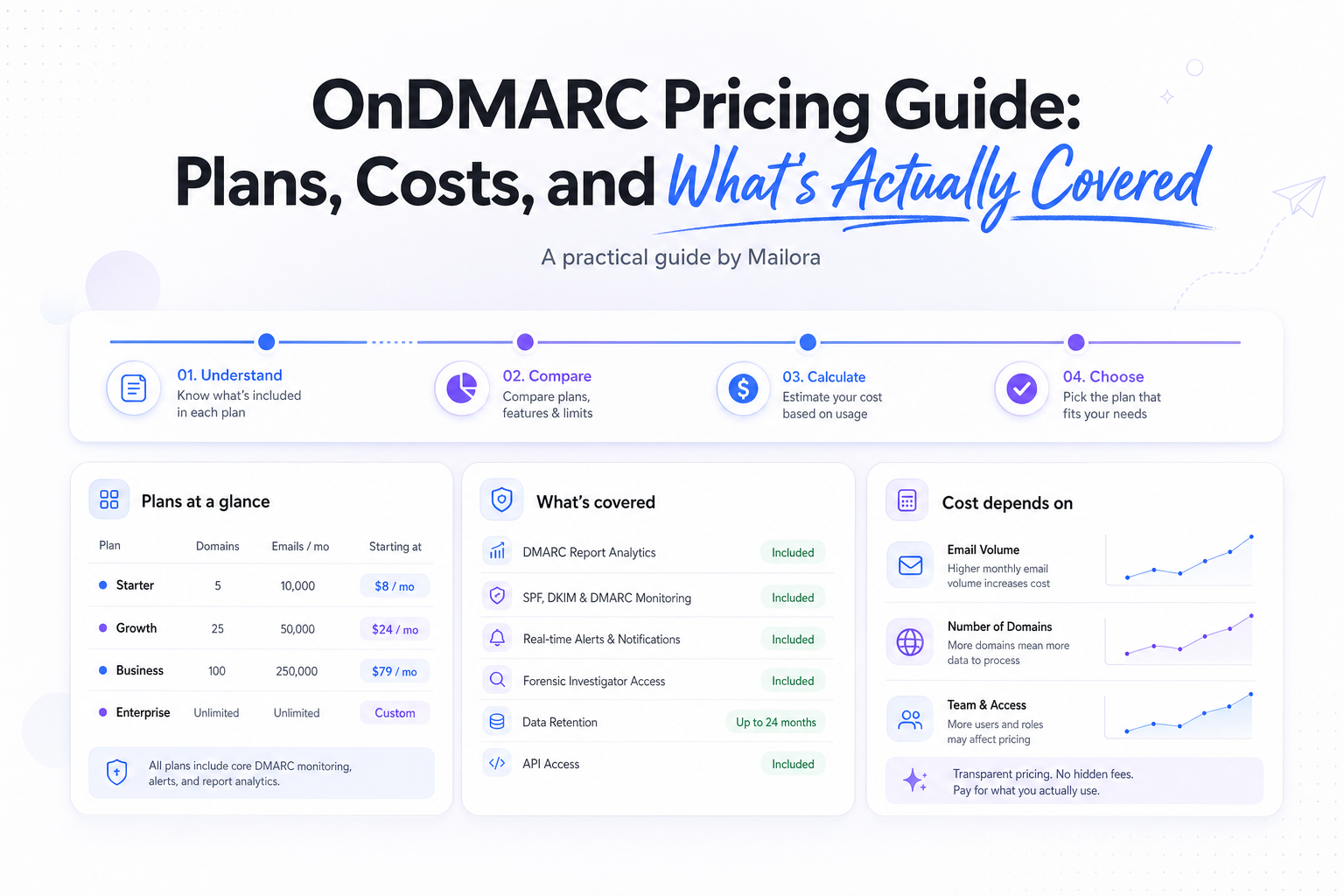
OnDMARC (by Red Sift) is structured across four tiers: Express, Essentials, Enterprise, and Premier. Express and Essentials have published self-serve pricing on at least some channels. Enterprise and Premier are sales-gated. You'll need a quote based on domain count, seat count, and data retention needs.
Here's what's publicly checkable, with sources attached:
| Tier | Starting Price | Domains | Volume | Data History | Notable Inclusions |
|---|---|---|---|---|---|
| Express | $9/mo (billed annually), per Red Sift's own vendor guide | Up to 4 | ~1M emails/month | 30 days | Core DMARC monitoring |
| Essentials | Sales-gated on most listings; see note below | Up to 25 active sender domains | Unlimited | 1 year | Extended retention, more domains |
| Enterprise | Sales-gated | Custom | Custom | Custom | 4 Radar Pro seats, 1 VMC, DNS history, global IP lookup, Analyst View |
| Premier | Sales-gated | Custom | Custom | Custom | 8 Radar Pro seats, DNS Guardian |
Pricing verified November 2024. Check the live OnDMARC pricing page before budgeting, as published figures shift between review cycles.
A few things worth flagging directly:
- G2's listing shows Express starting at $12/mo, with pricing data last updated September 2, 2024 (per the listing), which is $3 higher than Red Sift's own vendor guide figure of $9/mo billed annually.
- Essentials doesn't have a consistently published self-serve price across the sources we checked. Where you see a number attached to "Essentials," confirm whether it matches the current domain and volume ceilings described above or whether it's a legacy figure (see next section).
- Enterprise and Premier limits above (Radar Pro seats, VMC, DNS Guardian) come from the vendor's own tier breakdown, not third-party listings, and should be confirmed on a sales call, since they tend to be negotiated per account.
If you're a mid-volume sender, say, managing 10 to 15 active sending domains with moderate monthly volume, Express's 4-domain ceiling will likely force an Essentials conversation almost immediately. That's a budgeting detail worth knowing before you sign up for the "starter" tier assuming it will hold for a year.
Why OnDMARC Prices Differ Across G2, Capterra, and Red Sift's Own Pages
If you've compared listings and come away confused, you're reading the data correctly. The numbers genuinely don't agree.
| Source | Listed Price | Plan Name Used | Date Stamp |
|---|---|---|---|
| Red Sift (vendor's own guide) | $9/mo, billed annually | Express | Verified November 2024 |
| G2 | $12/mo | Express | Last updated September 2, 2024 (per listing) |
| Capterra | $35/mo | "Basic" | Date of listing not available |
| Capterra | $249/mo | "Essentials" | Date of listing not available |
That last pair is the most likely source of real confusion. "Basic" doesn't appear anywhere in OnDMARC's current four-tier naming (Express, Essentials, Enterprise, Premier), and a $249/mo "Essentials" figure is far above what the current tier structure implies for a self-serve plan. The most reasonable explanation is that Capterra's listing reflects an older plan structure that hasn't been reconciled with current tier names and pricing. We can't verify Capterra's figures against a live current source or confirm when they were last updated, so treat them as historical reference at best, not something to quote in a budget request.
There's a simpler explanation for the G2-versus-Red-Sift gap: annual versus monthly billing framing, regional pricing differences, or a review-cycle lag between when G2 captured the number and when Red Sift last updated its own page. Vendor review sites pull pricing at a point in time and don't always get updated the moment a vendor changes a plan. That's true across this entire DMARC software pricing category, not just for OnDMARC.
The practical takeaway: don't anchor a budget conversation to a number you found on a review site without cross-checking the vendor's current page the same day. A $3/mo gap on Express is minor. A $35 versus $249 gap on what might be the same tier is not something you want finance catching after you've already presented a number internally.
What Each OnDMARC Plan Includes, and Where the Ceilings Sit
Pricing tiers only tell you half the story. The number that actually drives an upgrade decision is the ceiling: the point where your sending profile outgrows what the plan allows. Here's where each tier's limits sit, based on the vendor's published tier breakdown.
Express is built for small, single-brand senders. The ceilings:
- Up to 4 domains
- Roughly 1 million emails per month
- 30 days of data history
That 30-day retention window is limited. If you're trying to diagnose a reputation trend, a seasonal spoofing attempt, or a slow DMARC alignment drift, 30 days of visibility often isn't enough to see the full pattern. Most teams doing real governance work want at least a quarter of history to compare against.
Essentials is the tier most mid-volume senders actually land on:
- Up to 25 active sender domains
- Unlimited volume
- 1 year of data history
The jump from 4 to 25 domains is the real reason Essentials exists as a tier. If you run more than one brand, subdomain, or regional sending identity (common even for a single mid-size DTC brand once you count transactional, marketing, and product notification subdomains separately), Express's 4-domain ceiling becomes a hard wall fast. The unlimited volume and 1-year retention also matter if you're running compliance reviews or trying to spot slow-moving authentication drift.
Enterprise moves into sales-gated territory, with published inclusions covering:
- 4 Radar Pro seats
- 1 VMC (Verified Mark Certificate, relevant if you're pursuing BIMI)
- DNS history
- Global IP lookup
- Analyst View
Premier sits above that with:
- 8 Radar Pro seats
- DNS Guardian
Both Enterprise and Premier pricing require a sales conversation, which is standard for this part of the market. Once you're managing multi-brand sending, VMC/BIMI programs, or need dedicated seats for a deliverability team, vendors typically want to scope pricing against your actual domain count and support needs rather than publish a flat number.
The practical upgrade trigger, tier by tier: Express forces an upgrade on domain count or data retention, whichever you hit first. Essentials forces an upgrade when you need multi-seat analyst access, VMC support, or DNS-level historical investigation, the kind of work a dedicated deliverability or security team does, not a single marketing ops owner. If you're evaluating OnDMARC for multi-domain governance, map your current domain count and retention needs against these ceilings before you price anything, not after.
The Hidden Cost Drivers in DMARC Platform Pricing
The sticker price on a DMARC platform is rarely the full dmarc platform cost. A few factors quietly drive spend up regardless of which vendor you pick.
Domain count is the most obvious lever. Nearly every DMARC monitoring pricing model prices around domain or sender identity count, and most senders underestimate how many domains they actually have. It's common to count your primary sending domain and forget the transactional subdomain, the product notification subdomain, the regional brand variant, and whatever a marketing team spun up for a campaign microsite six months ago. Each of those usually counts against a plan's domain ceiling.
Data retention has a real cost, even when it's not priced as a line item. Express's 30-day window versus Essentials' 1-year window isn't just a number on a comparison chart. If you're investigating a reputation shift or a slow authentication drift, 30 days frequently isn't enough runway to see the pattern that explains it. Teams that end up on Essentials for the retention alone, rather than the domain count, are paying for visibility they didn't realize they needed at signup.
SPF's architecture creates its own cost pressure, separate from anything a vendor charges. Per RFC 7208, SPF enforces a hard limit of 10 DNS lookups per authentication check. Every include mechanism your SPF record references (your ESP, your CRM, your support tool, your survey platform) consumes part of that budget. Add a new sending source without auditing your existing SPF record, and you can silently exceed the limit, which causes SPF to fail regardless of whether your sending was legitimate. This isn't a vendor pricing issue. It's a DNS constraint baked into the protocol. But it does mean that as you add sending sources (and therefore need a higher domain-count plan), you're also adding SPF lookup risk that a monitoring platform needs to catch. That's part of why upgrading tiers often coincides with needing better authentication visibility, not just more domain slots.
Seats and sales-gated tiers are the quiet enterprise cost multiplier. Radar Pro seats, Analyst View access, and DNS Guardian aren't included until Enterprise or Premier, and those tiers are priced per account based on scope. If your team needs more than one or two people with hands-on access to DMARC aggregate reports and DNS history, budget for a sales conversation, not a self-serve checkout.
None of this is unique to OnDMARC. It's structurally how dmarc management pricing works across the category. Domain count, retention, and seat access are the three levers vendors pull, and SPF's lookup ceiling is a cost driver baked into the protocol itself, not a vendor decision.
OnDMARC Free Trial: What You Can and Can't Validate in 14 Days
Per G2's listing, OnDMARC offers a 14-day trial with no credit card required per the official page. That's a reasonable window for what a DMARC trial is actually meant to validate, but it's worth being precise about what 14 days can and can't tell you.
What you can validate in 14 days
- Whether DMARC aggregate reports are being correctly ingested and parsed for your domains
- Whether SPF and DKIM alignment checks are reporting accurately against your current DNS setup
- Whether the platform's dashboard and alerting fit how your team actually works day to day
- Whether domain and sender discovery surfaces sending sources you didn't know existed (a common early finding for any DMARC tool)
What 14 days typically won't show you
- Long-term reputation trends. Two weeks of DMARC alignment data is a snapshot, not a trend. You won't see how your domain behaves across a billing cycle, a product launch, or a seasonal volume spike.
- Whether DMARC alignment correlates with stable inbox placement. DMARC monitoring confirms identity. It doesn't tell you where Gmail, Outlook, or Yahoo are actually routing the mail. That gap is covered in more detail below.
- How the platform performs once you're past Express-tier domain and volume ceilings, since a 14-day trial on a small test footprint won't reveal what happens at your real operating scale.
If your evaluation goal is purely confirming that DMARC governance works correctly for your domains, 14 days is enough runway. If your goal is confirming that your email program is actually landing in the inbox, a DMARC trial (from OnDMARC or any competitor) isn't built to answer that question. That requires a separate layer of testing focused on placement outcomes, not authentication status.
How OnDMARC Pricing Compares to EasyDMARC, MxToolbox, and Other DMARC Tools
OnDMARC isn't evaluated in a vacuum. Most teams researching ondmarc alternatives put it next to EasyDMARC and MxToolbox at minimum, sometimes alongside Valimail or PowerDMARC. Here's what's publicly verifiable, with sources and dates attached, and a clear flag where it isn't.
EasyDMARC publishes tiered pricing on its own site. We haven't independently confirmed easydmarc pricing figures against a current, dated source, so we won't restate a specific number or describe its tier structure here. Check EasyDMARC's pricing page directly at the time of evaluation, since vendor pricing pages change more frequently than third-party listings get updated, and apply the same source-and-date scrutiny you'd apply to any OnDMARC figure.
MxToolbox is a different kind of tool. It's publicly known for offering free diagnostic utilities (MX lookups, blacklist checks, basic DMARC record checks) without requiring an account. Beyond that, we haven't independently verified current mxtoolbox dmarc pricing for its paid monitoring tiers, so specific figures or feature comparisons shouldn't be taken from this guide. Verify directly on MxToolbox's site. What is reasonably clear is that the free tools are useful for a one-time DNS sanity check, but they are not a substitute for ongoing DMARC aggregate report monitoring, alerting, or multi-domain governance, which is what paid tiers across this category are priced around.
| Vendor | Entry price | Domain/seat model | Data retention | Sales-gated tiers | Source |
|---|---|---|---|---|---|
| OnDMARC | $9 to $12/mo (varies by listing) | Up to 4 domains (Express) | 30 days (Express) | Yes: Enterprise, Premier | Red Sift vendor guide; G2 listing, updated Sept 2, 2024 |
| EasyDMARC | Not independently verified here | Not independently verified here | Not independently verified here | Unknown, verify directly | Vendor site, check current date |
| MxToolbox | Free diagnostic tier publicly available; paid tier pricing not independently verified here | Not independently verified here | Not independently verified here | Unknown, verify directly | Vendor site, check current date |
A structural point worth flagging: none of these tools solve the same problem Mailora solves. OnDMARC, EasyDMARC, and MxToolbox are DMARC governance and authentication monitoring platforms. They tell you whether your SPF and DKIM are aligned, whether your DMARC policy is correctly published, and whether unauthorized senders are using your domain. That's valuable, necessary work. It is a different layer from inbox placement testing, which tells you where authenticated, policy-compliant mail actually lands once Gmail, Outlook, or Yahoo apply their own filtering logic on top of authentication.
Comparing OnDMARC's price to Mailora's price would be comparing two different categories of tool. The more useful question for a buyer isn't which is cheaper. It's whether you have both layers covered, or are missing one.
DMARC Monitoring vs. Deliverability Testing: What OnDMARC Pricing Does (and Doesn't) Cover
This is the gap that trips up more teams than any pricing tier comparison. DMARC monitoring and inbox placement testing answer different questions, and no DMARC platform's pricing page, OnDMARC's included, covers both.
What DMARC monitoring confirms: your domain's identity. SPF alignment, DKIM alignment, DMARC policy enforcement, and who is sending mail using your domain name. This is the authentication layer. It answers whether a message is actually from who it claims to be from, according to the DNS records you've published.
What DMARC monitoring does not confirm: where that authenticated mail ends up. Gmail, Outlook, and Yahoo all run independent filtering logic on top of authentication status: reputation signals, engagement history, content patterns, sending consistency. A domain can report 100% DMARC alignment across every sending source and still see Gmail placement drop the week after a new ESP or sending platform gets added. The authentication passed. The mail still landed in spam, or didn't land at all.
This isn't a hypothetical edge case. A team adds a new transactional provider, correctly updates SPF and DKIM, and DMARC aggregate reports show clean alignment across the board. Two weeks later, someone on the marketing team asks why Gmail open rates on the welcome series just dropped. The DMARC dashboard shows green across every metric it tracks. It has nothing to say about why Gmail's spam filter started treating the new sending source with more suspicion than the old one. That's a placement question, not an authentication question, and it requires a different kind of visibility to diagnose.
To be clear: DMARC alignment at 100% does not mean a message will be filtered to spam, and it does not guarantee it will land in the inbox either. Authentication and placement are decoupled. A platform priced around domain count and DMARC report ingestion, which is what you're buying with any OnDMARC tier, isn't built to show ISP-level placement outcomes, because that's not what it's measuring.
This is the layer an email deliverability test is built to answer. It shows where a message actually lands (inbox, promotions, spam, or missing) across major ISPs, separate from whether your authentication records are technically correct.
See where your mail actually lands with an email deliverability test.
What to Check Before Choosing an OnDMARC Plan
Before comparing dollar figures across tiers, confirm these details against your actual sending setup. They matter more than the sticker price.
Domain count, counted honestly. List every sending identity your organization uses: primary marketing domain, transactional subdomain, product notification subdomain, regional brand variants, campaign microsites. Most teams undercount by at least a few domains on the first pass.
SPF record health, before adding anything new. Check your current SPF lookup count against the RFC 7208 ceiling of 10 lookups. If you're already close to the limit, adding a new ESP or sending source as part of a platform migration could push you over it, a DNS-level failure that has nothing to do with which DMARC tool you choose. Review SPF alignment requirements before you finalize a new sending architecture.
DKIM alignment across every sending source. Multiple ESPs, each generating their own DKIM keys, can create alignment gaps that aren't obvious until a DMARC report flags them. If you're consolidating or adding sending platforms, review DKIM alignment issues as part of the same audit.
Data retention against your actual review cycle. If your team does quarterly or annual deliverability or security reviews, 30 days of history (Express tier) won't carry you through one review cycle, let alone let you compare year over year.
Seat and access needs if you're evaluating Enterprise or Premier. Sales-gated tiers price around seats and scope. Know how many people need direct report access before that conversation starts, so you're not negotiating blind.
How to Evaluate the Total Cost of a DMARC Platform
The plan price on any vendor's page is the starting number, not the full cost. A more complete evaluation accounts for a few things pricing pages don't show.
Time to configure and maintain. DMARC governance isn't a one-time setup. SPF records need periodic audits as sending sources change. DMARC policy enforcement (moving from p=none to p=quarantine to p=reject) is usually a staged rollout, not a flip of a switch, and each stage needs monitoring before you move to the next.
The cost of retention gaps. A cheaper tier with 30 days of history can end up costing more in diagnostic time than a pricier tier with a year of history, if your team repeatedly has to reconstruct context manually because the data aged out.
The cost of the layer DMARC pricing doesn't cover. Authentication governance and inbox placement visibility are separate budget lines, not alternatives to each other. A team that budgets only for DMARC monitoring and skips placement testing can end up fully authenticated and still blind to the exact problem (a new sending source quietly hurting Gmail placement) that actually costs them opens and revenue.
If you're building out that second layer, Mailora's deliverability monitoring and diagnostic features are built to sit alongside DMARC governance tools, not replace them, reading authentication and infrastructure signals alongside pre-send placement testing so you can see both what your DNS records say and what Gmail actually did with the mail.
Explore Mailora's diagnostic and monitoring features.
Who OnDMARC Pricing Actually Fits
Matching plan to profile, based on the published tier structure:
Express fits a single-brand sender with a handful of domains, no immediate BIMI/VMC plans, and a team that doesn't need more than a month of historical data to spot problems. Think a single-product DTC brand early in its DMARC enforcement journey.
Essentials fits the most common mid-market profile: multiple sender identities (marketing, transactional, regional), moderate-to-high volume, and a need for at least a year of data to track slow-moving trends or support periodic compliance review. This is likely to be the default landing tier for most SaaS lifecycle teams and established DTC brands.
Enterprise and Premier fit organizations running active BIMI programs (needing VMC), managing DNS history investigations, or supporting a multi-person deliverability or security team that needs simultaneous seat access. These tiers make sense once DMARC governance has a dedicated owner or team, not a single marketing ops person handling it alongside other responsibilities.
Across every tier, the same gap holds: OnDMARC pricing buys you authentication governance. It doesn't buy you visibility into inbox placement outcomes. Teams with real sending volume and revenue riding on email typically need to budget for both layers, not choose one over the other.
Test Your Deliverability Before Committing to a Platform
OnDMARC pricing buys authentication governance: domain count, DMARC report ingestion, alignment tracking, and (at higher tiers) BIMI and DNS history support. That's a real and necessary layer for any team managing multiple sending domains.
It doesn't tell you where Gmail, Outlook, or Yahoo actually place your authenticated mail. That's a separate question, decided by reputation, content, and sending behavior sitting on top of whatever your SPF, DKIM, and DMARC records say.
Before you lock into a tier based on domain count or data retention, it's worth knowing where your current mail lands today. That gives you a baseline to evaluate against, regardless of which DMARC plan you end up choosing. You can run your first deliverability test directly from Mailora's homepage to get that baseline.
Run your first test at app.usemailora.com and see inbox placement across major ISPs before you commit budget to either layer.
FAQs
How much does OnDMARC cost per month?
Published figures vary by source. Red Sift's vendor guide lists Express at $9/month billed annually; G2's listing (last updated September 2, 2024) shows $12/month. Higher tiers (Enterprise, Premier) are sales-gated with no public price.
Why do G2, Capterra, and Red Sift list different OnDMARC starting prices?
Third-party listings get updated on different schedules than vendor pricing pages, and Capterra's "Basic" and "Essentials" labels appear to reference legacy tier names that don't map cleanly to OnDMARC's current four-tier structure (Express, Essentials, Enterprise, Premier). Capterra's listing also carries no visible date stamp, so it should be treated as unverified against current pricing.
Does OnDMARC offer a free trial, and does it require a credit card?
Per G2's listing, OnDMARC offers a 14-day trial, and per OnDMARC's official page, no credit card is required to start. Confirm current terms directly on OnDMARC's site before signing up, since trial mechanics can change.
How many domains does each OnDMARC plan support?
Express supports up to 4 domains with roughly 1 million monthly emails and 30 days of data history. Essentials scales to 25 active sender domains with unlimited volume and a year of retention. Enterprise and Premier are seat- and scope-based, sold through sales.
Is a DMARC monitoring tool enough to fix inbox placement problems?
No. DMARC monitoring confirms authentication and alignment, not where mail lands. A domain can show 100% DMARC alignment and still see Gmail placement drop after a new sending source is added, since ISP filtering runs on reputation and content signals separate from authentication status.
Stay in the loop
Deliverability insights, product updates, and early access to new features. No spam, unsubscribe anytime.
By subscribing, you agree to our Privacy Policy. Unsubscribe anytime.