Multiple DMARC Records: Why They Fail and How to Fix Them
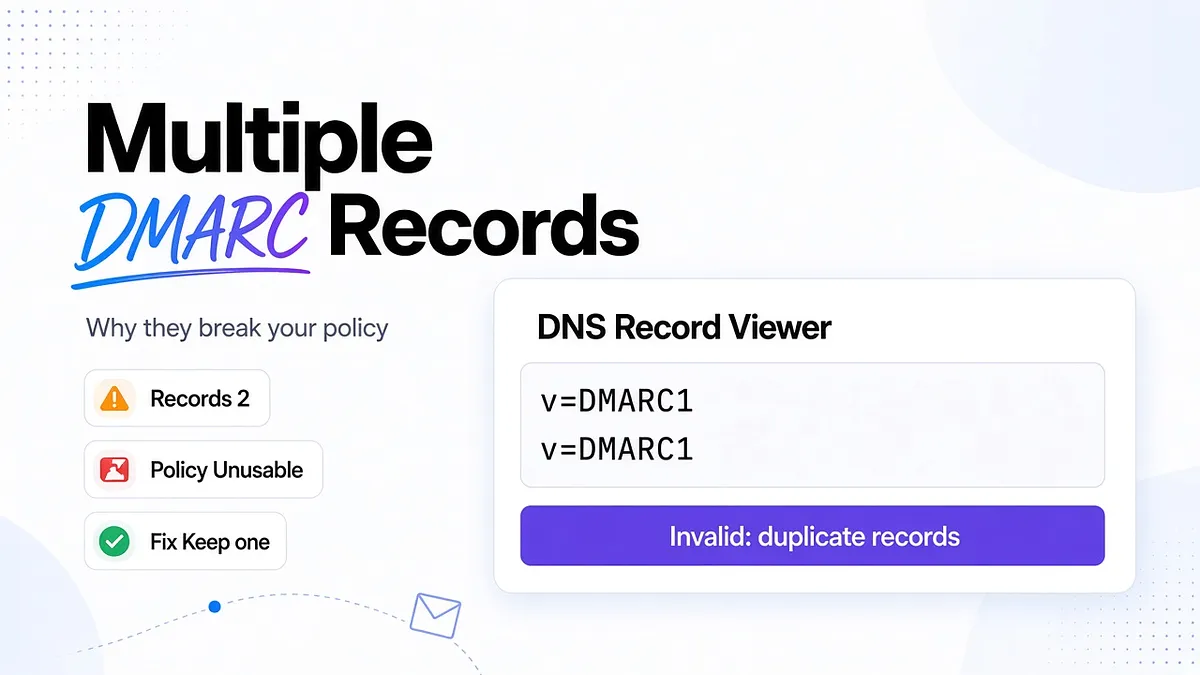
No, you cannot publish multiple DMARC records at the same DNS name and expect them to work together. Each domain or subdomain needs one usable DMARC policy at its _dmarc address. Two separate records beginning with v=DMARC1 create an invalid configuration, even when different email vendors requested them.
That distinction matters when marketing, billing, and customer support use different sending services. Each service needs authentication. Each does not need its own DMARC record on your main domain.
The fix is to consolidate the policy, preserve the reporting you need, and verify every legitimate sender before tightening enforcement. Deleting an extra DNS entry is only part of that work.
Can You Have Multiple DMARC Records on One Domain?
Publish one DMARC TXT record at _dmarc.example.com for mail using example.com in the visible From address. TXT is the DNS record type that stores the policy as text.
A subdomain can have a separate policy at a different name. For example, _dmarc.news.example.com can govern mail from news.example.com without duplicating the record at _dmarc.example.com.
Think in terms of the exact DNS name, not the number of tools sending email. A lifecycle platform, billing system, and support desk can all send authenticated messages under one domain policy.
DMARC connects the visible sender identity to SPF or DKIM authentication. It also lets you request how receivers handle messages that do not authenticate with an aligned domain. It is not a list of approved email vendors.
What Happens When You Have Multiple DMARC Records
Receivers do not select the strictest record, choose the newest one, or combine reporting destinations automatically.
Under the original RFC 7489 discovery procedure, multiple remaining DMARC records terminate DMARC processing. The receiver cannot apply your intended policy through that procedure.
There is a current standards nuance. RFC 9989, published in May 2026, replaces RFC 7489 and specifies that multiple DMARC policy records at a single lookup target are all discarded. Its broader discovery process can look elsewhere for an applicable policy.
The operational conclusion is unchanged: duplicates make the policy at that name unusable. Do not rely on fallback behavior to protect a misconfigured domain.
This does not switch off SPF, DKIM, or a provider's spam filters. Nor does it mean every message will bounce or every spoofed message will arrive. It means the policy you intended to publish cannot be relied on at that location. Authentication, provider requirements, and inbox placement remain separate questions.
What Actually Counts as a DMARC Record
Here is an illustrative policy at _dmarc.example.com:
v=DMARC1; p=quarantine; rua=mailto:dmarc@example.com; ruf=mailto:auth-failures@example.com; sp=reject
Its parts have different jobs:
- v=DMARC1 identifies the record as DMARC and comes first.
- p=quarantine asks receivers to treat messages failing DMARC as suspicious.
- rua requests aggregate reports, which summarize authentication activity.
- ruf requests message-specific failure reports where supported. Review privacy implications before enabling them.
- sp=reject requests rejection for failing mail from applicable subdomains that do not have an overriding policy.
Those values illustrate the syntax, not a universal starting configuration.
Multiple reporting addresses inside one rua value do not create multiple records. Neither do the quoted text chunks that DNS systems sometimes use to store one longer TXT record. Those chunks are joined before parsing.
Two distinct TXT records that each start with v=DMARC1 are different. That is the duplicate configuration to remove. Use the DNS answer's record boundaries rather than counting quotation marks in a dashboard.
Why Teams End Up With Multiple DMARC Records
The usual problem is divided ownership.
Marketing connects HubSpot. Ecommerce adds Klaviyo. Customer support introduces another sending service. Each onboarding guide says to add a DMARC record, and each administrator completes the instruction without checking what already exists.
Other routes to the same problem include:
- An agency copying a starter policy into a client zone that already has enforcement enabled.
- A migration importing records from an old DNS configuration without reconciling them.
- Two infrastructure modules each treating _dmarc as their responsibility.
- A manual correction being overwritten by the next automated deployment.
Multiple DNS providers add another complication. An inactive provider's dashboard does not affect public DNS. But inconsistent active authoritative servers can return different answers, making the issue appear intermittent rather than showing two records in every lookup.
Before editing anything, establish which system controls the public answer and which team owns the intended policy.
How to Check if You Have Multiple DMARC Records
Start with the exact domain in the visible From address. For hello@example.com, run a TXT lookup for _dmarc.example.com:
dig TXT _dmarc.example.com +short
An illustrative duplicate result looks like this:
"v=DMARC1; p=reject; rua=mailto:security@example.com"
"v=DMARC1; p=none; rua=mailto:marketing@example.com"
You can also use an MxToolbox DMARC lookup to inspect the published configuration. Check the returned record details rather than stopping at a status label.
If answers differ between checks, inspect the active authoritative nameservers and account for DNS caching. Check a sending subdomain separately instead of assuming the main domain's result covers everything.
Then send through each actual email service. Mailora's authentication visibility and email deliverability test help you inspect authentication results alongside provider-level placement. A DNS lookup shows what is published. A message test shows how a real sending configuration is being evaluated.
Repeat both after changes. One successful lookup cannot establish that tomorrow's deployment will preserve the same answer.
The CNAME vs TXT Edge Case at _dmarc
A CNAME makes one DNS name an alias of another. In managed DMARC setups, _dmarc.example.com may point to a vendor-controlled name where the policy is hosted.
That can be legitimate. Publishing a TXT policy alongside a CNAME at the same name is not the way to combine managed and self-hosted DMARC. The alias and the local policy conflict with DNS aliasing rules.
If you are leaving a managed service, plan the transition around caching:
- Capture the effective policy currently returned through the alias.
- Prepare an equivalent self-managed TXT record and validate its syntax.
- Lower the relevant cache lifetime in advance where possible, allowing the old lifetime to expire.
- Replace the CNAME with the TXT record through a coordinated DNS change.
- Keep the vendor's old target available long enough for cached aliases to remain usable.
- Verify authoritative answers and public lookups before retiring the managed setup.
Do not cancel the old service first. A coordinated transition reduces gaps, but no DNS change can promise that every resolver refreshes simultaneously.
How to Fix Multiple DMARC Records
The record to keep is the one that expresses your approved policy, not automatically the one created first or recommended most recently.
First, save the current configuration. Capture every DMARC value, the DNS name, reporting destinations, cache lifetime, and the system responsible for publishing it. This gives you a known reference if the correction exposes another problem.
Second, compare the policies. Identify differences in p, subdomain handling, reporting recipients, and SPF or DKIM alignment settings. A request to receive reports does not justify changing enforcement.
Third, choose one policy deliberately. If established traffic already authenticates correctly under p=reject, do not weaken the whole domain because a new vendor supplied a p=none example. If legitimate senders remain unverified, make any temporary monitoring decision explicit and assign an owner to resolve it.
Fourth, consolidate reporting destinations. For example, one surviving record could be:
v=DMARC1; p=reject; rua=mailto:security@example.com,mailto:marketing@example.com
Multiple approved ruf destinations can likewise be comma-separated within one ruf value. Remove obsolete recipients rather than copying every address indefinitely. External report destinations may need authorization from the receiving domain before reports will be sent.
Fifth, replace the duplicate set and validate. Confirm one DMARC policy remains, its tags have the intended values, and every active authoritative server agrees. Check the complete syntax with DMARC tags explained.
Finally, rerun representative sends and confirm that reporting reaches the approved destinations. Restoring a valid enforcing policy can expose authentication weaknesses that duplicates previously obscured.
Supporting Multiple Senders With One DMARC Record
Consolidation is a sender-identity exercise, not a record-count exercise.
Build a sender inventory that records each service, its owner, visible From domain, envelope sender domain, DKIM signing domain, and observed authentication results. The envelope sender is the address used for delivery-failure handling, often visible later as Return-Path.
SPF verifies whether a sending server is authorized for the envelope sender domain. DKIM verifies a signed message using a signing domain. DMARC needs at least one of those mechanisms to authenticate successfully and align with the visible From domain.
With relaxed alignment, related subdomains can align when they share the same organizational domain. Strict alignment requires identical domains. Verify the configured mode rather than assuming a related-looking address is sufficient.
For an illustrative SaaS setup, you could separate newsletters under news.example.com and invoices under billing.example.com. Each service still needs correctly configured authentication. A subdomain does not repair a broken DKIM signature by itself.
The root record's sp tag supplies a subdomain policy; it does not assign a different policy to every vendor. A specific subdomain policy belongs at that subdomain's own _dmarc name.
This lets you manage a new promotional stream independently while keeping a verified billing stream under enforcement.
When a Vendor Tells You to Add a Second DMARC Record
Ask what the vendor actually needs: reporting access, authentication setup, or a temporary policy exception.
If it needs reports, add an approved reporting address to the existing policy. If its messages do not align, ask for the supported custom DKIM or envelope sender configuration. Another DMARC record will not authorize its traffic.
Consider a hypothetical conflict: security requires p=reject, while a new lifecycle service recommends p=none. Inspect representative messages and aggregate reports before changing the policy. If the service already produces aligned authentication, its starter policy is unnecessary. If it does not, fix the sending identity or isolate a controlled rollout on a dedicated From subdomain.
Mailora's aggregate-report processing, alignment analysis, and practitioner guidance support that investigation. The useful decision is which sender needs correction and why, not which vendor's instructions sound more confident.
Keep domain-wide policy ownership with your organization. A vendor owns its sending implementation, not your overall risk decision.
How to Enforce DMARC Safely After Cleanup
A common progression is p=none, then p=quarantine, then p=reject. Monitoring requests no specific treatment for failing messages; quarantine and reject express increasingly restrictive handling preferences.
Move based on sender coverage and observed results, not elapsed time alone. Review DMARC aggregate reports (RUA) to identify legitimate sources that still need authentication work. Confirm lower-volume systems such as renewal notices, finance exports, and seasonal campaigns with their owners.
A full quarter may be a useful observation window for a complex program, but it is not a universal protocol requirement. A quiet quarter also cannot prove that an annual sender is configured correctly. Controlled tests can fill those gaps.
For each policy change, record the expected effect, rollback policy, and affected From domains. Compare authentication, bounces, and placement before and after the change.
A stricter policy is not an inbox-placement guarantee. It expresses how unauthenticated use of your domain should be handled. Providers still make their own filtering decisions.
How to Prevent Multiple DMARC Records From Returning
Give each _dmarc name one publishing owner.
If DNS is managed as code, add checks to the proposed final configuration. Reject changes that create multiple DMARC records or a CNAME/TXT conflict. Review the complete planned state, since separate modules may each look valid while producing an invalid combined result.
Keep a history of previous and new values, who approved the change, and why. After deployment, compare the public DNS answer with the approved configuration.
Use DMARC monitoring and deliverability alerts to track authentication changes between campaigns. Pair those signals with DNS change notifications so an investigation starts with a concrete difference rather than a vague delivery complaint.
Rollback should restore a known-good configuration, not blindly reinstate a duplicate set. Where a vendor has been retired, remove its ability to republish records as well as its reporting address.
Frequently Asked Questions
Can you have two DMARC records on the same domain?
Not at the same _dmarc name. A separate sending subdomain can have its own record at a different name.
What happens if there are multiple DMARC records?
The policies at that lookup target cannot be used together. RFC 7489 terminates processing; RFC 9989 discards the duplicate set during discovery. Publish one policy instead of relying on receiver fallback.
Can I have a different DMARC record for a subdomain?
Yes. Publish it at _dmarc.subdomain.example.com and verify the policy applies to the domain actually used in From.
Why do some vendors tell me to add a second DMARC record?
Their instructions may assume DMARC is not configured yet. Clarify whether they need reporting access or sender authentication before changing an existing policy.
How do I combine multiple senders into one DMARC record?
You do not list the senders in DMARC. Configure SPF and DKIM for each service, verify alignment, and maintain one policy with the reporting destinations you need.
Validate the Cleanup Before Your Next Campaign
Start with one From domain. Confirm its public policy, verify a message from every approved sender, and compare placement after the correction. Keep the approved DNS configuration and test results together so the next onboarding request starts from evidence.
Mailora helps connect authentication visibility with inbox placement and practical next steps. Run your first test to check what changed before you resume larger sends.
Send with confidence.
Stay in the loop
Deliverability insights, product updates, and early access to new features. No spam, unsubscribe anytime.
By subscribing, you agree to our Privacy Policy. Unsubscribe anytime.