How to Fix SMTP Error 550 5.7.0 Access Denied
Key Takeaways
|
Google's 2024 bulk sender requirements say spam complaint rates should stay below 0.3% in Google Postmaster Tools, and mail that misses authentication or trips policy checks often comes back as a 550 5.7.0 rejection instead of reaching the inbox.
That is why SMTP error 550 5.7.0 access denied is best treated as a policy signal, not just a sending glitch. The receiving system is telling you it made an intentional decision to refuse the message.
The fix depends on the exact reason string. Sometimes it is as simple as a broken SPF record. Other times Gmail, Outlook, Yahoo, or a corporate gateway is rejecting you because your domain, IP, or traffic pattern looks risky.
What SMTP error 550 5.7.0 access denied actually means
SMTP status code 550 is a permanent failure. Unlike a 421 or 451 temporary deferral, a 550 means the receiving server has decided not to accept the message in its current state.
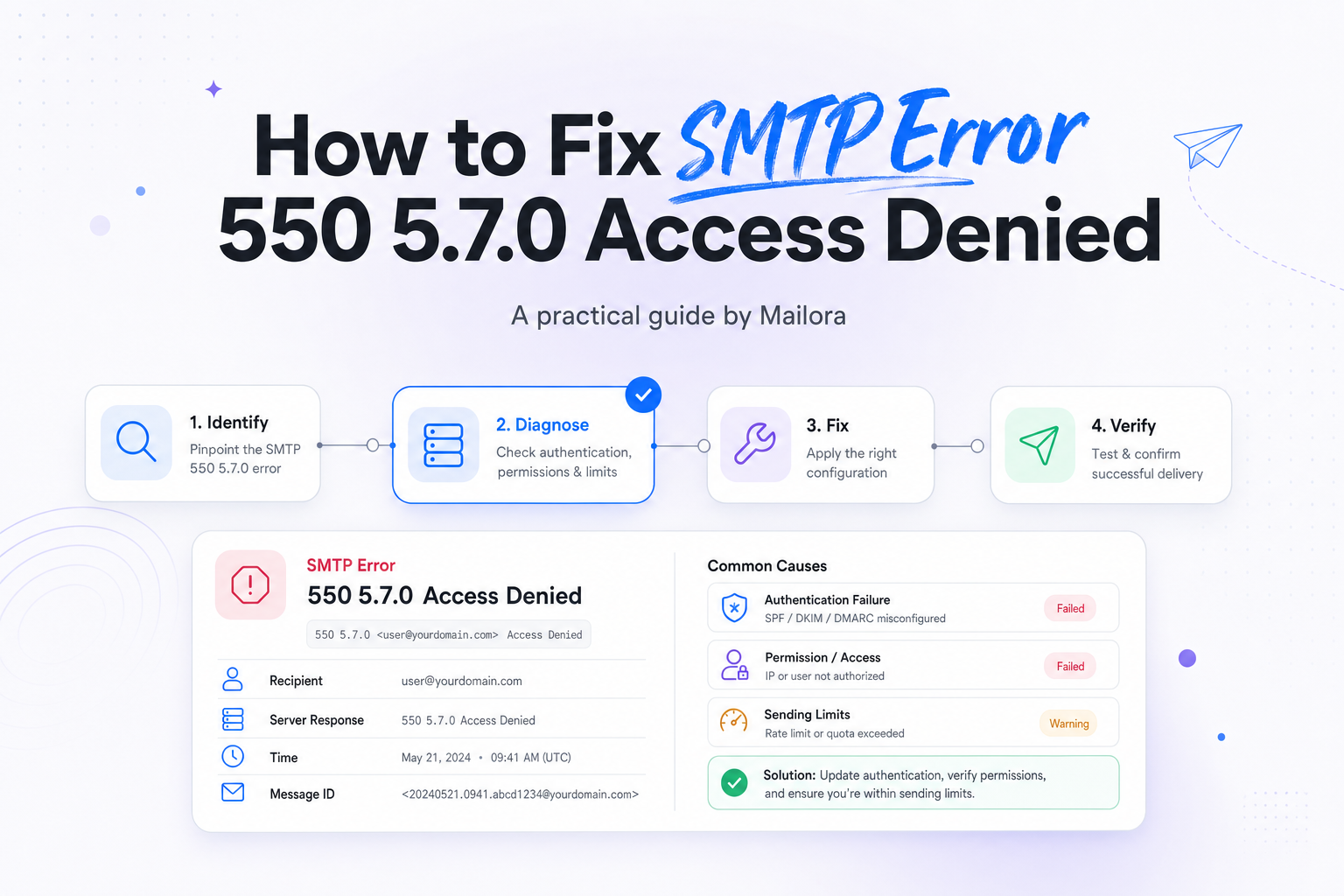
The 5.7.0 part usually points to a security or policy issue. In practice, that often means one of four things:
- Your message failed an authentication or alignment check, such as SPF, DKIM, or DMARC.
- Your IP or domain reputation is low enough that the receiver is blocking you.
- Your SMTP user, host, or IP is not allowed to relay through the server you are using.
- The recipient domain has a local policy that denies your traffic, your content, or your sending pattern.
In other words, access denied rarely means the server is broken. It usually means the receiving system did exactly what it was configured to do.
Common causes of 550 5.7.0 access denied
1. SPF, DKIM, or DMARC is missing, broken, or misaligned
This is the first place to look, especially if the rejection comes from Gmail, Yahoo, or Outlook. Google and Yahoo both raised the bar in 2024 for bulk senders, and aligned authentication is now table stakes.
Typical examples include:
- Your SPF record does not include the platform that actually sent the message.
- Your DKIM signature is missing because a sending vendor was never fully set up.
- Your visible From domain does not align with SPF or DKIM, causing DMARC to fail.
- You are forwarding or routing mail in a way that breaks SPF and you do not have DKIM carrying the pass.
If you recently changed ESPs, warmed a new subdomain, or added a new automation tool, this is especially likely.
2. Sender reputation or complaint rate is too high
A message can be perfectly authenticated and still get blocked. If your list quality drops, your spam complaint rate rises, or engagement falls sharply, the receiving side may deny the connection or reject the message at SMTP time.
This often shows up after:
- A large reactivation send to old contacts
- A sudden jump in daily volume
- High complaint rates from a new acquisition source
- Too many invalid addresses, spam traps, or role accounts
Gmail tends to express this with policy and reputation language. Outlook often references restricted sending, tenant policy, or blocked sender reputation. Yahoo can be similarly strict when the traffic pattern looks abusive.
3. Relay permissions or SMTP authentication are wrong
If you are sending through your own server, a shared relay, or a corporate mail gateway, 550 5.7.0 access denied can literally mean your account, host, or IP is not allowed to send through that server.
Common examples:
- The SMTP username and password are wrong
- The sending IP is not on the relay allowlist
- The server requires TLS or authenticated submission on a specific port
- Your application is trying to send as a domain or mailbox it is not authorized to use
This version of the error is common in transactional mail setups, especially when product teams, RevOps, and IT each manage a different part of the path.
4. The recipient domain has a local block or policy rule
Sometimes the issue is narrow. Maybe Gmail accepts the message, but a prospect's Microsoft 365 tenant rejects it. Maybe Yahoo accepts it, but one enterprise domain does not. In those cases, the problem is often local policy, not global reputation.
Examples include:
- Your sender domain is on the recipient's internal block list
- The recipient requires stricter DMARC alignment than public mailbox providers do
- The message content matches a DLP, phishing, or impersonation rule
- The recipient server does not like your reverse DNS, HELO, or envelope sender format
How to diagnose the exact reason quickly
Do not stop at the words access denied. The line after 550 5.7.0 is where the real clue lives.
| Example response | What it usually means | First thing to check |
|---|---|---|
| 550-5.7.26 This message does not pass authentication checks | Gmail sees SPF, DKIM, or DMARC problems | Alignment of From domain with SPF and DKIM |
| 550 5.7.1 Unable to relay | Your server or account is not allowed to send through that relay | SMTP auth, IP allowlist, port, and relay policy |
| 550 5.7.0 Access denied, banned sending IP | IP reputation or blocklist problem | Recent volume, complaint spikes, and IP history |
| 550 5.7.708 Service unavailable. Access denied, traffic not accepted from this IP | Outlook or Microsoft policy block, often reputation related | Microsoft SNDS, reputation, and sending pattern |
| 550 5.7.0 Message rejected due to local policy | Recipient domain specific rule or security gateway | Ask for the exact policy detail from recipient admin |
Pull the rejection from your ESP event logs, MTA logs, or application logs, not just from a screenshot in a forwarded bounce. You want the full SMTP transcript if possible, including the receiving host and enhanced status code.
If you send both marketing and transactional mail, check whether the rejection is isolated to one stream. A healthy password reset program can coexist with a struggling promotional stream, especially if they use different IPs, subdomains, or vendors.
How to fix SMTP error 550 5.7.0 access denied
Verify SPF, DKIM, and DMARC alignment first
Start with the identity that appears in the visible From address. Then confirm that at least one of SPF or DKIM passes and aligns with that same domain so DMARC can pass as well.
- SPF: Make sure the sending platform is included in your SPF record, and avoid too many DNS lookups.
- DKIM: Confirm the message is actually signed, the selector exists, and the public key in DNS matches the signer.
- DMARC: Check alignment, not just pass or fail. A message can pass SPF on the envelope domain and still fail DMARC if the From domain does not align.
If a recent DNS change is involved, verify propagation and make sure the active sending vendor is using the same domain setup you expect.
Check relay authentication, TLS, and sender permissions
If the rejection happens before the message is fully handed off, or the response says unable to relay, focus on the sending path.
- Retest the SMTP username and password
- Confirm the application is using the right host and port
- Verify whether the relay requires STARTTLS or authenticated submission
- Check whether the account is allowed to send as the mailbox or domain in the From address
- Make sure the sending IP is approved if the relay uses IP based access controls
This is where teams often lose time because the DNS owner, mail admin, and application owner are all looking at different systems. Put the SMTP transcript and the exact auth path in one place, then test each assumption.
Review reputation and list quality if authentication is clean
If Gmail or Outlook still rejects you after authentication checks out, look at sender reputation next. This is where campaign decisions matter.
- Pause large sends to stale segments
- Cut unengaged cohorts, especially contacts inactive for 180 days or more
- Remove recent hard bounces and risky acquisition sources
- Check complaint rate trends by mailbox provider
- Slow volume growth if you recently ramped too fast
A sudden jump from 20,000 messages a day to 200,000 can look abusive even if the content is legitimate. The same is true when engagement falls and complaint rates rise. Providers interpret that as a signal about user trust, not just technical compliance.
Look at DNS hygiene beyond SPF and DKIM
Some 550 5.7.0 blocks come from surrounding identity issues rather than headline authentication failures.
- Your PTR, or reverse DNS, should map cleanly to a hostname you control
- Your HELO or EHLO should use a valid hostname, not a generic local name
- Your envelope sender should be a real domain with working DNS
- Your sending domain should not resolve in ways that look inconsistent or suspicious
These details matter more with corporate gateways and Microsoft heavy environments than marketers sometimes expect.
Escalate to the recipient domain when the problem is isolated
If one enterprise domain rejects you while Gmail, Yahoo, and Outlook accept the same traffic, ask the recipient's mail admin for the exact policy reason and the timestamp of a sample rejection.
Be specific. Share the sending IP, envelope sender, visible From domain, subject line, and full bounce text. That helps them confirm whether the block is based on reputation, impersonation rules, DLP, or a local deny list.
What not to do when you see 550 5.7.0
There are a few reactions that usually make the problem worse:
- Do not keep retrying the same permanently rejected message as if it were a temporary 4xx deferral.
- Do not rotate to a fresh IP or domain before you know whether the root issue is authentication, policy, or list quality.
- Do not loosen DMARC or remove DKIM to "test" delivery, that often increases risk rather than reducing it.
- Do not blame the ISP first if the rejection gives you a clear policy clue.
The fastest path is usually boring and disciplined, read the exact rejection, validate authentication and permissions, then evaluate reputation and recipient policy.
How to prevent future 550 5.7.0 rejections
Prevention is mostly about consistency. The senders who see fewer hard policy blocks are the ones who keep identity, volume, and audience quality stable over time.
- Separate marketing and transactional streams so one does not damage the other
- Monitor complaint rates by provider, especially Gmail
- Review DNS records after every ESP or routing change
- Warm new domains and IPs gradually
- Keep inactive contacts out of regular sends
- Document who owns DNS, SMTP credentials, and mailbox provider remediation
For lifecycle and RevOps teams, this matters because a 550 5.7.0 rejection is not just a deliverability metric. It directly affects activation, conversion, renewals, and the trust your product emails need to work.
Related reading: smtp ports and gmail smtp configuration.
Run your first deliverability test with Mailora
FAQs
Is SMTP error 550 5.7.0 access denied permanent?
Yes, 550 is a permanent SMTP failure. You should not treat it like a temporary retry unless the receiving provider explicitly tells you otherwise.
Can DMARC alone fix a 550 5.7.0 rejection?
No. DMARC can fix alignment related rejections, but it will not solve poor reputation, high complaints, relay permission problems, or recipient specific policy blocks.
Why does this happen only at Gmail or only at Outlook?
Each provider weighs signals differently. One provider may accept the message while another blocks it because of different reputation data, authentication policy, or local filtering thresholds.
What is the difference between 550 5.7.0 and 550 5.1.1?
550 5.7.0 usually points to a security or policy denial. 550 5.1.1 usually means the recipient address does not exist.
Should I switch IPs or domains right away?
Usually no. First confirm whether the problem is authentication, relay authorization, or a recipient policy issue. Switching identity too early can hide the root cause and slow recovery.
Stay in the loop
Deliverability insights, product updates, and early access to new features. No spam, unsubscribe anytime.
By subscribing, you agree to our Privacy Policy. Unsubscribe anytime.