DMARC Reject Policy: How to Enforce p=reject Safely
Everyone tells you p=reject is the gold standard. Almost nobody tells you how to get there without gambling your deliverability on it.
That's the tension every high-volume sender lives with. IT wants reject enforced. Mailbox providers increasingly expect it. Yet most teams stay parked at p=none for months or years, because flipping the switch feels like it could silently kill legitimate campaigns, and nobody wants to be the person who explains why the abandoned-cart flow stopped printing revenue.
The hesitation is rational. A reject policy applied before every legitimate sending source is authenticated will block real mail, and the failure is quiet: no error on your dashboard, just campaigns that stop arriving. But staying at p=none forever isn't safe either; it's just a different risk, unprotected and increasingly out of step with what Gmail and Yahoo expect from bulk senders.
This guide gives you the practitioner's path: what a reject policy actually does, how to know when you're ready, how to stage the rollout so mistakes stay small, and how to keep every stream deliverable after you enforce. The perspective throughout is the one we hold at Mailora: DMARC is a deliverability signal to validate and monitor, not a pass/fail setting to publish and forget.
What a DMARC Reject Policy Actually Does
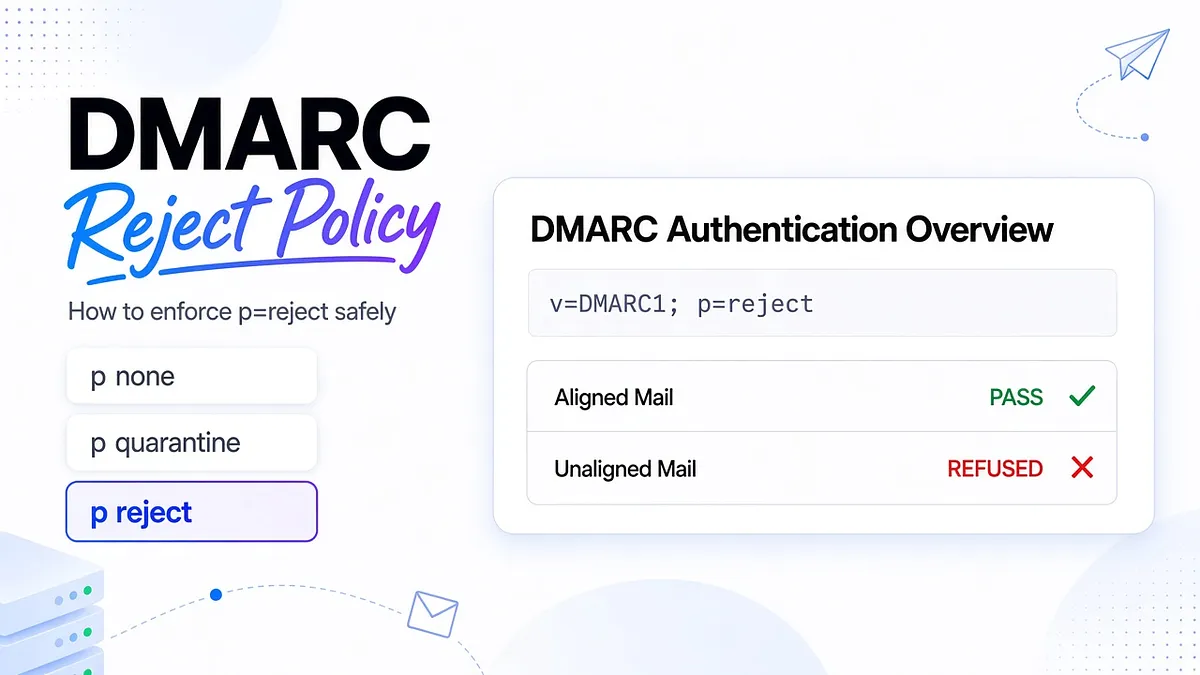
A DMARC reject policy, written as p=reject in your DMARC record, instructs receiving mail servers to refuse messages that fail DMARC before they reach the inbox or even the spam folder. The mail is turned away at the door.
To understand what "fail DMARC" means, remember what DMARC sits on. SPF verifies that the delivering server is authorized for the bounce domain. DKIM verifies the message carries a valid signature from the signing domain. DMARC adds the piece both of them miss: it requires at least one of those checks to pass and align with the From domain, the address your recipients actually see.
Alignment is the word that matters. If your campaign passes SPF for your ESP's bounce domain, or carries a valid DKIM signature for the ESP's own domain, that mail is authenticated but not aligned with you. Under p=reject, it gets refused just as firmly as a forgery would. That single fact drives everything else in this guide: reject punishes misalignment, not just spoofing.
The Three DMARC Policies: none, quarantine, and reject
Your DMARC record's p= tag can take three values, and it helps to see them as a progression of confidence rather than a menu:
- p=none is monitoring mode. Failing mail is delivered normally; you just receive reports about it. Zero protection, full visibility. Every sender should start here, and no sender should retire here.
- p=quarantine tells receivers to treat failing mail as suspicious, typically routing it to spam. Enforcement is real but softer, and providers apply it with some inconsistency: some junk the mail, some apply additional scrutiny instead.
- p=reject tells receivers to refuse failing mail outright. It's the strongest statement a domain can make: anything sending as us without aligned authentication is not us.
A real record at enforcement looks like this:
v=DMARC1; p=reject; rua=mailto:dmarc-reports@example.com; pct=100
The rua tag is where aggregate reports get sent, and it belongs in your record at every stage; the pct tag controls what share of failing mail the policy applies to, which becomes useful during rollout, covered below.
The progression is none, then quarantine, then reject, but the right question at each step isn't "how long have we waited?" It's "what do our reports prove about our legitimate sources?" Time doesn't earn enforcement. Evidence does.
"DMARC Policy Not Enabled": What the Warning Really Means
If a diagnostic tool has told you "DMARC policy not enabled," "DMARC quarantine/reject policy not enabled," or shown you a disposition of "none," here's the translation: your domain either has no DMARC record at all, or it has one set to p=none. Either way, no receiving server is being asked to act on failures. You may have visibility; you have no protection.
To confirm which situation you're in, look up the TXT record at _dmarc.yourdomain.com. Three outcomes:
- No record found. DMARC isn't set up. Publish a record starting at p=none with a rua address so you begin collecting data.
- A record with p=none. You're in monitoring mode. The warning is telling you enforcement hasn't started, which is fine as a phase and a problem as a destination.
- A record with p=quarantine or p=reject. The warning shouldn't appear; if a tool still shows it, check for syntax errors in the record, a common and quiet failure.
Related: a "disposition: none" entry in your DMARC reports means receivers took no action on failing mail, which is exactly what p=none instructs. It's the reports confirming your policy, not a malfunction.
Why Reject Is the Goal, and Why Most Senders Stay Stuck at None
The case for reject is straightforward. It's the only policy that actually stops spoofed mail from reaching your customers, prospects, and partners. It protects the trust your domain has accumulated, and it signals to mailbox providers that your domain's identity can be relied on. Under quarantine, a convincing forgery still lands in a spam folder someone might dig through. Under reject, it never arrives.
So why do most domains never get there? Not laziness. Confidence.
Moving to reject means asserting that every legitimate system sending as your domain authenticates with alignment: the marketing ESP, the transactional infrastructure, the CRM, the sales sequencer, the billing tool, the survey platform someone in product connected last spring. Most teams can't make that assertion, because they've never inventoried their senders, and their DMARC reports sit unread as raw XML.
That reframing is the most useful sentence in this article: p=reject is not a security checkbox, it's a confidence decision. The work isn't editing a DNS record; a junior admin can do that in ninety seconds. The work is earning the evidence that the edit won't burn anything down. Everything below is about earning it.
The Deliverability Trade-offs Competitors Don't Talk About
Most writing about reject policies is aimed at security teams, and it skips the part that matters to people who send at volume: reject protects your domain, but only if every legitimate sender is ready first. A premature reject policy doesn't announce its damage. It silently removes mail from the world.
Where that bites, specifically:
- Marketing campaigns. If your ESP integration passes authentication but not alignment, say DKIM signs with the vendor's domain, enforcement day is the day your campaigns stop arriving. Open rates crater, and the ESP dashboard still shows "delivered" for mail the receiver refused politely or quietly filtered.
- Cold outbound sequences. Outbound tools are the most frequently misconfigured senders in any stack, often set up by sales teams without an authentication review. Under reject, an unaligned sequencer doesn't underperform; it disappears.
- Warm-up on new infrastructure. New domains and IPs being warmed have no reputation cushion. An alignment gap during warm-up compounds: rejected mail, stalled reputation building, and a warm-up schedule that quietly fails.
- Multi-ESP setups. The more platforms send as your domain, the more places alignment can be incomplete. Reject applies domain-wide; your best-configured sender doesn't protect your worst one.
None of this argues against reject. It argues against reject as a calendar item. The policy is safe exactly when your evidence says every stream aligns, and dangerous exactly when that's an assumption.
How to Know You're Ready to Move to p=reject
Generic checklists say: monitor at none, move to quarantine, raise percentages, then reject. Fine as far as it goes. More useful is readiness by scenario, because the risk profile differs by how you send.
High-volume B2C ecommerce. Usually a Klaviyo-style ESP plus transactional infrastructure, two or three senders total. Readiness is achievable quickly: confirm custom authentication at each platform, then watch reports until legitimate sources show sustained aligned passes. One hard rule: do not make the move in the weeks before your peak season. Enforce in a quiet period, monitor through a full campaign cycle, and enter Q4 already proven.
B2B SaaS with multiple transactional systems. Product notifications, lifecycle mail, sales outreach, billing, support, often five or more platforms across teams. Readiness here is an inventory problem: you're ready when every source in your DMARC reports is identified, owned by a named team, and aligned, and when new-tool onboarding includes an authentication step. If your reports show traffic you can't attribute, you're not ready; you're guessing.
Agency-managed multi-tenant domains. Readiness must be assessed per client domain, never as a blanket rollout. Each domain needs its own report review and its own sender inventory. The agency-specific trap is a client-side team connecting a tool without telling you; enforcement turns that surprise into blocked mail with your agency's name on the incident.
When not to enforce yet, in any scenario:
- Your recipients skew toward heavy forwarding or mailing-list traffic (universities, associations, older B2B communities), and your DKIM alignment isn't solid enough to survive it.
- A meaningful share of report volume comes from sources you haven't identified.
- You're mid-migration between ESPs or actively warming new infrastructure.
- You send through a platform that cannot support custom alignment for your domain; fix or replace that platform first.
Validating Your Setup Before You Enforce
Reports tell you about mail you already sent. Before enforcement, you also want the forward-looking view: would the mail I'm about to send survive p=reject?
The pre-send workflow, per sending source:
- Send a real message from the platform, through its normal sending path, to mailboxes you control at the providers that matter to you.
- Read the authentication results: did SPF pass, and for which domain? Did DKIM pass, and with which signing domain? Does at least one of them align with your From domain?
- Repeat for each distinct stream, since marketing, transactional, and outbound often ride different paths with different configurations.
Do this for every source before you enforce, and again whenever a platform or DNS setting changes. The point is to test your SPF, DKIM, and DMARC setup under realistic conditions across Gmail, Yahoo, and Outlook, so you can see whether p=reject would block your own traffic before you commit to it, per platform and per stream, rather than discovering it in next week's reports.
Think of it as the difference between reading accident statistics and doing a brake check before the drive. You want both. Only one happens before the consequence.
Using pct and Subdomain Policy for a Staged Rollout
Two DMARC tags exist to keep your blast radius small during enforcement, and most senders ignore both.
The pct tag applies your policy to a percentage of failing mail. p=reject; pct=25 asks receivers to reject a quarter of failing messages and treat the rest under the next-softer policy. A sane staging ladder moves through 10, 25, 50, 75, and 100, holding at each rung until reports confirm no legitimate mail is being caught. If something legitimate does get hit at pct=10, you've paid a small price for a lesson that would have cost ten times more at full enforcement. One caveat: not every receiver honors pct precisely, so treat it as risk reduction, not a guarantee.
The sp tag sets a separate policy for subdomains. p=reject; sp=quarantine enforces reject on your organizational domain while subdomains stay at quarantine, useful when your root domain is proven but mail.example.com or a regional subdomain still has stragglers.
For a domain family, stagger deliberately. Something like:
v=DMARC1; p=reject; sp=quarantine; rua=mailto:dmarc-reports@example.com; pct=50
gets your root domain to half-enforcement while subdomains sit one level softer; as reports stay clean, raise pct to 100, then promote sp to reject. Full tag-by-tag detail lives in our DMARC tags explained guide.
Enforcement doesn't have to be a cliff. Built this way, it's a ramp with an exit at every stage.
Why Legitimate Mail Fails Under p=reject (and How to Fix It)
When real mail starts bouncing after enforcement, work the problem as an ordered runbook, not a grab bag of tips. Each step either finds the cause or rules one out.
Step 1: Identify the failing source. From your DMARC reports or bounce messages, isolate which platform or IP range is failing and since when. Match the start time against your change log: DNS edits, platform settings, new tools, migrations. The correlation usually names the suspect.
Step 2: Check SPF evaluation, starting with the lookup limit. SPF allows a maximum of 10 DNS lookups per check, and every include: counts, including the ones nested inside other includes. Records that grew over years exceed the cap silently, returning a permanent error receivers treat as failure. Count your lookups and prune stale includes before assuming anything subtler.
Step 3: Verify DKIM signing. Confirm the platform is actually signing, that the selector in the signature corresponds to a live DNS record, and that a recent key rotation didn't orphan the published key.
Step 4: Confirm alignment, the step most people skip. SPF and DKIM can both pass and DMARC still fail if neither passing domain matches the From domain. Check which domain SPF evaluated (the bounce/Return-Path domain) and which domain DKIM signed with (the d= value). If they're vendor domains, configure custom bounce and signing domains at that platform; that's the fix for the single most common enforcement casualty.
Step 5: Validate the DNS records themselves. Syntax errors, duplicate records on one hostname, and stale values after a change all invalidate otherwise-correct setups. If the failure began right after a DNS edit, start here and allow for propagation before re-testing.
Work the steps in order and you'll resolve the large majority of enforcement incidents. For the deeper DNS and authentication edge cases, see our guide on how to fix DMARC failures caused by DNS or authentication issues.
Monitoring DMARC After You Enforce
Here's what the none-to-reject checklists leave out entirely: enforcement day is when monitoring becomes more important, not less. Before reject, a new misconfiguration cost you visibility. After reject, it costs you delivery.
And misconfigurations keep arriving, because your stack keeps changing. A new sales tool gets connected without an authentication review. An ESP migrates its bounce infrastructure. A DNS cleanup deletes a selector record. Each of these, post-enforcement, starts silently deleting real mail until someone notices.
What post-enforcement monitoring actually looks like:
- Dispositions by sending system, as a time series. Not "what's our pass rate," but "which platform's failure rate moved this week, and when exactly did it start." The start date is your pointer to the change that caused it.
- Cohorts by message category. Marketing, transactional, and outbound fail for different reasons and carry different costs. A transactional failure spike is a sev-1; a long-tail notification tool failing is a Tuesday ticket.
- New-source detection. Any source appearing in your reports for the first time is either a colleague's new tool or someone spoofing you. Both deserve a look within a day, not at month-end review.
- Change-correlated alerts. A failure spike right after a campaign launch, ESP config change, or DNS edit tells you where to look before you've opened a single XML file.
This cadence is not a monthly manual chore; done by hand across providers and platforms, it simply doesn't happen. It's the layer Mailora's deliverability monitoring features run continuously, so a source that breaks on Tuesday is a Wednesday fix instead of a month-end forensic project.
DMARC Reject and Google/Yahoo Bulk Sender Requirements
Since 2024, Google and Yahoo require bulk senders (Google's threshold sits at around 5,000 messages a day to Gmail) to authenticate with SPF and DKIM and to publish a DMARC policy, with p=none as the accepted minimum. Microsoft has moved in the same direction for high-volume senders to its consumer domains. Mail that doesn't meet the bar faces rejection at the gateway, and a permanent 550-class rejection is not a filtering nuance; the message is refused.
Two practical readings of this for a team debating reject:
First, the minimum is not the trajectory. Requirements that started at "publish any DMARC record" tighten over time, and senders already operating comfortably at enforcement have nothing to scramble for when they do. Getting to reject on your own schedule beats getting there on a mailbox provider's deadline.
Second, your DMARC reporting is also your compliance evidence. When leadership or a client asks whether you meet sender requirements, aggregate data showing consistent aligned authentication across all sources, at an enforced policy, is a demonstrable answer rather than an assurance. For agencies especially, that's the difference between claiming client domains are protected and showing it.
Aggregate vs. Forensic Reports, and Turning Them into Decisions
DMARC gives you two reporting channels. Aggregate reports (RUA) arrive daily from each mailbox provider as XML summaries: which IPs sent as your domain, message counts, SPF and DKIM results, alignment outcomes, and the disposition applied. Forensic reports (RUF) are per-message failure samples; many providers no longer send them for privacy reasons, so build your operation around aggregate data.
Aggregate reports contain nearly everything this guide asks you to know: whether you're ready to enforce, whether rollout stages are clean, which source broke after enforcement. The problem was never the data. The problem is the format. One XML file per provider per day, multiplied across providers and weeks, is unreadable at human scale, which is why so many domains technically "monitor" DMARC while nobody has opened a report since the quarter it was set up.
The useful standard for any DMARC tooling, ours included, is whether it converts a report row into a decision. "A fail from 203.0.113.42" is data. "Your CRM's sending pool lost DKIM alignment on March 12, two days after its bounce-domain migration, affecting your onboarding sequence; fix the signing domain in the CRM's settings" is a decision. Correlating failures with the specific ESP, campaign, and misconfiguration behind them is exactly the layer Mailora is built to provide, because a reject policy is only as safe as your ability to see what it's rejecting.
Frequently Asked Questions
What does a DMARC reject policy (p=reject) actually do to failing email?
It instructs receiving servers to refuse messages that fail DMARC, meaning neither SPF nor DKIM produced a pass aligned with the From domain. Refused mail doesn't reach the inbox or the spam folder; it's turned away during delivery, typically with a permanent rejection.
What does "DMARC quarantine reject policy not enabled" mean and how do I fix it?
It means your domain has no DMARC record or has one set to p=none, so receivers aren't acting on failures. Check the TXT record at _dmarc.yourdomain.com. If none exists, publish one at p=none with a rua address and start collecting reports; if it's at p=none, use those reports to verify every legitimate source aligns, then move through quarantine toward reject.
Is it safe to go straight from p=none to p=reject?
It can be, but only when your aggregate reports show every legitimate source passing with alignment over a sustained period and you've pre-send tested each platform. For most senders, stepping through quarantine, or using the pct tag to phase reject in at 10 or 25 percent first, buys meaningful safety for very little delay.
Will a DMARC reject policy hurt my marketing or cold outbound deliverability?
Not if your senders are aligned; enforcement tends to help authenticated mail by strengthening your domain's identity signals. It hurts precisely when a sending tool passes authentication for a vendor domain rather than yours. Outbound sequencers are the most common casualty, so verify their custom bounce and signing domains before enforcing.
How do I troubleshoot legitimate emails getting rejected after enforcing p=reject?
Work an ordered runbook: identify the failing source and start date from your DMARC data, check the SPF 10-lookup limit, verify DKIM signing and selectors, confirm alignment between the From domain and whichever check passed, and validate DNS record syntax and propagation. The most common single fix is configuring custom bounce and DKIM domains at a third-party platform that was authenticating as itself.
Reject Is a Decision You Earn, Not a Setting You Flip
Strip everything else away and the path to p=reject is three disciplines: inventory every system that sends as your domain, prove each one aligns before you enforce, and keep watching after you do, because the stack that was clean at enforcement won't stay clean on its own.
Traditional DMARC tools help you publish the policy. The harder and more valuable problem is knowing when you're ready and staying deliverable afterward, and that's a visibility problem before it's a DNS problem.
Start with the evidence: run your first deliverability test and see exactly how each of your sending sources would fare under enforcement, before you ask the world's mail servers to start rejecting on your behalf. Send with confidence.
Stay in the loop
Deliverability insights, product updates, and early access to new features. No spam, unsubscribe anytime.
By subscribing, you agree to our Privacy Policy. Unsubscribe anytime.