Key Takeaways
|
Since February 2024, Google and Yahoo have required bulk senders, defined as senders reaching 5,000 or more messages a day to Gmail addresses, to authenticate mail and keep spam complaint rates below 0.3%, according to their sender requirements. That rule matters even if your program is smaller, because it reflects how major mailbox providers increasingly judge all commercial email.
ActiveCampaign email deliverability is not mainly about whether the platform can send mail. It is about whether Gmail, Outlook, Yahoo, and Apple Mail see your messages as expected, relevant, and consistently wanted. The decisions that change outcomes are usually operational, who you send to, how often you send, what domain you use, and how well your automation logic matches recipient intent.
If you are seeing solid results at Gmail but weak placement at Outlook, or if opens look fine while clicks and revenue soften, the answer is rarely a single toggle inside the ESP. The answer is usually in your sending foundation, your segmentation model, or a recent change in volume, cadence, or acquisition quality.
What actually moves deliverability in ActiveCampaign
Mailbox providers do not hand out inbox placement because a sender uses ActiveCampaign. They look at your sending domain, authentication, complaint rate, bounce rate, engagement patterns, and whether your traffic looks stable over time. ActiveCampaign gives you the controls, but your program creates the reputation.
Recipient behavior shapes your reputation
At Gmail especially, signals like spam complaints, deletions without reading, replies, and repeat positive engagement matter more than campaign design preferences. If a large share of your sends goes to people who have not clicked in 90 to 180 days, your domain can lose momentum even when the creative looks fine.
A practical working target is to keep spam complaints well below Google's published 0.3% threshold. Many teams aim for under 0.1% internally so there is room for variation by campaign and by mailbox provider.
Consistency usually beats volume spikes
If you move a list into ActiveCampaign and immediately send a full-file newsletter, you are asking Gmail and Outlook to trust a new pattern before they have enough positive history. A steadier ramp, starting with recently engaged contacts and expanding only when complaints and bounces stay controlled, is usually the better decision.
This matters even more for lifecycle programs. Welcome, nurture, sales follow-up, product education, and promo campaigns can stack on the same contact fast. Deliverability can slip even when each individual automation looks reasonable in isolation.
Set up the sending foundation inside ActiveCampaign
Authenticate your sending domain
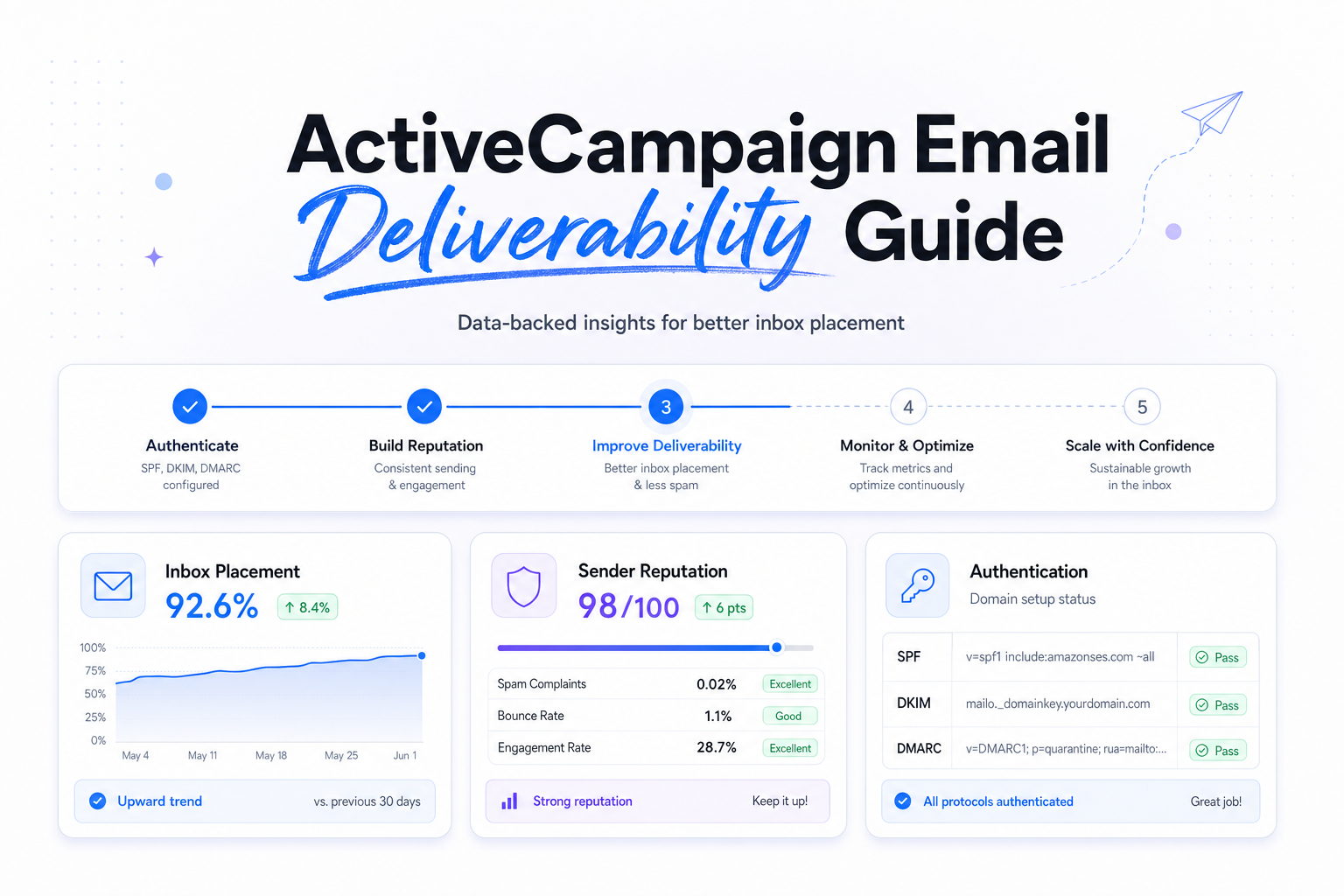
For most programs, the first deliverability check is straightforward: SPF, DKIM, and DMARC should all be in place on the domain you use for marketing mail. SPF tells receiving servers which systems can send for your domain. DKIM signs the message so receiving servers can verify it was not altered. DMARC tells providers how to evaluate alignment between those records and your visible From domain.
If you are just starting DMARC, many teams begin with a monitoring policy, then tighten after they confirm alignment. The key decision is not whether to add DMARC eventually. It is whether the From domain your recipients see is the same brand identity you are actually authenticating today.
Use a branded tracking domain
Link tracking is easy to overlook in ActiveCampaign, but mailbox providers and security filters evaluate URLs too. If your email comes from your company domain while tracked links point to a generic or inconsistent domain, you create extra distance between sender identity and click destination.
A branded tracking domain helps reduce that friction. It also makes links look more recognizable to recipients, which can lift click confidence in addition to helping alignment.
Align domains and warm changes gradually
When you change your From domain, tracking domain, template structure, or sending volume at the same time, you make troubleshooting harder. Change one major variable at a time where possible. If you are launching ActiveCampaign on a new marketing subdomain, start with your most engaged 30-day clickers and expand in stages as results hold.
If you also send transactional mail from a separate platform, keeping marketing and transactional traffic on different subdomains is often worth it. That way, a promotional cadence change does not spill into receipts, password resets, or account alerts.
How Gmail, Outlook, Yahoo, and Apple Mail read your sends
Deliverability work gets clearer when you stop asking for one global answer and start looking by mailbox provider. The same ActiveCampaign campaign can behave very differently at Gmail versus Outlook.
| Mailbox provider | What it tends to weight heavily | What to do in ActiveCampaign |
|---|---|---|
| Gmail | Spam complaints, engagement quality, authentication alignment | Send first to recent clickers, watch complaint trends closely, keep domain identity consistent |
| Outlook | Domain and URL reputation, list hygiene, sudden volume shifts | Be conservative with imported lists, reduce spikes, review tracked link domains and old automations |
| Yahoo | Authentication, complaint rates, clear sender identity | Make SPF, DKIM, and DMARC clean, and avoid mixing stale contacts into regular campaigns |
| Apple Mail | Privacy features that distort opens, not true intent by themselves | Use clicks, conversions, replies, and site actions for segmentation instead of opens alone |
Apple Mail deserves special handling because Mail Privacy Protection can preload content and inflate opens. If your ActiveCampaign automations treat an open as proof of interest, you can keep mailing people who are functionally inactive. That raises volume without raising signal quality.
List and automation decisions that improve inbox placement
Use engagement windows that fit your cadence
There is no universal inactivity rule, but the window should match how often you send. A daily sender may treat 30 to 60 days without a click as a warning sign. A weekly sender may use 90 to 180 days. The point is to define active, at-risk, and inactive cohorts before the mailbox providers define them for you.
In ActiveCampaign, that usually means building segments from click recency, purchase recency, form submissions, replies, or product usage, then using those segments to control who receives campaigns and who gets a lighter nurture path.
Do not let automations collide
One of the most common ActiveCampaign deliverability problems is accidental overmailing. A new lead can hit a welcome series, a webinar follow-up, a newsletter, and a promotion inside 48 hours if your exclusions are weak. That may be technically correct inside the automation builder, but it can still look excessive to recipients and mailbox providers.
Review overlap by contact, not by workflow. If one person can enter three high-frequency automations in the same week, add rules to delay, suppress, or prioritize messages.
Be careful with resend logic
Resending to non-openers is less reliable than it used to be because Apple Mail open data is noisy. A stronger approach is to resend only to people who did not click, did not convert, or did not visit the intended page, using a materially different subject line or offer angle. Give it breathing room, usually at least 48 to 72 hours, rather than hammering the same audience the next morning.
Suppress stale contacts before they suppress you
If you keep mailing long-inactive contacts every week, you dilute the positive engagement signals generated by your active audience. That hurts most at Gmail, but it can also show up as weaker consistency at Outlook and Yahoo. The better move is to run a defined re-engagement sequence, then suppress non-responders from regular marketing mail.
A practical troubleshooting workflow for ActiveCampaign deliverability
Start by splitting performance by mailbox provider
If Gmail is steady but Outlook drops, the problem is probably not your whole program. It may be a URL reputation issue, a template change, or a list-quality pocket that Microsoft is reacting to more aggressively. If all major providers soften at once, look first at acquisition quality, volume spikes, or a recent authentication change.
Compare the last healthy send to the first weak send
Ask what changed in the 7 to 14 days before performance moved. Did you import a dormant segment, turn on a long-paused automation, change the From domain, add a new link shortener, or double frequency? Deliverability gets easier to manage when you treat it like change analysis, not like guesswork.
Narrow the audience before you rewrite the whole program
When inbox placement drops, sending less mail to better contacts is usually the fastest stabilizer. Pause broad sends to stale audiences. Prioritize 30-day and 60-day engagers. If metrics recover there, the issue is likely audience quality or frequency pressure rather than raw technical setup.
Validate with external data, not opens alone
Use provider-specific telemetry where you can, such as Google Postmaster Tools for Gmail signals and Microsoft SNDS for Outlook-facing IP insight. Pair that with an inbox placement or deliverability test so you can separate content assumptions from actual mailbox behavior. The goal is to identify whether the issue is reputation, authentication, content filtering, or audience mismatch, then make the smallest effective fix.
Related reading: email deliverability tools and spf and dkim deliverability.
Run your first deliverability test with Mailora
FAQs
Does ActiveCampaign have good deliverability?
It can, but the platform does not create inbox placement by itself. Your authentication, sending domain reputation, audience quality, and frequency decisions are what mailbox providers mainly judge.
What is a good spam complaint rate for ActiveCampaign campaigns?
Google's published threshold is below 0.3% for bulk senders, but many teams operate with an internal target below 0.1%. Lower is better, especially for promotional campaigns and newer domains.
Should I segment by opens in ActiveCampaign?
Not by opens alone. Apple Mail can inflate open data, so clicks, replies, conversions, site visits, and product activity are usually better engagement signals.
Does a custom tracking domain matter for deliverability?
Yes, it often helps with sender identity consistency and link trust. It also reduces the mismatch between your From domain and the domains recipients see when they hover over links.
How long should I keep inactive contacts on my list?
That depends on send cadence and lifecycle length. Many weekly programs review suppression around 90 to 180 days without meaningful engagement, while higher-frequency programs shorten that window.
Stay in the loop
Deliverability insights, product updates, and early access to new features. No spam, unsubscribe anytime.
By subscribing, you agree to our Privacy Policy. Unsubscribe anytime.