ZeroBounce Pricing 2026: Full Cost Breakdown, PAYG vs. ONE, and What You Actually Get
Key takeaways
|
Introduction
If you've priced out list validation before, you know the frustrating part isn't the math. It's figuring out which of ZeroBounce's several pricing surfaces actually applies to what you're trying to do.
There's pay-as-you-go credits for one-off cleanups. There's ZeroBounce ONE, a subscription that bundles credits with a set of deliverability-adjacent tools. There's a free tier that's more useful than most vendors' free tiers, but has real limits. And there's a credit expiration policy that got more generous for some accounts and stayed the same for others, depending on when you signed up.
This breakdown walks through what each tier costs, what it includes, and where the real trade-offs sit: list size, re-verification frequency, and whether you need ongoing monitoring or just a clean list before a send.
One thing ZeroBounce pricing doesn't answer is whether your list being clean means your email lands in the inbox. Validation removes bad addresses. It doesn't tell you what Gmail or Outlook does with the message once it's accepted. If you want visibility into that separate question, you can test your email deliverability independent of whatever validation tool you're using.
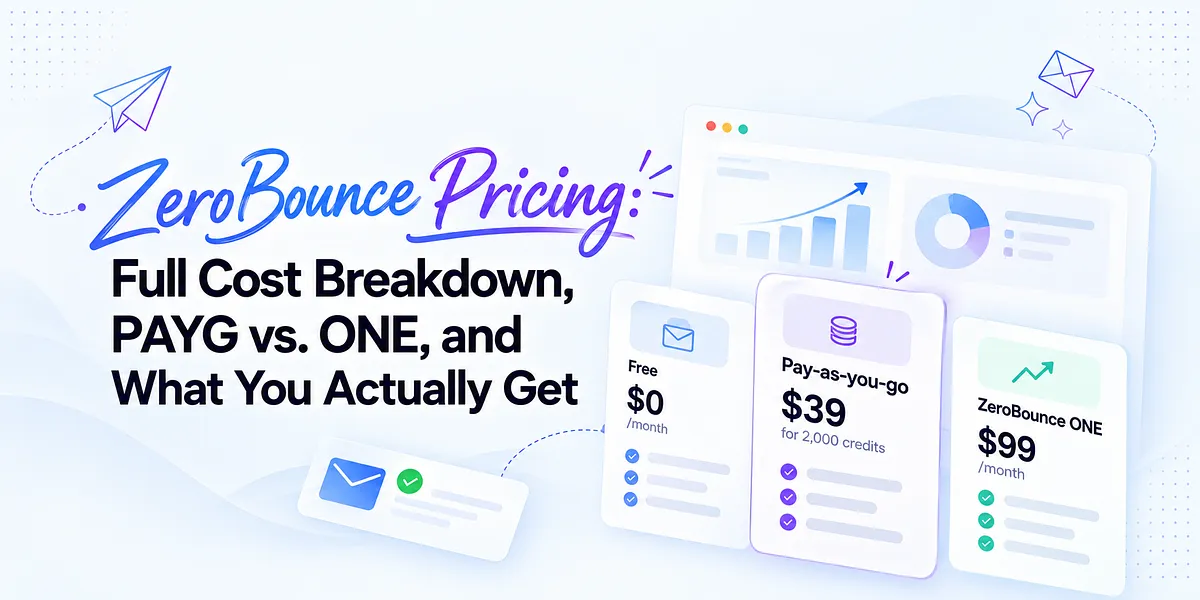
ZeroBounce pricing at a glance
ZeroBounce has three pricing surfaces that work independently of each other. You can mix them: buy PAYG credits and never touch ONE, or subscribe to ONE and top up with PAYG credits when you exceed your monthly allowance.
Plan | Cost | What you get | Effective cost/credit |
| Free | $0/month | 100 validations, 1 inbox placement test, 1 server test, 1 blacklist monitor, 10 Email Finder searches | — |
| Pay-as-you-go | Starts at $39 for 2,000 credits | Validation credits only, no monitoring bundle, credits scale from 2,000 to 1,000,000 per purchase | $0.0195 at entry, down to $0.0032 at 1M |
| ZeroBounce ONE | $99/mo (monthly) or $79/mo (annual) | 10,000 credits/month plus inbox placement, DMARC, blacklist, warmup, and server testing tools | $0.0099 (monthly) or $0.0079 (annual) |
Checked [date], USD, excl. tax. Source: ZeroBounce pricing page.
The number most people are searching for, how much ZeroBounce costs per email, depends entirely on which surface you're using. PAYG credits are cheapest at high volume but buy validation only. ONE credits cost more per unit but come with tools you'd otherwise have to buy separately or go without.
If you're validating a list once before a send and don't need ongoing monitoring, PAYG is usually the better deal. If you're sending continuously and want inbox placement tests, DMARC visibility, or blacklist alerts bundled in, ONE's per-credit premium can pencil out once you account for what you'd pay for those tools elsewhere.
Full ZeroBounce pay-as-you-go pricing table
PAYG credits carry no subscription commitment and no monthly reset. You buy a pack, use it whenever, and buy again when you run out. This is the model most teams mean when they search for bulk email verification pricing rather than a recurring plan.
Credits | Price | Cost per credit |
| 2,000 | $39 | $0.0195 |
| 5,000 | $69 | $0.0138 |
| 10,000 | $129 | $0.0129 |
| 25,000 | $274 | $0.0110 |
| 50,000 | $499 | $0.0100 |
| 100,000 | $649 | $0.0065 |
| 250,000 | $1,299 | $0.0052 |
| 500,000 | $2,199 | $0.0044 |
| 1,000,000 | $3,199 | $0.0032 |
Checked [date], USD, excl. tax. Source: ZeroBounce pricing page.
The steepest drop in cost per credit happens between the 50,000 and 100,000 tiers. Cost per credit falls from $0.0100 to $0.0065, a 35% reduction for doubling the pack size. Below 50,000 credits, the curve is flatter. You're paying a premium for flexibility on smaller lists, which makes sense if you're validating a one-off import rather than running recurring cleanups.
Above 250,000 credits, the marginal savings per additional tier shrink. Going from 500,000 to 1,000,000 credits only cuts cost per credit by about 27%, compared to the 35% jump from 50,000 to 100,000. If you're near a tier boundary, check whether stepping up one level actually saves more than it costs. Sometimes buying two smaller packs is close enough in price that the extra flexibility wins.
Keep in mind this table reflects validation credits only. It doesn't include inbox placement testing, DMARC monitoring, or blacklist alerts. Those live inside ONE or the free tier's limited allowances, not the PAYG ladder.
ZeroBounce ONE pricing and what the subscription includes
ZeroBounce ONE is the company's subscription tier, priced at $99/month billed monthly or $79/month billed annually. Both versions include 10,000 validation credits per month, which works out to $0.0099 per credit on the monthly plan or $0.0079 per credit annually.
That's more expensive per credit than most of the PAYG ladder. The 10,000-credit PAYG pack costs $129 for a one-time purchase, versus $99/month recurring for ONE. But ONE isn't selling validation credits alone. It bundles a set of monitoring and testing tools that don't exist anywhere in the PAYG structure:
Feature | ONE allowance |
| Validation credits | 10,000/month |
| Daily warmup seeds | 250 |
| Inbox placement tests | 100/month |
| DMARC domains monitored | 1 |
| Server tests | 100/month |
| Blacklist monitors | 10 |
| Email Finder searches | 10,000/domain |
Checked [date], USD, excl. tax. Source: ZeroBounce pricing page.
The math only makes sense once you price out what these tools would cost separately. A standalone DMARC monitoring tool, a blacklist monitoring service, and an inbox placement tester each carry their own subscription cost. If you'd otherwise be paying for three or four separate tools, ONE's per-credit premium can be a reasonable trade for consolidation.
If you only need validation and don't touch warmup, DMARC, or inbox placement, ONE is the wrong purchase. You're paying a recurring premium for tools you won't use, when a PAYG pack does the one job you actually need at a lower per-credit cost with no subscription commitment.
It's worth noting the DMARC and blacklist allowances are sized for one brand watching its own domain and a modest number of blacklists, not for a team monitoring client portfolios. An agency running deliverability for a dozen client domains will hit ONE's ceiling almost immediately.
What a ZeroBounce credit actually buys
Credits are ZeroBounce's base unit, and understanding what triggers a charge (or doesn't) matters more than the headline price.
Here's how consumption works:
- 1 credit per email validation
- 1 credit per AI-based scoring pass
- 20 credits per successful Email Finder query (a query that returns a found email address)
- 0 credits for results that come back unknown or duplicate
That last point is worth sitting with. If ZeroBounce can't confidently classify an address, or if you submit a duplicate that's already been checked, you're not charged for it. This matters for cost planning on messy lists. A list with a high proportion of unverifiable or duplicate addresses will burn through fewer email verification credits than the raw list size suggests.
Email Finder pricing is a different animal entirely. At 20 credits per successful match, finding email addresses is roughly 20 times more expensive than validating ones you already have. If your workflow leans heavily on Email Finder to build lists from scratch, factor that multiplier into your credit budget separately from validation volume. A campaign that needs 5,000 found addresses will consume the same credits as validating 100,000 known ones.
ZeroBounce also offers an email validation API for developers who want to validate addresses at the point of capture, rather than only in batch uploads. API calls draw from the same credit pool as bulk file uploads, so real-time signup-form validation and periodic list cleaning share one balance rather than separate budgets.
What a credit does not buy is any signal about what happens after you send. Validation confirms an address exists, accepts mail, and isn't a known trap or complainer at the moment you check it. It says nothing about whether your message clears spam filters, lands in Promotions, or gets flagged after a content or volume change. That's a different category of tool, built around post-send monitoring rather than pre-send checks.
The free plan: what you can and can't test
ZeroBounce's free plan is genuinely more useful than most vendors' token free tiers, and it's worth understanding exactly where its limits sit before assuming it covers your workflow.
Free plan allowances:
- 100 validations per month
- 1 inbox placement test
- 1 server test
- 1 blacklist monitor
- 10 Email Finder searches
- No warmup
- No DMARC monitoring
For a solo operator testing a small list before a single send, or someone kicking the tires on ZeroBounce's interface before committing to a paid plan, the free tier does real work. A hundred free validations is enough to sanity-check a small segment or a batch of new signups. One inbox placement test and one server test give you a single snapshot, useful for a one-off check, not for anything recurring.
The limits become obvious fast if you're managing more than a single small list or sending on any kind of regular cadence. One blacklist monitor covers one domain or IP watched against ZeroBounce's list set. It won't scale to a second sending domain, let alone a client portfolio. No DMARC access at all means zero visibility into authentication alignment or unauthorized senders using your domain, which is a meaningful gap if you're running any kind of ongoing sending program.
Treat the free plan as a trial of ZeroBounce's interface and validation accuracy, not as a viable long-term setup for anyone sending regularly. Once you're past occasional list checks, you'll need either PAYG credits for validation volume or ONE for the monitoring tools the free tier only samples.
ZeroBounce credit expiration rules (and who they affect)
Credit expiration is one of the few places in ZeroBounce's pricing where the details actually change your math, so it's worth stating precisely rather than in general terms.
The policy splits by account creation date:
- Accounts created on or before June 1, 2026: purchased credits never expire. You can buy a large pack, use a fraction of it this year, and the remainder sits available indefinitely.
- Accounts created after June 1, 2026: credits expire two years from the date of your last purchase. Buying more credits resets that two-year clock; letting it run out without a purchase forfeits whatever balance remains.
- Active ONE subscribers: credits don't expire while the subscription is active, regardless of which cohort you fall into. The expiration clock only starts (or resumes) once you cancel or let the subscription lapse.
The practical effect is different depending on how you use ZeroBounce. If you opened your account before the cutoff and buy PAYG credits in bulk to get volume pricing, you can sit on unused credits without worrying about a forfeiture date. If your account is newer, buying a large pack you don't plan to fully use within two years means budgeting around that clock, or accepting that some purchased credits may never get spent.
For ONE subscribers specifically, the expiration risk shows up at cancellation. If you cancel and don't come back to use or top up your remaining balance within the applicable window, whatever credits accumulated during your subscription are subject to the same expiration rules as any other purchase. Anyone planning to pause and later resume a ONE subscription should check their balance and expiration date before the pause, not after.
Real-world cost scenarios by list size
Credit prices look abstract until you attach them to a list you actually manage. Here's what validation costs at five common list sizes, using the PAYG ladder from the pricing table above.
List size | Cheapest PAYG option | One-time cost | Cost per email |
| 2,000 | $39 pack | $39 | $0.0195 |
| 10,000 | $129 pack | $129 | $0.0129 |
| 50,000 | $499 pack | $499 | $0.0100 |
| 100,000 | $649 pack | $649 | $0.0065 |
| 500,000 | $2,199 pack | $2,199 | $0.0044 |
Checked [date], USD, excl. tax. Calculated from ZeroBounce's published PAYG pricing.
A one-time list clean is straightforward math. The number that catches people off guard is what happens when you re-verify on a schedule.
Say you're running a 50,000-contact list and re-verifying quarterly to catch decay from bounces, role changes, and spam trap recycling. That's four purchases a year at the 50,000-credit price point: $499 x 4 = $1,996 annually, versus $499 for a single pass. The per-credit rate doesn't change, but the annual commitment quietly turns a one-time expense into a recurring line item that's easy to underestimate when you're only looking at the sticker price on one purchase.
The same math applies at any volume. A 500,000-contact list re-verified quarterly runs $2,199 x 4 = $8,796 a year, even though the "list price" you'd quote a stakeholder is $2,199. If your list grows between verification cycles, credits used per pass go up too, compounding the annual number further.
This is the calculation to run before committing to a cadence. Multiply your chosen pack price by how many times a year you'll actually re-verify, not just the cost of the first pass.
ZeroBounce pricing by use case: which model fits your team
The right plan depends on how often you validate and whether you need the monitoring tools bundled into ONE. Here's how that breaks down by sender type.
Buyer type | Recommended plan | Breaking constraint |
| Solo newsletter operator, occasional list checks | Free plan or smallest PAYG pack | Free plan's single blacklist monitor and no DMARC access won't cover an active sending program |
| Affiliate marketer, high-volume irregular sends | PAYG, sized to largest single campaign | No monitoring included, needs a separate deliverability layer for ongoing visibility |
| eCommerce/SaaS lifecycle team, steady quarterly cleaning | PAYG at scheduled intervals | Cost is fine, but ONE's warmup and inbox placement tools may be worth pricing in if not covered elsewhere |
| Team using warmup, inbox placement, and DMARC actively | ZeroBounce ONE | Single DMARC domain and 10 blacklist monitors cap out fast if usage grows |
| Agency managing multiple client domains | Neither ONE nor PAYG cleanly | ONE's one-domain DMARC and 10-monitor blacklist allowance is sized for a single brand, not a client portfolio |
The agency row deserves a second look, because it's the case where ZeroBounce's pricing structure runs into its clearest ceiling. ONE's monitoring allowances read as generous for a single sender watching its own domain. They don't scale to an agency workflow tracking DMARC alignment and blacklist status across a dozen or more separate client domains. You'd need multiple ONE subscriptions, PAYG credits layered on top, or a different tool built for multi-domain monitoring from the start.
Validation vs. deliverability monitoring: what you're actually paying for
It's worth being precise about what ZeroBounce credits and subscription tiers actually cover, because validation and deliverability monitoring answer different questions.
Validation is a pre-send check. It confirms an email address exists, accepts mail, and isn't a known trap, complainer, or disposable domain at the moment you run the check. That's the entire job, and ZeroBounce does it at scale. Its accuracy figures (vendor-reported at 99.6%) reflect years of building out validation infrastructure specifically for this task.
Deliverability monitoring is a different, ongoing concern. It tracks what happens after you send: whether your message clears spam filters, where it lands across Gmail, Outlook, Yahoo, and other providers, whether your domain or IP reputation is trending down, whether you've picked up a new blacklist listing, and whether your SPF, DKIM, and DMARC records are still aligned as your sending sources change. DMARC's value in particular comes largely from continuity: aggregate reports arrive daily, and the signal is in the pattern across reports, not any single one.
ZeroBounce ONE includes a slice of this second category: inbox placement tests, a single DMARC domain, blacklist monitors, warmup seeds. But it's a bundle of individual point checks, not a system built to correlate them. A DMARC report tells you one thing. A blacklist alert tells you another. An inbox placement snapshot tells you a third. None of them, on their own, tell you why placement shifted or what changed since your last check.
That's the layer where a platform built specifically around combined deliverability signals does different work. ZeroBounce tells you whether contacts and sending assets pass individual checks. Mailora helps you understand what the combined deliverability signals mean and what to do next, correlating placement changes, reputation trends, and authentication drift into something you can act on, rather than reading five separate dashboards and guessing at the connection. You can look at Mailora's deliverability monitoring features to see how that correlation layer is built.
None of this replaces list validation. A clean list is still the input that makes any of this worth measuring. Mailora doesn't verify addresses. ZeroBounce doesn't diagnose why a clean list is still landing in spam. Most senders need both functions covered somewhere in their stack.
Is ZeroBounce ONE worth it for inbox placement and DMARC?
If your only need is a periodic sanity check, ONE's inbox placement and DMARC allowances are enough to notice when something's obviously wrong. A hundred inbox placement tests a month covers a reasonable testing cadence for a single sender running a handful of campaigns. One DMARC domain is fine if you send from exactly one brand's domain and nothing else.
Where it stops being enough: DMARC monitoring is most useful as a continuous signal, not a monthly spot check. Unauthorized senders, alignment failures, and policy drift show up in aggregate reports that arrive daily. A single-domain allowance gives you visibility into that one domain, but no context on how your placement or authentication compares over time against a broader monitoring history, and no coverage at all if you run more than one sending domain.
Same logic applies to blacklist monitoring. Ten monitors sounds like a lot until you're watching a domain, a couple of subdomains, and a dedicated IP or two. The allowance disappears faster than it looks like it should.
If your deliverability needs are genuinely simple (one domain, occasional inbox checks, basic DMARC visibility), ONE's bundle covers it without needing a second tool. If you're running continuous monitoring across multiple domains or IPs, tracking reputation trends over time, or need alerts correlated against sending changes rather than static snapshots, you'll outgrow ONE's allowances quickly. That's the point where dedicated inbox deliverability monitoring built for multi-domain, continuous visibility becomes the more accurate fit.
ZeroBounce pricing vs. deliverability platforms
ZeroBounce competes in two different markets depending on which feature you're pricing. As a validation tool, its main competitors are other credit-based verification services. As a deliverability platform (through ONE's bundled tools), it sits alongside a different set of products that are priced per domain, per mailbox, or per monitored asset rather than per validation credit.
Platform | Pricing model | Primary focus |
| ZeroBounce | Credit-based (PAYG) or flat subscription (ONE) | List validation, with monitoring tools bundled into ONE |
| GlockApps | Subscription, scaled by placement test volume | Inbox placement testing across seed lists |
| MxToolbox | Subscription tiers, scaled by monitored domains and blacklists | Blacklist and DNS/authentication monitoring |
| Validity Everest | Subscription, enterprise-oriented pricing | Deliverability monitoring and seed-list testing at scale |
| EasyDMARC | Subscription, priced per domain | DMARC monitoring and enforcement |
| Warmy.io | Subscription, priced per mailbox/warmup seat | Email warmup and inbox placement |
Pricing models summarized directionally from each vendor's own published pricing pages; check current rates before comparing, as structures and tiers change.
The structural difference is worth naming plainly. ZeroBounce prices around credits consumed per validated address, with monitoring tools riding along inside ONE as a fixed monthly allowance. Most dedicated deliverability platforms price around assets monitored: domains, mailboxes, or inboxes tracked continuously. That means ZeroBounce's DMARC and blacklist allowances are capped by plan tier, while a monitoring-first platform's pricing scales more directly with how many domains or mailboxes you actually need to watch.
Neither model is objectively better. If you send from one domain and validate lists occasionally, ZeroBounce's bundle is simpler and cheaper than assembling separate subscriptions. If you're watching several domains continuously or need mailbox-level warmup at scale, a platform priced around monitored assets will flex further than ONE's fixed allowances. You can compare Mailora pricing against this list if you're weighing a dedicated monitoring layer instead of, or alongside, ZeroBounce.
When ZeroBounce is the right choice, and when it isn't
ZeroBounce is a strong choice when the core job is validation: cleaning a purchased or aging list, verifying signups in bulk before a campaign, or running periodic hygiene checks on a list that grows steadily. Its credit ladder rewards volume, the free tier is genuinely useful for testing the product, and Email Finder adds a capability most validation-only competitors don't offer.
It's also a reasonable choice for a single-domain sender who wants basic inbox placement and DMARC visibility without buying a separate monitoring tool. ONE's bundle covers that use case at a flat, predictable monthly cost.
It's the wrong choice, or at least an incomplete one, in three situations. First, if you're managing multiple sending domains and need DMARC or blacklist monitoring across all of them, ONE's single-domain allowance won't stretch far enough. Second, if you need continuous, correlated visibility into deliverability trends rather than periodic point checks, ONE's tools are individually useful but not built to connect to each other. Third, if you're already paying for validation elsewhere and only need the monitoring half, buying ONE just for its bundled tools means paying for 10,000 monthly credits you may not use.
Where Mailora fits alongside or instead of ZeroBounce
Mailora and ZeroBounce solve different problems, and for most senders that means using both rather than choosing one over the other.
ZeroBounce's job is confirming that the addresses on your list are real, reachable, and not going to generate bounces or spam complaints when you send to them. That's a pre-send input problem, and it's the same problem regardless of what happens after you hit send.
Mailora's job starts where that leaves off. It's built around correlating what happens post-send: inbox placement across providers, authentication alignment, domain and IP reputation trends, and blacklist status, tracked continuously rather than as one-off snapshots. Where ZeroBounce ONE gives you individual tools bundled at fixed allowances, Mailora is built specifically around reading those signals together and surfacing what changed and why.
If you're running one domain with light sending volume, ZeroBounce ONE alone may cover both jobs well enough. If you're managing multiple domains, need continuous monitoring rather than periodic checks, or want the deliverability side of your stack to do more than confirm individual pass/fail results, that's the gap a dedicated monitoring layer is built to close.
Conclusion
ZeroBounce's pricing is straightforward once you separate the two models. PAYG credits get cheaper per email as you buy more, bottoming out around $0.0044 at the million-credit tier. ONE trades volume discounts for a flat monthly rate plus a bundle of monitoring tools, and it's the better deal if you're validating on a schedule and actually using the warmup, inbox placement, and DMARC allowances that come with it.
Neither model answers the question of what happens after you hit send. A clean list is the input. What your messages do once they leave your ESP (where they land, whether your reputation is holding, whether a blacklist listing just appeared) is a separate, ongoing problem that a validation credit doesn't cover.
If you're already paying for ZeroBounce or evaluating it, it's worth knowing where that gap sits and what fills it. Run your first deliverability test to see what your current sending setup looks like from the deliverability side, independent of list validation.
FAQ
How much does ZeroBounce cost per email verification?
It depends on the plan. PAYG credits range from about $0.0195 per email at the smallest 2,000-credit pack down to roughly $0.0044 at the 1,000,000-credit pack. ZeroBounce ONE brings the effective rate to $0.0099 per credit monthly or $0.0079 annually, based on the included 10,000 monthly credits.
Is ZeroBounce ONE cheaper than buying pay-as-you-go credits?
For 10,000 credits a month, yes. ONE's $99/mo ($0.0099/credit) beats the PAYG 10,000-pack price of $129 ($0.0129/credit), and the annual ONE rate is cheaper still. ONE only wins if you're consistently using close to the full monthly allowance; sporadic or one-off validation needs are usually cheaper on PAYG.
Do ZeroBounce credits expire?
Accounts created on or before June 1, 2026 keep credits indefinitely. Accounts created after that date have credits that expire two years from the date of last purchase. Credits also don't expire while an active ONE subscription is running; the clock resumes only after cancellation.
What does the ZeroBounce free plan include?
100 validations a month, one inbox placement test, one server test, one blacklist monitor, and 10 Email Finder searches. It doesn't include email warmup or DMARC monitoring, which are reserved for paid tiers.
Does ZeroBounce pricing cover DMARC monitoring for multiple domains?
Not really. ONE includes exactly one DMARC domain and 10 blacklist monitors, which fits a single-brand sender but not an agency or multi-domain portfolio. Covering several client domains means running multiple ONE subscriptions or looking at a tool built for multi-domain monitoring.
Stay in the loop
Deliverability insights, product updates, and early access to new features. No spam, unsubscribe anytime.
By subscribing, you agree to our Privacy Policy. Unsubscribe anytime.