Key Takeaways
|
Google and Yahoo's 2024 bulk sender requirements put a concrete number on complaint tolerance: reported spam rates should stay below 0.3%. That makes Yahoo complaint feedback loop data an operating input, not a nice to have.
If you send enough mail to matter at Yahoo, the complaint feedback loop helps you see which authenticated mail stream generated a spam complaint and gives you a faster path to suppression. The value is not the report itself. The value is using that signal before complaints start showing up as weaker inbox placement, lower engagement, or tougher investigations with your ESP.
The setup is straightforward when your DKIM, domain ownership, and reporting workflow are clean. It gets harder when multiple teams share the same signing identity, or when complaints arrive but nobody can tie them back to a send job. This guide focuses on the setup decisions that make Yahoo complaint data actionable.
What Yahoo's complaint feedback loop actually gives you
Yahoo's complaint feedback loop sends abuse reports in ARF, which is the standard email abuse reporting format. Those reports typically include complaint metadata and the original message headers, which lets you identify the authenticated stream, campaign timing, and often the recipient or a message identifier you can work from.
For deliverability teams, that matters because Yahoo complaint handling is identity-driven. If the message that generated the complaint was signed with a DKIM domain you do not control, or with a shared ESP signature, you may not be able to register the right stream cleanly or use the complaint data with confidence later.
The signal is most useful in three places: immediate suppression, trend analysis by campaign or lifecycle stage, and root cause analysis when a particular journey starts creating more complaints than usual.
Prerequisites before you apply
Use a DKIM identity your team controls
This is the big one. Yahoo complaint programs are tied to authenticated identity, so you need mail signed with a DKIM domain and selector your team can manage. If your ESP is still signing with a shared domain, move to custom DKIM first. Otherwise you may receive incomplete coverage, create ownership problems, or fail validation during enrollment.
Make sure your From domain and authentication are stable
The complaint feedback loop is easier to operate when your visible From domain, DKIM d= domain, and DMARC alignment are consistent. DMARC is not the feedback loop itself, but Yahoo's bulk sender expectations still require proper authentication, and stable alignment makes complaint analysis much cleaner.
Create a dedicated mailbox for ARF reports
Use a role address your systems or deliverability team actively monitors, such as abuse@ or fbl@ on a domain you control. Do not route these reports to a personal inbox. Complaint data is only valuable if it lands somewhere your suppression logic, case management, or data pipeline can process quickly.
Separate mail streams if different teams need different decisions
If marketing, product, and transactional teams share one DKIM identity, complaint analysis gets muddy fast. It becomes much harder to answer simple questions like which journey caused the spike or which team should change frequency. If possible, assign distinct signing identities by mail stream or business unit.
| Requirement | Why it matters | What good looks like |
|---|---|---|
| Custom DKIM | Lets Yahoo associate complaints with your authenticated stream | Your own d= domain and known selectors |
| Stable From domain | Makes complaint analysis easier across teams and tools | Consistent brand and alignment |
| ARF mailbox | Ensures complaints reach an operational workflow | Dedicated role address with automated ingestion |
| Stream mapping | Prevents mixed signals across teams | Separate identities or strong header level attribution |
Yahoo complaint feedback loop setup, step by step
1. Inventory the domains and selectors you actually send with
Start with observed outbound traffic, not documentation. Pull recent headers from the mail streams that hit Yahoo addresses and confirm the DKIM d= value, selector, From domain, return path pattern, and ESP or MTA source. Teams often discover that the domain they think they use is not the one in production.
2. Decide which identity should be enrolled
Enroll the identity that represents the stream you need complaint visibility for. If one brand uses multiple selectors under the same DKIM domain, document them. If multiple brands share a signing domain, consider separating them before enrollment so complaint data leads to clear decisions instead of debates.
3. Prepare the reporting destination
Create the mailbox that will receive ARF reports, confirm it accepts inbound mail reliably, and decide how reports will be parsed. At minimum, plan to capture the complaint timestamp, recipient when present, Message-ID, DKIM domain, subject line, and any custom campaign headers you already stamp into outgoing mail.
4. Submit Yahoo's current feedback loop enrollment form
Yahoo periodically updates its sender and postmaster workflows, so use Yahoo's current official complaint feedback loop enrollment path rather than an old bookmarked form. Expect to provide contact details, the sending domain or DKIM identity, and the mailbox that should receive reports.
5. Complete any ownership or validation steps
If Yahoo asks you to validate domain control or confirm the reporting address, complete that step from the same team that owns DNS and deliverability operations. Delays here are common when the sender identity sits with one team and the receiving mailbox sits with another.
6. Send controlled test traffic and verify the data path
After approval, send a small, traceable test to seed accounts at Yahoo, then confirm complaints, when generated, can be tied back to the original send. The goal is not just to receive ARF mail. The goal is proving that your team can suppress, classify, and report on the complaint signal without manual guesswork.
How to make the reports useful after setup
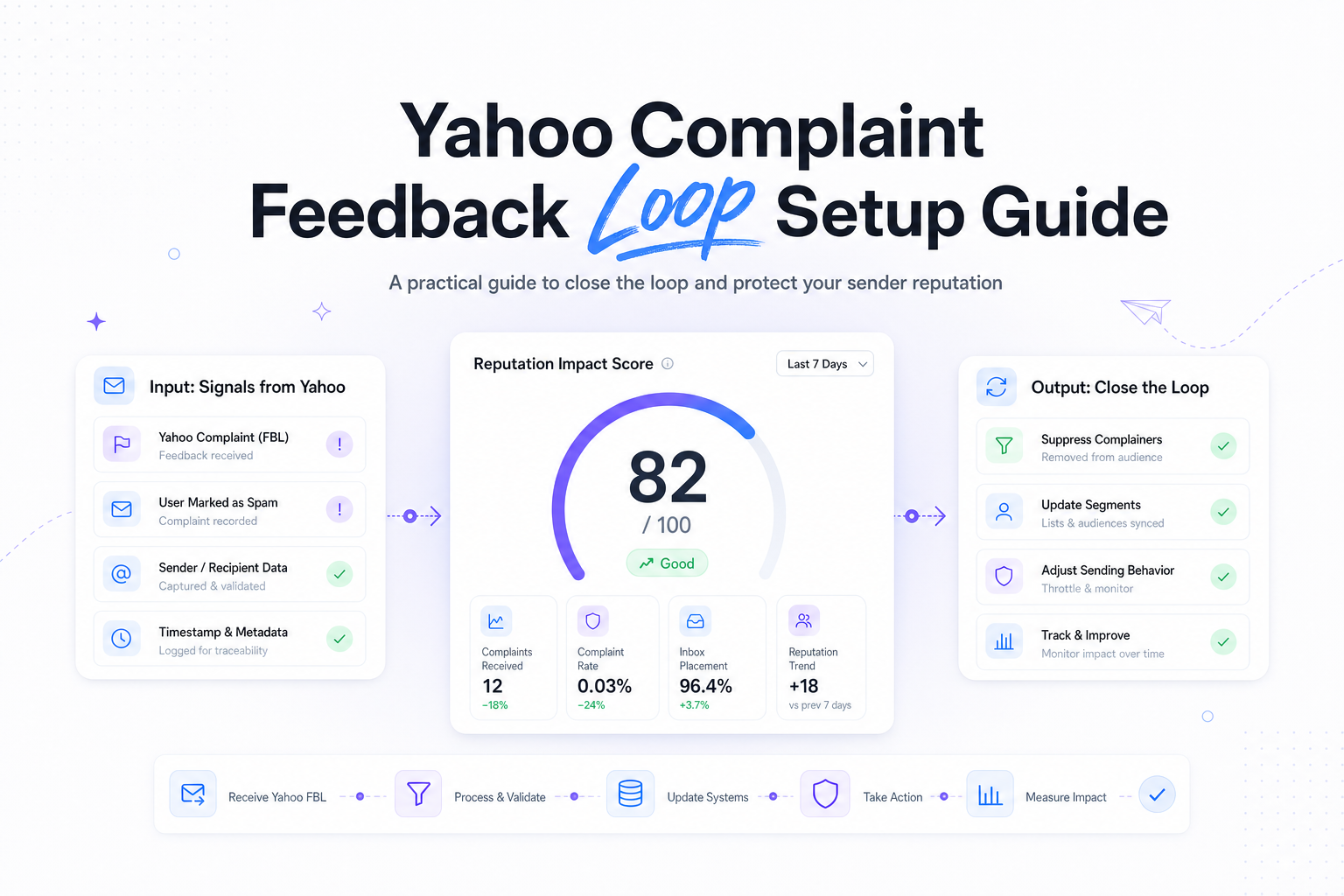
Yahoo complaint data becomes valuable when it moves beyond an inbox folder and into your normal send controls. That usually means three actions: suppress the complaining user as quickly as possible, attribute the complaint to a specific campaign or journey, and review the trend by audience source, frequency, and message type.
If the recipient address is present in the ARF report, suppression is straightforward. If it is redacted or incomplete, use the headers. Message-ID, send timestamp, DKIM identity, subject, and custom job headers can usually narrow the source enough to stop the right mail stream and investigate the right audience.
For lifecycle and RevOps teams, the biggest win is trend analysis. Look at complaint rate by acquisition source, age of subscriber, engagement tier, journey type, and recent frequency change. A complaint spike from a reactivation program means a different fix than a spike from new user onboarding.
Most teams benefit from setting an internal operating threshold below the provider limit. If 0.3% is the hard line from bulk sender requirements, keeping campaigns comfortably below that gives you room for variability by segment, season, or list source.
Common Yahoo complaint feedback loop setup problems
| Symptom | Likely cause | What to check first |
|---|---|---|
| No complaint reports arrive | Enrollment not approved, wrong reporting mailbox, or not enough Yahoo complaint volume | Approval status, mailbox delivery, and recent Yahoo send volume |
| Reports arrive but cannot be tied to a campaign | Missing custom headers or shared signing identity | Message-ID logging, campaign headers, DKIM domain ownership |
| Only some mail streams appear in reports | Multiple DKIM identities, some not enrolled | Live headers across every ESP, MTA, and business unit |
| Complaint rate stays high after setup | Acquisition quality, expectation mismatch, or frequency jump | List source, welcome flow, unsubscribe visibility, recent cadence changes |
No reports does not always mean the setup failed
If Yahoo volume is low, you may simply not have enough complaint activity to generate meaningful data. Validate the pipeline with controlled tests, but do not assume a quiet mailbox means the program is broken. Start by confirming that authentication and enrollment are correct.
Shared ESP signing causes more trouble than most teams expect
When several customers or brands sign with the same ESP-owned identity, complaint visibility and ownership get messy. This is why custom DKIM is usually the first operational fix, even before you revisit list strategy or frequency rules.
Suppression speed matters more than mailbox volume
The feedback loop is not just a reporting feed. It should directly support faster suppression and cleaner targeting. If complaints still sit in a queue for days, you have solved the setup step but not the deliverability problem.
Run your first deliverability test with Mailora, then compare Yahoo complaint signals against your authentication and segmentation choices.
FAQs
Do I need DMARC to set up Yahoo's complaint feedback loop?
Not as the feedback loop mechanism itself, but you do need proper authentication to meet Yahoo's sender expectations, and consistent DMARC alignment makes complaint data much easier to trust and use.
Can I set up Yahoo complaint feedback loop if I send through an ESP?
Yes, if the mail is signed with a DKIM identity your team controls. If your ESP uses shared signing, move to custom DKIM first.
Will Yahoo complaint reports always identify the complaining recipient?
No. Some reports may be redacted or only partially useful, which is why strong header logging and campaign level identifiers matter.
How long does approval usually take?
It varies by Yahoo's current process and any validation steps required. Plan for several business days, and longer if domain ownership or mailbox routing is unclear.
Does Yahoo complaint feedback loop cover every Yahoo related mailbox?
Coverage depends on Yahoo's current program scope and the identities you enroll. Confirm which domains and streams are included when your enrollment is approved.
Stay in the loop
Deliverability insights, product updates, and early access to new features. No spam, unsubscribe anytime.
By subscribing, you agree to our Privacy Policy. Unsubscribe anytime.