Why Email Deliverability Is ESP-Specific (and How to Configure Each Platform)
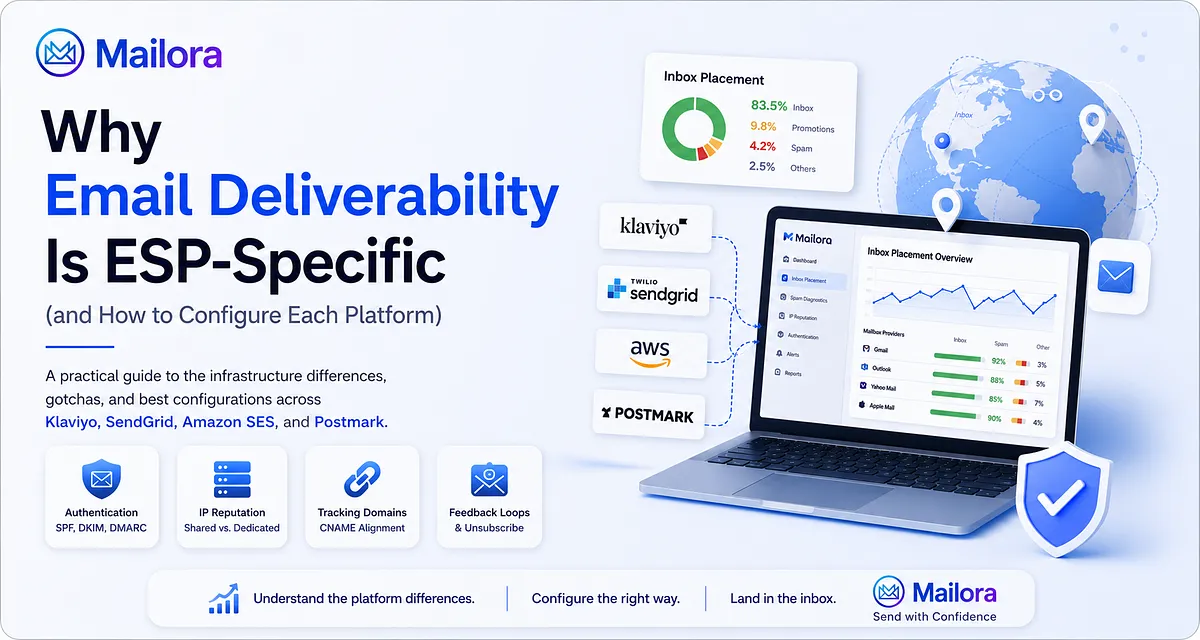
If you manage email infrastructure or marketing operations, you may have encountered this scenario: you take an email template that inboxed reliably on one platform, migrate it to a different provider, send to the same list, and see a noticeable drop in engagement or unexpected inbox placement drops.
On paper, the setup appears identical. The domain is unchanged, SPF and DKIM records are verified, and DMARC records show passing.
Yet Gmail routes messages to Spam, or Microsoft 365 sends transactional notifications to the Junk folder.
When deliverability issues strike, blaming the ESP too early can waste valuable engineering resources and time. While email deliverability varies significantly across Email Service Providers (ESPs), deliverability ultimately depends on both sender reputation and infrastructure management.
Mailbox providers evaluate far more than just the root domain name in the From: line. Modern inbox providers evaluate sender identity, authentication, transmitting IP pools, Return-Path bounce handling, link-rewriting domains, and the consistency of your sending pattern over time.
Because each ESP implements its underlying infrastructure, routing policies, and compliance vetting differently, inbox providers may reach different filtering decisions for the exact same message payload. Here is how underlying email architectures differ in practice, what reputation signals matter, and how to configure each platform to improve deliverability.
The Four Infrastructure Layers Behind Deliverability Discrepancies
When an incoming mail server at Google or Microsoft accepts an inbound connection, spam filters evaluate multiple reputation signals to determine inbox placement. Four infrastructure layers create the primary differences across ESPs:
1. Return-Path and SPF Alignment
For deliverability and authentication purposes, two sender identities are especially important:
- Header From: The display address recipients see in their email client (RFC 5322).
- Envelope From (Return-Path): The routing address where receiving servers send bounce notifications (RFC 5321).
By default, most marketing platforms set the Envelope From to their own shared domain (e.g., sendgrid.net or a shared Klaviyo subdomain). When an inbox provider runs an SPF check, it evaluates this Envelope From domain. Consequently, SPF passes for the ESP's domain, but not for your root domain.
Under DMARC (RFC 7489), a message passes authentication if it achieves either SPF alignment or DKIM alignment:
- If your DKIM signature is aligned with your Header From domain, DMARC passes even without SPF alignment.
- However, configuring custom domains for your Return-Path achieves full SPF alignment as well. This provides authentication redundancy if intermediate mail hops modify message headers and invalidate the DKIM signature.
Authentication failures can cause significant deliverability problems, making proper DNS alignment the first line of defense.
2. Shared IP Pools and Neighboring Sender Traffic
Unless your daily email volume and sending cadence support a dedicated IP, your messages transmit through shared IP pools alongside other senders. In shared environments, overall IP reputation is tied to the collective behavior of all senders in the pool.
ESPs manage shared pools with different degrees of isolation:
- High-performing ESPs actively monitor and enforce compliance policies, using strict onboarding vetting to keep spammers off the platform and isolate high-reputation senders into premium tiers.
- Developer infrastructure providers often operate with self-service provisioning, meaning lower-tier shared pools may carry traffic from newer senders with unproven list quality.
- Mailbox provider filtering decisions: Filtering engines like Microsoft Exchange Online Protection (EOP) and SmartScreen evaluate IP- and subnet-level reputation alongside domain reputation. Senders on shared pools that experience recent abuse by neighboring accounts may encounter increased filtering, connection throttling, or messages diverted to the spam folder.
3. Click-Tracking Domains and Link Rewriting
To track message opens and link clicks, ESPs rewrite URLs in your HTML body to route through a redirect server before reaching the destination URL.
If you do not configure custom domains for branded tracking (e.g., click.yourbrand.com), your links rely on the ESP's shared tracking domain. If another sender on that generic domain triggers spam filters or lands on domain blocklists, your email performance can suffer from shared infrastructure association. Setting up a branded tracking domain ties your link reputation directly to your own domain.
4. Unsubscribe Headers and Automated Feedback Loops
Different mailbox providers have unique requirements for bulk senders. For high-volume marketing streams, Google and Yahoo enforce RFC 8058 One-Click List-Unsubscribe headers (List-Unsubscribe-Post: List-Unsubscribe=One-Click), while purely transactional messages are generally exempt.
Commercial marketing platforms typically inject these headers into broadcast campaigns automatically. Developer-focused APIs often require engineering teams to pass the appropriate header parameters in the API payload. If these headers are missing, spam filters may throttle delivery or route campaigns directly to spam.
ESP Comparison: Architecture and Configuration
| Platform | Primary Focus | Domain & Return-Path Setup | Stream Isolation Model | Management Overhead |
|---|---|---|---|---|
| Klaviyo | DTC & eCommerce Marketing | CNAME delegation for DKIM and Return-Path custom domains | Account-level shared pools / Optional dedicated IPs | Low (automated infrastructure handling) |
| SendGrid | Hybrid (API & Marketing) | CNAME validation for DKIM, Return-Path, and link branding | Subuser architecture with assigned IP pools | Moderate (requires manual stream segmentation) |
| Amazon SES | Cloud Infrastructure & Developer API | Easy DKIM + Custom MAIL FROM with MX & TXT records | Configuration Sets & dedicated IP pools | High (requires custom bounce handling & monitoring) |
| Postmark | Transactional & Application Messaging | CNAME / TXT records for DKIM and custom Return-Path | Strict physical separation: Transactional vs Broadcast Streams | Low to Moderate (pre-configured stream isolation) |
Platform-Specific Configurations and Considerations
Klaviyo: eCommerce Flows, Promotions, and Volume Surges
Klaviyo is built for retail and DTC brands, optimizing for automated customer journeys (such as browse abandonment and welcome series) and seasonal promotional campaigns.
DNS Configuration
When you set up a Dedicated Sending Domain in Klaviyo, the platform generates dynamic DNS records (typically CNAMEs) for DKIM authentication and custom Return-Path delegation (e.g., send.yourbrand.com). Setting this up ensures both DKIM and SPF align directly with your brand domain.
Dedicated IPs and Seasonal Volume Surges
A dedicated IP helps only if daily email volume and sending cadence support steady warming. A frequent misstep for retail brands is switching to a dedicated IP immediately before peak shopping periods (like BFCM) without sufficient lead time.
Dedicated IPs require steady, predictable sending volume to maintain reputation with mailbox providers. If an account sends low volume for ten months and suddenly creates sudden spikes in sending velocity (e.g., 10x normal volume) over a holiday weekend, receiving servers at Yahoo and Microsoft may issue temporary deferrals (such as 421 responses) or throttle throughput due to lack of historical velocity data. For cyclical senders, remaining on a well-managed shared pool is often safer.
Best Practices
- Configure a Dedicated Sending Domain: Ensure DKIM and Return-Path align to your domain rather than shared defaults.
- Enable Branded Click Tracking: Provision a CNAME (e.g., trk.yourbrand.com) with an active SSL certificate before sending.
- Ramp New Sending Domains with Engaged Segments: Sender behavior, including list hygiene and engagement, heavily affects deliverability. Restrict initial sends to subscribers who have opened or clicked within the last 30 days to establish positive reputation signals.
Twilio SendGrid: Subuser Governance and Stream Isolation
SendGrid supports both high-volume transactional APIs and marketing campaigns. Because of this flexibility, proper stream isolation requires deliberate account architecture.
Subusers and Traffic Separation
SendGrid provides a Subuser architecture that allows organizations to partition API credentials, data, and sending streams into distinct accounts.
A common configuration oversight is sending marketing broadcasts and critical transactional alerts through the same default stream. High complaint rates negatively impact sender reputation. If a promotional campaign causes a significant increase in spam complaints, the shared reputation hit impacts the entire stream. Separating workloads across Subusers and assigning distinct IP pools where appropriate protects password resets and order confirmations from marketing fluctuations.
Reverse DNS (PTR) Verification on Dedicated IPs
When using dedicated IPs on SendGrid, confirm that Forward-Confirmed Reverse DNS (FCrDNS) is correctly established. The IP's reverse PTR record should resolve to a hostname on your domain (e.g., mail.yourbrand.com), and that hostname must resolve back to the same IP. Receiving mail servers evaluate PTR consistency; misconfigured reverse DNS can lead to connection throttling or reduced trust during filtering.
Sample Header Verification:
Received: from mail.yourbrand.com (mail.yourbrand.com. [198.51.100.25])
    by mx.google.com with ESMTPS id ...
Received-SPF: pass (google.com: domain of bounces@yourbrand.com designates 198.51.100.25 as permitted sender)
Best Practices
- Isolate Streams via Subusers: Keep transactional and promotional traffic in separate Subuser accounts.
- Complete Link Branding: Configure branded tracking links to avoid routing through generic shared domains.
- Implement Event Webhooks: Capture bounce, drop, and spam complaint events directly in your application database for automated list hygiene.
Amazon SES: Developer Infrastructure and Account Governance
Amazon SES provides cost-effective raw sending infrastructure ($0.10 per 1,000 emails for standard outbound sends), but requires engineering teams to build and maintain suppression handling and metric tracking.
Custom MAIL FROM and MX Records
Configuring a Custom MAIL FROM domain in SES requires both an SPF TXT record and an MX record on the sending subdomain (e.g., bounces.yourbrand.com). The MX record must point to the regional SES feedback endpoint (e.g., feedback-smtp.us-east-1.amazonses.com).
If the MX record is omitted, receiving mail servers cannot verify the Return-Path host, causing SPF checks to fail.
Required DNS Records for Custom MAIL FROM:
| Record Type | Hostname / Subdomain | Priority | Target / Value |
|---|---|---|---|
| MX | bounces.yourbrand.com | 10 | feedback-smtp.us-east-1.amazonses.com |
| TXT (SPF) | bounces.yourbrand.com | — | "v=spf1 include:amazonses.com ~all" |
Reputation Monitoring Guidelines
ESPs differ in how they handle bounce and complaint feedback processes. SES monitors account-level performance based on published reputation guidelines:
- Hard Bounce Rate: AWS recommends maintaining bounce rates below 5%. High bounce rates can indicate list quality issues or repeatedly emailing invalid addresses. Accounts exceeding 5% may enter review, and continued high bounce rates lead to sending restrictions.
- Complaint Rate: AWS recommends keeping complaint rates below 0.1%. Elevated complaint rates can prompt account review or sending pauses.
Because SES does not manage list hygiene automatically, engineering teams should subscribe to Amazon SNS topics for bounce and complaint notifications and process them immediately into internal suppression lists.
Best Practices
- Enable Easy DKIM (2048-bit RSA): Ensure modern cryptographic key lengths across all sending identities.
- Automate Suppression via Amazon SNS: Ingest bounce and complaint payloads into your user database to immediately stop sends to invalid addresses or complaining recipients.
- Utilize Configuration Sets: Apply specific tracking settings, IP pools, and event destinations across different application environments.
Postmark: Opinionated Stream Architecture
Postmark enforces a strict operational model designed to protect transactional email deliverability.
Message Stream Separation
Postmark structurally divides traffic into Transactional Streams and Broadcast Streams. Each stream type routes mail through separate infrastructure and distinct IP clusters.
If marketing or broadcast mail is detected on a Transactional Stream, the platform flags the activity to prevent bulk engagement patterns from impacting critical transactional throughput.
Infrastructure Benefits
By isolating transactional routes from marketing volume and enforcing strict sender vetting, Postmark maintains high baseline reputation on its shared transactional pools. This architecture is well-suited for time-sensitive notifications, password resets, and account alerts.
Best Practices
- Respect Stream Boundaries: Route user-initiated notifications through Transactional Streams and scheduled newsletters through Broadcast Streams.
- Authenticate Custom Return-Paths: Configure DKIM and Return-Path DNS records for complete domain alignment.
- Track Latency via Webhooks: Monitor Postmark's webhook data to identify delivery latency or ISP deferrals at the template level.
What Actually Happens During an ESP Migration
When changing email providers, domain reputation does not automatically transfer intact. Domain reputation is critical for mailbox providers like Gmail, and modern mailbox providers assess sending patterns and behavior over time.
Mailbox providers assess sender trust using a composite of factors:
- Root Domain Reputation: Long-term brand trust built across past sending history.
- Sending IP Reputation: The historical performance and trust score of the new transmitting IP addresses.
- Infrastructure Identifiers: Updated Return-Path hostnames, custom domains for tracking, and DKIM selector keys.
- Traffic Velocity and Sending Cadence: How smoothly volume transitions to the new infrastructure without sudden spikes.
When you migrate, mailbox providers observe familiar domain content arriving from unfamiliar IP addresses and infrastructure hostnames. If total email volume is shifted abruptly on day one, receiving algorithms may treat the sudden change as anomalous behavior, resulting in temporary rate-limiting, poor sender reputation scoring, or increased placement in the spam folder.
Migration Execution Checklist to Improve Deliverability
- Pre-Send Authentication Audit: Send test messages to test mailboxes to verify that SPF, DKIM, and DMARC records pass with proper domain alignment.
- Engagement-Based Phasing: Begin migration by sending through the new ESP exclusively to recipients who have engaged (opened or clicked) within the last 14 to 30 days. Email engagement metrics heavily influence inbox placement decisions.
- Gradual Volume Escalation: Increase daily send volume in stages over several weeks, establishing a predictable sending pattern and monitoring Google Postmaster Tools.
- Staggered Stream Migration: When migrating both transactional and marketing mail, keep transactional streams on stable infrastructure until marketing volume is fully established on the new platform.
Verifying Authentication in Raw Email Headers
To verify that your ESP configuration produces correct authentication and alignment, inspect the raw headers of a test message (In Gmail: Show original; in Outlook: View message details).
Review the Authentication-Results header block:
Delivered-To: recipient@example.com
Received: from mail.yourbrand.com (mail.yourbrand.com. [198.51.100.25])
    by mx.google.com with ESMTPS id ...;
Received-SPF: pass (google.com: domain of bounces@yourbrand.com designates 198.51.100.25 as permitted sender) client-ip=198.51.100.25;
Authentication-Results: mx.google.com;
    dkim=pass header.i=@yourbrand.com header.s=k1;
    spf=pass (google.com: domain of bounces@yourbrand.com designates 198.51.100.25 as permitted sender) smtp.mailfrom=bounces@yourbrand.com;
    dmarc=pass (p=REJECT sp=REJECT dis=NONE) header.from=yourbrand.com
List-Unsubscribe: <https://yourbrand.com/unsubscribe?id=123>, <mailto:unsubscribe@yourbrand.com?subject=unsubscribe>
List-Unsubscribe-Post: List-Unsubscribe=One-Click
From: Your Brand <news@yourbrand.com>
Key Validation Checks:
- SPF Alignment: smtp.mailfrom (bounces@yourbrand.com) matches or aligns with the From: domain (news@yourbrand.com).
- DKIM Alignment: header.i matches the From: domain, and dkim=pass.
- DMARC Result: Shows dmarc=pass.
- One-Click Unsubscribe: List-Unsubscribe-Post: List-Unsubscribe=One-Click is present on marketing messages.
Beyond Dashboard Delivery Rates: Verifying Real Inbox Placement
A common deliverability pitfall is equating ESP delivery rates with true inbox placement.
A 99% delivery rate in an ESP dashboard indicates gateway acceptance the receiving server accepted the SMTP connection (250 OK). It does not indicate whether the message was placed in the Primary inbox, routed to the Promotions tab, or diverted to the spam folder. Additionally, open rates have become noisy and inflated due to privacy features like Apple Mail Privacy Protection (MPP) pre-fetching tracking pixels.
Email performance troubleshooting requires multiple signals for accuracy. To diagnose email deliverability issues effectively, always check authentication, bounce codes, and complaint rates first before adjusting infrastructure.
Running pre-send inbox placement tests across Gmail, Microsoft 365, Yahoo, and Apple Mail gives you ground-truth visibility into where your messages actually land before sending to your entire list.
Whether you are planning an ESP migration, configuring custom domains, or resolving sudden inbox placement drops, evaluating multiple reputation signals and verifying real mailbox placement provides the clarity needed to maintain consistent deliverability.
Test Your Sending Setup with Mailora
Before launching your next campaign or migration, verify where your messages land across Gmail, Outlook, Yahoo, and Apple Mail.
Run your first test Inspect authentication headers, audit domain alignment, and verify inbox placement across major providers.
Stay in the loop
Deliverability insights, product updates, and early access to new features. No spam, unsubscribe anytime.
By subscribing, you agree to our Privacy Policy. Unsubscribe anytime.