What Is IMAP? Protocol, Ports & Inbox Placement Testing
Key Takeaways
|
IMAP is the email protocol that keeps your mailbox synchronized across devices, but its role extends far beyond everyday email access. The same protocol that lets you read the same inbox on your laptop, phone, and webmail is also how inbox placement platforms verify where mailbox providers actually delivered your emails.
For email senders, understanding IMAP helps explain the difference between a message that was merely accepted by a receiving server and one that reached the inbox. It also clarifies why inbox placement testing relies on authenticated seed accounts, why POP3 cannot provide the same visibility, and why securing IMAP-enabled mailboxes is part of maintaining a healthy email program.
This guide explains how IMAP works, how it compares with POP3, which ports to use, and how IMAP supports accurate inbox placement testing and ISP-level deliverability visibility.
What Is IMAP?
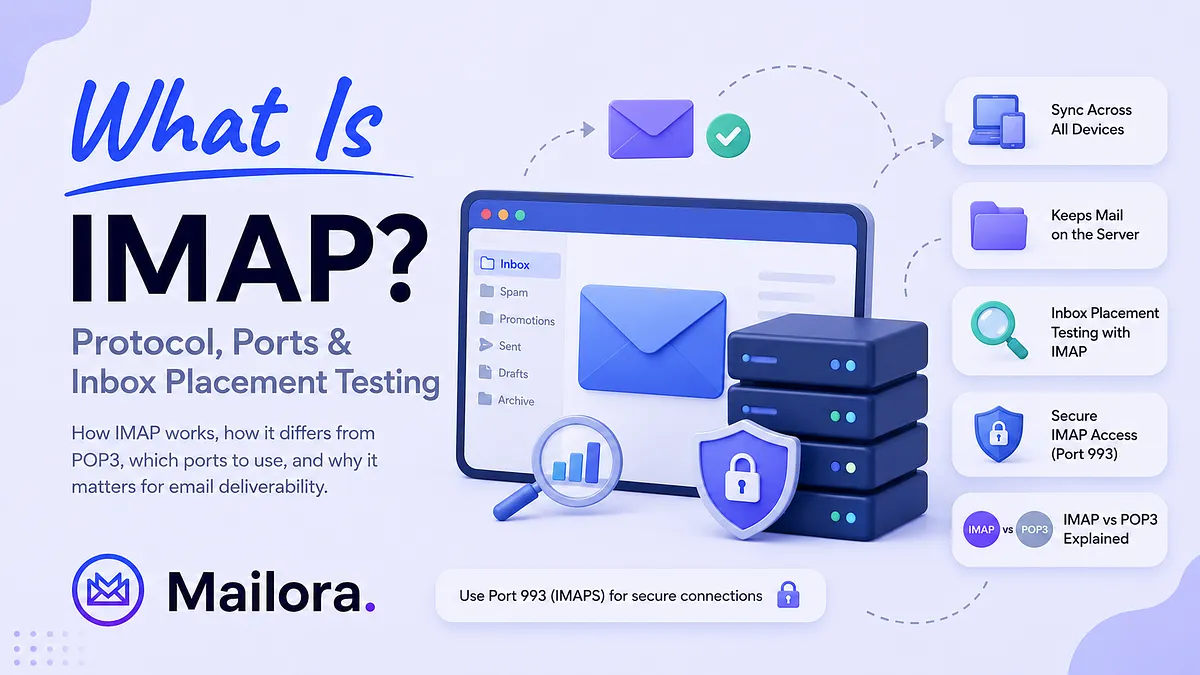
IMAP (Internet Message Access Protocol) is an email retrieval protocol that lets you access and manage messages stored on a mail server without downloading them permanently to one device. It synchronizes emails, folders, and read or delete status across all connected devices, making it the standard protocol for accessing the same mailbox from multiple clients.
IMAP was standardized in RFC 3501 and later updated in RFC 9051 (IMAP4rev2). The mailbox lives on the mail server, and every connected email client syncs with that single source of truth.
When you read, delete, move, or organize an email in one client, IMAP records that change on the server and synchronizes it across every other connected device. Whether you open your mailbox in Outlook, Apple Mail, Thunderbird, or webmail, you see the same messages, folders, and read status because the server, not any individual device, maintains the authoritative copy.
This server-side model also makes IMAP valuable for inbox placement testing. Mailbox providers such as Gmail, Outlook, and Yahoo store filtering decisions as folder state on the server. Since any authenticated IMAP client can access that folder state, inbox placement platforms can connect to seed accounts and verify exactly where each ISP delivered a test message, in the Inbox, Spam, Promotions, or another folder, instead of estimating the result from message content alone.
IMAP vs POP3: How Do They Differ?
POP3 (Post Office Protocol version 3) is an email retrieval protocol that downloads messages from a mail server to a local device. In its default configuration, downloaded emails are removed from the server, making the device the primary copy of the mailbox. Unlike IMAP, POP3 does not synchronize folders, message status, or changes across multiple devices.
Although both IMAP and POP3 retrieve email from a mail server, they manage mailboxes in fundamentally different ways. IMAP keeps messages on the server and synchronizes every action, such as reading, deleting, or moving emails, across all connected devices. POP3, on the other hand, is designed to download messages for local access, with little or no synchronization between devices.
Since IMAP maintains the mailbox on the server, it provides a consistent view of folders, message status, and mailbox organization regardless of which email client you use. POP3 is better suited to single-device access or situations where you want to keep a local copy of your email without relying on continuous server synchronization.
| Feature | IMAP | POP3 |
| Mailbox location | Messages remain on the mail server | Messages are downloaded to the local device and are typically removed from the server |
| Multi-device access | Yes. Changes sync across all connected devices | No. Each device manages its own local copy |
| Folder synchronization | Synchronizes folders, read status, flags, and message organization | Does not synchronize mailbox state or folders |
| Offline access | Cached locally while remaining synchronized with the server | Downloaded messages remain available offline |
| Best suited for | Modern email access across multiple devices | Single-device email access and local storage |
| Inbox placement testing | Supports reading server-side folder placement through seed accounts | Cannot determine which folder an ISP originally delivered a message to |
[Table: IMAP vs. POP3: Key differences in mailbox storage, synchronization, multi-device access, and support for inbox placement testing. ]
Inbox placement testing depends on reading the server-side folder where an ISP delivers a message. Since IMAP exposes that folder state, testing platforms can verify whether an email reached the Inbox, Spam, Promotions, or another folder. POP3 only retrieves the message after delivery and cannot reliably report where it was originally placed.
As a result, tools that measure actual inbox placement rely on IMAP connections to authenticated seed accounts, while content or spam scoring tools estimate deliverability without checking real mailbox placement.
How IMAP Works: The Technical Layer Explained
An IMAP session begins when an email client authenticates with the mail server and opens a persistent connection. Unlike protocols that simply download messages and disconnect, IMAP keeps the session active so the client can continuously retrieve mailbox updates, synchronize folders, and apply changes as they happen.
Instead of transferring an entire mailbox, the client requests specific information from the server. It can open folders, search for messages, download email content, or update message status, such as marking an email as read or moving it to another folder. Every change is written back to the server, allowing every connected device to stay synchronized.
When configuring an IMAP client, you'll typically encounter two ports:
- Port 993 (recommended): Encrypts the connection with TLS from the moment it's established (implicit TLS). This is the standard choice for modern IMAP deployments.
- Port 143: Supports unencrypted IMAP unless the connection is upgraded with STARTTLS. Use it only when STARTTLS is enforced before credentials are transmitted.
To keep mailboxes synchronized, IMAP clients typically use one of two methods:
- Polling: Checks the mail server at regular intervals for new messages or mailbox changes.
- IMAP IDLE: Keeps the connection open so the server can notify the client as soon as new mail arrives, enabling near real-time synchronization without manual refreshes.
For inbox placement testing, the same protocol is used to authenticate to seed accounts and retrieve mailbox state after a test email is delivered. Since the connection is encrypted and the mailbox remains on the server, testing platforms can securely verify the folder where each ISP placed the message.
IMAP Configuration for Senders: What to Verify
If you manage mailboxes on your sending domain, whether they're shared inboxes, monitoring accounts, or seed accounts, review your IMAP configuration regularly. A quick audit can reduce security risks and help ensure your deliverability infrastructure remains protected.
- Use port 993 with TLS: Configure IMAP connections over port 993, which encrypts traffic from the start of the session. If any application still uses port 143, confirm that STARTTLS is enforced before credentials are transmitted.
- Review which accounts have IMAP enabled: Not every mailbox needs IMAP access. Disable it for accounts that only receive automated notifications or aren't accessed through an email client.
- Secure seed account credentials: If you manage your own seed accounts, protect them like any other production mailbox. Use strong passwords or OAuth, rotate credentials regularly, and avoid sharing logins across multiple users.
- Prefer OAuth where supported: OAuth tokens can be revoked without changing account passwords, making access easier to manage for users, applications, and third-party tools.
- Audit shared mailboxes: Limit access to team inboxes such as info@, support@, or marketing@ to people who genuinely need it. Remove access promptly when employees or vendors leave.
- Review third-party integrations: Check which deliverability platforms, monitoring tools, or automations can access your mailboxes, and remove credentials or OAuth grants that are no longer required.
Reviewing these settings every few months, or whenever your team or email infrastructure changes, is usually enough to catch unnecessary access before it becomes a security or operational issue.
Why IMAP Is the Foundation of Real Inbox Placement Testing
Inbox placement testing measures where an email actually lands after it reaches the recipient's mail server. A test message is sent to seed accounts hosted by major mailbox providers, including Gmail, Outlook, Yahoo, and Apple Mail. Once the message is delivered, the testing platform connects to those accounts over IMAP and checks the folder where the email appears.
The result is a direct measurement of the ISP's filtering decision. If Gmail places the message in the Inbox while Outlook sends it to Junk, that's exactly what the test reports. There is no prediction or interpretation involved because the result comes from the mailbox itself.
This is what separates inbox placement testing from spam scoring:
Spam scoring | Inbox placement testing |
| Estimates deliverability risk by analyzing email content and technical checks. | Verifies where an ISP actually delivered the message by reading the mailbox folder through IMAP. |
| Can identify issues such as broken HTML, suspicious wording, or missing authentication. | Confirms whether the message reached the Inbox, Spam, Promotions, or another folder. |
| Cannot verify the ISP's final placement decision. | Reports the mailbox provider's actual filtering decision. |
Modern mailbox providers evaluate far more than message content. Sender reputation, authentication alignment, recipient engagement, and sending behavior all influence where an email ultimately lands. That's why a message with a low spam score can still reach the spam folder, while another with minor content warnings may reach the inbox because the sender has built a strong reputation.
It's also important to understand what a placement test represents. Each test captures a snapshot of filtering decisions at that moment, based on your current reputation, authentication, email content, and sending patterns. Since those signals change over time, inbox placement should be monitored regularly rather than treated as a one-time validation.
Mailora's inbox placement testing uses authenticated seed accounts across major mailbox providers to verify actual folder placement for every test. Instead of relying on a single deliverability score, you can see how each ISP handled your email and identify provider-specific placement issues before they affect campaign performance.
IMAP Security and Sender Reputation
IMAP doesn't directly influence inbox placement, but compromised mailboxes connected to your sending domain can still affect your email program. If an attacker gains access to an IMAP-enabled mailbox, they may be able to send spam or phishing emails, generate spam complaints, or damage your domain's reputation.
The highest risk usually comes from shared mailboxes, monitoring inboxes, or accounts associated with your sending infrastructure. Unused OAuth tokens and forgotten third-party integrations can also become security risks if they're never reviewed or revoked.
Reducing that risk starts with good access hygiene:
- Use strong passwords or OAuth wherever possible.
- Enable multi-factor authentication for mailbox accounts.
- Review and revoke unused OAuth grants and third-party integrations.
- Limit IMAP access to users and applications that genuinely require it.
- Remove access promptly when employees or vendors no longer need it.
These practices primarily improve mailbox security, but they also help protect the domains and mailboxes your email program relies on. If you notice unexpected changes in sender reputation or inbox placement, reviewing mailbox access and recent account activity is a worthwhile part of the investigation.
What IMAP Means for ISP-Level Deliverability Visibility
Beyond confirming where a message landed, IMAP also lets you compare inbox placement across individual mailbox providers, which the standard delivery metrics can't show.
Mailbox providers such as Gmail, Outlook, Yahoo, and Apple Mail each make their own filtering decisions. The same email can reach the inbox at one provider while landing in the spam folder or Promotions tab at another because every ISP evaluates sender reputation, engagement, authentication, and other signals differently.
Since those decisions are stored as a mailbox folder state, IMAP makes them visible to any authenticated client. Instead of simply confirming that an email was accepted by the receiving server, IMAP-based testing shows how each ISP ultimately classified the message.
This level of visibility is difficult to get from standard delivery metrics. An ESP might report a 98% delivery rate, but that only confirms acceptance by receiving mail servers. It doesn't reveal whether Gmail delivered the message to the Inbox, Outlook routed it to Junk, or Yahoo filtered it into Spam.
IMAP-based seed testing fills that gap by reporting placement results for each mailbox provider individually. Rather than relying on a single delivery percentage, you can identify provider-specific issues, compare inbox placement across ISPs, and focus your investigation where the problem actually exists.
For example, if Gmail consistently places your emails in the Inbox while Outlook sends them to Junk, you can concentrate on Outlook-specific reputation signals instead of assuming every provider is behaving the same way. That makes troubleshooting faster and helps avoid changes that solve one provider's filtering while creating problems for another.
IMAP Authentication vs Email Authentication
IMAP authentication controls access to a mailbox. When an email client connects to a mail server, it authenticates with a username and password or an OAuth token to prove it has permission to access that account.
Email authentication verifies the identity of the sender. Protocols such as SPF, DKIM, and DMARC help receiving mail servers confirm that an email came from an authorized source and complies with the sending domain's authentication policy.
IMAP authentication protects mailbox access, while SPF, DKIM, and DMARC protect email authenticity. If an IMAP login is compromised, the fix is to secure the mailbox by changing credentials or revoking access. If SPF, DKIM, or DMARC fails, the fix usually involves correcting your DNS records or email authentication configuration.
IMAP Gives You Visibility, Not Better Deliverability
IMAP doesn't improve inbox placement on its own. What it does provide is visibility into how mailbox providers classify your emails after delivery. That visibility allows you to measure inbox placement, identify provider-specific filtering issues, and verify whether changes to your authentication, infrastructure, or email content are actually improving results.
If you're relying only on delivery rates or spam scores, you're seeing part of the picture. IMAP-based inbox placement testing shows where your emails actually land at each mailbox provider, helping you distinguish between accepted mail and delivered-to-the-inbox mail.
Mailora uses authenticated seed accounts across major mailbox providers to verify real folder placement after every test. Instead of guessing whether your emails reached the inbox, you can see exactly how Gmail, Outlook, Yahoo, and other providers classified each message.
Run a free email deliverability test
FAQs
What is IMAP and how is it different from POP3?
IMAP stores emails on the mail server and synchronizes messages, folders, and read status across every connected device. POP3 downloads emails to a local device and typically removes them from the server, making it better suited to single-device access. Unlike POP3, IMAP lets multiple devices access the same mailbox while keeping everything synchronized.
Why is IMAP important for inbox placement testing?
IMAP allows inbox placement platforms to connect to seed accounts and verify where an ISP delivered a test email, such as the Inbox, Spam, or Promotions tab. Without IMAP, tools can estimate deliverability based on message content but cannot confirm where the email actually landed.
Which IMAP port should I use?
Port 993 is the recommended IMAP port because it encrypts the connection with TLS from the start of the session. Port 143 should only be used when STARTTLS is enabled to upgrade the connection to encryption before credentials or mailbox data are transmitted.
Can compromised IMAP credentials affect sender reputation?
Yes, if the compromised mailbox is connected to your sending infrastructure and is used to send spam or other unauthorized email. While an IMAP compromise doesn't automatically damage sender reputation, abused accounts can generate spam complaints, phishing activity, or blocklist listings that affect your email program.
Do inbox placement testing tools use IMAP?
Yes. Seed-based inbox placement platforms use IMAP to access authenticated mailbox accounts and check where each ISP delivered a test email. This provides actual inbox placement data, whereas spam scoring tools estimate deliverability without verifying real mailbox placement.
Should I use IMAP or POP3?
Choose IMAP if you access email from multiple devices or want your mailbox to stay synchronized across desktop, mobile, and webmail. Choose POP3 only if you need to download emails for local storage and don't require synchronization between devices. For most modern business and personal email use cases, IMAP is the recommended option.
Stay in the loop
Deliverability insights, product updates, and early access to new features. No spam, unsubscribe anytime.
By subscribing, you agree to our Privacy Policy. Unsubscribe anytime.