7 MailGenius Alternatives That Go Beyond Static Spam Tests
Key Takeaways
|
Free spam checkers have a predictable shelf life. They catch the obvious problems, like a misconfigured authentication record, a subject line that reads like a pharmaceutical ad, an HTML issue that triggers SpamAssassin, and for early-stage senders, that feedback is genuinely useful.
The shelf life ends when the:
- Score passes clean and emails still land in Promotions.
- Complaint rates tick up without a content change to explain them.
- DMARC reports arrive as raw XML and sit unread because nothing in the workflow parses them.
At that stage, running another scan does not produce new information. It just confirms what the team already suspects that the problem is not in the email, but in the program.
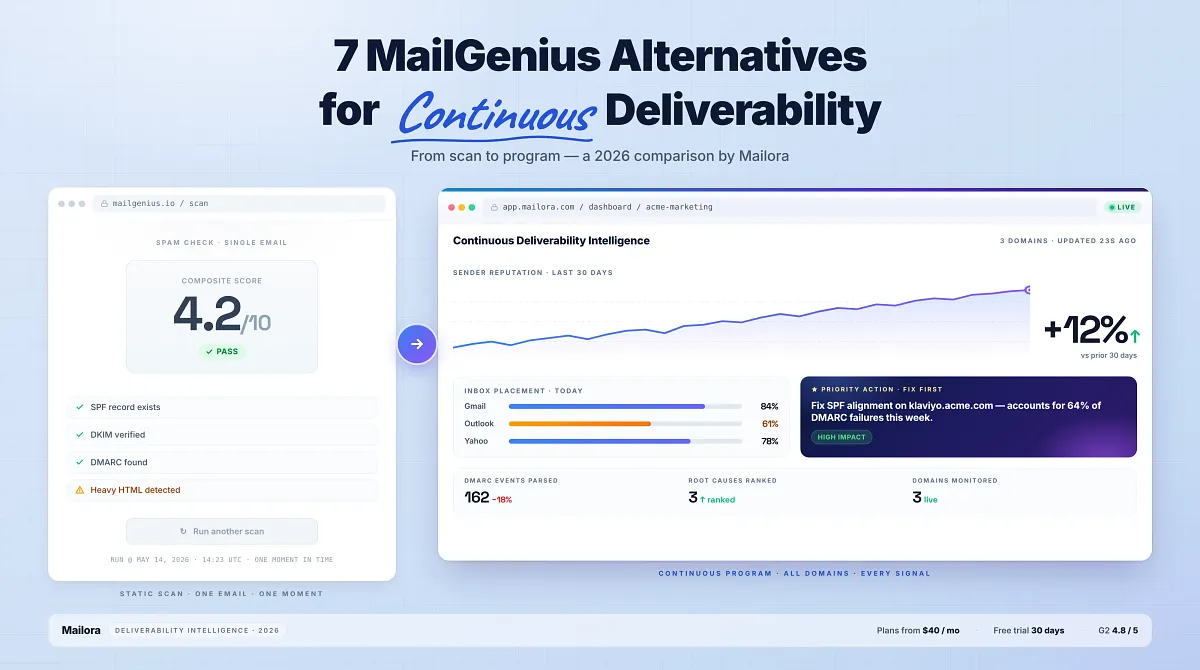
MailGenius is one of those scanners. It does the pre-send check well but it was built for the scan, not the program. If you hit that ceiling, the seven alternatives below were built for what comes next.
In this blog, we will discuss, why MailGenius stops being enough as email programs scale, and seven alternatives to MailGenius, with honest breakdowns of what each does well and where it stops
Why Email Professionals Look Beyond MailGenius
MailGenius takes a single email and runs it through spam filter checks to return a score. For a marketer who wants a quick read on whether a campaign has obvious red flags before sending, that scan has actionable insights.
Static scan tools were built for a simpler version of the deliverability problem, where the question was "does this email look spammy?" rather than "why are my emails landing in spam when every check comes back clean?"
Modern inbox placement decisions are not made on content alone because Gmail, Outlook, and Yahoo weigh sender reputation, domain age, engagement history, authentication alignment, complaint rates, and behavioral signals that no single-email scan can surface. A spam score tells you how one email looks in isolation, but it does not tell you:
- Whether your domain's reputation has drifted at a specific ISP over the past 30 days
- Which sending source is silently failing DMARC alignment and dragging your authentication pass rate
- Whether the email that scored clean is actually landing in Gmail's Primary tab or the Promotions folder
- Which content element, subject line, footer link, from-name, or body copy, is triggering filters at Outlook but not Gmail
What to Evaluate in a MailGenius Alternative
Comparing feature checklists side by side works poorly in deliverability because most tools list overlapping capabilities and differ in depth. A more useful framework is to map five evaluation criteria to what actually goes wrong in an email program at scale.
1. Depth of deliverability signals
Does the tool stop at spam scores and record lookups, or does it go further?
- DMARC aggregate reports parsed into action items
- ISP-level placement tracking
- Content-component diagnostics that name which subject, body, link, or header is dragging placement?
Depth is the difference between knowing something is wrong and knowing what to fix first.
2. Continuous vs. one-off testing
A scan answers a question once, but a monitoring platform watches continuously and alerts when signals drift. Pre-send testing tells you whether a campaign would land, while the post-send monitoring tells you whether the program is improving over time. Mature programs need both, ideally in one workflow.
3. Actionability of the output
Diagnostic data and prescriptive guidance are not the same thing. A dashboard that lists 18 DMARC failure events is diagnostic. A platform that says "your Brevo source is missing SPF alignment, fix this first because it accounts for 64% of your authentication failures this week" is prescriptive.
For teams without a dedicated deliverability analyst, the second suggestion saves hours each week.
4. Scale across domains and campaigns
A tool built for one inbox at a time is structurally different from one that tracks multiple sender domains, multiple campaigns, and multi-user access. Mismatched scale shows up as either over-paying for unused enterprise features or under-serving the actual workflow.
5. Pricing transparency at volume
- Per-test credits scale aggressively for teams running frequent placement tests. Per-inbox pricing scales aggressively for teams managing many domains.
- Flat platform fees scale predictably.
A $40/month flat plan covering 30 tests, continuous monitoring, and multi-domain dashboards can be cheaper in practice than a $59/month plan whose credits run out by week two.
A tool that performs well across all five is a deliverability platform. One that performs well across two or three is a specialist with warm-up, verification, infrastructure, or placement testing. The right alternative depends on which factor matters most for the program in front of you.
Top MailGenius Alternatives in 2026
MailGenius covers the basics of email deliverability testing, but many senders in 2026 need more advanced visibility into inbox placement, authentication, reputation monitoring, and ongoing deliverability performance. The alternatives below offer a broader mix of testing, monitoring, and optimization capabilities for growing email programs.
1. Mailora
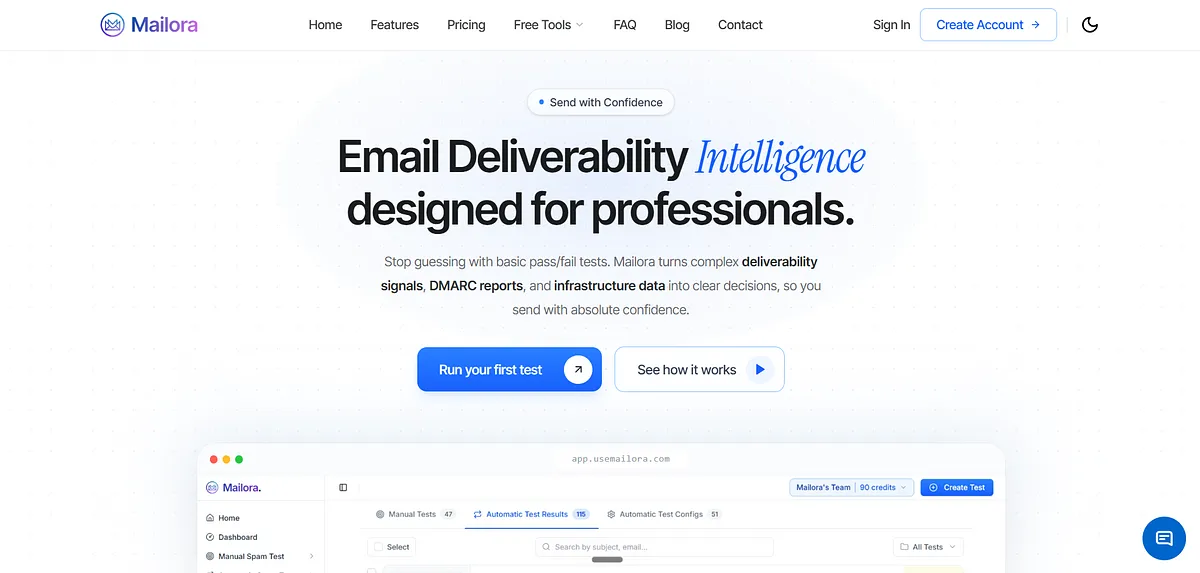
Mailora is an email deliverability intelligence platform that helps teams understand what is affecting inbox placement and which actions to prioritize next. It goes beyond basic pass/fail diagnostics by offering "Decision Intelligence," explaining exactly why emails fail and how to fix them. Core capabilities include:
- Email deliverability testing across global ISPs
- Reputation monitoring (domain and IP)
- DMARC aggregate report parsing into prioritized actions
- Multi-variant content testing to isolate which element triggers filters
Mailora tells you whether the messages you actually send are reaching inboxes, which content element is dragging placement at Outlook versus Gmail, and which DMARC misalignment is silently hurting authentication pass rates.
Best for: Email marketers, agencies, outreach teams, and deliverability professionals who send from ESPs like Klaviyo, SendGrid, and Postmark and need diagnostic depth without an enterprise contract.
What Sets Mailora Apart
- Multi-Variant Content Testing (MVT): Mailora's MVT isolates which component triggered the filter, subject line, from name, body copy, footer, links, or headers, by running variants side by side. A clean spam score on the master email tells you nothing about which variant in your A/B test is dragging placement, but MVT does.
- DMARC Report Analysis: Parses aggregate DMARC reports into prioritised actions, which sending sources are unauthenticated, which third-party platforms need SPF or DKIM alignment, which spoofing attempts are recurring. MailGenius confirms that a DMARC record exists, whereas Mailora tells you what the record is catching and what to do about it.
- Inbox Placement Testing across global ISPs: Tests against Gmail, Outlook, Yahoo, and other major providers, showing where each variant lands across Primary, Promotions, or Spam folders, broken down by geography and ISP so teams know precisely which provider is filtering them and why.
- Continuous Reputation Monitoring: Domain and IP reputation tracking with alerts when signals shift, so teams catch reputation drift between campaigns rather than after the next one tanks. Continuous monitoring is bundled into the platform rather than gated behind a separate enterprise tier.
- Practitioner Support on Enterprise: The Enterprise plan includes deliverability consultation with people who have solved these problems in production, bridging the gap between dashboard signals and the actual fix when a team does not have a dedicated deliverability engineer on staff.
Plans
- Lite: $40/month: 30 spam tests, core features.
- Starter: $85/month: 60 spam tests, 3 users.
- Professional: $140/month: 120 spam tests, API access.
- Enterprise: $230/month: 210 spam tests, deliverability consultation included.
Ratings:
Why Teams Switch from MailGenius to Mailora
- MailGenius gives you a score in a single message, while Mailora gives you a trajectory across your sending program like
- Which DMARC failure is accumulating
- Which content variant is dragging placement
- Which sender domain's reputation is moving.
- MailGenius confirms that authentication records exist. Mailora parses what the DMARC records are actually catching and ranks the fixes by impact.
- MailGenius runs static or background scans on individual emails. Mailora runs continuous monitoring across all sender domains with alerts when signals drift, so the team is not waiting for the next manual test to surface a problem
Run your first deliverability test
2. GlockApps
GlockApps is the longest-tenured tool in the inbox-placement category and the natural step up from MailGenius for teams who want real placement data instead of a single-message scan.
GlockApps seeds the message into real test inboxes across Gmail, Outlook, Microsoft 365, Yahoo, AOL, and corporate providers, then reports back per-ISP placement breakdowns, whereas MailGenius runs a message through a checklist of pass/fail conditions.
It includes DMARC analytics, blacklist monitoring, SMTP uptime alerts, and content scoring on top of the core placement workflow.
Best for: Technical deliverability specialists who want detailed placement results and can interpret raw data without prescriptive guidance.
Key Strengths
- Seed-list inbox placement testing: Sends campaigns to seed mailboxes across 70+ providers like Gmail, Outlook, Yahoo, and business mail servers to reveal whether emails reach the inbox, promotions tab, spam folder, or fail to appear entirely before a live send.
- Cross-filter spam analysis: Evaluates emails against filters such as SpamAssassin, Barracuda, and Google Spam Filter at the same time, highlighting spam triggers in content, headers, and HTML that may affect deliverability.
- Sending infrastructure reputation checks: Tracks the complete sending IP path, scans IPs against 50+ blocklists, and displays rDNS and Sender Score insights to help teams monitor and maintain sender reputation from a single dashboard.
- Integrated DMARC oversight: Collects and analyzes aggregate and forensic DMARC reports, centralizes policy visibility, and alerts teams to authentication anomalies or abuse attempts to support a smoother move toward DMARC enforcement.
Pricing
- Free: $0/month, 2 spam test credits, 10,000 DMARC messages, 1 sending account
- Essential: $59/month, 360 spam test credits, 600,000 DMARC messages
- Growth: $99/month, 1,080 spam test credits, 1.2M DMARC messages
- Enterprise: $129/month, 1,800 spam test credits, 12M DMARC messages
Ratings:
For teams switching from MailGenius specifically because they wanted clearer "what to fix first" guidance, GlockApps solves the depth problem without solving the synthesis problem.
3. MxToolbox
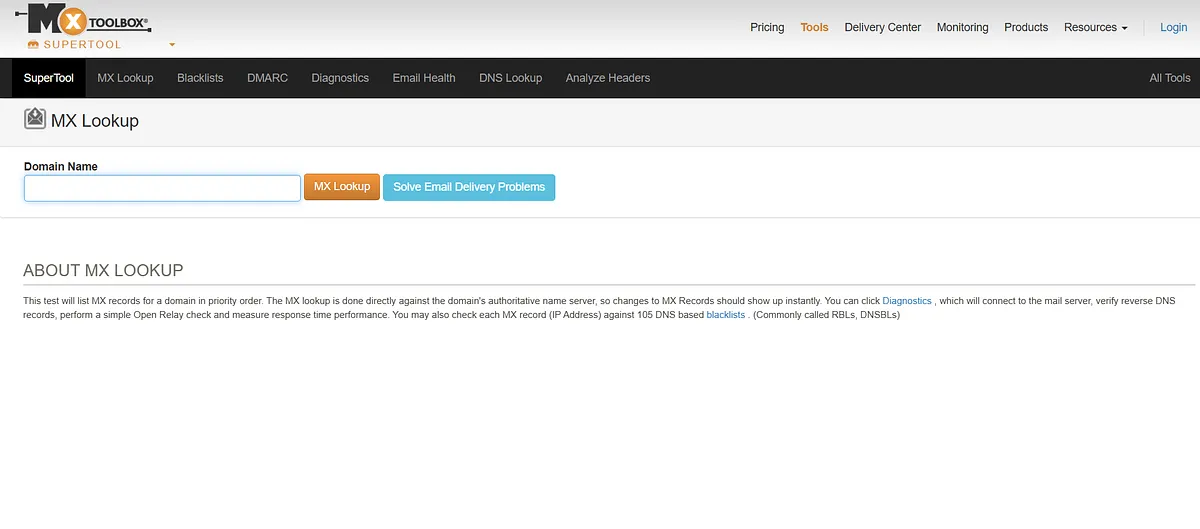
MxToolbox is the free utility most email engineers reach for first. SuperTool consolidates SPF, DKIM, DMARC, MX, DNS, and SMTP lookups into a single search box, and blacklist checks across major RBLs are fast and free.
For a MailGenius user whose adjacent need is verifying that a new sender domain's records resolve cleanly, an IP is not on a major blacklist, or an SMTP server is responding, MxToolbox is the right tool and you do not need to pay for it.
Best for: Network administrators and IT teams who need fast, free infrastructure diagnostics and are comfortable interpreting raw DNS and authentication record outputs.
Key Strengths
- SuperTool consolidated lookups: A single search box runs SPF, DKIM, DMARC, MX, DNS, and SMTP diagnostics simultaneously, returning record values, validation status, and chain visibility in one response, eliminating the toggle between standalone DNS utilities for routine infrastructure checks.
- Free blacklist scanning: Domain and IP checks across major Real-Time Blacklists with single-click lookups, free at the basic tier, giving email engineers fast confirmation that a sender is not silently listed on a niche RBL that an ESP missed.
- Delivery Center continuous monitoring: The paid Delivery Center tier ($129/month for 64 monitors) adds continuous monitoring across IPs, authentication records, and blacklists, but the interface is built for network administrators, not marketers asking why a subject line is hitting filters at Outlook.
Best treated as a complementary free tool for one-off infrastructure validation alongside a proper deliverability monitoring platform, like Mailora, but not a standalone replacement for what MailGenius users actually need.
4. ZeroBounce
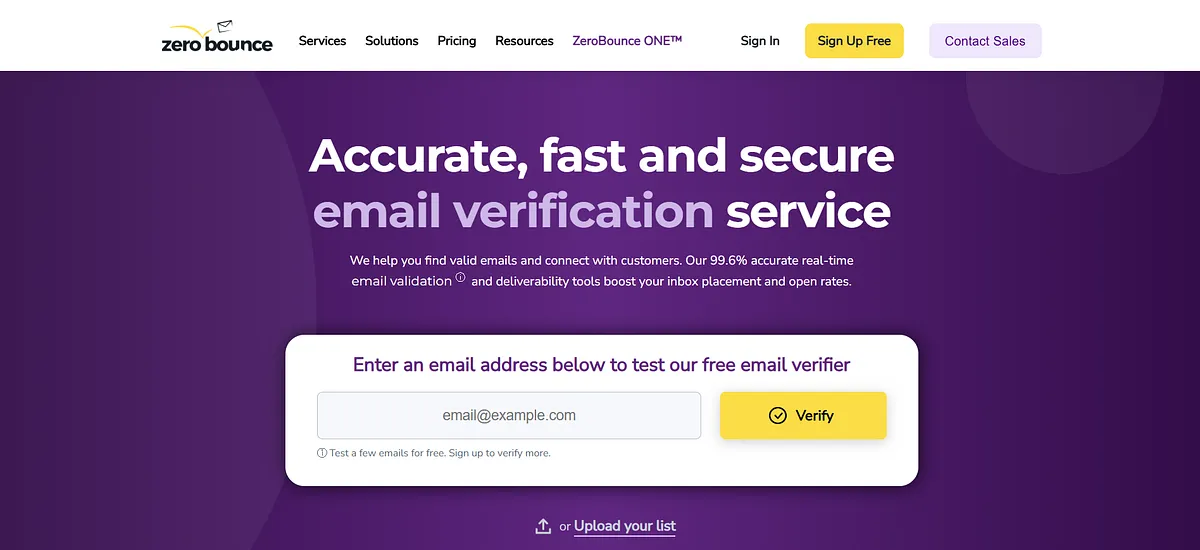
ZeroBounce is an email validation tool first and a deliverability tool second. Validation is the core strength, including syntax checks, MX record lookups, mailbox-level verification, role-based and disposable address detection, catch-all handling, and AI-driven scoring of risky addresses. The deliverability add-ons (inbox placement testing, blacklist monitoring, email server testing) exist but layer onto a verification-first product, and the depth is shallower than a dedicated deliverability platform.
Best for: Teams whose primary deliverability problem is list quality, high bounce rates, unknown contact sources, or lists that have not been cleaned in months.
Key Strengths
- Bulk and real-time email validation: Industry-recognised validation with bulk uploads and real-time API verification, returning detailed status codes for each address, letting teams clean a list before send and validate at the form-capture layer to prevent bounce-rate degradation downstream.
- AI scoring for risky addresses: The AI Scoring tool flags valid-but-risky addresses (catch-alls, low-engagement signals, abuse risks) that pass syntax checks but predict bounce or complaint. Useful for outbound teams wanting a probability-weighted view of list quality beyond binary pass/fail.
- Inbox placement and server testing: Add-on tools include inbox placement testing, blacklist monitoring, and email server testing. These exist but are not the product's primary surface, a verification-led platform extended into deliverability, not the other way around.
Ratings:
Pricing
ZeroBounce offers a free plan with 100 monthly validations and limited testing tools. Paid plans start at $99/month for 10,000 validation credits and include inbox placement tests, warm-up seeds, blacklist monitoring, DMARC monitoring, and email server testing. Credits never expire, and enterprise pricing is available for high-volume senders.
5. Warmy.io

Warmy.io is an AI-driven email warm-up platform with deliverability monitoring layered on top. The warm-up engine, Adeline AI, is the core value, automating inbox interaction patterns, ramping send volume gradually, and building reputation for new sender domains across a network of 1M+ active mailboxes. The Domain Health Hub adds real-time SPF, DKIM, DMARC, and blacklist monitoring on the side, and a multi-workspace structure supports agency setups managing many client domains.
Best for: Cold outbound teams launching new sender domains, agencies onboarding new client infrastructure, or any team recovering reputation after a deliverability incident.
Key Strengths
- Adeline AI warm-up engine: Adeline AI processes 20M+ daily decisions to continuously adjust warm-up volume, cadence, and engagement patterns based on each mailbox's reputation, sending history, and ESP so warm-up adapts dynamically rather than following a static preset.
- Warmup With Clicks automation: The Warmup With Clicks module drives real link clicks from genuine mailboxes, rescues emails from spam folders, and marks them as important, sending positive engagement signals to ISPs without manual setup.
- Domain Health Hub monitoring: Tracks SPF, DKIM, DMARC, and MX record validity alongside inbox placement, spam rate, and blacklist status in a single dashboard, surfacing authentication or reputation issues without toggling between separate tools.
- Multi-workspace agency support: Up to 50 independent workspaces with separate warm-up configurations, team access, and billing, enabling agencies and multi-brand organisations to manage client deliverability at scale without tangled configurations.
Ratings:
Pricing
Customized B2B, B2C, and enterprise plans with volume-based pricing. A 7-day free trial is available without a credit card.
6. Other Alternatives Worth Considering
Validity Everest
Enterprise-grade email success platform built from the combined DNA of Return Path, 250OK, and BriteVerify. Covers seed-based inbox placement testing, sender reputation monitoring via proprietary spam trap networks, authentication tracking per sending stream, and competitive benchmarking.
Best for large enterprises with dedicated deliverability staff and budgets to match.
MailReach
Email warmup and spam testing tool focused on B2B and cold outreach teams. Provides end-to-end deliverability tests showing how mailbox providers classify emails and surface signals to improve inbox placement over time. Affordable entry point but limited depth, particularly for teams that need DMARC report analysis or multi-domain continuous monitoring.
InboxAlly
Inbox placement-focused platform with a reputation-building component. Starting at $149/month, targeting agencies and deliverability consultants who need ongoing placement visibility across multiple clients. Focused on placement. does not offer the signal-synthesis and decision-intelligence layer that Mailora provides.
Comparison Table: MailGenius vs. Top Alternatives
| Feature | MailGenius | Mailora | GlockApps | MxToolbox | ZeroBounce | Warmy.io |
| Inbox Placement Testing | Limited | Yes (global ISPs) | Yes (140+ ISPs) | No | Limited | Basic |
| DMARC Report Analysis | No | Yes (prioritized actions) | Analytics dashboard | No | No | No |
| Google postmaster IP reputation Monitoring (Pre + Post-Send) | No | Yes | Yes | Paid tier only | No | Basic |
| Auth Checks (SPF/DKIM/DMARC) | Basic scan | Yes | Yes | Yes | No | Yes |
| Blacklist Monitoring | No | Yes | Yes | Yes | No | Yes |
| Actionable Recommendations | Score only | Yes + human guidance | Diagnostic data | Alerts only | List hygiene only | Warmup alerts |
| Multi-Domain Support | No | Yes | Yes | Limited | Yes | Yes (50 workspaces) |
| Multi-Variant Content Testing | No | Yes | No | No | No | No |
| Free Tier / Trial | Free basic scans | 30-day free, no CC | 3 free tests/month | Free plan | Free credits | 7-day free trial |
| Starting Price | Free / paid add-ons | $40/month | $59/month | $129/month | $15/month | Custom |
How to Choose the Right Alternative for Your Workflow
Start with the problem, instead of feature list.
One-off spam checks are still enough:
If pre-send sanity checks are all you need and your program is early-stage, MailGenius's free tier or Mail-Tester covers it. There is no reason to pay for a monitoring platform before the program generates enough volume to need one.
Infrastructure needs a clean bill of health:
MxToolbox. DNS lookups, blacklist checks, SMTP diagnostics, free, fast, and authoritative. Run it when you set up a new sender domain or investigate a delivery failure. It is a diagnostic utility, not a deliverability platform, and it works best when treated as one.
Bounce rates and complaint signals are climbing:
ZeroBounce. Before anything else, the list needs to be clean. Invalid addresses, spam traps, and abuse contacts produce bounce and complaint data that poisons sender reputation at the ISP level and no amount of placement testing fixes a list problem.
A new domain needs reputation before it needs diagnostics:
Warmy.io. ISPs make placement decisions based on sending history. A domain sending its first real campaign from a cold start will underperform regardless of what the authentication records look like. Build the reputation first.
Placement data is the missing layer:
GlockApps. If the program is established but placement is inconsistent across ISPs and you need to see exactly where emails land, inbox, Promotions, spam, across a seed list of 70+ providers, GlockApps gives you that data with more technical depth than any other tool in this list.
The program needs synthesis, not more data:
Mailora. When the infrastructure is clean, the list is verified, the domain is warm, and placement is still inconsistent, the problem is in the signals the team cannot read together. Mailora correlates DMARC report data, ISP-level placement results, reputation signals, and content diagnostics into a ranked action plan.
The Right Alternative Depends on the Question You Are Asking
Most teams pick a tool and then try to fit their problem into it, which is backwards implementation.
The problem with a spam score that keeps passing while placement keeps failing is that you were asking the wrong question. A spam score answers "does this email look suspicious." It does not answer "why is this domain placing at 43% in Outlook this month when it was at 71% last month."
Before picking a tool, name the question:
- Is placement dropping at a specific ISP?
That is a reputation or content signal question. Pick GlockApps or Mailora.
- Is bounce rate climbing despite no list changes?
That is a validation question. ZeroBounce is the best choice.
- Is a new domain underperforming from day one?
That is a warmup question. Warmy.io helps.
- Is the DNS layer unknown?
That is an infrastructure question, where MxToolbox can help
The right tool is the one that answers the question you actually have. If the question is what is breaking the program and in what order to fix it, your answer is Mailora
Ready to Move From Scores to Decisions?
MailGenius tells you whether a specific email passed a spam filter today. Mailora tells you which content element is hurting placement this week, which DMARC misalignment is dragging your authentication pass rate, and which fix to make first across the sender domains you actually run.
If that is the layer you have been looking for, Mailora is built for it.
Start a free email deliverability test
Frequently Asked Questions
Is MailGenius a good tool?
Yes, for quick one-off spam checks. MailGenius is useful for a pre-send sanity check. It runs an email through spam filter tests and returns a score with a basic explanation of what triggered each filter. Where it falls short is continuous monitoring, DMARC report analysis, inbox placement testing, and any visibility into what happens after you send.
Does MailGenius offer a free tier?
Yes. MailGenius offers free basic spam scans for individual emails. Its paid features, deeper analysis, additional sending accounts, and higher test volumes, are available on paid plans. Unlike Mailora, it does not offer continuous monitoring or DMARC aggregate report parsing at any tier.
What makes Mailora different from MailGenius?
MailGenius is a static scanner, while Mailora is a continuous deliverability intelligence platform. It monitors domain and IP reputation across your full sending infrastructure, parses DMARC aggregate reports into prioritized actions, runs multi-variant content tests to isolate which component triggers filters, and provides pre-send and post-send visibility.
Can I use Mailora and MailGenius together?
Yes, though the overlap is minimal. MailGenius is useful for a quick pre-send check on a single email. Mailora handles everything MailGenius does not, such as continuous monitoring across domains, DMARC report parsing, placement testing across live ISP seed lists, and multi-variant content diagnostics.
Stay in the loop
Deliverability insights, product updates, and early access to new features. No spam, unsubscribe anytime.
By subscribing, you agree to our Privacy Policy. Unsubscribe anytime.