Litmus Pricing in 2026: What You Actually Get (And What It Costs)
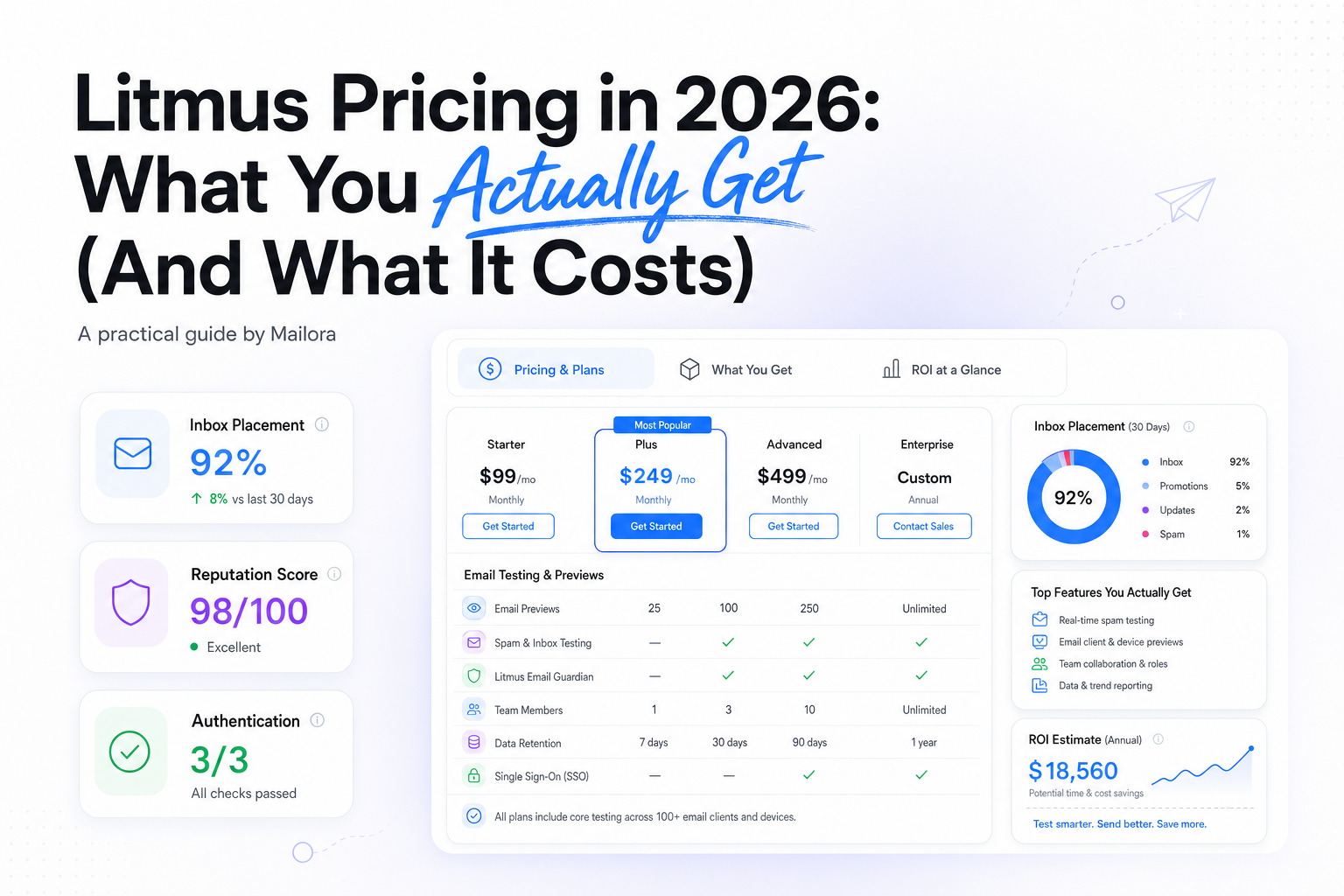
Key Takeaways
|
Introduction
If you've tried to find Litmus's current pricing recently, you've probably hit a wall. The pricing page that used to show tier cards now routes most buyers toward a sales conversation. That's a meaningful shift for a tool that, for years, was something you could just sign up for with a credit card.
This matters because Litmus sits in a lot of email stacks as the default answer to "does this email look right before we send it." Rendering QA, spam filter checks, client previews. It's been the category standard for a long time, and for good reason.
But as pricing has moved upmarket and plans have gotten less transparent, teams are asking a sharper question than "how much does Litmus cost." They're asking whether Litmus email testing is solving the problem they actually have in 2026, or whether they're paying enterprise rates for rendering checks while a different, harder problem (inbox placement, sender reputation, authentication drift) goes unmonitored.
This piece breaks down what's known about current and historical Litmus pricing, what you get at each tier, and where a rendering QA tool and a deliverability platform genuinely do different jobs. We'll flag confidence levels on every number, because most of what's public about Litmus pricing right now is reported, not confirmed.
How much does Litmus cost? (short answer)
Litmus Core was last reported at 500/month(5,000/year billed annually, roughly a 17% discount). Enterprise pricing is custom, and much of Litmus's mid-market pricing now sits behind a "contact sales" wall, so neither figure should be treated as a confirmed live price.
The short answer gets more complicated the longer you look at it: it depends on when you're asking, and Litmus isn't making that easy to answer right now.
As of the last publicly available pricing, Litmus's Core plan was reported at $500/month, billed annually at roughly $5,000/year. That figure comes from pricing pages and third-party reporting over the past couple of years, not from a live checkout flow you can access today.
Litmus's Enterprise tier has been "contact sales" for some time, which is standard for a plan built around custom seat counts, SSO, and account management. What's newer is that Litmus appears to be moving more of its mid-market pricing behind the same contact-sales wall, a pattern that typically signals either active price testing, sales-assisted upsell motion, or both.
So the honest answer: $500/month is the last widely reported Core price. We can't confirm it's what you'd be quoted today. If you're budgeting for 2026, assume you'll need an actual sales conversation to get a current number, and use the figures below as a planning baseline, not a quote.
See what inbox placement actually costs you. Run a free test
Litmus pricing at a glance
Here's what's publicly documented, organized by confidence level.
Plan | Reported price | Seats | Previews/mo | Analytics opens | Personalize impressions | Deliverability included? | Confidence |
| Basic (legacy, discontinued) | 79–99/mo | 1–3 | Limited | Limited | Not available | No | Historical only |
| Plus (legacy, discontinued) | 159–199/mo | 3–5 | Moderate | Moderate | Not available | Add-on | Historical only |
| Core (current tier) | 500/mo(~5,000/yr annual) | 5 full users | 2,000 | 500,000 | 50,000 | Add-on, separately priced | Last widely reported |
| Enterprise | Custom, contact sales | Custom | Custom | Custom | Custom | Typically included or bundled | Vendor claim / inferred |
Pricing last verified against publicly available sources as of January 2026. Figures are labeled by confidence level above. Litmus's current live pricing may differ and should be confirmed directly with their sales team.
A few things worth noting in this table. First, the legacy Basic and Plus tiers no longer exist as sign-up options. Second, "5 full users" on Core is a specific constraint. Teams sometimes assume seat limits are soft; Litmus has historically enforced them as hard caps requiring an upgrade conversation once exceeded. Third, the deliverability add-on sitting outside the base Core price is a detail that's easy to miss until you're deep into a quote.
Is the $500/month Core price still current?
We don't know, and anyone telling you they do without a current quote from Litmus is guessing. Here's what we can say with reasonable confidence, broken into three buckets.
Currently reported
Multiple pricing aggregators, review sites, and cached versions of Litmus's own pricing page have listed Core at $500/month within the past 12–18 months. This is the most recent figure we can point to with a source trail, but "recently reported" isn't the same as "live right now."
Historical
Before Core existed, Litmus ran a Basic/Plus/Builder structure with publicly listed prices starting around 79–99/month. Those tiers are confirmed discontinued. Any pricing conversation that references them is talking about a product structure that no longer exists.
Litmus marketing claims
Litmus's own materials describe broad platform value (hundreds of email clients and devices, extensive spam filter testing, continuous monitoring) without always tying those claims to a specific published price. When a vendor pairs strong value claims with a "contact sales" button instead of a price tag, that's usually a sign the price is either higher than before, more variable by account, or both. This is an inference, not a confirmed fact about Litmus's internal pricing strategy.
What we'd suggest: treat $500/month as your floor for budgeting a Core-equivalent purchase, not your ceiling. If you're a former Plus customer evaluating a renewal, request a current quote before assuming your old rate still applies. Pricing moves like this one are rarely downward.
What's actually included in Litmus Core
Litmus Core is built around four categories: previews, analytics, personalization testing, and basic spam filter checks. Understanding what each one actually gives you matters more than the headline numbers, because the limits bite in different ways depending on your sending volume.
Previews
2,000 per month, last verified. Each litmus email preview renders your email across a set of email clients and devices. Litmus's marketing has long cited testing across 100+ clients and devices, though that figure describes the scope of the testing matrix, not a guarantee that every preview run checks all 100+. In practice, a single litmus email test against your standard client list (Gmail, Outlook desktop and web, Apple Mail, Yahoo, a few mobile variants) consumes one preview credit, not 100.
At 2,000 previews a month, a team running two campaigns a week with three rounds of QA per campaign is already close to the ceiling. Agencies testing across multiple client brands burn through this allowance fast, which is usually the first thing that pushes a team toward Enterprise pricing discussions.
Analytics
500,000 opens per month, last verified. Litmus Email Analytics tracks opens, reads, and some engagement data layered on top of your ESP's own reporting. For a list of 50,000 active subscribers sending weekly, you'd hit that ceiling in about ten sends. Larger lists or more frequent cadences exceed it faster.
Personalize
50,000 impressions per month, last verified. This is Litmus's dynamic content and live-personalization feature, used for things like real-time countdown timers or location-based content blocks. It's a feature most teams either use heavily (real-time retail, travel, events) or not at all. If it's central to your program, confirm current impression pricing before assuming Core covers it.
Spam filter testing
Litmus has marketed checks against 25+ spam filters as part of its testing suite. This is a vendor claim worth noting precisely: a spam filter check tells you whether a specific filter engine flags your message based on content, structure, and authentication signals it can see in a test environment. It does not tell you whether that message would have landed in an inbox, a spam folder, or a promotions tab for a real recipient at a real ISP. Spam filter scoring and inbox placement are related but separate measurements, and conflating them is one of the more common mistakes teams make when evaluating what a rendering tool actually proves.
Seats
Five full users is the headline number, but Litmus has historically also offered limited "reviewer" or "collaborator" seats at lower cost or no cost, meant for stakeholders who need to approve or comment on a test without running their own. If your team includes copywriters, designers, or account managers who only need view/comment access, check whether those seats count against your five full-user limit or sit outside it. This distinction has changed across Litmus's pricing history and is worth confirming directly.
Litmus Enterprise: what custom pricing usually means
Litmus Enterprise has been a "contact sales" tier for years, which puts it in familiar territory for anyone who has bought martech software before. Custom pricing at this tier usually means a few specific things, based on how this pattern plays out across comparable platforms.
Seat-based scaling beyond 5 users. The most common reason a Core customer gets pushed to Enterprise is headcount. Once you need a sixth, tenth, or fiftieth full seat, you're negotiating a custom contract rather than selecting a plan.
SSO and security requirements. Enterprise buyers in SaaS, fintech, and other regulated or security-conscious categories typically need SSO, audit logging, and sometimes a signed security questionnaire before procurement will approve a purchase. These features are near-universally gated behind custom enterprise tiers across the martech category, and there's no indication Litmus is an exception.
Dedicated account management. Enterprise software at this price point almost always includes a named customer success or account manager, which is part of what the higher price is paying for, alongside the software itself.
Volume-based preview and analytics allowances. Rather than a flat 2,000 previews or 500,000 opens, Enterprise contracts are typically scoped to actual usage patterns, negotiated during the sales process based on your team's sending cadence and QA workflow.
API and embedded testing access. Litmus has also marketed a more developer-facing product line (sometimes referenced in the market as Litmus Edge or litmus API access) aimed at teams who want to embed rendering checks directly into their own build or send pipeline rather than using the Litmus web app. We can't confirm current litmus edge pricing or exact API terms, since Litmus doesn't publish a standalone price for this, and it appears to be scoped as part of an Enterprise conversation rather than sold separately. If an API-based workflow is a requirement for your team, raise it directly in the sales conversation rather than assuming it's included at any given tier.
What we can't tell you is the actual Enterprise number. There's no current public pricing for this tier, and any figure you see quoted online should be treated as an old data point, not a current benchmark. If you're heading into an Enterprise conversation, come with your own usage data: how many seats you actually need, how many previews your team runs in a typical month, and what security requirements are non-negotiable for your procurement team. That preparation shortens the sales cycle and gives you leverage in a negotiation that otherwise favors the vendor.
The Litmus deliverability add-on
Litmus sells a deliverability module separately from Core, and this is one of the more easily missed line items when teams are building a budget. It is not bundled into the base Core price, based on the last publicly available plan structure. In Litmus's own marketing, this capability has been branded as Email Guardian, positioned as a monitoring layer on top of the core rendering product.
Litmus has marketed this add-on around claims of 24/7 monitoring and spam filter testing designed to flag placement risk before you send. Those are vendor claims, and it's worth being precise about what this module is actually built to do versus what deliverability monitoring, as a category, typically covers.
The Litmus deliverability add-on, from publicly available product descriptions, centers on pre-send spam filter testing (does this specific message trigger known filter rules) rather than post-send inbox placement tracking (where did this message actually land, and how is that trending over time across Gmail, Outlook, Yahoo, and other major mailbox providers). It's also worth noting Litmus's own stat, cited in their marketing, that roughly 16% of email doesn't reach the inbox. We can't verify that figure independently, but it's consistent with the broader industry point that delivered does not mean inboxed. That gap is exactly what dedicated inbox placement and reputation monitoring are built to measure continuously, not just as a one-time check before a send.
If your team needs ongoing visibility into domain reputation, blocklist status, authentication alignment, and actual placement across ISPs over time, that's a different scope of product than a pre-send filter check, regardless of what it's priced at or bundled with. We'll come back to this distinction in more detail later, since it's the core decision point for most teams evaluating Litmus against a deliverability-focused platform.
Litmus pricing history
Litmus's pricing has moved in one direction since the Validity acquisition: up, with fewer entry points along the way.
Era | Tier | Reported price | Status |
| Pre-acquisition | Basic | 79–99/mo | Discontinued |
| Pre-acquisition | Plus | 159–199/mo | Discontinued |
| Pre-acquisition | Builder/Team (various) | Intermediate, varied by revision | Discontinued |
| Post-acquisition (Validity) | Core | $500/mo (last reported) | Current tier |
| Post-acquisition (Validity) | Enterprise | Custom, contact sales | Current tier |
That multi-tier structure gave teams a way to start small and grow into a higher plan as their testing volume increased. It also gave buyers a cheap way to try Litmus before committing to a larger spend.
Core, at a last-reported $500/month, consolidated most of that range into a single, higher-priced entry point. If the historical Plus tier topped out around $199/month, a team on that plan moving to Core faces roughly a 151% price increase, or about $3,612 more per year. That delta is a derived calculation based on the historical and current figures cited above, not a number Litmus has published directly, but the math is straightforward once you compare the two reported price points.
The pattern here is consistent with what tends to happen after a SaaS acquisition by a larger platform company: entry-level tiers get folded upward, discounting gets less generous at the low end, and the product increasingly targets mid-market and enterprise budgets rather than solo users or very small teams. Whether that's good or bad depends entirely on your team size and testing volume. For a five-person team running steady campaign QA, Core at $500/month might still be the right fit. For a solo marketer who used to pay $99/month for occasional previews, the math has changed considerably.
The true cost of Litmus: unit economics
Headline pricing tells you what you'll be billed. Unit economics tell you what you're actually paying per use, which is the number that matters when you're deciding whether a plan fits your actual workflow.
Sample Core account, 5 seats, full utilization
- Per user: $500 ÷ 5 = $100/user/month
- Per preview: $500 ÷ 2,000 = $0.25/preview
- Per campaign (assuming 15–20 previews per QA cycle): roughly 3.75–5.00/campaign
- Deliverability add-on: priced separately, not included above
Using the last-reported Core numbers ($500/month, 5 full users, 2,000 previews/month, 500,000 analytics opens/month):
Per user, at full seat utilization, that's $100/user/month. That's a reasonable benchmark for a specialized B2B SaaS seat, in line with what teams pay for other collaboration and QA tools used by a handful of people.
Per preview, at full utilization, that's $0.25/preview. If your team runs three preview rounds per campaign (first draft, revised draft, final QA) and sends two campaigns a week, that's roughly 24 previews a month per campaign cadence, well under the ceiling. A team running daily sends with the same three-round QA process burns through the allowance much faster, and the effective cost per preview climbs if you're paying for capacity you're not fully using, or hits a wall and needs a higher tier if you're using more than you've budgeted for.
Per campaign tested: if a single campaign QA cycle consumes 15–20 previews, that's roughly 3.75–5.00 in preview cost per campaign at full plan utilization. For a team running 8 campaigns a month, that's comfortably within the 2,000-preview ceiling. For an agency running QA across 15 client brands with similar cadences, the math stops working at Core and pushes toward Enterprise.
The number that's easy to miss: none of this unit economics calculation includes the deliverability add-on, which is priced separately. If your team needs pre-send spam filter testing on top of rendering QA, factor that into the total cost before comparing Litmus's price against a dedicated deliverability platform. Comparing Core alone against a deliverability tool's full price is not an apples-to-apples comparison, since Core doesn't include deliverability monitoring by default.
Rendering QA vs. inbox placement
This is the distinction that matters most when deciding what Litmus is actually for, and where its pricing starts to look either reasonable or expensive depending on what problem you're trying to solve.
Rendering QA answers one question: does this email look right? Does the layout hold together in Outlook's rendering engine. Does the dark mode version invert colors the way you intended. Does the hero image load correctly on a mobile client. Litmus, and tools like it, are built specifically to answer this question across a wide matrix of clients and devices, and they do it well.
Inbox placement answers a completely different question: is this email safe to send, and where will it actually land? Will Gmail route it to Promotions. Will Yahoo filter it to spam based on domain reputation. Is your DKIM signature aligned in a way that passes DMARC checks at scale. Has a recent change in sending volume or content triggered filtering at a specific ISP.
These are not two flavors of the same problem. A perfectly rendered email, with flawless dark mode support and pixel-accurate layout in every client Litmus tests, can still land entirely in spam if your domain reputation is damaged or your authentication is misconfigured. Conversely, an email with a minor rendering glitch in one legacy Outlook version can still land reliably in the inbox if your sending reputation and authentication are solid.
Litmus's spam filter checks sit somewhere in between these two categories, but closer to rendering QA than to true inbox placement monitoring. A spam filter check evaluates how a specific filter engine scores a specific message based on content and structure signals visible in a test environment. It's a useful pre-send signal. It is not the same as tracking where your actual sends land across real ISPs over time, or monitoring how your domain and IP reputation trend as your sending patterns change.
Teams that only buy rendering QA tools sometimes assume they've covered deliverability because the tool includes a spam-score feature. That assumption is worth examining carefully, because the two problems require different kinds of ongoing visibility. For a closer look at how inbox placement actually gets measured and tracked over time, see our breakdown of inbox deliverability monitoring.
Know where your emails actually land. Run a deliverability test
Litmus vs. deliverability monitoring platforms
Once the rendering-versus-placement distinction is clear, the comparison between Litmus and a deliverability monitoring platform becomes a question of which buyer question each tool is built to answer.
Buyer question | Rendering/QA suite (Litmus) | Deliverability intelligence platform |
| Does my email render correctly across clients? | Yes, this is the core product | Not the focus; typically out of scope |
| Where did my last campaign actually land (inbox, spam, promotions) across major ISPs? | Not directly measured; spam filter score is a proxy, not a placement outcome | Yes, this is the core product |
| Is my domain or IP reputation trending up or down over time? | No | Yes, typically with historical trend data |
| Are my SPF, DKIM, and DMARC records aligned and monitored continuously? | Limited, usually as part of a separate add-on | Yes, often as a core monitoring category |
| Am I on a blocklist right now? | Not typically covered | Yes, usually across dozens of lists |
| Can I collaborate with designers and developers on email builds before sending? | Yes, a genuine strength | Not the focus |
| Does a spam filter flag my message content before I send? | Yes, via the deliverability add-on | Sometimes, as a complementary signal rather than the primary one |
Neither column is "better" in the abstract. A team that never has rendering problems but regularly fights reputation and placement issues is poorly served by a rendering-first tool, regardless of how good its spam filter checks are. A team shipping complex, highly designed emails across many client brands but with stable sending reputation has the opposite problem. Most teams need some of both, in different proportions depending on where their actual risk sits.
If you're not sure which category your team's current risk falls into, running an email deliverability test against a recent send is a fast way to find out. If placement looks clean across major ISPs, your QA gaps are probably rendering-related. If placement is inconsistent or trending down, that's a signal worth investigating before investing further in rendering tooling alone.
Where Litmus is genuinely worth the money
It's worth conceding this clearly: for rendering QA and cross-functional email production workflows, Litmus is a strong, mature product, and the price reflects real engineering and data investment.
A few scenarios where Litmus's pricing is easy to justify:
Design-heavy sends across many client brands. Agencies and in-house teams producing visually complex emails (heavy use of dark mode, interactive elements, custom fonts, dense layouts) benefit from testing across a wide client matrix before anything ships. Catching a broken layout in Outlook before a 500,000-person send is worth real money.
Dev and design collaboration on templates. Litmus's review and approval workflows are built for teams where designers, developers, and marketers need to sign off on a build together before it goes out. If your current process involves screenshots pasted into Slack and someone manually checking a handful of clients, Litmus replaces that with something considerably more reliable.
Enterprise procurement comfort. For large organizations with established vendor relationships and governance processes, Litmus is a known quantity. It has SSO, dedicated account management at the Enterprise tier, and a long track record in the category. That reduces procurement friction, which has real value even if it's hard to quantify on a feature comparison sheet.
Client-facing credibility for agencies. Being able to tell a client "we test every send across 100+ clients and devices before it goes out" is a reasonable sales point, particularly for agencies managing enterprise accounts where rendering mistakes are visible and embarrassing.
None of this means Litmus is the right buy for every team, or that its pricing automatically justifies itself for teams whose primary risk is placement rather than rendering. But where rendering QA and dev collaboration are the actual bottleneck, the price is defensible.
When a deliverability platform is the better investment
The flip side of the above: if your team's actual pain point is inconsistent inbox placement, unexplained reputation drops, or authentication issues that surface as a drop in opens without a clear cause, a rendering-first tool's spam filter checks won't close that gap, no matter which tier you're on.
Signs that a deliverability-focused platform is the better next purchase:
- Your ESP-reported open rates look fine but revenue from email is declining, and you can't tell whether it's content fatigue, list quality, or placement
- You've had a blocklist incident in the past 12 months and found out about it after a campaign underperformed, not before
- You're sending from multiple domains or IPs and have no unified view of how reputation trends across them
- You've recently migrated ESPs or added a new sending source and don't have confidence your authentication is fully aligned
- Your team already has a solid rendering QA process (in-house checklist, a lighter tool, or informal client-matrix testing) and the gap is specifically in placement visibility, not rendering
A platform built around deliverability monitoring features, inbox placement testing across ISPs, domain and IP reputation tracking over time, blocklist monitoring, and authentication visibility, is built to answer a different set of questions than Litmus answers, and those questions are the ones that tend to have direct revenue impact when they go unanswered.
DMARC reporting: a separate monitoring problem
DMARC is a useful case study for why "complex signal, clear decision" matters more than raw data volume, and it's one of the areas where the gap between rendering tools and deliverability platforms is most visible.
A DMARC aggregate report is a dense, machine-generated XML file. It tells you, for every sending source claiming to use your domain, whether SPF passed, whether DKIM passed, whether the two are in alignment, and how many messages came from that source. For a mid-volume sender, that can mean hundreds or thousands of individual records per report, arriving daily from every major mailbox provider that received mail claiming to be from your domain.
Reading that raw data tells you almost nothing useful on its own. The real question a marketer or RevOps lead needs answered is simpler: is there a sending source using our domain that we didn't authorize, or that's failing authentication and putting our domain reputation at risk? Answering that from raw XML requires either dedicated DMARC tooling or a reasonable amount of manual parsing, and most marketing teams don't have the time or the specialized skill to do that parsing reliably on their own.
This is the kind of translation that matters: taking a source-level authentication signal and turning it into something closer to "this third-party platform started sending on your behalf last week, it's failing DKIM alignment, and here's what to check first." That's a decision, not a dashboard. It's also a good proxy for the broader difference between a tool that surfaces raw signals and one built to turn those signals into something a non-specialist can act on without an IT handoff.
Litmus doesn't position itself as a SPF DKIM DMARC monitoring product, and that's a reasonable scope decision for a rendering-first tool. But it's worth knowing that DMARC monitoring is a distinct category of its own, separate from both rendering QA and general inbox placement testing, and one worth evaluating directly if ongoing authentication visibility is a gap in your current stack.
Litmus pricing vs. Mailora
Litmus and Mailora are built to answer different questions, which makes a direct price-per-price comparison less useful than it might first appear. Litmus's pricing buys you confidence that an email will look right before it ships. A deliverability platform's pricing buys you confidence that the email is safe to send and visibility into what happens to it after it does.
That distinction matters when you're comparing a reported $500/month Core price (plus a separate deliverability add-on) against a different platform's pricing. You're not just comparing dollar figures. You're comparing what each dollar is actually covering.
Mailora's positioning is built around a different job: aggregating authentication, infrastructure, and reputation signals into a clear recommendation, rather than handing you another dashboard to interpret on your own. For teams whose actual risk sits in placement, reputation, and authentication rather than rendering, that's a more direct fit for the money than a rendering-first tool's add-on module.
For specifics on what's included and how plans scale, Mailora pricing lays out the current structure. If you're evaluating both categories for a 2026 budget, it's worth mapping your own risk profile first (rendering issues versus placement and reputation issues) before comparing line items, since the two products are solving different problems even when they occasionally sit in the same procurement conversation.
Litmus alternatives by problem type
Not every alternative to Litmus is trying to solve the same problem. It helps to sort options by what they're actually built to answer, rather than treating "litmus email testing alternatives" as a single category.
If your gap is data without interpretation: GlockApps is a commonly cited alternative for spam and placement testing. It generates a lot of raw data points across inbox providers and spam filters. Where it tends to fall short, based on how it's typically used, is translation: teams get a dense report but still have to decide for themselves what to do about it.
If your gap is a heavier, enterprise-scale platform: Validity's Everest (the same parent company as Litmus) is a common comparison point for larger deliverability programs. It's generally positioned as a heavier, more expensive platform with a broader feature set than most mid-market teams need day to day. Mailora's positioning, by contrast, is aimed at practitioner-grade use: a smaller team that needs a clear recommendation, not a full enterprise deliverability suite to administer.
If your gap is infrastructure-only visibility: MxToolbox is widely used for DNS, blocklist, and basic infrastructure checks. It's a solid diagnostic layer, but it generally stops at showing you the raw signal (a blocklist hit, a missing record) without an action layer telling you what to prioritize or what the business impact is.
If your gap is list hygiene, not placement: ZeroBounce and similar tools focus on email verification and list cleaning before a send. That's a genuinely useful and distinct problem (reducing hard bounces and invalid addresses), but it's not the same as monitoring where your mail lands after it's sent to a clean list.
A few other names come up less often in these conversations but are worth a brief mention if you're scanning the category broadly: InboxMonster, Warmy, and MailGenius each address narrower slices of deliverability (seed-list testing, warmup, and spam-content scoring, respectively) rather than a combined authentication-and-reputation view.
None of these replace Litmus for rendering QA, and Litmus doesn't replace any of them for deliverability. The point of this list is to help you place your actual gap into the right category before you buy anything.
Which teams should buy what
Team type | Primary risk | Recommended focus | Litmus-tier spend justification |
| Agency running design-heavy campaigns for multiple clients | Rendering breaks across clients and devices | Litmus Core or Enterprise, depending on volume | High; client-facing rendering mistakes are costly and visible |
| In-house team with stable sending reputation, complex templates | Rendering and dev/design handoff | Litmus Core | Reasonable, if preview volume fits within plan limits |
| Growth/lifecycle team with rising send volume, declining engagement | Inbox placement, reputation, authentication drift | Deliverability monitoring platform | Low for Litmus alone; add-on doesn't cover ongoing placement tracking |
| Team that recently migrated ESPs or added sending domains | Authentication alignment, DMARC visibility | Deliverability monitoring platform with DMARC monitoring | Low; Litmus doesn't position itself in this category |
| Small team with simple templates, low send volume | Minimal rendering risk, unclear placement risk | Run a deliverability test first, decide from there | Low; Core allowances likely exceed actual need |
If you're not sure which row describes your team, that's a reasonable starting point for a conversation rather than a purchase. Run your first deliverability test before committing to either category of spend.
Before you sign checklist
Before signing a Litmus contract, or any deliverability tool contract, a few questions are worth answering directly with the vendor rather than assuming:
- What is the current price for the tier you're being quoted, and is it billed monthly or annually?
- Does the quoted price include the deliverability add-on, or is that priced and contracted separately?
- How are "full users" versus "reviewer" or "collaborator" seats counted against your seat limit?
- What happens when you exceed your preview, analytics, or Personalize allowance mid-cycle? Is there overage pricing, or a hard stop?
- If you're a former Basic or Plus customer, what is the actual current quote for an equivalent seat count and usage pattern, rather than assuming your old rate carries forward?
- Does the contract include SSO, audit logging, or other security requirements your procurement team needs, or are those an additional negotiation?
- Separately from this specific contract: does your team have any visibility today into inbox placement, domain reputation, or authentication status, or is that gap currently unmonitored regardless of what you sign here?
Verdict
Litmus's pricing, at a last-reported $500/month for Core, buys genuinely strong rendering QA and dev collaboration tooling. If your team's real bottleneck is making sure complex, design-heavy emails hold together across 100+ clients and devices, that price is defensible, and the product has the track record to back it up.
What it doesn't buy, by design, is a continuous view of where your mail actually lands, how your domain reputation is trending, or whether your authentication is quietly drifting out of alignment. Litmus's spam filter checks are a useful pre-send signal, but they're a proxy for placement, not a measurement of it.
Before committing five figures a year to either category, the more useful exercise isn't comparing line items. It's mapping where your actual risk sits. If rendering breaks more often than placement does, Litmus earns its price. If placement, reputation, or authentication are the recurring fire drills, a deliverability platform is the more direct fit for the budget.
Either way, that's a question worth answering with data rather than a guess. Run your first deliverability test and see where a recent send actually landed before you sign anything.
Litmus pricing FAQ
How much does Litmus cost per month in 2026?
The last widely reported public price for Litmus Core was $500/month (around $5,000/year billed annually, reflecting roughly a 17% discount). Litmus's current pricing may require contacting sales directly, so treat this figure as a historical reference point rather than a confirmed live price.
Does Litmus have a free plan or free trial?
Litmus has historically offered trial access rather than a permanent free tier, though trial availability and terms can change. Check Litmus's current site directly for what's being offered today, since we can't confirm live trial terms here.
Is the Litmus deliverability add-on included in the Core plan?
Based on the last-reported pricing structure, the deliverability add-on (marketed as Email Guardian, covering spam filter testing and monitoring features) was priced separately from Core, not bundled by default. If deliverability testing matters to your workflow, confirm current bundling directly with Litmus before budgeting.
Why did Litmus increase its pricing from $199 to $500 per month?
Litmus's historical Plus tier was reported around 159–199/month before the lineup consolidated into Core at a reported $500/month. That shift lines up with the pattern seen after many SaaS acquisitions (Litmus was acquired by Validity), where entry tiers get folded upward and pricing shifts toward mid-market and enterprise budgets.
What's the difference between Litmus email testing and a deliverability monitoring platform?
Litmus email testing checks how a message renders across email clients and devices, plus a proxy spam-filter score before you send. A deliverability monitoring platform tracks where your mail actually lands across ISPs, how your domain and IP reputation trend over time, and whether your SPF, DKIM, and DMARC setup stays aligned. They answer different questions, and most teams need some of both depending on where their risk actually sits.
Stay in the loop
Deliverability insights, product updates, and early access to new features. No spam, unsubscribe anytime.
By subscribing, you agree to our Privacy Policy. Unsubscribe anytime.