How to End an Email: 30 Sign-Offs and Examples (2026-27)
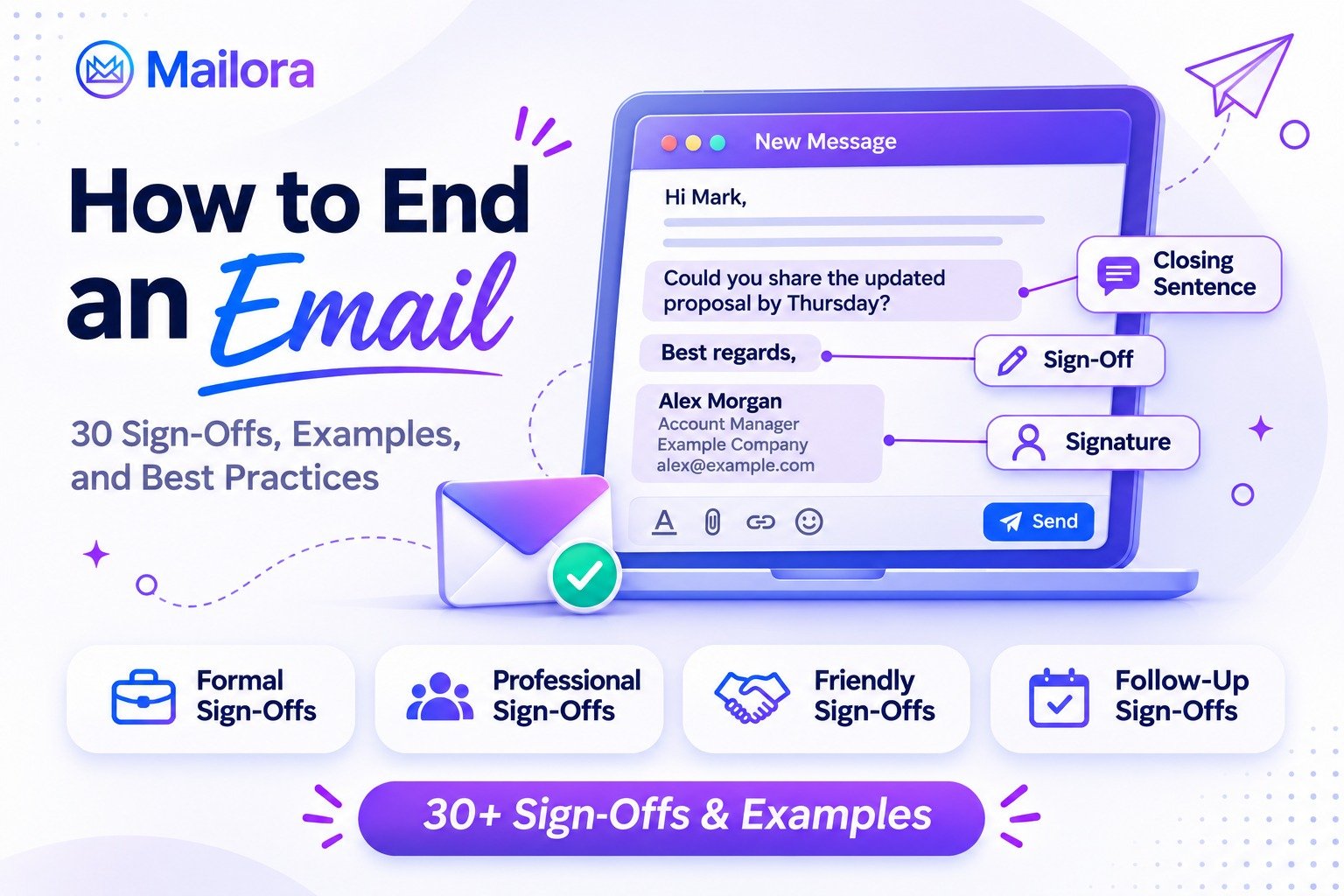
Key Takeaways
- An effective email ending includes a closing sentence, an appropriate sign-off, and your name or signature
- Professional sign-offs such as "Best regards," "Sincerely," and "Thank you" work well for business communication
- The best closing line reinforces your message and tells the recipient what to do next
- Formal, friendly, and casual emails require different closing styles depending on your relationship with the recipient
- For cold outreach, a clear, relevant closing request is more useful than a generic phrase asking for a reply
Knowing how to end an email can make the difference between a message that feels complete and one that leaves the recipient wondering what to do next. Whether you're writing to a client, manager, recruiter, or friend, your closing sets the tone for the conversation.
The simplest approach is to finish with a clear closing sentence, choose an appropriate email sign-off, and add your name. For professional emails, phrases like "Best regards" and "Sincerely" are reliable choices, while "Thanks" or "Talk soon" work better for familiar contacts.
But the best email ending depends on your purpose. This guide covers 30 email sign-offs, ready-to-use examples, and common mistakes to help you close every message confidently.
How to End an Email in 3 Simple Steps?
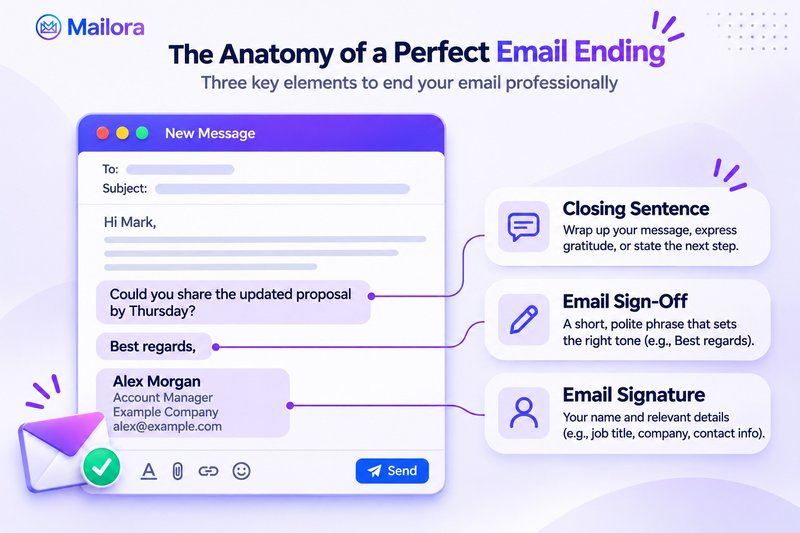
Understanding how to end an email starts with three essential elements: the closing line, the sign-off, and the signature.
1. Write a clear closing sentence
Your closing sentence should summarize the purpose of your message, express appreciation, or communicate the next step.
Examples include:
- Requesting information: "Could you share the updated proposal by Thursday?"
- Expressing gratitude: "Thank you for taking the time to review my application"
- Following up: "Please let me know if you need any additional details"
- Scheduling a meeting: "Would Tuesday or Wednesday work for a brief call?"
Choose one clear action instead of overwhelming the recipient with multiple requests.
2. Choose an appropriate email sign-off
An email sign-off is the short phrase that appears between your closing sentence and your name.
For professional communication, "Best regards," "Kind regards," and "Sincerely" are dependable options.
For everyday workplace conversations, "Thanks," "Best," or "Have a great day" may sound more natural.
Match the formality of your sign-off to the recipient and the tone of your message.
3. Add your name and email signature
A professional email signature helps recipients identify you and contact you easily.
A simple signature might look like this:
Best regards,
Alex Morgan
Account Manager
Example Company
alex@example.com
Include your role, company, or contact details when relevant. Avoid unnecessary images, lengthy quotations, or excessive promotional links.
30 Best Email Sign-Offs for Every Situation
If you're unsure how to end an email, choose a sign-off based on the type of relationship you have with the recipient.
| Email type | Recommended sign-offs |
| Formal | Sincerely, Respectfully, Best regards, Kind regards, Yours sincerely |
| Everyday professional | Best, Regards, All the best, Warm regards, Have a great day |
| Gratitude | Thanks, Thank you, Many thanks, With appreciation, Gratefully |
| Follow-ups | Talk soon, Speak soon, Until next time, Looking forward to connecting, Looking forward to our conversation |
| Business relationships | Best wishes, Appreciate your time, Thanks again, Stay in touch, With thanks |
| Friendly or personal | Take care, Warmly, Cheers, See you soon, Have a great weekend |
These 30 email closing phrases cover common situations, but not every option works in every context.
For instance, "Respectfully" suits formal correspondence, while "Cheers" works better with familiar colleagues.
Similarly, "Looking forward to our conversation" is appropriate when a discussion is actually planned.
How to End an Email in 6 Common Situations
The following email ending examples demonstrate how to combine a closing sentence with a suitable sign-off.
1. How to end a professional email
When communicating with managers, business partners, or unfamiliar contacts, choose respectful and straightforward language.
Example:
"I appreciate your time and look forward to discussing the next steps.
Best regards,
Alex"
This approach communicates appreciation without becoming overly formal.
2. How to end a formal email or job application
Job applications, official requests, and formal correspondence require a more polished closing.
Example:
"Thank you for considering my application. I would welcome the opportunity to discuss my qualifications further.
Sincerely,
Alex Morgan"
Use your full name and include relevant contact information.
3. How to end a follow-up email
A good follow-up reminds the recipient of your request without applying unnecessary pressure.
Example:
"Just checking whether you've had a chance to review the proposal. Please let me know if any additional information would help.
Best regards,
Alex"
A polite, specific request makes the next step easier to understand.
4. How to end a cold email
Cold outreach works best when the ending makes responding simple and relevant.
Instead of asking for a lengthy meeting immediately, consider a smaller, specific request.
Example:
"Would it be helpful if I shared a brief example of how this could work for your team?
Best,
Alex"
Avoid exaggerated urgency or aggressive language. The goal is to invite a genuine conversation.
For additional sending guidance, explore Mailora's cold email deliverability guide.
5. How to end an email asking for help
When requesting assistance, acknowledge the recipient's effort without assuming they'll agree.
Example:
"If you have time to review this by Friday, I'd appreciate your feedback. I understand if your schedule doesn't allow it.
Thank you,
Alex"
This closing balances clarity with consideration.
6. How to end a friendly email
For teammates, friends, or long-standing contacts, a conversational ending usually feels appropriate.
Example:
"Thanks for sharing the update. Looking forward to catching up next week.
Talk soon,
Alex"
Casual sign-offs work best when they match the relationship you've already established.
Professional vs. Casual Email Closings
Choosing between formal and informal email sign-offs becomes easier when you consider your audience.
| Situation | Better choice | Avoid |
| Job application | Sincerely | Cheers |
| New business client | Best regards | Catch you later |
| Internal project update | Thanks | Yours faithfully |
| Familiar colleague | Best | Respectfully |
| Friendly conversation | Take care | Yours sincerely |
| Sales follow-up | Best regards | Reply ASAP |
Professional closings prioritize clarity and respect. Casual closings add warmth when familiarity already exists.
When you're uncertain, "Best regards" is a versatile option for most business situations.
Email Closing Mistakes to Avoid
Even a well-written message can feel awkward if its ending contradicts the tone of the conversation.
Watch out for these common mistakes:
- Being overly casual: Avoid slang or affectionate sign-offs in formal business emails
- Using vague requests: Replace "Let me know" with a specific question or next step
- Creating unnecessary pressure: Avoid demanding an immediate response without a genuine reason
- Forgetting your name: Include an identifiable signature when contacting someone new
- Repeating gratitude: Avoid using multiple thank-you statements when one is sufficient
- Adding excessive information: Keep promotional content, contact details, and signatures concise
A good rule is to reread the final two sentences separately. They should make sense without additional explanation.
Best Practices for Writing Effective Email Endings
The right closing does more than sound polite. It supports the goal of your message.
Match the tone to the recipient
Think about your relationship with the reader, the purpose of the email, and the expected level of formality.
A message to a hiring manager should sound different from a project update to a familiar colleague.
Make the next step obvious
When a response is required, ask one specific question.
For example, "Could you confirm the meeting time by Wednesday?" is clearer than "Looking forward to hearing from you."
Keep your signature simple
Use a consistent signature across professional communication, including mobile devices.
Check that contact details are correct and links work before sending.
Proofread before sending
Review names, grammar, punctuation, and formatting. Capitalize the first word of your sign-off and typically follow it with a comma before your name.
Why a Good Email Ending Isn't Enough for Deliverability
Writing an effective email closing can improve clarity and encourage relevant responses, but it doesn't determine whether your message reaches the inbox.
For businesses sending outreach or marketing campaigns, email deliverability also depends on sender reputation, authentication, and mailbox-provider filtering.
Mailora helps teams understand these technical factors through inbox placement testing, sender reputation insights, and authentication diagnostics.
Its multi-variant testing features can help identify email elements associated with placement problems, while automated monitoring provides ongoing visibility into deliverability.
Explore Mailora's features to understand what happens after your professionally written email is sent.
Conclusion: End Every Email With Clarity and Confidence
Learning how to end an email comes down to three steps: write a purposeful closing sentence, choose a suitable sign-off, and include your name.
Use "Sincerely" for formal communication, "Best regards" for professional messages, and "Thanks" or "Talk soon" for familiar contacts. When you need a response, end with a clear question or next step.
For business email campaigns, strong copy is only part of the process. Once your message is ready, use Mailora's Free Email Deliverability Test to investigate whether your emails are reaching recipients as intended.
Frequently Asked Questions
Q1. What is the best way to end an email professionally?
Finish with a clear closing sentence, followed by "Best regards," "Kind regards," or "Sincerely," and your name. Choose a sign-off that fits your relationship with the recipient.
Q2. How do you politely end an email?
Express appreciation or offer a helpful next step, then use a respectful sign-off such as "Thank you" or "Kind regards." Avoid wording that pressures the recipient to respond.
Q3. How do you end an email when asking for something?
State your request clearly, mention a reasonable deadline if necessary, and close with "Thank you" or "With appreciation."
Q4. Is "Best" a professional email sign-off?
Yes. "Best" is a common professional sign-off, especially in everyday workplace communication. For highly formal situations, "Sincerely" or "Best regards" may be more suitable.
Q5. Should you always include an email signature?
Include at least your name, particularly when contacting someone new. Professional emails may also benefit from your job title, organization, and relevant contact details.
Stay in the loop
Deliverability insights, product updates, and early access to new features. No spam, unsubscribe anytime.
By subscribing, you agree to our Privacy Policy. Unsubscribe anytime.