Email Encryption: TLS, S/MIME, PGP, and Inbox Placement
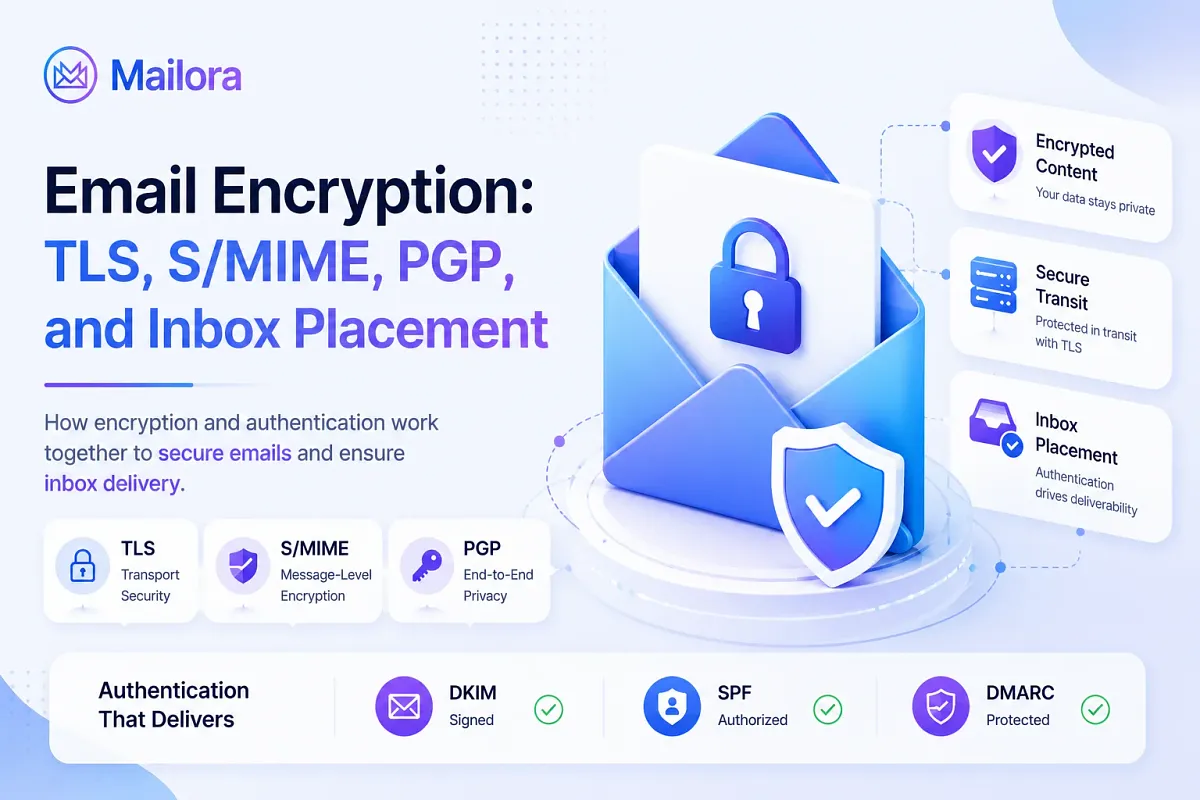
Key Takeaways
|
That gap between "our encryption is set up" and "our encryption is working" is the most expensive blind spot in email today, and it became measurably more expensive in February 2024, when Google and Yahoo made TLS, DKIM, and DMARC mandatory prerequisites for bulk senders to reach the inbox at all.
Encryption stopped being a security checkbox and became a deliverability control that filters mail at the inbox layer, not the firewall.
This guide covers what email encryption is, how TLS, S/MIME, and PGP actually work, and which type applies to your situation..
What Is Email Encryption?
Email encryption is the process of scrambling email message content using cryptographic keys so that only the intended recipient can read it. It operates across three layers:
- Transport encryption: Secures the connection between mail servers as a message moves from sender to receiver
- Message-level encryption: Secures the content itself regardless of where it travels or rests. Even if the message sits on a server or gets forwarded, the content stays encrypted until the holder of the right private key opens it
- Sender authentication: Third layer. Uses protocols such as DKIM, DMARC, and SPF to verify that a message genuinely originated from its stated domain and was not altered in transit.
Together, these layers protect email from interception and forgery, and each serves as a direct signal that mailbox providers use when determining inbox placement.
How Email Encryption Works
Email encryption is about making sure a message can only be read by the intended recipient while it's moving between systems.
The process starts with two cryptographic keys:
- A public key
- A private key.
Public key
A public key is a cryptographic key that can be shared openly with anyone. It is used to encrypt data or verify digital signatures, but it cannot decrypt encrypted information on its own. Only the matching private key can unlock data encrypted with a public key.
Private key
A private key is a secret cryptographic key that must be kept secure by its owner. It is used to decrypt data encrypted with the corresponding public key and to create digital signatures that prove authenticity and ownership.
Public key vs private key
Feature | Public Key | Private Key |
| Purpose | Encrypt data and verify signatures | Decrypt data and create signatures |
| Visibility | Shared openly | Kept secret |
| Who can access it? | Anyone | Only the owner |
| Can it encrypt data? | Yes | No |
| Can it decrypt data? | No | Yes |
| Used for digital signatures | Verification | Creation |
| Security requirement | Can be publicly distributed | Must never be shared |
| Role in email encryption | Helps establish secure communication | Unlocks encrypted information |
| If compromised | Usually low risk by itself | Critical security risk |
[Table: A quick side-by-side comparison of public key and private key]
On their own, public and private keys are secure but inefficient for moving large amounts of data.
Imagine encrypting an entire email conversation using only public-key cryptography. Every message would need complex mathematical operations to encrypt and decrypt, which becomes slow and resource-intensive at scale.
That's why modern email systems use a combination of two encryption methods:
- Asymmetric encryption (public and private keys)
- Symmetric encryption (a shared secret key)
The public and private keys are used first to establish trust and securely exchange a temporary secret between the sending and receiving systems.
Once both sides have that shared secret, they switch to symmetric encryption, typically using algorithms such as AES, to protect the actual email data being transmitted.
This approach combines the strengths of both methods:
Encryption Type | How It Works | Main Advantage | Main Limitation |
| Asymmetric Encryption | Uses a public key and private key pair | Secure key exchange and identity verification | Slower for large data transfers |
| Symmetric Encryption | Uses one shared secret key | Fast and efficient for encrypting content | Requires a secure way to exchange the key |
In other words, asymmetric encryption secures the connection. Symmetric encryption secures the conversation.
This combination is what powers TLS, the encryption protocol responsible for protecting most email traffic while it moves between mail servers.
TLS Handshake
Every time an email is sent, the sending and receiving servers must first establish a secure channel before any message data is transferred. That secure channel is created through a process known as the TLS handshake.
During the handshake, the two servers verify each other's identity, exchange cryptographic information, and use public-key cryptography to establish a shared secret key. Once that shared key exists, they switch to symmetric encryption to protect the actual email content being transmitted.
This entire process happens in a matter of milliseconds and is usually invisible to both the sender and recipient.
When a sending server connects to a receiving server, the two systems negotiate a TLS session. They agree on a supported TLS version, validate certificates, exchange cryptographic information, and generate a shared session key. From that point forward, the email transmission is encrypted while in transit.
When everything works correctly, encryption simply becomes part of the delivery process.
The challenge is that encryption is not always guaranteed.
Most email servers rely on STARTTLS, which upgrades a standard SMTP connection to an encrypted one if both servers support TLS. The sending server asks whether encryption is available. If the receiving server supports it, the connection is upgraded and the message is transmitted securely.
The problem is that traditional STARTTLS is opportunistic. If the receiving server doesn't support encryption, a certificate validation fails, or the TLS negotiation breaks for any reason, many mail servers will simply continue delivery over an unencrypted connection rather than reject the message.
From a delivery perspective, the email still arrives successfully. From a security perspective, the protection has disappeared.
This is known as a STARTTLS downgrade. While it can result from a deliberate attack, the more common cause is routine misconfiguration somewhere along the delivery path. The important point is that senders rarely receive a visible warning when it happens. The message is accepted, delivery succeeds, and the loss of encryption often goes unnoticed.
That's why modern email security standards increasingly focus on enforced encryption, not just available encryption. Protocols such as MTA-STS and DANE allow domains to require encrypted delivery and prevent mail servers from silently falling back to plaintext connections when TLS fails.
Types of Email Encryption
Not all email encryption works the same way. While some protocols protect emails when they're moving between mail servers, others encrypt the actual message content so only the intended recipient can read it.
Some are widely used across modern email infrastructure, while others are primarily reserved for highly regulated industries or specialized security environments.
The protocols below are the ones most commonly encountered in modern email environments.
TLS / STARTTLS
TLS (Transport Layer Security) is a cryptographic protocol that encrypts the connection between mail servers while an email is being transmitted. When a message is sent, the sending and receiving servers negotiate a secure channel through a process called the TLS handshake, during which they exchange cryptographic credentials and generate a shared session key.
From that point forward, all data transferred between the servers is encrypted. STARTTLS is the mechanism used to upgrade a standard, unencrypted SMTP connection to a TLS-protected one.
Most email service providers enable STARTTLS by default, making TLS the most widely deployed form of email encryption and the baseline requirement for bulk senders under Google and Yahoo's 2024 sender mandate.
The default behavior of STARTTLS is opportunistic. That means the sending server asks for encryption but does not require it. If TLS is unavailable or the negotiation fails for any reason, most servers proceed with an unencrypted connection rather than reject the message.
The email still arrives. The sender sees a successful delivery. The message traveled in plaintext.
It is the default behavior across most email infrastructure. That is why TLS being enabled and TLS being enforced are two different things with two different security outcomes.
Enforced TLS means the sending server requires an encrypted connection and rejects delivery if one cannot be established. This is not possible through STARTTLS alone. It requires layering MTA-STS or DANE on top, both of which instruct receiving servers to require TLS and prevent fallback to plaintext.
For senders who want to know their email is encrypted in transit, not just probably encrypted, enforced TLS via MTA-STS is the step that makes that verifiable.
S/MIME
S/MIME (Secure/Multipurpose Internet Mail Extensions) is a certificate-based protocol that encrypts and digitally signs the body of an email message, securing the content at rest and in transit regardless of the path it takes.
The message content remains encrypted whether it is stored on a server, forwarded to a third party, or transmitted across multiple mail systems.
S/MIME relies on digital certificates issued by a trusted certificate authority to authenticate the sender's identity and provide the cryptographic keys used for encryption and signing.
It is most commonly deployed in enterprise, healthcare, and financial environments operating on Microsoft 365 with existing public key infrastructure in place to support certificate-based email security.
Since both sender and recipient need valid certificates, S/MIME is not something one party can deploy unilaterally. Both sides need to be set up and the certificates need to be exchanged before encrypted communication can begin. That is why S/MIME is practical within organizations and regulated industries but not across general audiences.
PGP / OpenPGP
PGP (Pretty Good Privacy) is an open-standard encryption protocol that secures email message content using a system of user-managed public and private key pairs. The sender encrypts a message using the recipient's public key, and the recipient decrypts it using their matching private key, which only they hold.
OpenPGP is the standardized, open-source version of PGP that most modern implementations are built on. Since both parties must generate, distribute, and manage their own encryption keys independently, PGP is most commonly used in technical and security-focused communities where participants are equipped to handle key management. It is rarely practical for commercial email programs that send to large or general audiences.
OpenPGP
OpenPGP is the standardized, open-source specification that most modern PGP implementations follow. GPG (GNU Privacy Guard) is the most widely used tool built on the OpenPGP standard. It is common in open-source development, security research, and developer workflows where technical users are already comfortable managing cryptographic keys.
PGP works well for communication between individuals or small groups where both parties are willing and able to manage encryption keys. It is not a practical choice for commercial sending. Expecting recipients of a marketing campaign or transactional message to have PGP keys set up and accessible is not realistic, which is why PGP rarely appears outside technical communities.
MTA-STS
MTA-STS (Mail Transfer Agent Strict Transport Security) is a published policy standard that instructs receiving mail servers to require TLS encryption when accepting email from a sending domain, preventing the connection from falling back to plaintext if TLS negotiation fails.
Senders publish an MTA-STS policy as a text file hosted at a specific HTTPS URL on their domain, along with a corresponding DNS record. Receiving servers that support MTA-STS check for this policy before accepting a connection and reject delivery rather than proceed without encryption if the requirements are not met.
The standard converts opportunistic STARTTLS into verified, enforced TLS between mail servers.
Publishing an MTA-STS policy involves two steps.
- First, a plain text policy file is hosted at a specific HTTPS URL: https://mta-sts.[yourdomain]/.well-known/mta-sts.txt. This file specifies the policy mode (testing or enforce) and lists the mail server hostnames it applies to.
- Second, a DNS TXT record is added at _mta-sts.[yourdomain] that references the policy file and includes a version identifier. When the policy file is updated, the version identifier changes to signal receiving servers to fetch the new version.
DANE / TLSA
DANE (DNS-Based Authentication of Named Entities) is a security protocol that uses DNSSEC to bind TLS certificates to specific domain names through DNS records called TLSA records.
When a sending mail server connects to a receiving server, it checks the recipient domain's TLSA record to verify that the server's TLS certificate matches what has been published in DNS. This prevents a mail server from accepting a fraudulent or substituted certificate during a connection, closing an attack vector that standard certificate validation cannot address alone.
DANE requires DNSSEC to be active across the entire domain, which makes deployment more infrastructure-intensive and limits adoption primarily to organizations that already operate with DNSSEC in place.
| Protocol | What It Protects | Deliverability Impact | Compliance Relevance | Setup Complexity |
| TLS / STARTTLS | Channel (transit) | Required by Google/Yahoo 2024 mandate | HIPAA, GDPR baseline | Low. Usually on by default in ESPs |
| MTA-STS | Channel (enforced TLS) | Eliminates downgrade risk; improves TLS reliability | HIPAA, GDPR | Medium. DNS + policy file hosting |
| S/MIME | Message content | Can break DKIM if a gateway re-signs | HIPAA, financial, legal | High. Requires certificates |
| PGP / OpenPGP | Message content | Minimal for bulk senders | Niche compliance contexts | High. Key-pair management |
| DKIM | Message identity | Core mandate requirement; directly gates inbox placement | All regulated industries | Medium. DNS record + ESP config |
| DMARC | Policy enforcement | p=reject blocks spoofing; p=none does not protect placement | All regulated industries | Medium. DNS record + ongoing monitoring |
[Table: A detailed comparison table of how different email authentication protocols differ across multiple aspects such as complexity, compliance, and deliverability]
Why Email Encryption Directly Affects Your Inbox Placement
Mailbox providers treat authentication and transport security as direct inputs to their spam filtering decisions. A valid DKIM signature is a positive trust signal that contributes to inbox placement.
A missing or failing DKIM signature is a negative signal that pushes the message toward the spam folder. An unenforced DMARC policy allows the domain to be spoofed by anyone, which generates complaints that degrade sender reputation over time.
Weak or missing transport encryption reduces the trust mailbox providers place in incoming mail from the sender. None of these effects are theoretical, and since February 2024, none of them are optional for high-volume senders.
The 2024 Google and Yahoo sender requirements are the clearest evidence of how directly these factors influence placement. Effective February 1, 2024, both providers began requiring bulk senders, defined as anyone sending roughly 5,000 or more messages per day to their users, to authenticate with SPF and DKIM, publish a DMARC policy (at minimum p=none), transmit messages over TLS, keep spam complaint rates within published thresholds, and honor one-click unsubscribe requests.
Most sending teams get these three things wrong:
DKIM is a placement signal, not a formality
Receivers weigh DKIM directly in their filtering decisions. A broken or misconfigured selector does not simply fail an audit. It actively suppresses inbox placement on every send that carries the broken signature, which is why DKIM health needs to be treated as an ongoing operational concern rather than a one-time setup task.
DMARC enforcement state matters more than DMARC existence
A DMARC policy at p=none is a monitoring policy. It instructs receiving servers to take no action when authentication fails, which means messages can fail DMARC silently while still being delivered. Only p=quarantine and p=reject policies actively protect a domain from spoofing and authentication failures. The difference between "the domain has a DMARC record" and "the DMARC policy is enforced" is significant, and the two states produce different inbox outcomes.
The organizational structure hides the problem
Encryption and authentication setup typically sits under IT or engineering. Inbox placement and email performance typically sit under marketing or growth. As a result, a misconfigured authentication stack often surfaces as a marketing metric, such as declining open rates or a campaign that underperforms, well before anyone routes the issue to the team responsible for reading DMARC reports or maintaining DKIM keys. The root cause is technical, but the first symptom is almost always commercial.
Mailora continuously monitors DKIM selector health, DMARC enforcement state, and SPF configuration, rather than treating authentication as something verified once at setup.
The objective is not to configure DKIM, because the sending platform handles that on the sender's behalf. The objective is to confirm, on an ongoing basis, that the configuration is still working as expected.
Three Ways Authentication Breaks
The reason authentication is worth monitoring continuously rather than configuring once and leaving in place is that the most damaging failures rarely produce an error at the moment they occur.
The system continues to send mail, the logs report successful delivery, and the consequence only becomes visible weeks later in the form of degraded inbox placement. Three failure modes recur most often in practice.
The stale DKIM selector left behind after an ESP migration
A team migrates its sending program from one platform to another, for example from Mailchimp to Klaviyo. The new platform's DKIM selector is added to DNS, begins signing outbound messages, and everything appears to be working correctly.
The previous platform's selector, often named something like mc._domainkey, is frequently left in DNS pointing at a key that no longer signs anything.
Mail continues to flow correctly through the new selector, which is why the issue rarely gets noticed during the migration. The problem surfaces later, when a downstream system, a forwarded message, or a stale automation references the old signing path.
DKIM fails alignment, and the failures start appearing in DMARC aggregate reports days or weeks later. By the time the issue is identified, the drop in sender reputation has already begun and predates the discovery by a meaningful margin. This is the single most common silent failure pattern in lifecycle email programs.
STARTTLS downgrade without a sender-side alert
Opportunistic TLS can fall back to plaintext when the connection encounters a misconfiguration on the receiving server or when an active downgrade attack strips the encryption negotiation.
From the sender's perspective, the message still appears to deliver successfully. There is no bounce, no warning, and no log entry indicating that the message moved in plaintext rather than over TLS.
This is the failure mode that MTA-STS with TLS-RPT is specifically designed to address. The combination converts a previously invisible downgrade event into a reported one, which allows the sending team to identify when and where TLS failures are occurring before they affect deliverability or compliance.
The S/MIME gateway that invalidates DKIM signatures
This failure mode is most common in enterprise and healthcare environments. A security gateway intercepts outbound mail to add an S/MIME signature or encryption layer after the message has already been DKIM-signed by the sending platform. The modification to the message body invalidates the original DKIM signature.
The message still sends, still appears encrypted to the recipient, and still passes basic SMTP-layer checks. But DKIM now fails authentication, DMARC failures accumulate in aggregate reports, and inbox placement begins to erode.
The unusual aspect of this failure is that the cause is a security control that was supposed to improve the sending posture, not weaken it. The teams that own the two systems often sit in different parts of the organization and rarely coordinate, which is why this kind of conflict can persist for a quarter or longer before anyone identifies it.
What these three failure modes share is that each one is invisible at the moment of failure. The system continues to operate normally from the sender's perspective. The consequences only surface later, in DMARC XML reports or as a measurable drop in placement, and by that point the underlying problem has often been active for weeks.
Point-in-time tests miss these failures by design, because the configuration was working correctly at the time the test was run. Catching them requires continuous visibility into the signals that mailbox providers see, rather than periodic checks of the signals the sending team can see locally.
How to Set Up and Verify Email Encryption Across Your Stack
The setup process follows the same pattern regardless of platform:
- Enable the protocol or feature.
- Publish the required DNS records.
- Verify that real messages are using it successfully.
Google Workspace and Gmail
SPF, DKIM, and DMARC are all configured through the Google Admin console.
- To turn on DKIM, go to Apps → Google Workspace → Gmail → Authenticate email, generate the key, and publish the provided google._domainkey TXT record in DNS.
- Add an SPF record authorizing _spf.google.com, and publish a DMARC record at _dmarc.yourdomain.com starting at p=none to collect data. Progress to p=quarantine and then p=reject once alignment is confirmed.
- For enforced transport, publish an MTA-STS policy. Workspace supports it natively.
- To verify the setup, send a test message to a Gmail account and check "Show original," it reports SPF, DKIM, and DMARC pass or fail status per message.
Microsoft 365
Microsoft signs outbound mail with a default DKIM key, but for a custom sending domain you need to enable custom DKIM through the Defender portal (Email & collaboration → Policies & Rules → Threat Policies → Email Authentication Settings → DKIM).
The setup flow generates two CNAME records to publish in DNS. Configure SPF to include spf.protection.outlook.com, and publish a DMARC record separately. Microsoft 365 also supports MTA-STS publishing.
If the stack includes S/MIME or a security gateway, this is exactly where the DKIM-invalidation problem appears. Verify that DKIM still passes after the gateway processes the mail, not just at the sending platform level. The two are not the same check.
SendGrid
Use Sender Authentication → Authenticate Your Domain. SendGrid generates the CNAME records to publish, including the DKIM selectors s1._domainkey and s2._domainkey.
The same flow sets up branded link tracking and aligned DKIM in one step. DMARC needs to be configured separately. Once the dashboard shows "Verified," confirm with an external check that the records resolve correctly and that DKIM is actually signing live mail.
Postmark
Under Sender Signatures and Domains, add the sending domain and publish the DKIM and Return-Path (SPF) records Postmark provides. Postmark surfaces DKIM and SPF verification status directly in the dashboard. DMARC needs to be added and enforced separately at the DNS level.
The verification step is the one most teams skip, and it's the one that decides whether any of the setup actually works. The records resolving in DNS proves they exist. However, it doesn't prove the selector is actively signing live mail, that the signature survives whatever gateway sits in the path, or that DMARC has moved past p=none.
Email Encryption and Compliance: HIPAA and GDPR
For senders operating in regulated environments, encryption is a baseline compliance requirement, and the consequences of getting it wrong show up as fines, breach reporting obligations, and lost contracts rather than as a drop in open rates. Two frameworks drive most encryption-related compliance work for senders, and each treats encryption differently.
HIPAA
HIPAA applies to any organization handling protected health information, including healthcare providers, insurers, and the business associates that work with them. The rule does not mandate encryption directly. Instead, it requires that PHI be protected through "reasonable and appropriate" safeguards, and encryption is the safeguard that satisfies the technical requirement for data in transit and at rest.
In practice, this means email containing PHI needs to be encrypted in transit using TLS, with the receiving server's certificate validated rather than accepted opportunistically.
Plaintext fallback through STARTTLS downgrade is a compliance failure waiting to happen, because the message moves unencrypted without any visible signal to the sender.
MTA-STS with TLS-RPT is the standard mechanism for enforcing TLS and surfacing failures, and any HIPAA-regulated sending program should have both configured.
The harder question is what happens when the recipient's server does not support TLS. Sending the message anyway moves PHI in plaintext, which is a breach. The compliant alternative is either a secure messaging portal that the recipient logs into, or end-to-end encryption through S/MIME or a comparable system.
GDPR
GDPR applies to any organization processing the personal data of individuals in the European Union or the United Kingdom, regardless of where the organization itself is based.
Like HIPAA, it does not require encryption explicitly, but Article 32 requires "appropriate technical and organizational measures" to protect personal data, and encryption is named as one of the recommended measures.
Personal data moving through email needs to be protected by TLS in transit, with the same caveats about opportunistic downgrade and the need for enforced transport security.
GDPR also introduces an additional consideration that HIPAA does not. If an encryption failure leads to unauthorized access to personal data, the breach notification obligation under Article 33 kicks in, and the sender has 72 hours to report the breach to the relevant supervisory authority. The reporting requirement makes silent TLS failures particularly costly, because the breach happens without any local signal.
GDPR also weighs the strength of encryption when evaluating whether a breach needs to be reported at all. If the data was strongly encrypted and the keys remained protected, the breach may not require notification. Weak or absent encryption removes that exemption.
Difference between Email Encryption and Email Authentication
Encryption protects the content of messages in transit. Authentication protects the identity of the sender, which has a different but related compliance role. SPF, DKIM, and DMARC together reduce the risk of domain spoofing, which is the most common attack vector for phishing campaigns that target healthcare and personal data. A spoofed message from a healthcare provider can lead to credential theft, fraudulent payment redirects, or unauthorized disclosure of PHI, and any of these can trigger HIPAA breach reporting obligations even though the original sender never sent the message.
one does, what it protects against, and where it fits in a compliance framework.
Dimension | Email Encryption | Email Authentication |
| What it protects | The content of the message in transit between servers | The identity of the sender and the legitimacy of the sending domain |
| Primary mechanism | TLS for transport encryption, S/MIME or PGP for end-to-end encryption | SPF, DKIM, and DMARC for sender verification |
| What it prevents | Interception and reading of message contents by third parties during transmission | Domain spoofing, impersonation, and phishing campaigns sent under the sender's name |
| Where it operates | At the SMTP connection layer (TLS) or at the message level (S/MIME) | At the DNS layer (SPF, DKIM records) and at the receiver's policy evaluation step (DMARC) |
| Sender controls | TLS support on sending infrastructure, MTA-STS publication, S/MIME certificate management | DNS records for SPF and DKIM, DMARC policy state, alignment configuration across sending sources |
| Compliance role under HIPAA | Required safeguard for transmitting PHI in transit; required by the Security Rule's transmission security standard | Reduces phishing-based attack surface that can lead to PHI breach incidents |
| Compliance role under GDPR | Named as a recommended measure under Article 32; affects breach notification obligations under Article 33 | Reduces unauthorized disclosure risk by preventing spoofed messages that exfiltrate personal data |
| Failure mode | Plaintext fallback through opportunistic TLS downgrade, expired certificates, unsupported recipient servers | DMARC at p=none, broken DKIM selectors, missing SPF includes, gateway-induced signature breakage |
| Visible signal at failure | Often silent. Sender sees successful delivery even when TLS downgrades to plaintext | Often silent. Mail still sends, but DMARC failures accumulate in aggregate reports |
| Detection method | MTA-STS with TLS-RPT reporting, transport security monitoring | DMARC aggregate and forensic reports, authentication-results headers, continuous monitoring |
| Deliverability impact | Indirect. Weak transport security contributes to lower trust signals from mailbox providers | Direct. Authentication failures actively suppress inbox placement and degrade sender reputation |
| Compliance impact | High. Plaintext transmission of regulated data is a reportable incident under both HIPAA and GDPR | High. Spoofed mail under a regulated domain can trigger breach notification obligations |
[Table: A brief table of comparison explaining the core differences between email encryption and email authentication]
For HIPAA and GDPR-regulated senders, encryption and authentication need to be treated as ongoing operational practices, not one-time setup tasks.
A working configuration today does not guarantee a working configuration next quarter, and a silent TLS downgrade or a broken DKIM selector can move from technical issue to compliance incident without any visible warning.
Continuous monitoring of authentication state, TLS enforcement, and DMARC reporting is what turns compliance from a point-in-time audit exercise into an actually defensible posture.
The 7-Point Auth Stack Audit
This audit covers the seven places authentication breaks most often. Each check takes a few minutes and surfaces issues that typically stay invisible until inbox placement starts to drop. Run it on the sending domain that handles your highest-volume mail, and work through every point before moving on.
1. Confirm DKIM is actively signing live mail
A DKIM record sitting in DNS does not prove that mail is being signed. The selector has to be active, the private key has to match, and the sending platform has to be using it correctly on every send.
To check:
- Send a test message from the domain to a Gmail or Outlook address you control.
- Open the message, view the full headers, and look for the Authentication-Results line.
- It should read dkim=pass, with the d= value matching the sending domain.
- If it reads dkim=none or dkim=fail, the signature is not being applied or is being applied incorrectly.
2. Remove stale DKIM selectors from DNS
When a sending platform changes, for example, when a team migrates from Mailchimp to Klaviyo, the new platform's selector gets added but the old one usually stays in DNS. The old key no longer signs anything, but it remains a published record that downstream systems can reference.
To check:
- Query DNS for all _domainkey records under the sending domain.
- Common stale patterns include mc._domainkey from Mailchimp, s1._domainkey and s2._domainkey from older SendGrid setups, k1._domainkey from Mandrill, and selector1._domainkey from older Microsoft configurations.
- Any selector that points at a platform no longer in use should be removed.
3. Confirm DMARC is enforced, not just present
DMARC at p=none is monitoring mode. It tells receiving servers to take no action when authentication fails, which means the domain is collecting data but is not actually protected against spoofing or authentication failures.
To check:
- Query DNS for the TXT record at _dmarc.yourdomain.com.
- The policy value will be one of three states.
- p=none means monitoring only.
- p=quarantine means failed messages go to the spam folder.
- p=reject means failed messages are rejected at the perimeter.
Only the second and third states protect the domain. If the policy has been at p=none for more than 30 days and the aggregate reports show consistent alignment, advance it to p=quarantine.
4. Stay under the SPF 10-lookup limit
SPF allows a maximum of 10 DNS lookups during evaluation. Each include statement counts as at least one lookup, and some includes trigger additional nested lookups behind the scenes. Once the total exceeds 10, SPF returns a permerror and authentication fails silently across the entire sending domain.
To check:
- Run the SPF record through an SPF flattener or lookup counter.
- Common offenders are senders that have stacked includes for Google Workspace, Microsoft 365, SendGrid, Mailchimp, HubSpot, Salesforce, and a transactional provider all on the same domain.
- If the count is at 9 or 10, consolidate sources or use a flattening service to bring the count back into safe range.
5. Enforce TLS rather than relying on opportunistic encryption
Opportunistic TLS will fall back to plaintext when the receiving server does not negotiate encryption correctly. The fallback is silent, the sending platform records the message as delivered, but the contents moved unencrypted across the public internet.
To check:
- Confirm that an MTA-STS policy is published at https://mta-sts.yourdomain.com/.well-known/mta-sts.txt with a mode of enforce, not testing.
- Then enable TLS-RPT by publishing a TXT record at _smtp._tls.yourdomain.com that points at a reporting address.
- TLS-RPT generates daily reports of any TLS negotiation failures, which is the only way to catch a downgrade as it happens rather than weeks later.
6. Check DMARC aggregate reports for unexpected failures and unknown sources
Most senders configure DMARC reporting, route the reports to an inbox no one reads, and never look at them again. The aggregate reports are the single best source of truth about which sources are sending mail as the domain.
To check:
- Pull the XML reports for the last 30 days.
- Look at two things specifically.
- The alignment results: every legitimate sending source should show consistent SPF and DKIM passes. Repeated failures from a known sender mean a configuration drift.
- The unknown sources: any IP or sending platform that does not match an authorized sender.
These are either shadow IT systems no one has documented, or active spoofing attempts against the domain. Both need to be investigated.
Try Mailora IP Blocklist Check
7. Verify DKIM survives every gateway in the sending path
Security gateways, S/MIME signing services, and some email security platforms modify outbound mail after it leaves the sending platform. Any modification to the message body invalidates the original DKIM signature, which means the message arrives at the recipient with a broken signature even though the sending platform signed it correctly.
To check:
- If the sending path includes any gateway or security layer after the sending platform, send a test message through the full production path and inspect the headers at the recipient.
- The DKIM result should be dkim=pass on the domain's signature, not just on the gateway's signature if one is added.
- If the original signature is broken, the gateway is modifying the body and the configuration needs to either exempt outbound mail from modification or re-sign after processing.
How often to run this audit
Quarterly is the minimum cadence for any sending program. Monthly is more defensible for programs that add new sending tools regularly, run high-volume outbound campaigns, or operate in regulated environments where authentication failures carry compliance consequences.
The reason cadence matters is that authentication state changes between checks. A selector that signs correctly today can go stale the moment a new sending platform gets added. A DMARC policy that someone meant to advance from p=none can sit in monitoring mode for a year. A gateway can be deployed by the security team without the deliverability team knowing. Point-in-time checks miss all of these because the configuration looked fine the last time someone audited it.
Mailora runs this audit continuously and ties each finding to inbox placement data across Gmail, Outlook, Yahoo, and Apple Mail. When a reputation drop happens on the 17th, the platform shows the DKIM change on the 17th rather than leaving the team to reconstruct the cause from a week of forensic work.
Mailora gives email senders continuous visibility into SPF, DKIM, DMARC, and TLS health, and correlates that authentication posture to real inbox placement across Gmail, Outlook, Yahoo, and Apple Mail. It doesn't fix your DKIM; it tells you, before your inbox rate does, whether it's still working.
Run your free deliverability test
FAQs
What is email encryption?
Email encryption scrambles message content using cryptographic keys so only the intended recipient can read it. It operates at two layers: transport encryption (TLS) secures the connection between mail servers, and message-level encryption (S/MIME, PGP) secures the content itself.
What does encrypting an email do?
It prevents anyone other than the intended recipient from reading the message. For bulk senders, encryption also serves as an inbox-placement signal that mailbox providers use when deciding between inbox and spam.
How do I send an encrypted email?
Transport encryption (TLS) is on by default in most email providers, so routine mail is already encrypted in transit. To enforce it and prevent silent downgrades, publish an MTA-STS policy. For message-level encryption, use S/MIME or PGP.
Is TLS the same as DKIM?
No. TLS encrypts the connection between mail servers. DKIM cryptographically signs the message so receivers can verify it came from your domain. Both use cryptography, but they protect different things and can fail independently.
What's the difference between DMARC `p=none` and `p=reject`?
p=none is monitoring mode. It collects reports but tells receivers to take no action on authentication failures, offering no protection against spoofing. p=reject blocks failed mail at the receiver and is the policy that actually protects placement.
Stay in the loop
Deliverability insights, product updates, and early access to new features. No spam, unsubscribe anytime.
By subscribing, you agree to our Privacy Policy. Unsubscribe anytime.